AI Video Agent
for Idea-to-Video Creation

Turn a brief, script, product, image, or reference into a complete video workflow. Wizstar's AI video agent plans scenes, coordinates video models, keeps your creative direction connected, and helps you refine the final cut.

Wizstar AI Video Agent

What Does Wizstar's AI Video Agent Do?

Turn a Rough Idea into a Production-Ready Plan

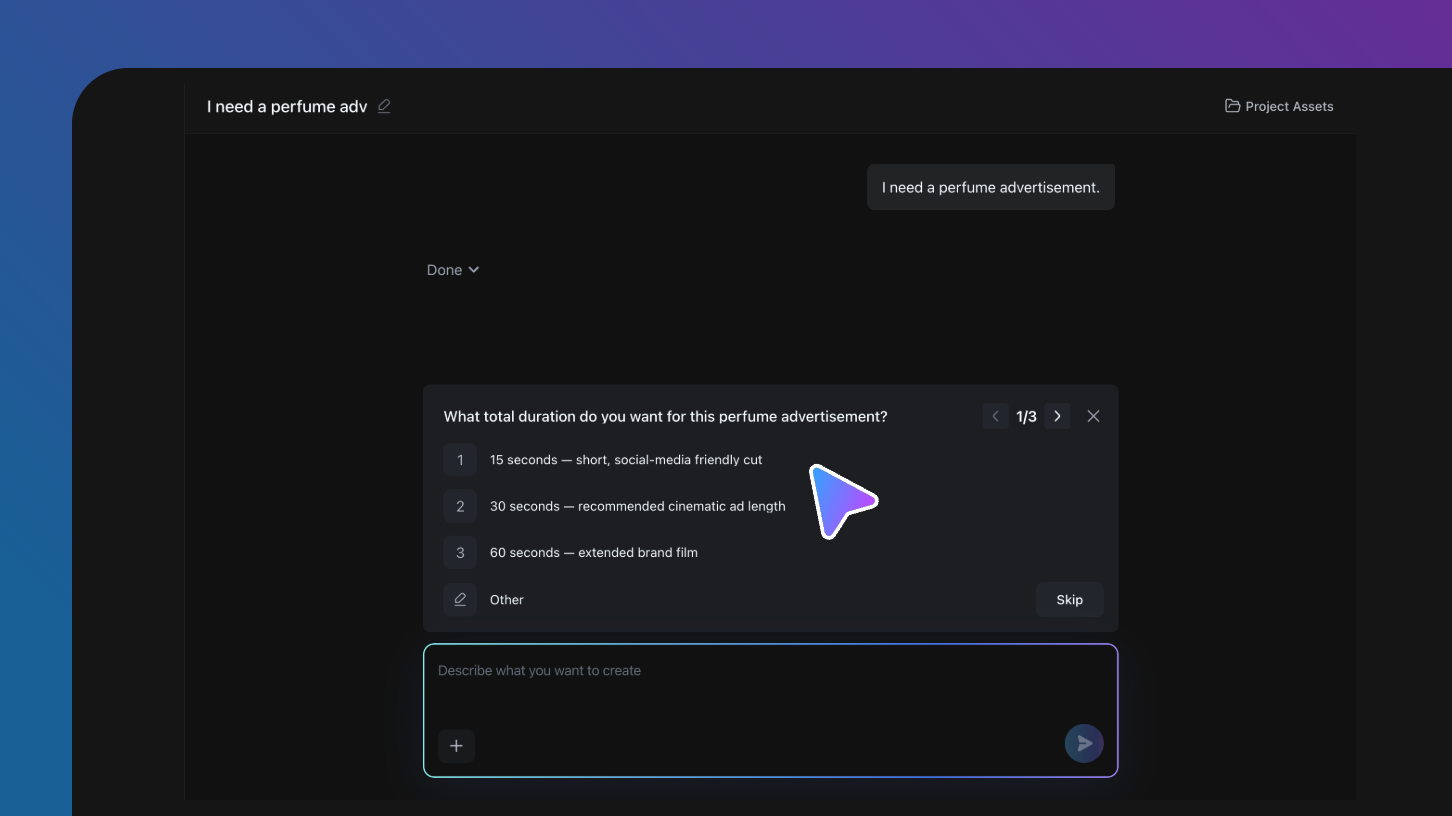
Start with whatever you have—even a half-formed thought. Wizstar asks the right questions, shapes the idea with you, and turns it into a clear, complete creative plan ready for production.

Start For Free

The Latest AI Models, all in Wizstar

Access the latest AI video models, including Seedance 2.5, all in one place. Use multiple models within a single workflow and bring their unique strengths together to get the best result for every scene.

Start For Free
WIZSTAR MODEL LIBRARYTOP MODELS · ALL IN ONE PLACE
Seedance 2.530s cinematic shots
MiniMax H3High-resolution output
Kling 3.0 OmniRealistic motion
GPT Image 2Precise image generation
More ModelsMore creative options
Nano Banana 2Fast visual concepts
Nano Banana ProPolished image detail
Nano Banana 2 LiteLightweight iteration
Seedance 2.0Connected video scenes
Seedance 1.5Reliable video motion
One workflowEvery creative directionWizstar

Make Precise Edits Without Starting Over

Refine a single shot, character, motion, line, or visual detail without regenerating the entire video. Wizstar keeps everything that already works and updates only what you choose, making every revision faster, more flexible, and fully under your control.

Start For Free

Keep Every Character Consistent Across Every Shot

Keep your characters and visual style consistent as cameras, scenes, and actions change. Wizstar preserves the look you approve across every shot, so faces, outfits, and the overall style stay recognizable from beginning to end.

Start For Free

From a creative direction to a finished video

Explore the jobs an AI video agent can coordinate, from story planning and text to video through product campaigns, social ads, and multi-shot continuity.

Start For Free
Turn a complex battle script into a cinematic sequence

Turn a complex battle script into a cinematic sequence

From one story direction, the AI video agent coordinates rapid camera moves, ship choreography, impact effects, and continuous action across every shot.

Shot planningAction continuity
Guide your character through a connected visual journey

Guide your character through a connected visual journey

Start with a simple goal and let the AI video agent plan every jump, reaction, camera move, and object interaction. From the clock to the floating toys, each shot connects into one playful adventure.

Action continuitySpatial story planning
Build Suspense with Multiple Characters

Build Suspense with Multiple Characters

Turn a story beat into a directed sequence with character blocking, reactions, camera reveals, sound cues, and a controlled final reveal. The AI video agent keeps the cast, spatial scale, and tension coherent as the hidden threat emerges.

Script to videoCinematic storytelling
Keep Your Character Consistent Across Every Scene

Keep Your Character Consistent Across Every Scene

Carry one dancer, costume, and visual identity from a modern stage to cliffs, a medieval court, and a battlefield. The AI video agent plans seamless scene changes around continuous movement, so the story feels like one performance.

Character consistencyMulti-scene continuity
Turn Ingredients into Mouth-Watering Food Videos

Turn Ingredients into Mouth-Watering Food Videos

From one recipe direction, the AI video agent plans appetizing close-ups, sizzling process shots, and smooth transitions that make every dish look irresistible from prep to plating.

Shot planningCinematic storytelling
Turn a complex battle script into a cinematic sequence

Turn a complex battle script into a cinematic sequence

From one story direction, the AI video agent coordinates rapid camera moves, ship choreography, impact effects, and continuous action across every shot.

Shot planningAction continuity
Guide your character through a connected visual journey

Guide your character through a connected visual journey

Start with a simple goal and let the AI video agent plan every jump, reaction, camera move, and object interaction. From the clock to the floating toys, each shot connects into one playful adventure.

Action continuitySpatial story planning
Build Suspense with Multiple Characters

Build Suspense with Multiple Characters

Turn a story beat into a directed sequence with character blocking, reactions, camera reveals, sound cues, and a controlled final reveal. The AI video agent keeps the cast, spatial scale, and tension coherent as the hidden threat emerges.

Script to videoCinematic storytelling
Keep Your Character Consistent Across Every Scene

Keep Your Character Consistent Across Every Scene

Carry one dancer, costume, and visual identity from a modern stage to cliffs, a medieval court, and a battlefield. The AI video agent plans seamless scene changes around continuous movement, so the story feels like one performance.

Character consistencyMulti-scene continuity
Turn Ingredients into Mouth-Watering Food Videos

Turn Ingredients into Mouth-Watering Food Videos

From one recipe direction, the AI video agent plans appetizing close-ups, sizzling process shots, and smooth transitions that make every dish look irresistible from prep to plating.

Shot planningCinematic storytelling

Explore More Using Wizstar's AI Video Agent

Use the same guided workflow for marketing campaigns, product ads, animated stories, educational videos, and cinematic short dramas.

01

AI Video Agent for Marketing Campaigns

Turn a product brief into a polished campaign video with a clear hook, product-focused shots, cinematic motion, and channel-ready pacing. Wizstar's Creative Agent can shape the concept, script, visual direction, and edit into a high-impact ad like this futuristic gaming mouse launch.

Create a Marketing Video
02

Turn Product Shots into Model-Led Video Ads

Show the product and the finished look in one polished story. Wizstar's AI agent for video creation can coordinate eyeshadow palette close-ups, model shots, color-focused transitions, pacing, and sound so beauty shoppers can see the effect before they buy.

Create a Beauty Product Ad
03

Create Character-Led Animated Stories

Turn a simple character idea or short script into a warm, expressive animated sequence. Wizstar's script-to-video AI agent can plan character actions, camera beats, a whimsical visual world, and scene-to-scene continuity for branded mascots, family content, and playful storytelling.

Create an Animated Story
04

Turn Lessons into Engaging Explainer Videos

Bring an abstract idea to life with a familiar character, a clear setting, and a memorable visual example. Wizstar's AI video production agent can turn a lesson outline into narrated scenes, demonstrations, character performance, and a paced edit, like Newton explaining gravity through the falling apple.

Create an Educational Video
05

Create Cinematic AI Short Dramas, Scene by Scene

Build a short-form drama from one story beat, with character dialogue, reaction shots, world-building, and a cinematic payoff. Wizstar's end-to-end AI video generator can plan the script, scene order, visual continuity, sound, and edit, from a command-center warning to a spacecraft's final approach.

Create an AI Short Drama

Create with Wizstar's AI Video Agent in Three Steps

Start with an idea, let the Agent build the plan, and shape the final video with every creative decision connected.

Start with an IdeaStep 01

Start with an Idea

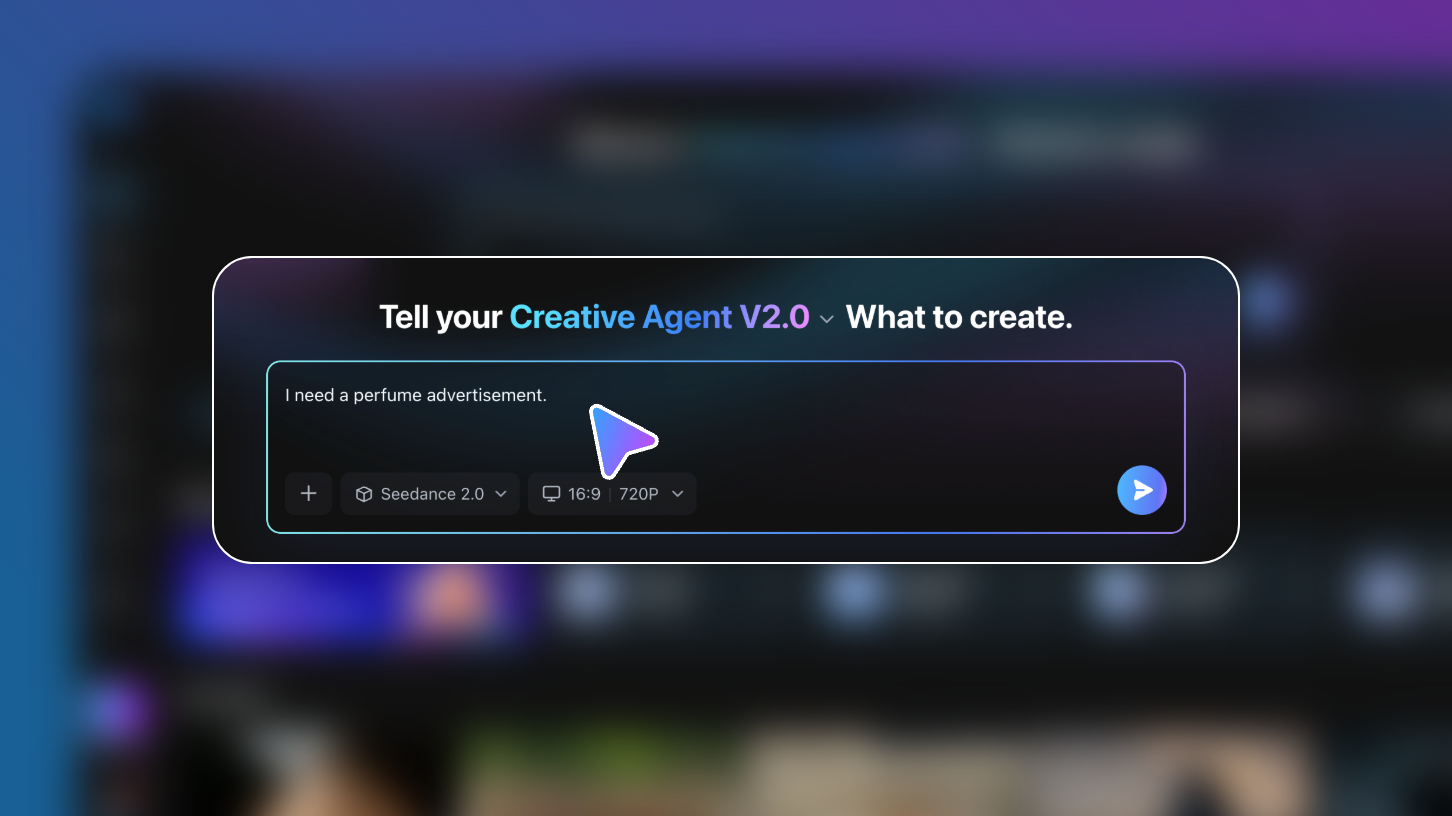
Describe what you want in plain language, then add scripts, products, characters, or reference images. The Agent turns your direction into a clear creative brief.

Let the Agent Plan the VideoStep 02

Let the Agent Plan the Video

Your Agent maps the story, suggests scenes, selects the right model, and organizes visuals, voice, pacing, and format before generation starts.

Generate, Review, and RefineStep 03

Generate, Review, and Refine

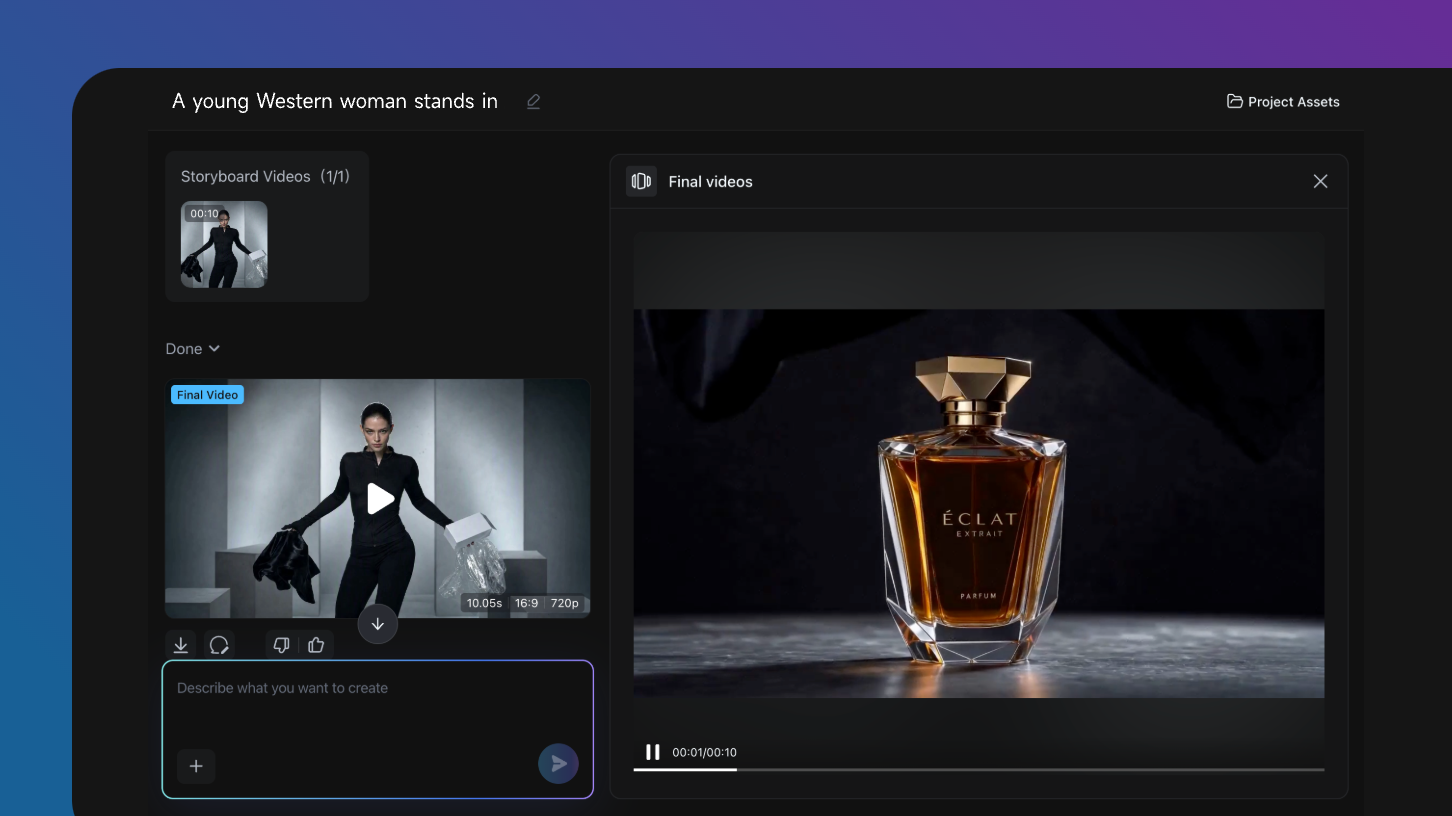
Create a polished first cut, review the result, and keep refining the details with the Agent until the video is ready to share.

Multiple AI Models

TopAIModelsPoweringWizstar'sVideoAgent

Wizstar brings four AI video models into one workflow, so you can match each brief with the kind of motion, continuity, and shot length it needs.

Seedance 2.0

Stable audiovisual storytelling

Choose it for connected scenes that need reliable visual continuity, synchronized sound, and a smooth narrative flow.

Seedance 2.5

Longer multi-reference shots

Choose it for a single shot up to 30 seconds when several visual references need to stay connected in one directed sequence.

MiniMax H3

High-resolution cinematic control

Choose it for visually rich scenes that benefit from expressive character motion, detailed subjects, and polished high-resolution output.

Kling 3.0 Omni

Realistic motion and physics

Choose it to bring product shots, characters, and image references to life with grounded movement and believable physical detail.

Start For Free
Creator voices

What Wizstar Creators Say

Production perspectives on planning connected scenes, sound, and revisions with an AI video agent.

I can start with a rough brief and get a clear shot plan before I open the editor.

Maya R. · Creative producer

Keeping the references, characters, and visual rules together makes revisions much easier.

Jordan K. · Brand designer

I can try different models for different shots without rebuilding the whole project from scratch.

Chris T. · Independent filmmaker

The agent gives me a strong first cut, then I can steer the details until the story feels right.

Taylor S. · Marketing lead

I can start with a rough brief and get a clear shot plan before I open the editor.

Maya R. · Creative producer

Keeping the references, characters, and visual rules together makes revisions much easier.

Jordan K. · Brand designer

I can try different models for different shots without rebuilding the whole project from scratch.

Chris T. · Independent filmmaker

The agent gives me a strong first cut, then I can steer the details until the story feels right.

Taylor S. · Marketing lead
Wizstar AI Video Agent

FAQ

The Wizstar AI Video Agent is an end-to-end creative workspace for turning a brief into a finished video. Start with a prompt, script, product, or reference image, and the agent helps connect planning, scene creation, voice and sound direction, editing, and revisions. You stay in control of the creative direction while the agent coordinates the production steps.

A standard AI video generator usually creates one clip from one prompt or image. An AI video agent manages more of the workflow around that clip, including the concept, script, shot plan, references, connected scenes, and revision notes. Wizstar is designed for projects that need those decisions to stay connected instead of starting over with every generation.

Yes. Wizstar supports both text-to-video and image-to-video workflows. You can describe a scene in words, upload an image as a visual starting point, or combine a script with product and character references. The best input depends on your goal: use text for open-ended concepts and images when composition, appearance, or visual continuity matters.

Choose the model based on the shot you need, because each model has different strengths. Wizstar currently presents options including Seedance 2.0, Kling 3.0 Omni, and Seedance 2.5. Compare them for motion, prompt response, reference handling, and the visual style your project requires, then generate with the model that best fits that scene.

Video length and output options depend on the model and workflow you select. In Wizstar, Seedance 2.5 supports a single shot up to 30 seconds and can work with multiple references. The current creation controls also include 9:16 and 16:9 aspect ratios with 720P output, making it easier to prepare vertical or widescreen content.

Availability and credit usage depend on your current Wizstar account and plan. Sign in to Wizstar to see the latest access options, your available credit balance, and the estimated credit cost before you generate. This keeps pricing information accurate as models, generation settings, and account offers change over time.

You can use the Wizstar AI Video Agent for product ads, marketing videos, animated stories, educational explainers, and AI short-form dramas. It can also help adapt a core idea for different channels and aspect ratios. The workflow is most useful when a project needs several connected creative decisions rather than a single isolated shot.

Reference files are used to guide the video workflow you create in Wizstar. Before uploading confidential, sensitive, or rights-restricted material, review Wizstar's current privacy policy and terms for the latest information about data handling and permitted use. Only upload files that you have the right to use in your project.

Turn Your Idea into a Finished Video

Bring your brief, script, product, or reference to Wizstar. The AI video agent turns your direction into a complete video, from planning and scene creation to the final cut.

Start For Free