The short answer
To benchmark AI video models for a product ad shot, lock one authorized image, one motion brief, and one acceptance rule before generating equal numbers of raw clips. This article designs that test; it contains no matched outputs or quality ranking. Google shut down the Veo 3.1 Preview models in the Gemini API on October 22, 2026, so the former endpoint cannot enter a new test. Model documentation and route status were checked October 30, 2026; account-level access still needs confirmation.
What Product-Ad Shot Is Being Compared?
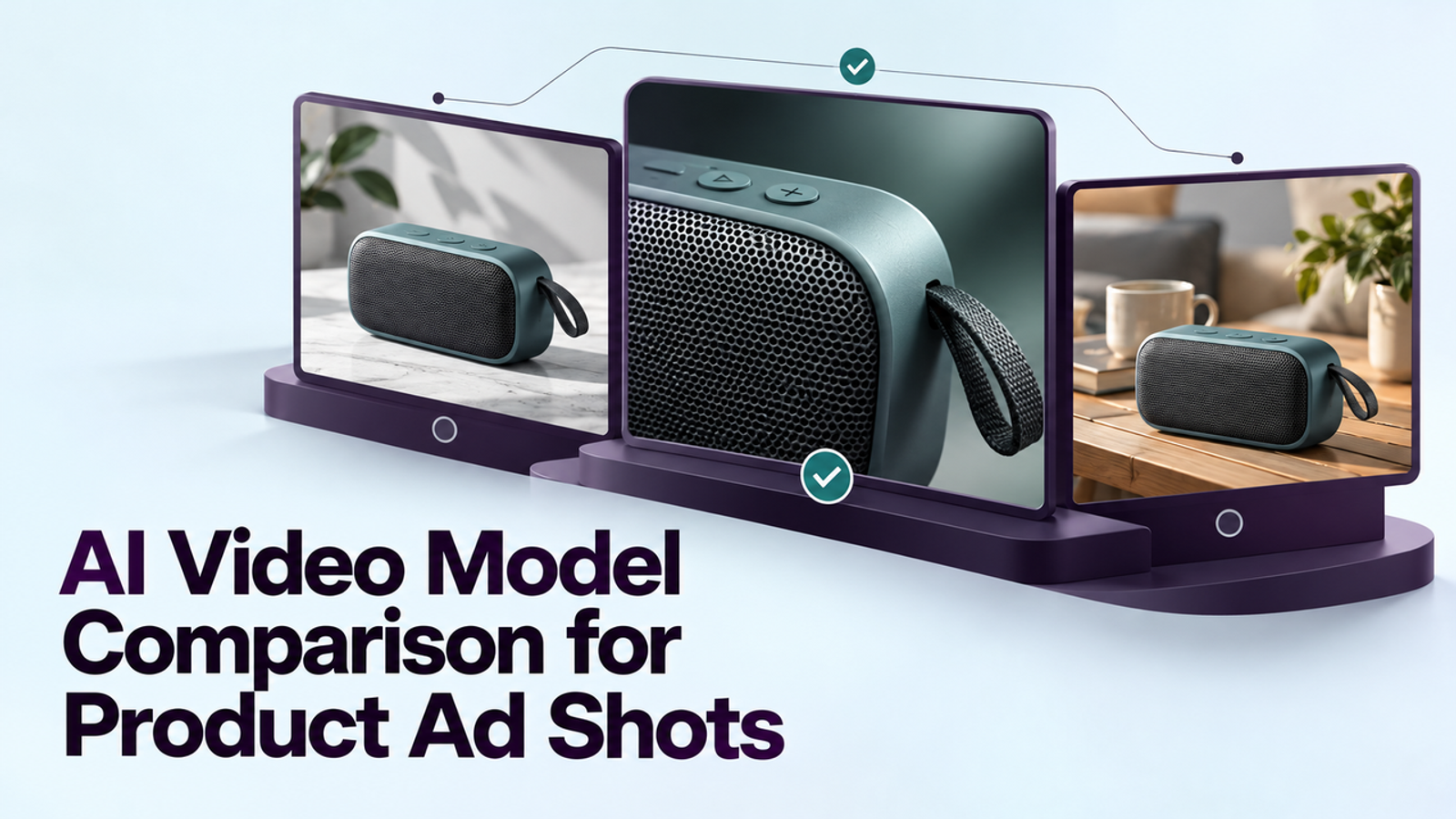
Use one approved front-facing packshot. The product stays still while the camera gently pushes in, leaving space above for copy. This exposes changes to silhouette, label, logo, color, and crop without inventing an unseen side. The goal is an eight-second vertical clip for editing, not a conversion prediction.
The product owner should mark details that cannot change. Record SKU, image ID, rights holder, market, and what the photo does not prove. A functional demonstration needs verified footage.
Lock the Same Image, Prompt, Duration, and Output Goal
Use the same authorized 9:16 image and brief: “Create one continuous eight-second 9:16 shot at 720p. Keep the product stationary and front-facing while the camera slowly pushes in. Preserve the exact packaging, colors, label, and proportions. Add no hands, new text, claims, or product actions. Leave room above for copy.” This proposed prompt is no performance evidence.
Run three first-pass generations per exact model and route; save every raw file. Three is a pilot count, not a statistical sample. Match duration, resolution, and aspect ratio; log any mismatch. Exclude provider-specific references and keyframes from the baseline. Confirm each route in the team’s account before testing. Mark an unavailable or incompatible route not tested rather than silently substituting another model.
How Should Models Be Scored?
Use gates before averages. Product identity and truthful depiction are pass-or-fail. Among passing clips, compare motion, copy space, attempts, and editing time. Copy one row per attempt: model/version | platform/plan | source ID | prompt version | settings | raw file | product pass/fail | motion pass/fail | repair minutes | actual charge | decision.
Product Identity and Motion Control
Compare first, middle, and final frames with the authorized image at delivery size. Reject new features, changed SKU, distorted logo, or altered quantity. Then watch for unwanted rotation, wobble, cuts, or lost headline space. I want to see what survives a second look: a beautiful opening frame fails if product identity drifts.
Text Accuracy, Rework, and Usable Cost
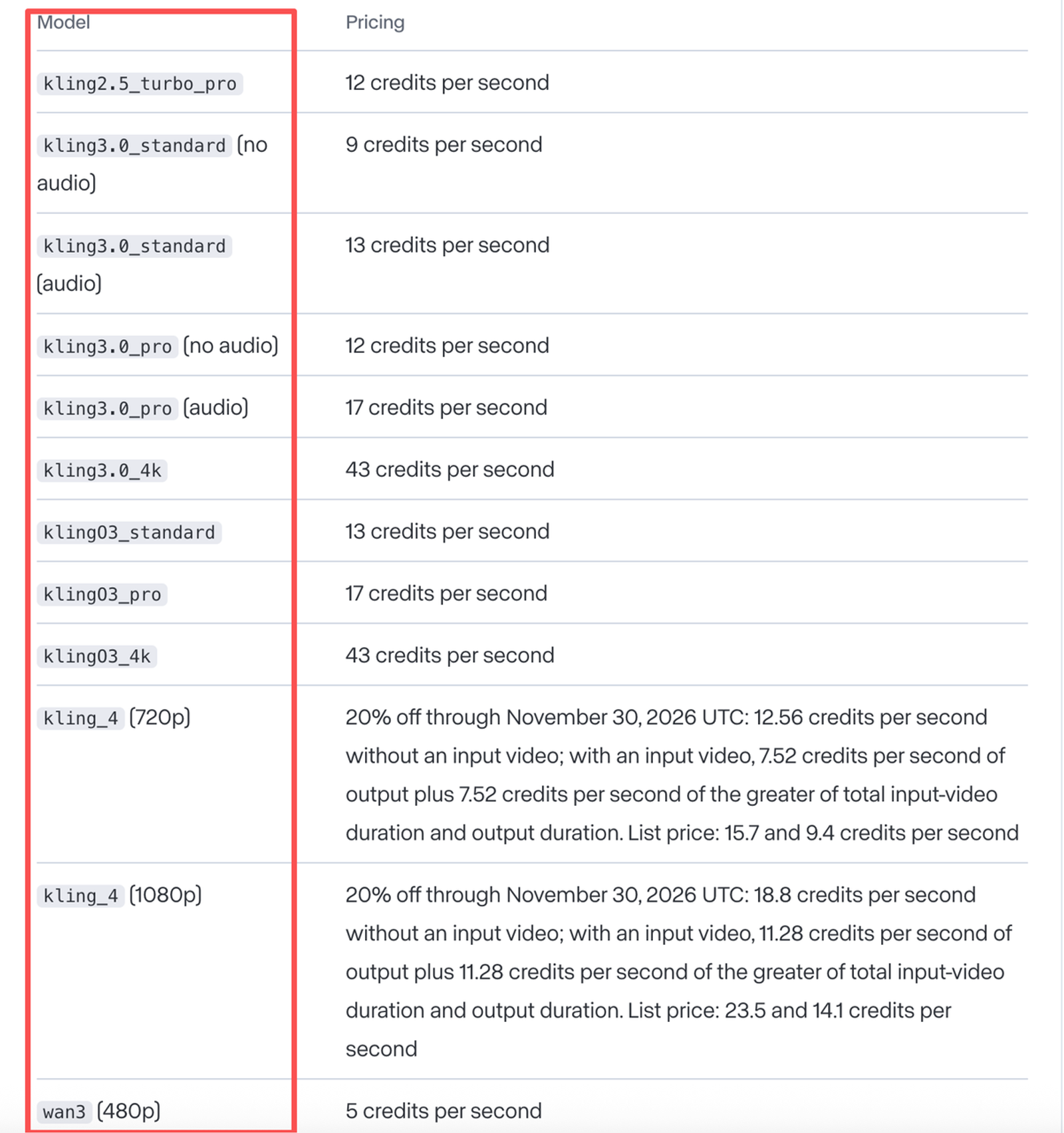
Treat packaging text as evidence; add headlines, offers, and legal copy in editing. Time recoverable background repairs, but reject invented product facts. Compare cost per approved shot: sum actual charges for linked attempts and record editing and review minutes separately. The Runway developer pricing page shows route-specific credit rates. Do not rank Google API seconds against Kling app credits without actual bills and a common accepted output.
Veo: Verify a Current Route
Google’s Veo API guide now states that Veo 3.1 Preview in the Gemini API, including veo-3.1-generate-preview, shut down on October 22, 2026. The page still contains examples using that ID; they describe the former interface, not a runnable baseline today. Google points developers toward Gemini Omni Flash or GA models in Gemini Enterprise Agent Platform. Neither should be relabeled “Veo 3.1 Preview” or assumed to share its settings and output.
Before including a Google model, confirm in the team’s account the current product, model ID, endpoint, region, image-input mode, eight-second 9:16/720p options, price, and commercial terms. Save that evidence and check date. If no accessible route meets the common conditions, record Google: not tested. If the route has different controls, run it in a clearly labeled separate comparison; do not fill the old Veo column with an Omni Flash output.
Kling: Check the Full-Model Route
The Kling 4.0 release specification lists image-to-video, 9:16, 720p, and durations that include eight seconds. Use the full Kling 4.0 label when it appears in the team’s account. Kling 4.0 Flash is a distinct, limited route with different controls and output limits; a Flash clip must be logged separately and cannot be reported as a full-model result.
Kling also advertises multiple keyframes and references, but those are repair or extended-control tests, not part of the first pass. Its public pages do not supply a stable, universal cost for this exact account and route. Save the quoted and deducted credits beside the output. If access is limited, a smaller matched comparison with the available models is more honest than filling Kling’s column from a vendor showcase.
Runway: Check the Gen-4.5 Route
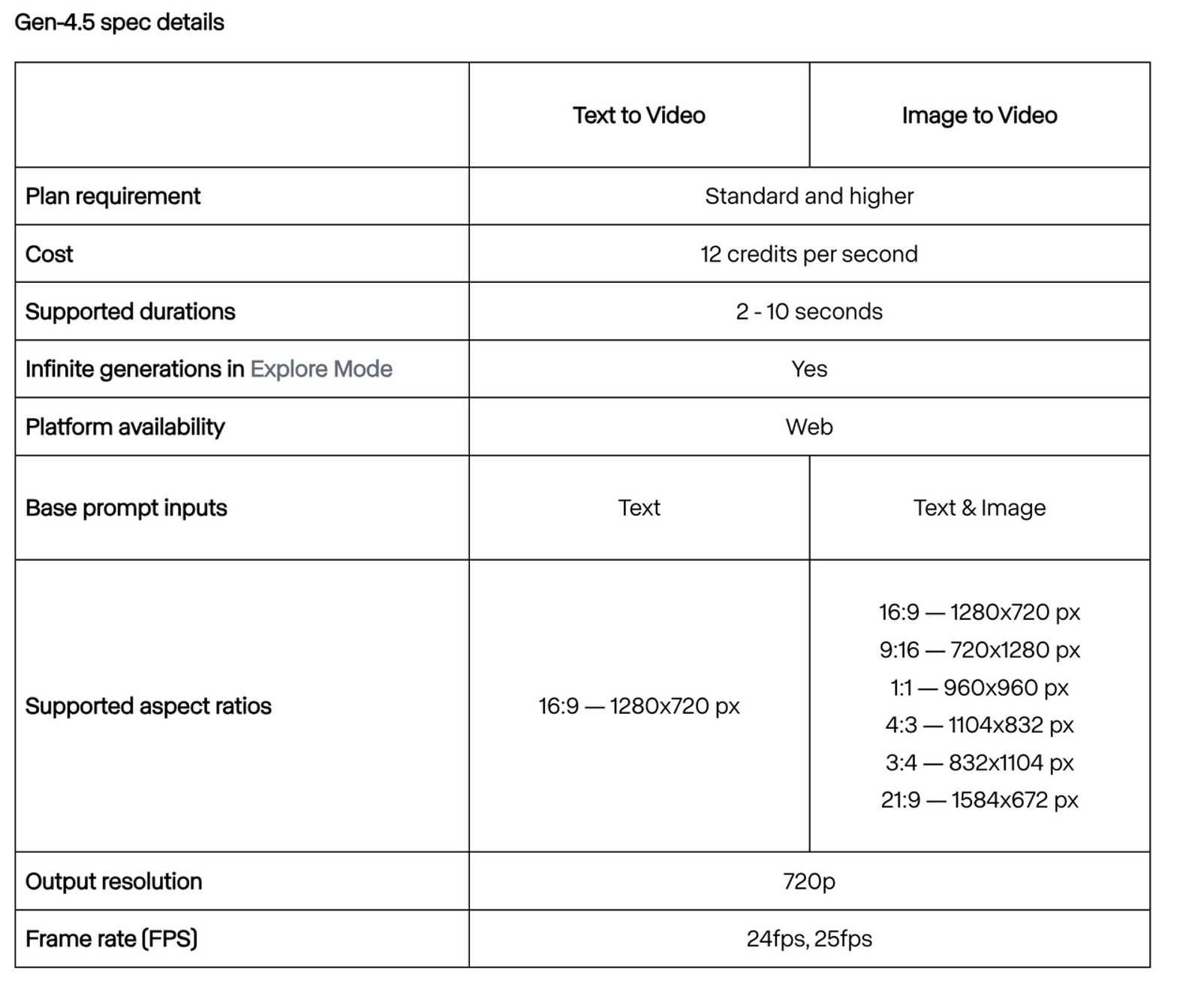
Runway’s Gen-4.5 creation guide documents image-to-video, two-to-ten-second clips, 9:16 at 720p, and web access on Standard plans and above. That makes an eight-second vertical baseline feasible in the documented route. Record the Gen-4.5 selection rather than “Runway” alone; the platform serves other models whose outputs and credit rates differ.
The guide describes a per-second credit charge, but the team’s decision should use the actual deduction and editor time for accepted clips. Do not treat Runway’s availability of editing tools as evidence that this generator needs fewer repairs. Test whether a changed label can be corrected without rebuilding the product or whether the shot must be rejected.
Which Routes Can Enter the Test?
For this restrained packshot, Kling 4.0 and Runway Gen-4.5 have documented baseline specifications, subject to account access. A Google entry requires a newly verified route after the Veo Preview shutdown. This is a route-readiness check, not an output score. Among routes actually run, compare only clips that pass the same product gate, then assess motion, copy space, repair effort, and actual cost. If every clip fails the label or silhouette gate, composite the approved packshot into controlled motion or film the product. Test a second SKU before making a standing choice. The next edit is part of the cost.
This method does not establish that one model is inherently best for every ad shot. An authorized presenter, reflective bottle, shoe in motion, and software screen each put pressure on different details. Keep the shot task fixed before changing the model; otherwise the team learns little from the result.
What a Same-Brief Comparison Cannot Prove
One SKU and three attempts per model cannot establish an accuracy rate, general ranking, or sales lift. A shared English prompt is also not identical internal conditioning: providers may process images, audio, safety rules, and defaults differently. Even a passing output only supports the chosen source, version, settings, and review standard on the recorded date. Keep both successes and failures so another reviewer can inspect the decision.
The serving platform also matters. The same named model accessed through a developer API or a third-party interface may have different pricing, limits, retention, and contract terms. Verify current output specifications, commercial permissions, source-asset rights, and the ad platform’s rules before publishing. This is general information, not legal advice.
Conclusion
A defensible benchmark begins with one product image, one motion brief, equal attempt counts, raw outputs, and a hard gate for product truth. The old Gemini API Veo Preview route is retired; Google needs a new, account-verified entry before comparison. Run only accessible, compatible routes, retain failures, and judge approved-shot cost and repair effort after the product survives review. This method does not supply a winner without those outputs.
FAQ
- Does commercial use depend on the model or the platform serving it?
- The platform, account plan, and governing terms determine the license offered for a particular generation route; the model name alone does not. For example, Kling’s paid-service terms address member output and commercial use, while its general terms also apply. Check the exact agreement, client rights, and any attribution requirements before a paid ad.
- Can a team preserve its prompt settings when changing providers?
- Yes, as a record, but not as a guarantee of equivalent behavior. Keep the source file, common creative brief, provider-specific syntax, model ID, seed if available, and output settings. A seed or copied prompt will not make two models deterministic matches.
- What if a model version changes during a campaign test?
- Pause the comparison and start a new version column. Preserve the earlier outputs and charges; do not combine old and new results into one pass rate. Recheck the shared settings and run the affected baseline again before a launch decision.
- Can a generated shot include an employee’s likeness without fresh consent?
- Do not assume employment authorizes a synthetic likeness or a new spoken endorsement. Check the person’s specific consent, approved script and channels, company policy, and applicable law before generation. This is general information, not legal advice.
- What should a team do if a shortlisted model is unavailable in its region?
- Mark the route unavailable for that team and test the accessible candidates. Confirm the provider’s current regional and account restrictions; access through a different platform may bring different terms and should be logged as a new route, not the same result.