I’ve been making AI videos for a while, so I’ve run into pretty much all of the usual headaches: a character suddenly looks different in the next shot, an object moves in a way that makes no sense, a prompt seems perfectly clear to me but gets interpreted in a completely different way, or a reference goes in and the final video still doesn’t look the way I expected. These may sound like small problems, but in real video work, they can be deal-breakers.
That’s also how I decided to test MiniMax H3. Instead of getting caught up in a long list of impressive features from the official launch, I started with the problems that actually annoy me when I’m making videos. Can H3 help me solve them? If it can, I’ll use it. If it can’t, no matter how impressive the feature list looks, I’m not going to keep spending my time on it.
That’s also how I approached this test. I took these problems one by one, looked at what H3 could actually offer to address them, and then worked on the right prompt structure to get the most out of those capabilities. I also don’t want to judge H3 unfairly just because I didn’t write the prompt the right way. Some results were genuinely impressive, while others still left me wanting more. And I think this gives us a much more useful way to understand H3 than simply looking at how many features it has.
Facial and Identity Drift
Anyone who has made even one AI video knows that making a character look good in the first shot is not the hardest part.
The real headache starts when you move to the next shot and the person no longer looks exactly like the same person.
The face looks right in Shot 1. The hair is right.
The clothes are right.
Then I cut to Shot 2.
The face may change a little. The hair may look slightly different. Small details on the clothes can start to drift.
Nothing is completely broken.
That is actually what makes it annoying.
The character can still look “close enough” in every single shot, but when I put the shots together, I can see that something has changed.
For a real product video, that small difference can be enough to send me back to generation.
So, can MiniMax H3 help with character consistency
This is where I think H3’s Reference system gets pretty interesting.
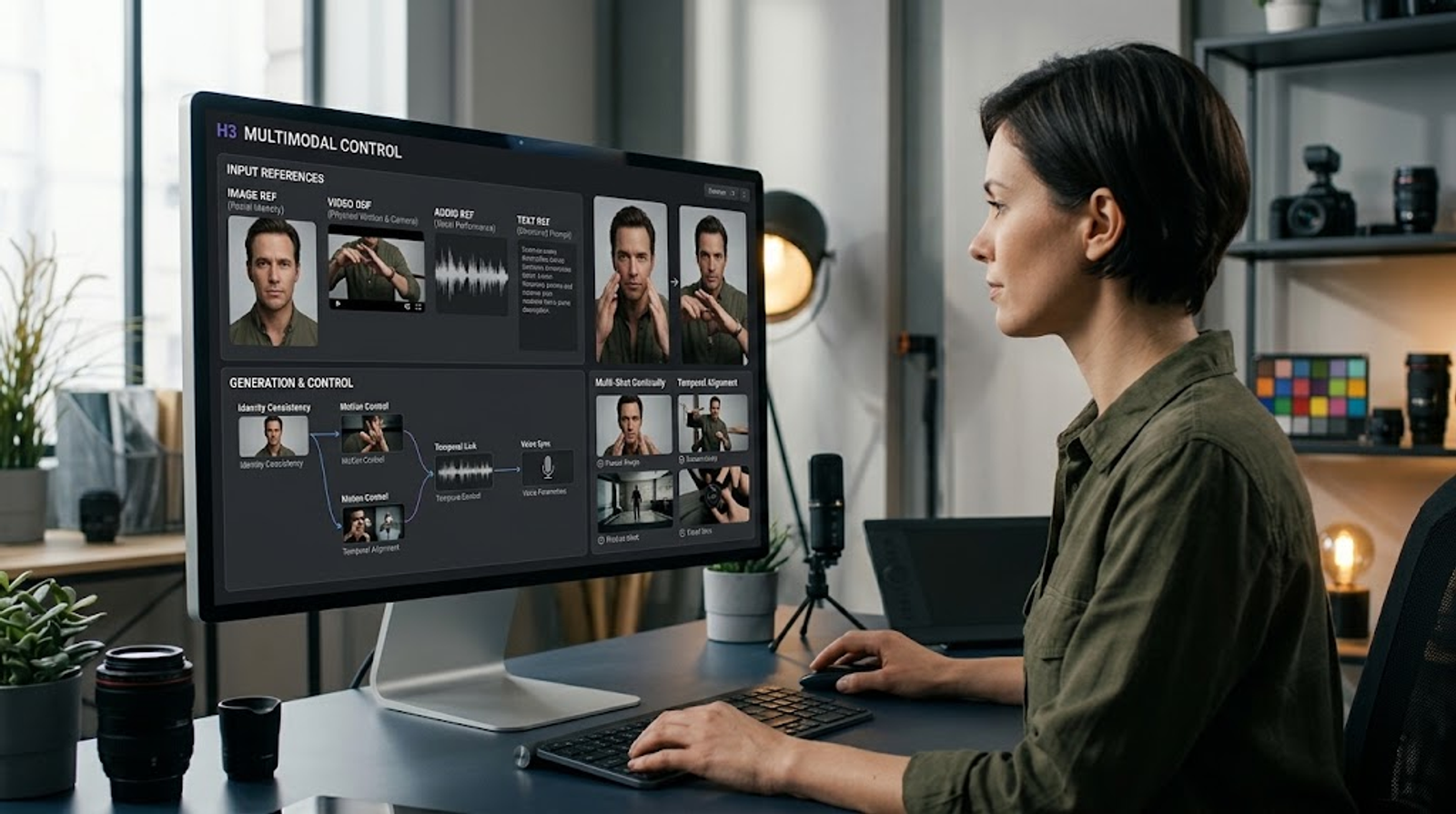
MiniMax says H3 supports Generalized Reference and Editing. Its Ref2VA workflow can take up to 9 images, 3 video clips, and 3 audio clips, with a maximum of 12 reference files in one mixed input. Each reference video can be 2–15 seconds long, with a total reference-video duration of up to 15 seconds.
The more useful part for this problem is not simply the number of files.
H3's official Reference Prompt Guidelets me define a Subject and tell the model which reference controls which part of that Subject.
For example, I can make one image responsible for the woman's appearance and another video responsible for her walking motion.
<Subject 1> is the woman whose appearance comes from <Picture 1> and whose walking motion comes from <Video 1>.That is a much more practical way to handle character references than simply throwing several files into the model.
What I look for when using this in a real workflow
When I use this kind of setup, I pay attention to the boring details first.
Does the face stay recognizable?
Does the hairstyle stay close?
Does the clothing remain consistent?
And if there is a product in the scene, does the character still hold it in the same way?
H3's reference system gives me a clearer way to control those elements. But I would not turn that into a claim that H3 has completely solved identity drift.
MiniMax has not published a dedicated benchmark that gives us a single score for facial or identity consistency across multiple shots.
So for me, this is better reference control, not proof of perfect character consistency.
How should the minimax h3 prompts be written
I would keep the relationship between references very clear instead of adding a long list of character descriptions.
<Subject 1> is the woman whose appearance comes from <Picture 1> and whose walking motion comes from <Video 1>. Keep her appearance consistent throughout the shot.The important part is simple:
Tell H3 what each reference is responsible for.
That gives the model less room to guess.
Unnatural Physics and Gravity Defiance
There is another AI video problem that can fool you at first.
The first time I watch the clip, it looks fine. Then I watch it again and something just feels wrong.
A person jumps, but seems to stay in the air a little too long.
A cup falls, but the speed feels strange.
Someone reaches for a product, but the hand and the product do not react like they would in the real world.
The video is not broken.
The person is not melting.
The scene may even look quite good.
It just does not feel physical.
That becomes much harder to ignore when I am making a product video. If someone is supposed to pick up a bottle, open a box, throw a jacket onto a chair, or walk around a room, the movement needs to feel connected to the objects around them.
Can MiniMax H3 help make motion more controllable
H3 supports V2V Motion Transfer, and MiniMax specifically lists it among the areas where early testing showed strong performance.
MiniMax also says H3 is designed for complex multimodal instruction following.
H3 can also use video references. Its Ref2VA mode supports up to 3 video clips, with each clip lasting 2–15 seconds and a total reference-video duration of up to 15 seconds.
This matters when a movement is hard to explain with words.
If I want a person to perform a certain motion, I can show the model the motion instead of trying to describe every small movement.
H3's official Video Prompt Writing Guide also recommends describing camera movement with Motion Type + Amplitude + Speed.So instead of only saying:
The camera moves closer.
I can be more specific:
The camera slowly pushes in with small amplitude.
What I notice when I work this way
For simple camera movement, this gives me much better control over what I actually want the camera to do.
For body movement, a video reference can also be more useful than a long written description.
But there is an important difference here.
Better motion control does not automatically mean better physics.
If the problem is gravity, object weight, collision, or a complicated interaction between two objects, V2V Motion Transfer alone does not prove that H3 understands the real-world physics behind the action.
So I would use this feature to make movement more controllable first.
Then I would check the physical result.
How should the prompt be written?
For camera movement, I would avoid vague instructions.
The camera slowly pushes in with small amplitude as the woman places the product on the table.For a more complicated movement, I would use a video reference and explain what should be transferred from it.
Use the movement from <Video 1> for the woman's walking motion. Keep the product position unchanged while she walks toward the table.That second part matters.
I am not only telling H3 how the person should move.
I am also telling it what should not move.
Prompt and Instruction Misinterpretation
After working with AI video for a while, I started noticing a different kind of failure.
Sometimes the model is not ignoring my instructions. It is understanding the instructions in a different way than I intended.
This gets worse when I use several types of input together.
For example:
Image 1 is the character.
Video 1 is the camera movement.
Audio 1 is the voice.
In my head, that is completely clear.
But the model still needs to understand the relationship between those three things.
And that is where a simple prompt can become surprisingly difficult.
Can MiniMax H3 understand complex multimodal instructions
This is one of H3's clearest technical strengths on paper.
MiniMax says H3 supports unified understanding across text, images, video, and audio.
Its H3-Context-IR system includes instruction parsing, cross-modal association, temporal understanding, and complex logical reasoning.
MiniMax also shows a direct multimodal example: use the camera movement from one video, the character from an image, and the vocals from an audio reference.
The instruction is simply:
“Reference the Hitchcock camera movement from Video 1, have the character in Image 2 sing, with the vocals matching Audio 3.”
That example is useful because it shows what H3 is trying to understand:
Video 1 → camera movement
Image 2 → character
Audio 3 → vocals
What this changes in my workflow
This is where I would spend less time adding adjectives and more time defining relationships.
When a prompt contains several references, I want to know exactly what each one is doing.
If I am testing a product video, for example, I might use one image for the product, one video for the camera motion, and one audio clip for the voice.
Instead of describing all three references in one messy paragraph, I separate their jobs.
That makes it much easier to see where a generation went wrong.
If the product is correct but the camera is wrong, I know where to adjust.
If the camera is right but the voice is wrong, I do not need to rebuild the entire prompt.
So,how should the prompt be written
I would write the relationship directly.
Use the camera movement from <Video 1>. Use the person from <Image 2> as the main character. Match the voice and vocal performance to <Audio 3>. Keep these reference roles separate.For a multi-shot video, I would go one step further and define the job of each shot.
H3's official Video Prompt Writing Guide provides structured guidance for shot-level instructions and timing.
The main idea is simple:
Do not make the model guess which reference controls which part of the video.
Temporal Inconsistency
Watching one AI video by itself can hide a lot of problems.
The real test starts when I put several shots together.
Shot 1: a woman picks up a cup.
Shot 2 looks fine on its own.
Shot 3 also looks fine.
Then I play all three together.
Now the cup is suddenly in the other hand.
The woman was standing next to the table, and after the cut she seems to have moved somewhere else.
She was already walking toward the door, but the next shot makes it look like she started walking again.
Every shot looks acceptable by itself, but the sequence no longer feels like one continuous event.
That is much more annoying than one bad shot.
If one shot fails, I regenerate one shot.
If the state between several shots breaks, I may have to check the entire sequence.
Can MiniMax H3 help with multi-shot continuity
H3 includes Native Multi-Shot Modeling as part of its model design. MiniMax also says H3-Context-IR includes Temporal Understanding, which handles time relationships across multimodal context.
H3's prompt guidance also supports shot-level instructions and time information.
For example:
[Shot 1] The woman enters the room and walks toward the chair.[Shot 2] At 00:03.500, the camera cuts closer as the same woman reaches the chair and slowly sits down.
That gives the second shot a starting state.It is not simply saying:
“Now show the woman sitting.”
It is saying:
She has already walked to the chair. Now continue from there.
What I pay attention to when I test multi-shot scenes
I do not just watch the final video once.
I check the transition points.Where is the person standing?Which hand holds the object?
What is the object touching?
Where is the camera?
What happened immediately before the cut?
These small things tell me much more about continuity than whether the overall video looks cinematic.
H3 gives me better tools for describing those relationships, and the model is explicitly designed around multi-shot and temporal understanding.
But I still treat each long sequence as a test.
A model having Native Multi-Shot Modeling does not automatically mean every multi-shot generation will remain stable.
Reference Failure
At first, I also thought Reference sounded like the simplest way to control an AI video.
Can't describe the character?
Give H3 a picture.
Can't explain the movement?
Give it a video.
Need a voice?
Give it an audio reference.
But after you use these systems for a while, you run into another problem:
The model can receive the reference and still use it in the wrong way.
For example:
Image 1 → product appearance
Video 1 → movement
Audio 1 → voice
That seems obvious to me.
But the model still needs to understand the relationship between those inputs.
That is why I care less about how many references a model accepts and more about whether I can tell it exactly what each reference is supposed to do.
Does MiniMax H3 give me better reference control?
This is one of the more detailed parts of H3's public documentation.
H3's Ref2VA workflow supports up to:
- 9 images
- 3 videos
- 3 audio clips
- 12 files in total
But the more interesting part is the reference relationship system.
H3's official Reference Prompt Guide allows creators to define a Subject and specify how different references relate to that Subject.
For example:
<Subject 1> is the woman whose appearance comes from <Picture 1> and whose walking motion comes from <Video 1>.So:
Picture 1 → appearance
Video 1 → movement
The guide also defines reference relationships such as fully_preserved, partially_preserved, attribute_transfer, and weak_reference.
That gives me more control than simply saying:
“Use this image as the reference.”
What I found useful in practice
The biggest benefit is not just that I can upload more files.
It is that I can assign jobs to those files.
For example, if I am making a product ad, I can use one image to keep the product appearance, a video to guide the motion, and another reference for the visual style.
That makes the generation easier to troubleshoot.
If something goes wrong, I can ask:
Did the model fail to preserve the product?
Or:
Did it misunderstand the motion reference?
That is much more useful than looking at five reference files and not knowing which one the model followed.
How should the prompt be written
I would make the reference relationship explicit.
<Subject 1> is the woman whose appearance comes from <Picture 1> and whose walking motion comes from <Video 1>. Preserve her appearance while transferring the walking motion.For a product scene, I might make the roles even more direct:
<Subject 1> is the product shown in <Picture 1>. Preserve its shape, color, and packaging details. Use <Video 1> only as the motion reference.That last sentence is important.
I am telling H3 not only what to take from the reference, but also what not to take from it.
Conclusion
Seedance 2.5 has been getting a lot of attention lately, and I can understand why. When people talk about AI video, it’s easy for one model to take most of the spotlight, while others get overlooked. Compared with Seedance 2.5, MiniMax H3 simply hasn’t been talked about as much.
But after using H3 for a while, I started to think it may deserve a closer look.
I’m not saying H3 is better than Seedance 2.5, I just think H3 may be one of those models that hasn’t received enough attention yet, but is worth watching.
I’m also not ready to call it a “hidden winner.” H3 is still relatively new, and some of its capabilities need more real-world testing before we can say how reliable they really are.
So my view right now is pretty simple:
H3 may be an overlooked gem sitting in the shadow of all the attention around Seedance 2.5. But whether it really is one will take more real-world use to prove.
And honestly, rather than rushing to give it a final verdict, I’d rather keep putting MiniMax H3 through real video tasks, to see what else it can do and where its real limits are.