For modern marketing teams, video is no longer a luxury asset saved for major brand campaigns—it is an everyday requirement across paid social, performance marketing, product launches, and localized ad variations. However, scaling video production remains a persistent bottleneck. Traditional filming setups require substantial budgets, lengthy production schedules, and physical coordination.
While early AI video generators offered a glimpse into automated video creation, many fell short of enterprise marketing demands. They produced short, unpredictable clips that suffered from visual drift, distorted product packaging, and erratic camera motion.
To choose the best AI video generator for marketing teams must look beyond novel generation and evaluate platforms based on predictability, brand asset consistency, iteration speed, and workflow integration. Seedance 2.5 introduces capabilities that can address several of these challenges, particularly longer generation, multimodal references, and targeted video editing.
What Marketing Teams Need From AI Video Tools
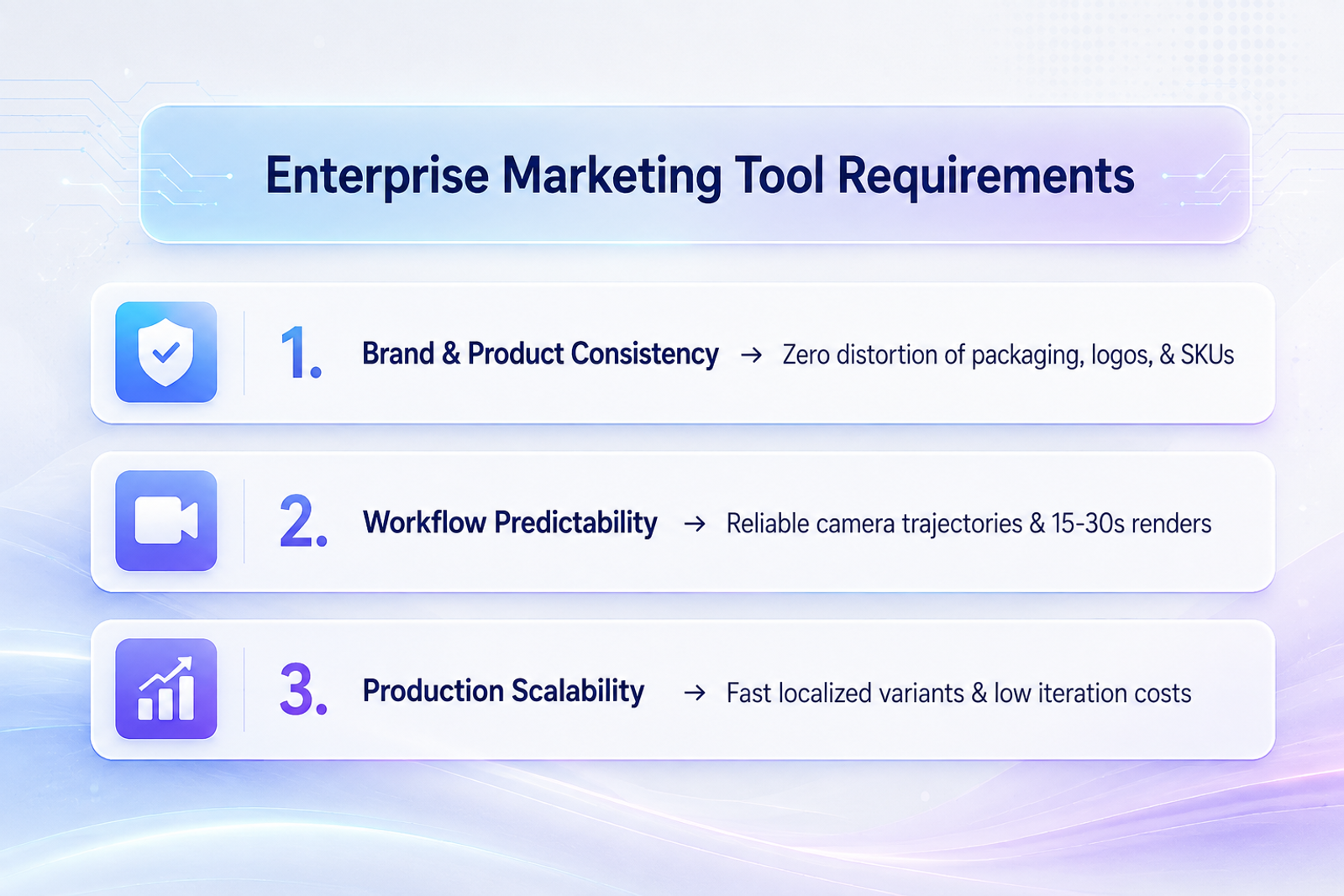
Marketing teams operate under fundamentally different constraints than casual content creators or indie filmmakers. When evaluating business AI video tools, marketing organizations prioritize three core requirements:
Strict Brand and Subject Consistency
If an AI model morphs a product's shape, alters packaging text, or inconsistently renders a spokesperson's face across scenes, the output is unusable for commercial campaigns. Marketing teams need video tools that can maintain product appearance, recognizable logos, character identity, and visual consistency across generated scenes.
Native Long-Form Narrative Support
Standard 15-to-30-second commercial spots require a complete narrative arc: an opening visual hook, a clear product reveal, a feature demonstration, and a closing call-to-action (CTA). When a tool only supports short clips, teams may need to generate and stitch multiple segments together, which can introduce continuity, pacing, and transition challenges.
Modular Revision and Localization Efficiency
In performance advertising, creative teams constantly test variations—changing background environments, updating promotional overlays, or swapping product colors for different regional ad accounts. Re-rendering an entire video to change a minor background prop is compute-inefficient and risks losing the original camera motion.
Why Seedance 2.5 Fits Marketing Workflows
Seedance 2.5 distinguishes itself by solving the exact structural pain points that previously prevented marketing teams from scaling AI video ad production.
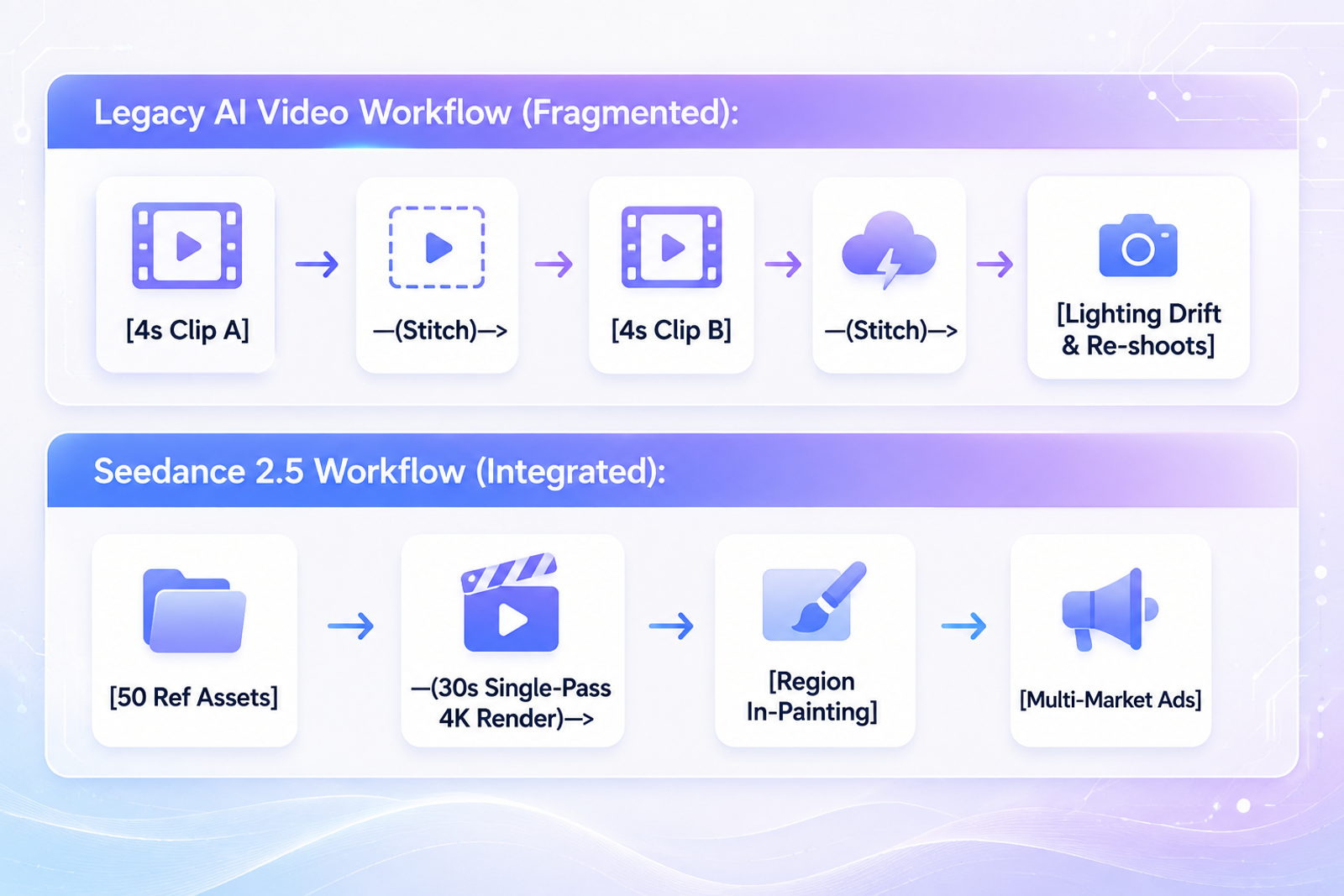
30-Second Native Single-Pass Renders
Seedance 2.5 supports continuous video generation of up to 30 seconds in a single clip. The longer generation window can help marketing teams create more complete commercial sequences without necessarily stitching together multiple short clips.
50-Asset Multimodal Reference Array
Rather than forcing marketers to guess text prompts, Seedance 2.5 accepts up to 50 multimodal reference inputs simultaneously. Teams can combine product images, character references, scene references, videos, audio, and other supported multimodal materials to provide more visual context for generation. These references can help establish product appearance, character identity, and other important visual details more consistently across generated videos.
Region-Level Local Editing
When adapting a top-performing ad for new international territories or seasonal promotions, Seedance 2.5 supports targeted region-level editing. Marketers can use region-level editing to modify selected elements, such as a background prop or product detail, while preserving surrounding visual elements and continuity where supported.
Best Use Cases for AI Marketing Videos
Integrating a controllable AI marketing video generator enables performance teams, D2C brands, and digital agencies to scale creative volume across three core commercial pillars:
E-Commerce Product Advertisements
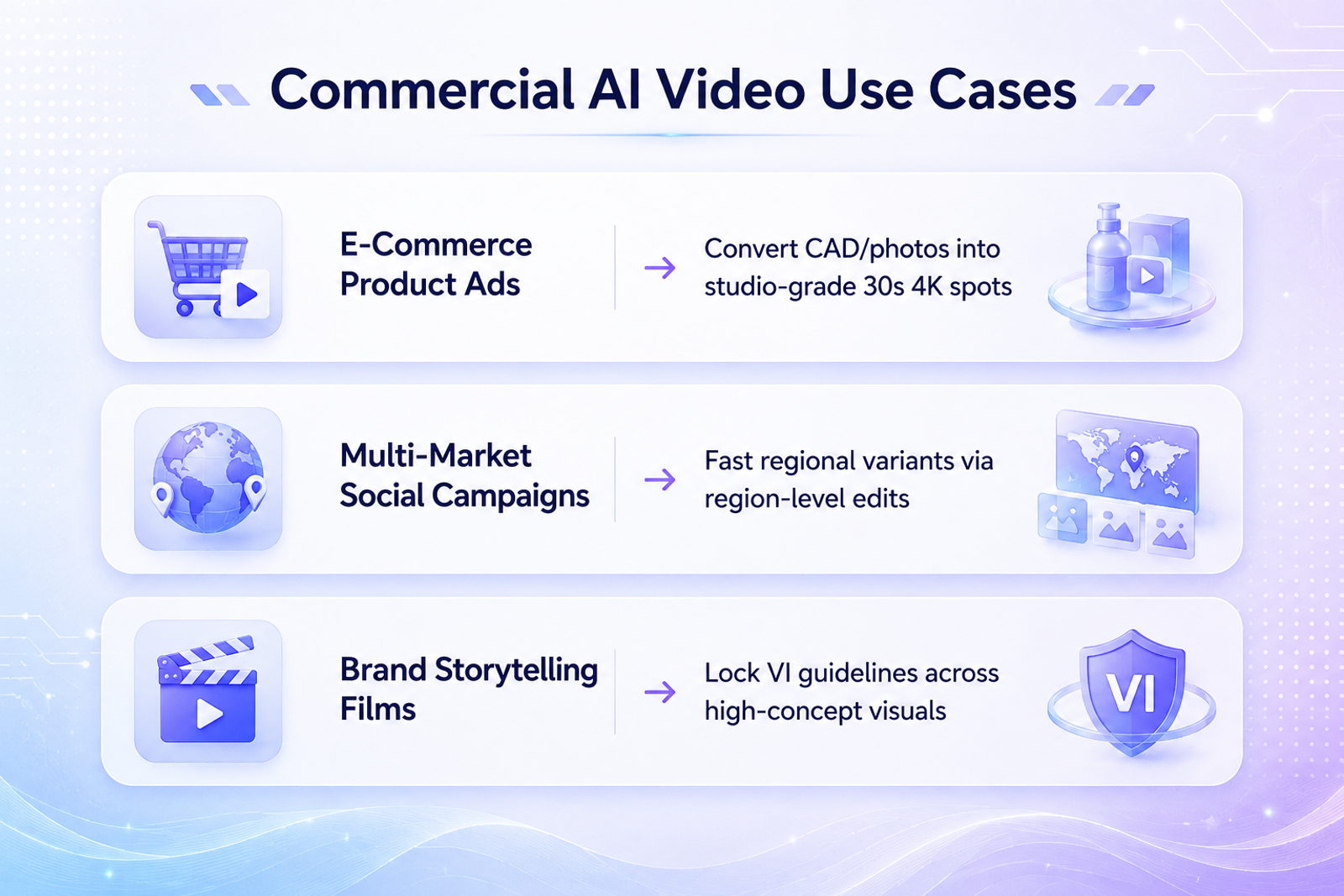
Online merchants managing extensive SKU catalogs can upload product photography and other supported reference assets into the multimodal workflow. The model synthesizes photorealistic 30-second product showcases, highlighting material textures, button actions, and liquid pours while helping maintain the product's visual appearance throughout the generated video.
Multi-Market Social Campaigns
Performance agencies scaling ad volume on TikTok, Meta Reels, and YouTube Shorts can design modular video storyboards. The central product demonstration remains universal, while regional visual elements—such as background details or selected objects—can be adjusted through region-level editing where supported.
Cinematic Brand Storytelling
Creative directors can establish high-concept brand films without location travel costs. By using brand visual references, lighting references, and character references, marketing teams can create atmospheric campaign videos that communicate brand ideas with a more consistent visual direction.
How to Choose the Right AI Video Generator
To select the ideal AI video tool for your organization, follow this four-step evaluation matrix:
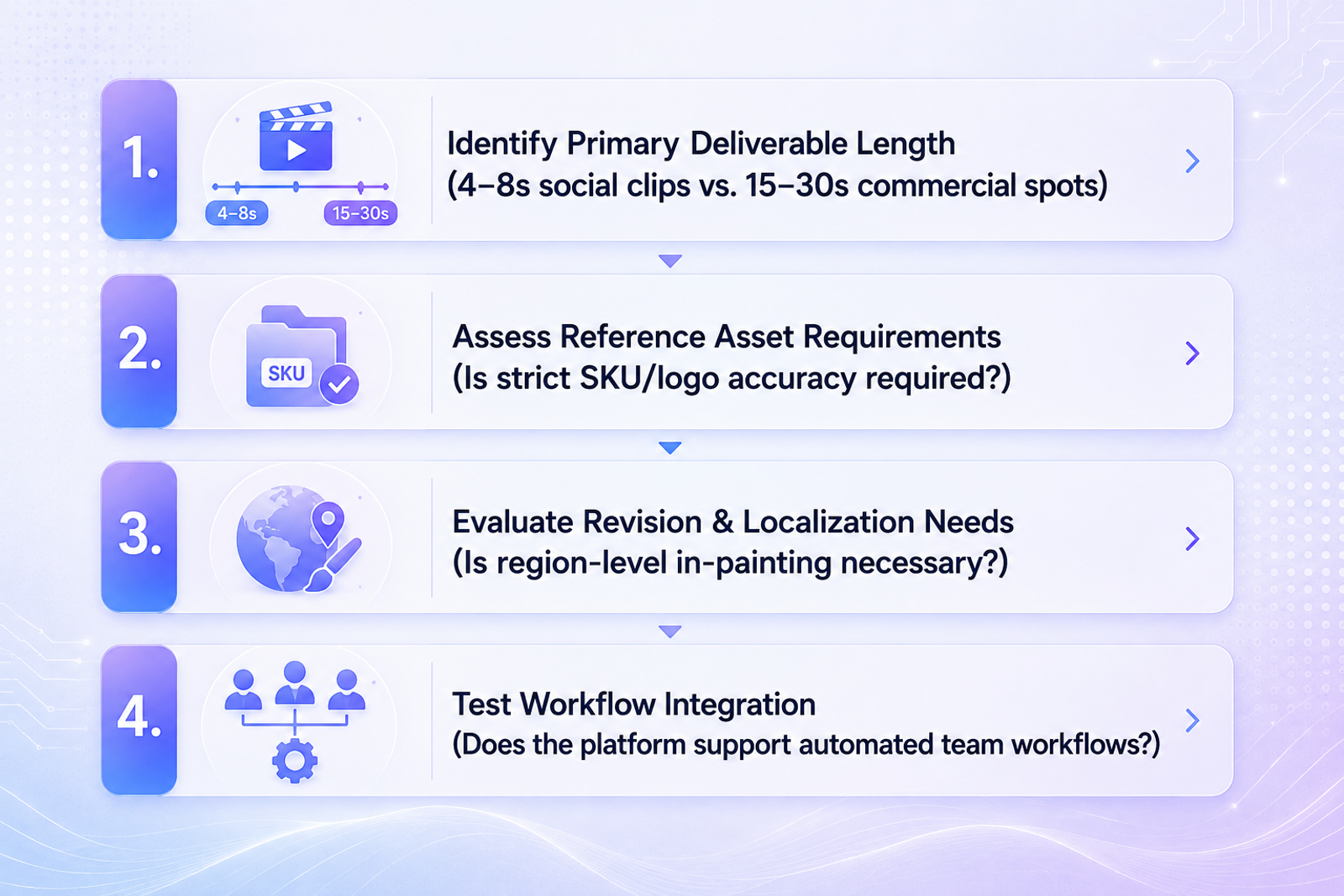
- Evaluate Your Deliverable Length: If your primary marketing channels require 15-to-30-second commercial spots, prioritize models such as Seedance 2.5 that support video generation of up to 30 seconds in a single clip.
- Determine Product Accuracy Needs: For brands selling physical consumer goods, consider platforms that support multiple visual references, such as product photography and other brand assets, to provide stronger visual guidance for product appearance.
- Assess Campaign Localization Scope: If your agency regularly deploys multi-region ad campaigns, ensure the tool supports region-level editing so teams can modify selected visual elements without recreating the entire video from scratch.
Start Creating AI Marketing Videos
Ready to explore the possibilities of next-generation AI video creation? With Seedance 2.5-powered workflows, Wizstar makes it easier to create consistent, high-quality videos from your ideas, references, and creative assets. Bring your next video project to life with AI-powered production.
FAQ
- What is the best AI video generator for marketing teams?
- The best AI video generator depends on your campaign requirements. For marketing teams that need longer video generation, multimodal references, and targeted editing, Seedance 2.5 offers a workflow that can be useful for commercial video production.
- How does Seedance 2.5 maintain brand consistency in marketing ads?
- Seedance 2.5 supports up to 50 multimodal inputs, including supported images, videos, and audio references. These references provide additional visual and contextual guidance that can help maintain character, product, scene, and other visual elements more consistently during generation.
- Why is native 30-second video generation important for commercial ads?
- Standard advertising spots on social platforms and connected TV typically run for 15 to 30 seconds. Generating up to 30 seconds in a single clip can reduce the need to stitch together multiple shorter generations, which may help simplify continuity, pacing, and transition management in commercial workflows.
- Can marketing teams edit specific parts of an AI-generated video without re-rendering?
- Yes. Seedance 2.5 supports region-level editing, allowing creators to modify selected areas of a video, such as a product detail or background object, while preserving surrounding visual elements and continuity where supported.