I'm Vela. I would not choose the best mobile apps for creating UGC videos for TikTok by counting templates. For TikTok content teams, creator managers, and small brands, the better question is: can this app help a creator shoot, edit, caption, review, and export a clean vertical video without creating extra approval or licensing problems?
My practical view is simple. TikTok is strongest for native capture. CapCut is useful for fast mobile editing. Canva and Adobe Express fit brand-controlled layouts. Captions and similar AI-assisted tools can help with talking-head edits, captions, and quick variations, but they need closer review when they touch voice, face, script, or translation.
Availability, pricing, exports, watermark rules, AI features, and regional access can change, so I would verify the current iOS or Android listing before standardizing any app across creators.
Quick Picks by Mobile Workflow
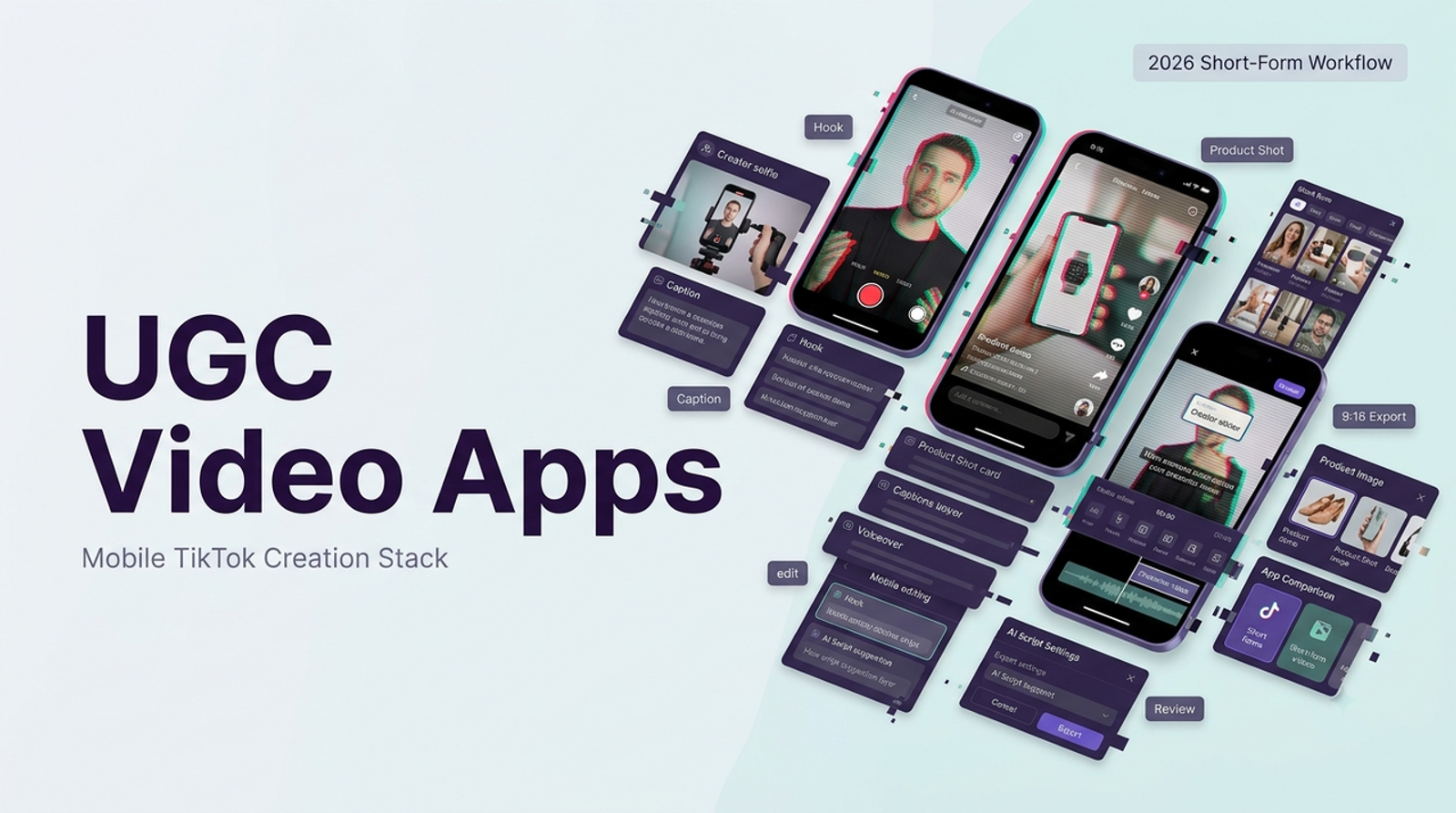
For capture-first UGC, I would start with TikTok itself. It keeps creators close to the final platform, especially for casual product mentions, reactions, testimonials, and native-style hooks. The camera, drafts, effects, sounds, disclosure settings, and posting flow all match the environment where the content will appear.
For fast editing, CapCut is usually the practical mobile UGC editor. It works well for trimming pauses, adding captions, testing openings, resizing clips, and creating quick TikTok-style variations. I would still check export quality, watermark behavior, and whether key features sit behind a paid plan.
For brand-controlled videos, Canva and Adobe Express are better when the team needs product overlays, logos, offer cards, reusable layouts, and cleaner approval assets. They may feel less native than TikTok or CapCut, but they help when consistency matters more than raw creator energy.
For AI-assisted UGC production, Captions is worth testing if the video is built around a talking person. It can help with captions, pacing, B-roll, eye contact, translation, and creator-style automation. I would treat the output as a reviewable version, not a final ad.
How We Evaluate TikTok UGC Apps
A good mobile UGC app should answer six questions. Can the creator shoot quickly? Can they edit without fighting the timeline? Are captions easy to correct? Can the brand review before publishing? Can exports stay clean, vertical, and watermark-free? Can the team archive rights, consent, music source, and final files?
This is where I slow down. Mobile apps often request camera, microphone, photo library, face, voice, cloud processing, or collaboration permissions. Apple’s App Privacy Report and Google Play’s Data safety section are not exciting, but I would check them before asking creators to upload unreleased product footage or personal likeness assets.
Repeatability matters too. One creator can survive a messy edit. A team managing 30 creator deliverables cannot. The app should support a predictable process: raw file, edit, caption check, brand review, final export, and archived proof.
Shortlist of Mobile UGC Apps
Capture-First Creator Apps
TikTok is the best starting point when authenticity matters most. A creator can record inside the platform, test hooks naturally, use native pacing, and understand how the video feels before posting. For product reactions, casual demos, or founder-style updates, that closeness to the platform is hard to beat.
The weakness is approval control. A TikTok draft is not a brand review system. If the content includes regulated claims, discount terms, product details, or paid partnership language, I would ask for an exported review file before anything goes live.
Mobile Editors for Fast Iteration
CapCut is the strongest fit when the raw clip already exists and the job is to make it tighter. It is useful for cutting silence, improving pacing, adding captions, testing first-three-second hooks, and exporting fast.
Canva and Adobe Express are better when the brand layer matters. I would use them for product callouts, sale messages, simple explainers, end cards, or campaign variants. I would not use them to force a casual creator video into a heavy brand template. That usually makes UGC feel less believable.
AI-Assisted UGC Production Apps
AI-assisted apps are useful when they reduce blank-timeline work. Captions, for example, can help turn a talking-head clip into a more polished vertical edit with captions and suggested visual support. That can save time for solo creators and lean teams.
But AI adds review work. If the tool changes wording, timing, translation, eye contact, voice, or likeness, I would inspect the result carefully. Useful, but not magic.
Compare Editing and Caption Controls
Captions are not decoration in TikTok UGC. They carry product names, claims, offer details, disclaimers, and the hook. A strong mobile UGC editor should let you correct every word, adjust timing, split long captions, choose readable styles, and avoid covering the product or TikTok interface areas.
TikTok and CapCut feel fastest for native-style captions. Captions can help when the main task is talking-head cleanup. Canva and Adobe Express fit better when captions need to match brand design.
Music needs the same caution. A trending sound is not automatically safe for paid brand content. TikTok says businesses should use its Commercial Music Library for commercial TikTok activities, and I would confirm music rights before using creator audio, original sounds, or third-party tracks in a campaign.
Compare Brand Review and Export Workflows
A team-ready TikTok UGC workflow needs a review step outside the creator’s head. That can be a shared MP4, a private review link, a folder, or a creator management tool. What matters is that the brand can check framing, captions, sound, claims, disclosure, and final export before the post or ad goes live.
Commercial disclosure is not optional. TikTok explains how creators can turn on Commercial Content Disclosure, and teams should archive screenshots or records of disclosure and authorization windows when creator content is used for ads.
Export control is another quiet dealbreaker. I would check for 9:16 export, no unexpected watermark, clean audio, readable captions, and a master file the brand can store. If the app only works inside one personal creator account, it may be fine for a one-off post but fragile for a campaign workflow.
Best Fit by Creator and Team Type
Solo TikTok creators should keep the stack light. TikTok plus one fast editor is often enough. Too many apps can slow down the process and make the final video feel overproduced.
Creator managers should standardize the workflow, not just the tool list. A simple capture guide, caption rule, review process, naming convention, and archive folder will save more time than chasing every new editing feature.
Small brands should choose based on control. If the video needs accurate product claims, disclaimers, offer text, or brand assets, Canva or Adobe Express may be safer. If the goal is native creator energy, TikTok or CapCut should stay closer to the center.
Performance teams should care about iteration speed. The best app is the one that helps them test hooks, openings, captions, product proof, and visual pacing without rebuilding every version from scratch.
Mobile Workflow Trade-Offs
Mobile apps are fast because they sit close to capture. They are risky for the same reason. Raw footage may stay on a creator’s phone. Drafts may be deleted. Subscriptions may belong to personal accounts. AI features may process media in the cloud. Team billing may vary by country, platform, store region, and account type.
I would write down the workflow before scaling it. Who owns the raw footage? Who approves the product claim? Who checks the music? Who stores consent? Who keeps the final export if the creator deletes the app?
For U.S. campaigns, the FTC’s endorsement guidance is worth checking because creator content still needs clear disclosure when there is a material connection between the creator and the brand.
Test an App Before Standardizing
Before adding any app to a creator brief, I would test one real TikTok UGC task. Use one raw clip, one product claim, one caption requirement, one music choice, and one target export. Then check the final video on a phone, not just inside the editor.
My test would be simple: record a 20-second product mention, cut it to 15 seconds, add captions, add one product proof moment, export without watermark, send it for review, and confirm whether the creator can revise it. If that feels messy once, it will feel worse across 20 creators.
Conclusion
The best mobile apps for creating UGC videos for TikTok depend on the job. TikTok is best for native capture. CapCut is best for fast mobile editing. Canva and Adobe Express help with brand-controlled assets. Captions and similar AI-assisted apps can speed up talking-head production, but they require extra review around accuracy, likeness, and permissions.
I would not standardize an app because one sample looked good. I would standardize it only after one creator can shoot, edit, caption, disclose, export, revise, and hand off a real brand video without losing control of rights, music, data, or quality.