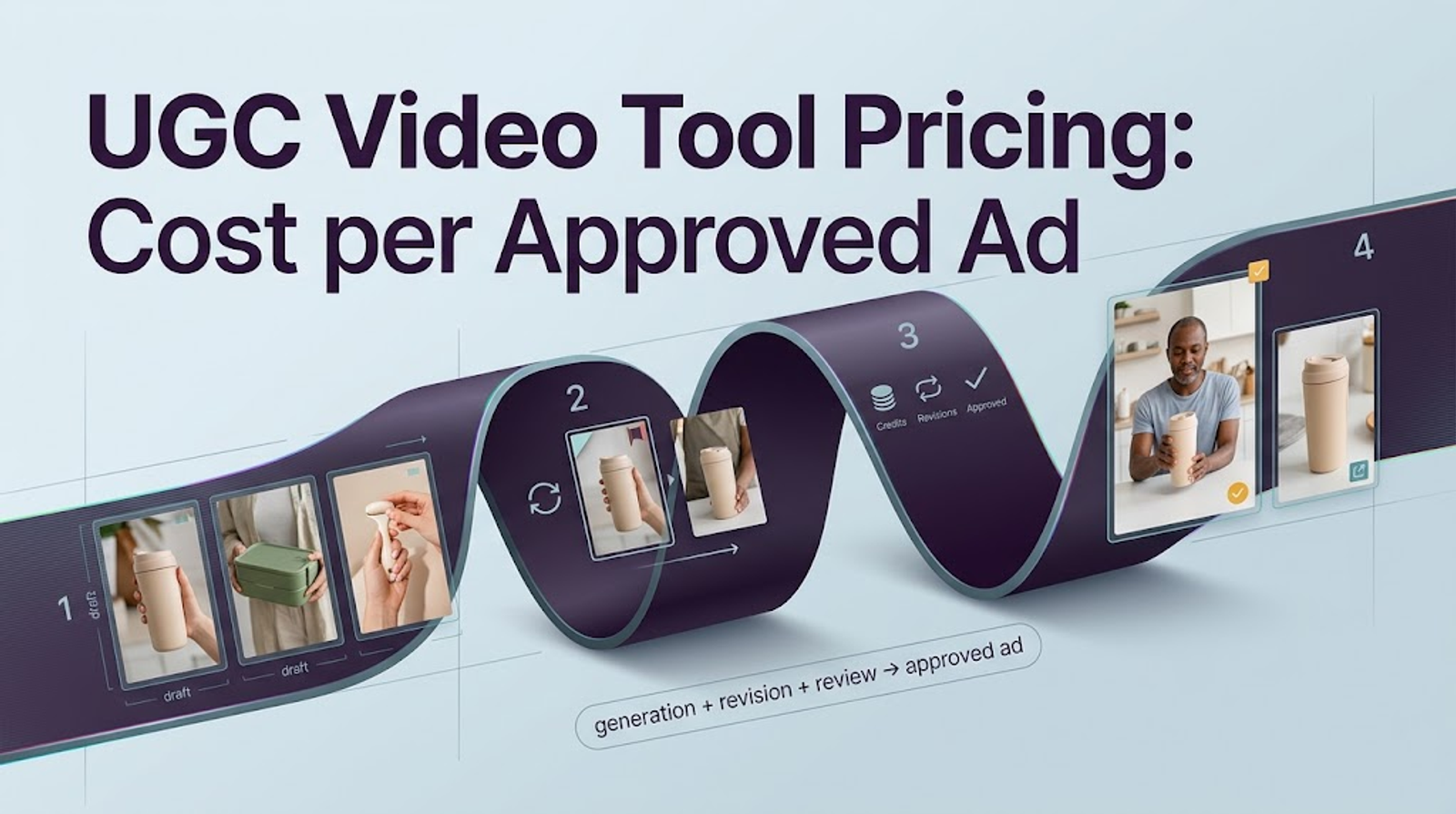
The short answer
To compare pricing for UGC video production tools, divide campaign software charges by the ads that pass review, rather than by the number generated. A cheap first render can become expensive after a rejected hook, another avatar take, or a paid localization pass.
The next edit is part of the cost.This comparison uses public US pricing checked on October 16, 2026. The brief is a 15-second, 9:16, 1080p product ad, with 12 approved English exports per month. I have the documentation, not a finished test, so these are preflight estimates; approval rates and failed-render charges must be measured.
What Counts as an Approved UGC Ad?
An approved UGC ad is a file the brand reviewer will publish for the intended product, channel, and market. Here, it must show the correct SKU and substantiated claim, follow the approved script, keep captions readable on mobile, and export at 1080p without a watermark.
The presenter, voice, music, and product assets also need the required permissions. Rights clearance is an approval gate; credits cannot buy it.Give every tool the same product page, three images, stock-presenter brief, English script, caption style, and vertical format. Record the workflow, quoted and deducted credits, revision reason, export setting, and reviewer decision.

Compare Three Tool Prices on the Same Ad Brief
The output specification is shared, but the credits are not equivalent. Wizstar meters by model, duration, and resolution; Creatify publishes a fixed Video Ad rate; HeyGen's Avatar IV rate covers the presenter layer.
Generated product assets may add cost in HeyGen, so that rate is a floor rather than a complete ad quote.
| Tool and selected workflow | Plan used for the 12-ad brief | Published base use for one 15-second draft | Credits for 12 first drafts | Billing commitment |
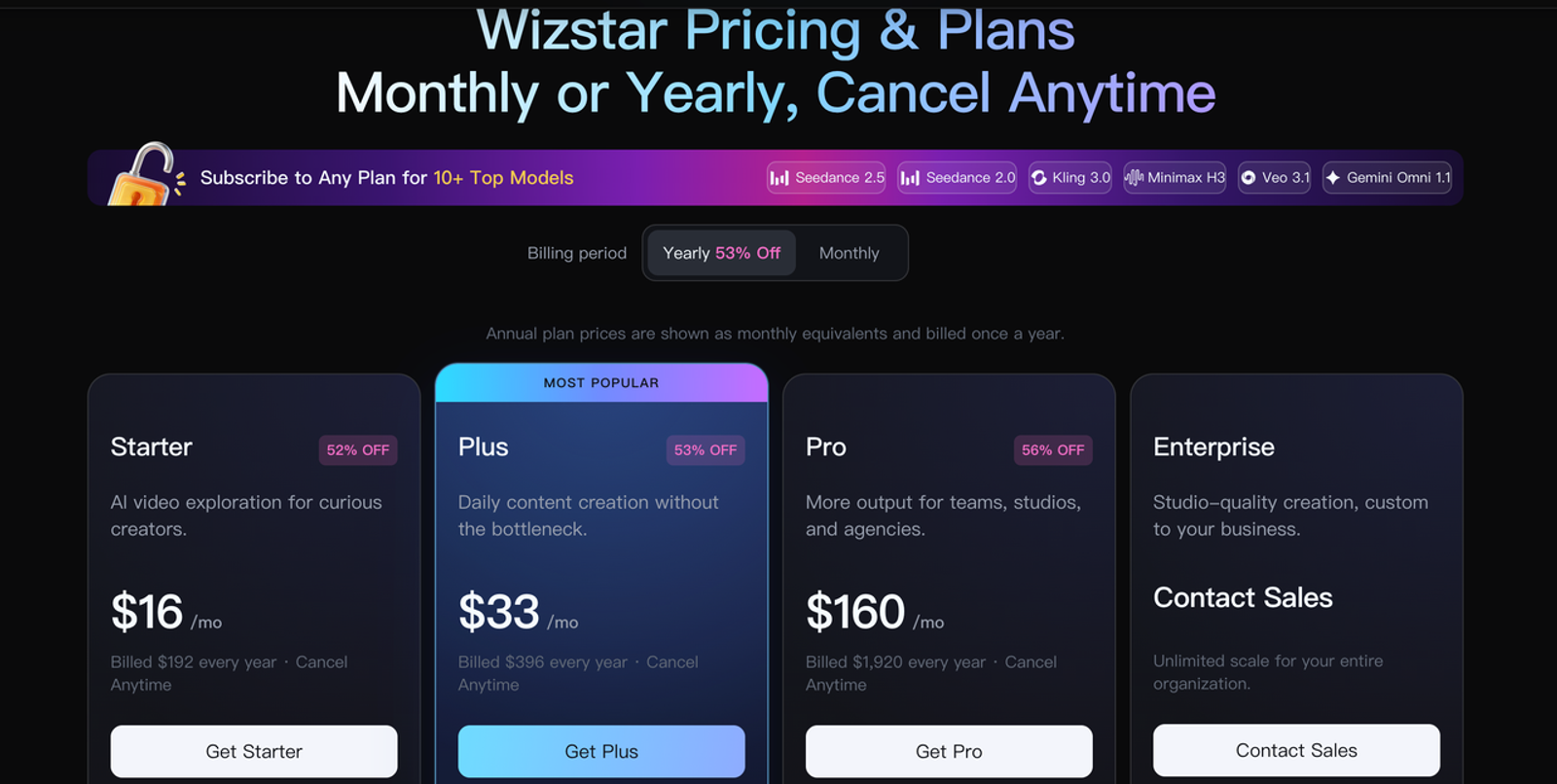
| Wizstar, Kling V3 Omni AI Video Agent at 1080p | Pro: $160 monthly equivalent; 19,200 credits/year | 105 credits | 1,260 | $1,920 billed yearly |
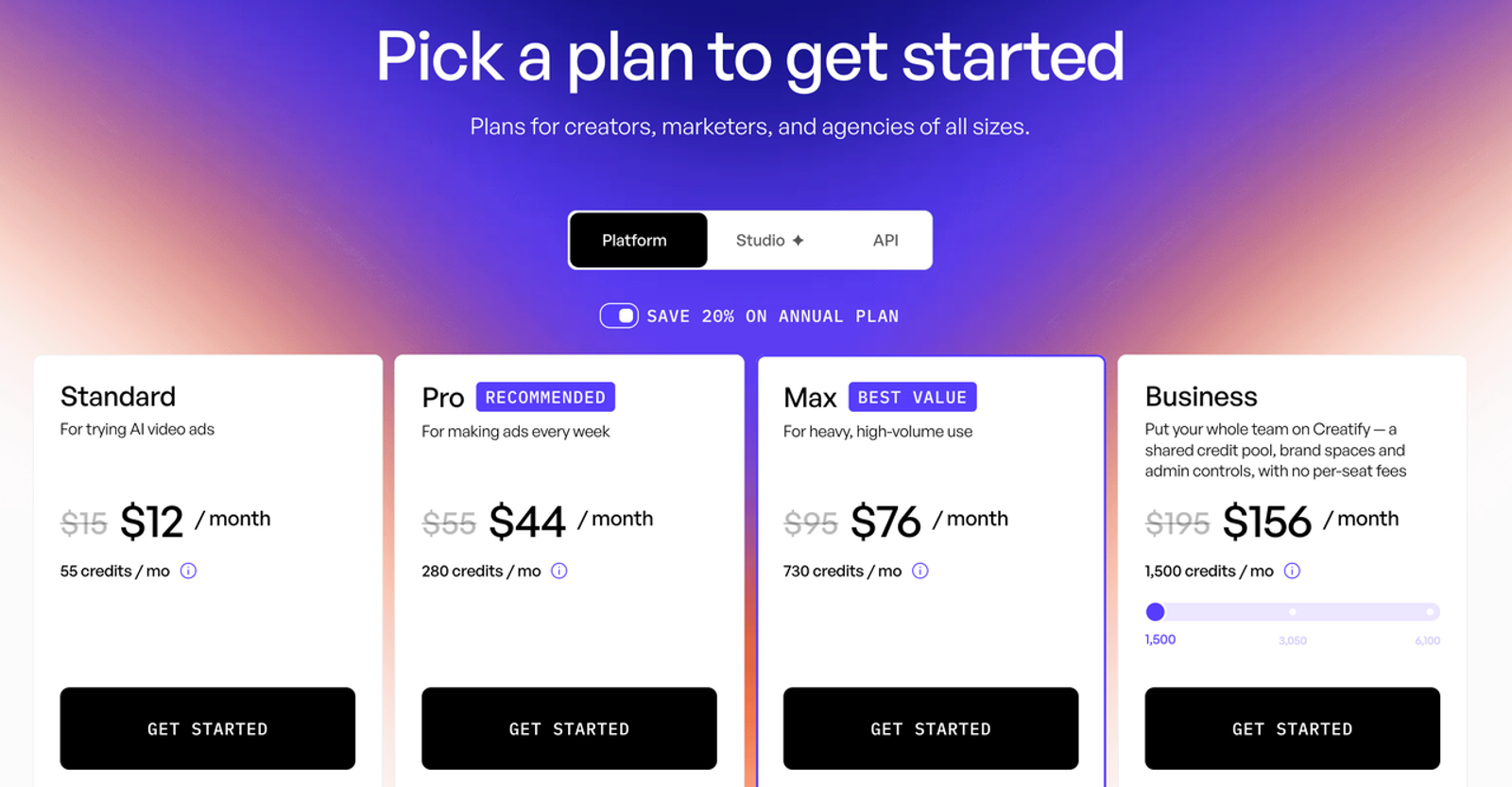
| Creatify, standard Video Ad | Pro: $44 monthly equivalent; 280 credits/month | 5 credits | 60 | Annual price; $528 equivalent yearly commitment |
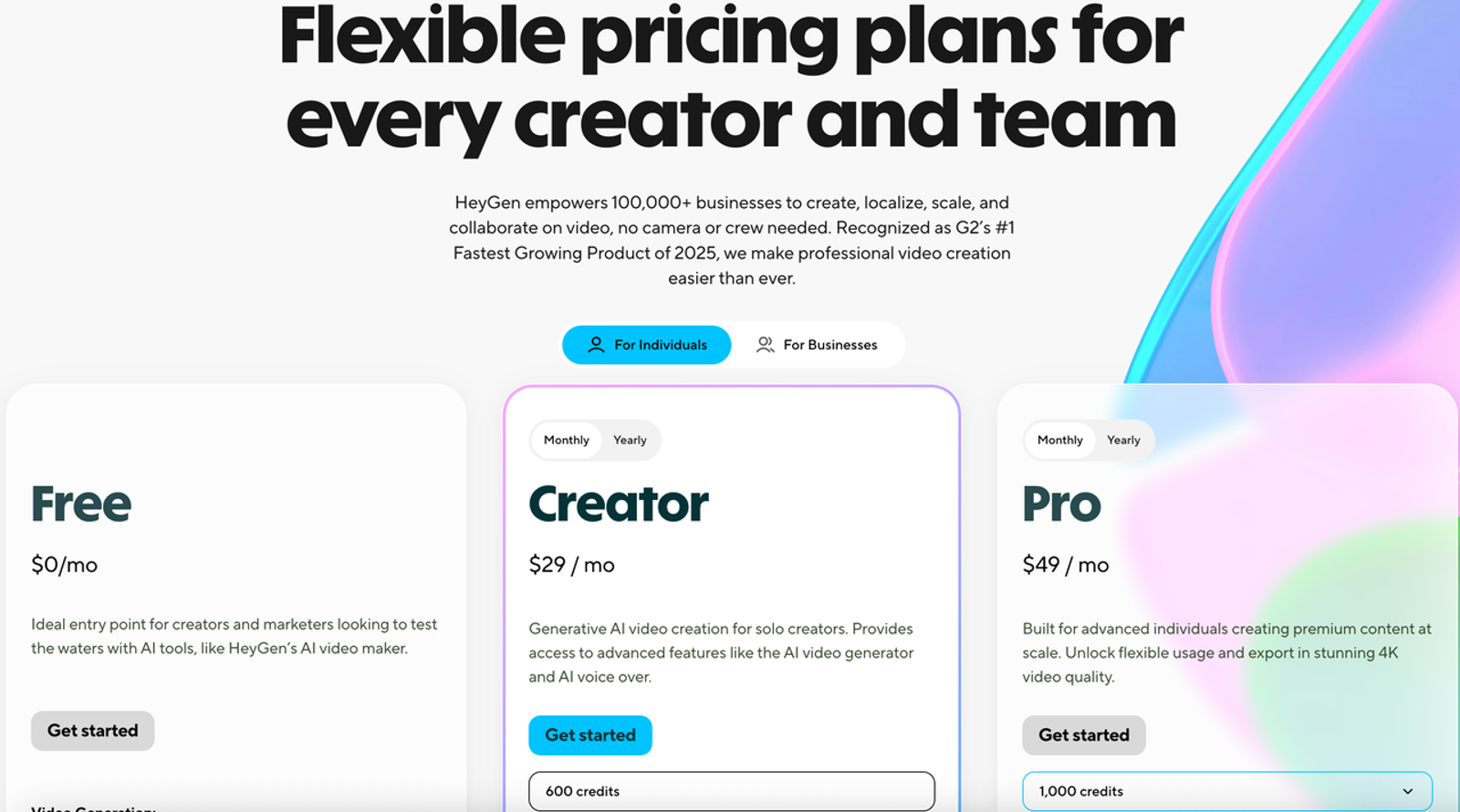
| HeyGen, Avatar IV Photo Look | Creator: $29/month; 600 credits/month | 4 credits equivalent | 48 | Monthly |
These are workload-capable plans, not matched tiers. A monthly equivalent is also different from cash due at checkout. Use the commitment column for procurement and credits for production planning.
Wizstar: Generation and Revision Costs
Wizstar's official pricing table lists Kling V3 Omni through AI Video Agent at 7 credits per second for 1080p. One 15-second draft therefore uses 105 credits. Twelve monthly first drafts use 15,120 credits annually, leaving 4,080 of Pro's 19,200 credits for about 38 full rerenders at the same settings.
Pro covers this steady workload; Plus does not. Its $160 monthly equivalent becomes $13.33 per approval only in the best case of 12 approvals from 12 drafts throughout the annual term. That is a planning floor, not an observed AI UGC cost. Top-ups begin at 690 credits for $10; account terms govern expiry, refunds, and rollover.
Creatify: Generation and Revision Costs
Creatify's official plans list annual Pro at $44 per month with 280 monthly credits and one seat. Its credit guide charges 5 credits per 15-second Video Ad and 3 for a revision. On Pro and higher, a revision can be free when the script, avatar, and voice stay unchanged. Twelve drafts need 60 credits, exceeding Standard's 55-credit allowance but fitting Pro. If all passed, the dedicated subscription would equal $3.67 per approved ad. Pro has unused capacity at this volume; it is selected for the 60-credit requirement and revision rule. Agent, Ad Flow, and Ad Clone use variable credits and do not fit this estimate.
HeyGen: Generation and Revision Costs
HeyGen's official pricing lists Creator at $29 monthly with 600 credits, one user, 1080p export, and no watermark. Avatar IV costs 16 credits per minute for a Photo Look, or 4 credits for 15 seconds. Twelve presenter drafts use 48 credits; A perfect first-pass month would make the dedicated subscription $2.42 per approval.
That number prices the avatar performance, not every product visual in a finished ad. Script, avatar, or voice changes require another avatar render, while layout, caption, media, and timing edits may not. Record all asset-generation credits shown in-product before treating the 4-credit floor as an ad cost.
Calculate Cost per Approved Ad
Use two metrics. The first compares UGC production software cost:
Software cost per approved ad = (subscription allocated to the campaign + top-ups + seats + paid localization + export or add-on charges) / approved ads.
The second shows what the agency or brand actually spent:
Fully loaded cost per approved ad = (software cost + editor time + review time + external rights or asset costs) / approved ads.
Charge a dedicated account's full subscription for the billing period. For a shared account, allocate value by credits consumed and document the method; otherwise, moving unused credits can make either client look artificially cheap.
Include Rejected Renders and Revisions
A preflight estimate uses the first-render meter; observed cost uses the production ledger.
If 12 approvals require 18 paid renders, the denominator stays 12. Give technical failures their own row and count their credits only when deducted and not restored.
This handles unpublished failure policies without filling blanks with zero.
Published figures fill the preflight side; review results require a pilot:
| Cost record for the 12-ad brief | Wizstar Pro | Creatify Pro | HeyGen Creator |
| Plan charge used for comparison | $160 monthly equivalent; $1,920 billed yearly | $44 monthly equivalent; annual commitment | $29 monthly |
| Credits for 12 first drafts | 1,260 | 60 | 48 for Avatar IV Photo Look |
| Allowance left after 12 drafts per month | 4,080 across the annual plan | 220 each month | 552 each month, before other generated assets |
| Best-case software cost per approved ad | $13.33 | $3.67 | $2.42 |
| Paid renders, revisions, and failures observed | Record after pilot | Record after pilot | Record after pilot |
| Actual software cost per approved ad | Calculate after review | Calculate after review | Calculate after review |
The best-case row assumes all 12 first drafts pass and the account is dedicated to this workload. It does not rank output quality or predict the real approval rate. After review, replace that row with the actual plan allocation, add-ons, paid attempts, and approved count.

Add Seats, Localization, and Export Costs
One-person pricing fails when an agency needs client comments, another editor, or brand workspaces. Add those charges, plus translated voice, lip sync, premium stock, custom avatars, and watermark-free export when excluded. I would check them before I hit export: they often change the required plan rather than add a neat per-video fee.
Choose a Pricing Model for Your Production Volume
Choose the smallest plan covering expected paid attempts, not just approvals. Model 12, 24, and 48 approvals with the observed paid-renders-per-approval ratio. A fixed meter suits repeatable briefs; a mixed-model pool suits changing methods; a team tier makes sense when collaboration costs exceed the price gap.
When possible, run one paid pilot before an annual commitment. Lock the script, separate creative rejection from technical failure, and calculate both metrics. Pretty pricing is easy to spot. Useful pricing takes another look.
Limits of Published Pricing Comparisons
Published rates cannot predict visual accuracy, moderation, reviewer taste, taxes, exchange rates, or staff time. Save the pricing page, checkout terms, and in-product quote with the ledger, then recheck them before purchase.Platform approval belongs in the definition.
The Google Ads review guidance confirms policy and technical review. A video accepted internally but rejected by its destination is not publishable; another compliant version raises its effective cost.

Conclusion
Compare the cost of reaching the same approval gate, not sticker prices or credit totals. Start with the first-render floor, preserve the billing commitment, then replace assumptions with actual deductions and review outcomes after a pilot. The best fit is the workflow whose paid attempts, revisions, and team access produce a defensible cost per approved ad at your volume.
FAQ
- Do unused credits roll over in each UGC video tool?
- The rules differ. HeyGen says monthly credits roll into one additional billing cycle, while annual allocations accumulate until renewal. Creatify says paid credits remain valid for two months. Wizstar directs users to the account and checkout terms for the applicable expiry and carry-over rule. Do not value unused credits as cash unless the plan lets the team use them during the relevant production window.
- Can a team switch plans in the middle of a campaign?
- Sometimes, but timing affects the budget. HeyGen says a mid-cycle upgrade charges the price difference and adds credits immediately. Creatify says a plan change starts a new billing cycle, keeps unused paid credits, and restricts annual-plan switching until fewer than 10 credits remain. Wizstar publishes upgrades and top-ups but does not state one universal mid-cycle proration rule, so verify the account quote before committing the campaign.
- Are commercial ad rights included in each plan?
- Tool terms do not clear every asset in an ad. Wizstar lists commercial use on paid tiers subject to its terms; Creatify says users own their creatives; HeyGen's terms give eligible paid users rights in their inputs and outputs as between the parties. The advertiser still needs permission for uploaded products, people, voices, music, stock, trademarks, and claims. The April 2026 TikTok policy for AI-generated ads also requires qualifying AI content to carry an AIGC label or clear disclosure. Please refer to the latest official documentation and obtain legal advice for the intended market when necessary.