First month 40% off — unlock Seedance 2.5, Wizstar R1 with Unlimited Video Generation for $10.99First month 40% off — Seedance 2.5, Wizstar R1 & Unlimited Video for $10.99

Magic Eraser AI

Upload a photo and tell the AI what to remove. People, text, wires and clutter disappear in seconds.

Wizstar’s AI magic eraser removes objects from photos with a simple sentence. No brushing or masking, just describe what should go.


JPG, PNG, WEBP · up to 20MB · 1–5 images
GPT Image 2
16:9
1K
1 / 8
  • No brushing needed
  • Free to start
  • Commercial use

See Magic Eraser AI in Action

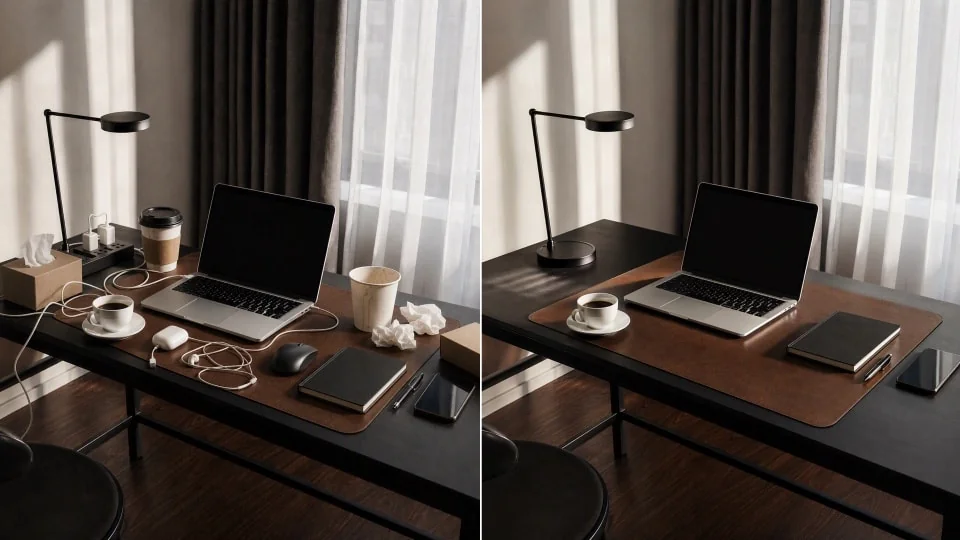
Drag the slider on each photo to compare. Every result below came from one short sentence that told the AI which objects to remove from the photo, with no brushing or masking.
Same photo after Magic Eraser AI removed tourists in the background
Original photo with tourists in the background before Magic Eraser AI
BeforeAfter
Remove people
Same photo after Magic Eraser AI removed text and captions
Original photo with text and captions before Magic Eraser AI
BeforeAfter
Remove text
Same photo after Magic Eraser AI removed desk clutter and cables
Original photo with desk clutter and cables before Magic Eraser AI
BeforeAfter
Remove clutter

What Can Magic Eraser AI Remove?

Pick a scene to load its prompt into the editor above, then add your own photo.
Travel photo with background tourists removed by AI

People and photobombers

Clear strangers out of travel shots and group photos while the people you want to keep stay untouched.“Remove the people in the background and keep the couple in the front.”
Image with captions erased by AI magic eraser

Text, captions and dates

Erase signs, subtitles, date stamps and stickers, and the background is rebuilt to match.“Erase all the text on the sign and keep the wall texture.”
Desk photo cleaned up by removing clutter with AI

Objects, wires and clutter

Remove power lines, trash bins, cables and anything else that pulls attention away from your subject.“Remove the cables, paper cups and boxes from the desk.”
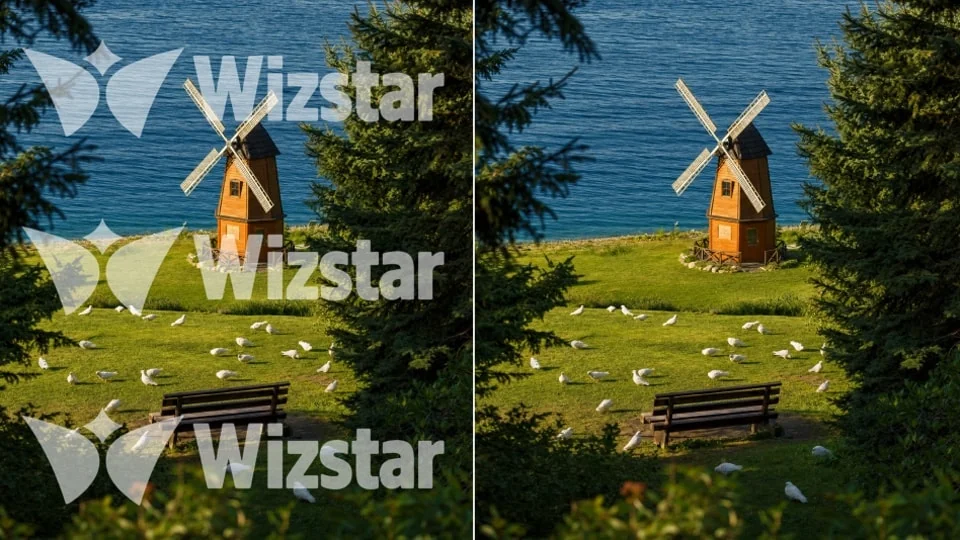
Landscape photo restored after removing a watermark

Watermarks on your own images

Clean logo marks and stamps off photos you own or are licensed to edit. Only use it on images you have the rights to.“Remove the watermark from my own photo and restore the background.”

How to Use Magic Eraser AI

1

Upload your photo

Add one image, or up to five reference images, in JPG, PNG or WEBP up to 20MB each.
2

Say what to remove

Type what should go, such as “Remove the man on the left”. No brush, mask or selection needed.
3

Generate and download

Click Erase Objects Free, check the result in the editor, and download it or try a new prompt.

Magic Eraser AI Prompt Examples

Say where the object is and what to keep. Click any example to use it.

Where People Use Magic Eraser AI

Travel photos

Remove crowds and strangers from landmarks.

Product images

Clean tags, props and dust off listing photos.

Property photos

Clear cables, bins and clutter from rooms.

Social posts

Tidy up backgrounds before you share.

Why Choose Wizstar’s Magic Eraser AI

An AI magic eraser that is free to start, with the controls you need for real work.

Erase with one sentence

Describe what to remove. There is no brush to learn.

Choose your model

Switch between GPT Image, Nano Banana and Seedream.

Up to 4K output

Keep detail sharp for print and large screens.

Commercial use

Use your results in ads, listings and client work.

Magic Eraser AI FAQ

It is free to start. New accounts get free credits, and each erase uses a small number of credits shown before you generate.

Remove Anything From Your Photos

Upload a photo, say what to erase, and get a clean result with Magic Eraser AI.