The short answer
If your brand has three Shorts due each week, AutoShorts.ai can help keep an educational series on schedule. Then a reviewer spots a line in tomorrow’s queued video claiming your packing cube holds three sweaters, and nobody has approved that claim. With scheduled posting active, the video can go live without a sign-off. This review covers what your team can change before upload, how to budget time for review, and when the campaign needs its own product footage.
Quick Verdict for Brand Teams
AutoShorts is a good fit when the format stays familiar and the subject changes from episode to episode. A travel accessories brand could publish packing lessons with a consistent narrator, a few illustrated scenes, and one practical takeaway per video. Each episode can work without showing the brand’s exact product. A short that demonstrates how much fits in a specific packing cube needs a shot the team can verify. That difference helps determine where automation belongs in the campaign.
How Does AutoShorts Turn a Topic Into a Video Series?
AutoShorts saves a topic or custom prompt and a set of creative choices in a Series. It uses that setup to generate episodes on the plan’s schedule. In the AutoShorts Series workflow, teams choose settings such as voice, language, visual style, duration, and music. One Series can use that creative setup across several destinations.
Scripts, Narration, Scene Media, and Captions
For a Series about packing for short trips, give each episode a different task. One can cover keeping worn clothes apart from clean ones. Another can explain how to group small items so they’re easy to find after arrival. A reusable prompt could ask for one packing problem, one practical explanation, and a visual example in each episode. Keep brand names and product claims under the editor’s control.
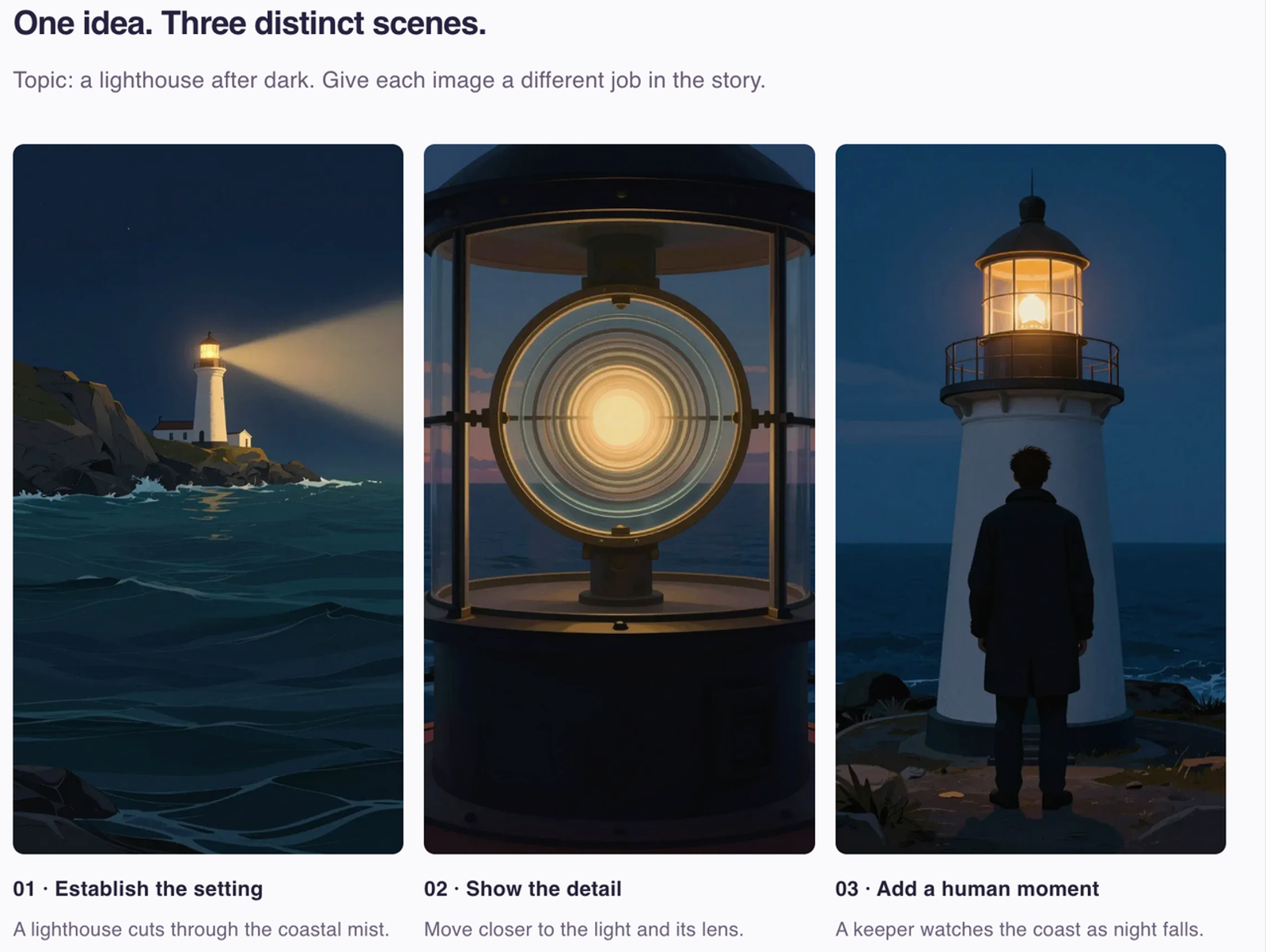
AutoShorts generates the script, narration, scene media, captions, and music. Watch those elements together in the preview. A suitcase illustration can look fine on its own and still miss the point if the narration is explaining which items go in a separate pouch.
Review Before Scheduled Publishing
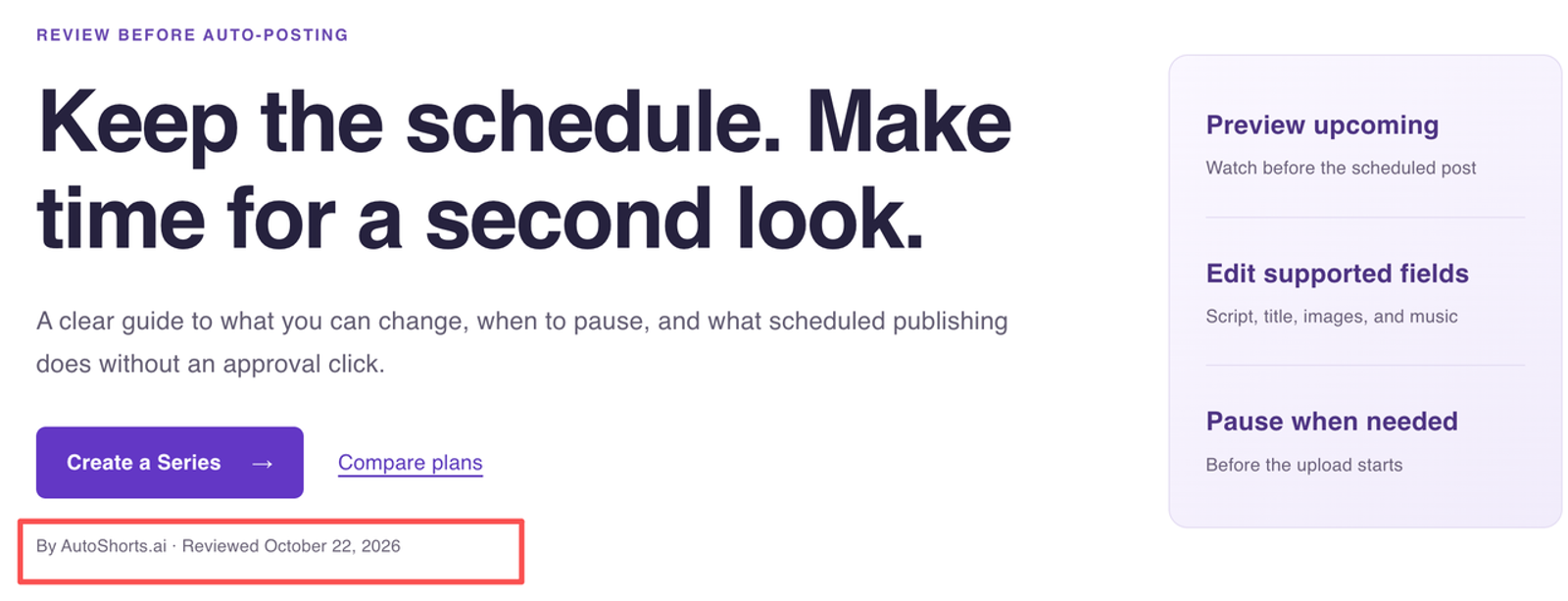
Under AutoShorts’ review and editing workflow, teams can preview upcoming videos and edit supported fields such as the script, title, description or caption, scene media, and background music. The available fields vary by format. Some edits require another render, so watch the updated video to check whether a script correction changed the narration or caption timing.
Previewing is optional. If a reviewer needs more time, the Series can be paused before the upload begins. Once the file has been sent to a social platform, pausing the Series cannot recall it. A team with formal sign-off requirements needs a publishing process that holds the file until approval is recorded.
Where Does the Series Workflow Fit a Brand Campaign?
It fits recurring educational posts where the explanation carries the episode. When a campaign needs viewers to recognize a specific SKU or see what it can do, the visuals need to support that claim.
Recurring Educational Shorts
A packing series gives the brand something to publish between launches. The structure can stay familiar while the question changes. I’d read the first two scripts side by side. If both open with the same warning and end with the same tip, sharpen the prompt so each episode solves a distinct problem. Changing the visual style won’t give a repeated script a new point.
Product Claims and Visual Proof
If the episode says a cube fits three sweaters, show the actual SKU holding the contents described. For U.S. campaigns, the FTC’s guidance on advertising substantiation covers both explicit and implied objective claims. A scene showing a cube compressing an entire stack of clothes can imply a capacity claim even when the narrator only talks about organization. Review what the picture communicates alongside the words.
What Does a Team Still Need to Review?
The brand still needs to review the finished episode and confirm where and when it will publish. Allow time for both checks before the first recurring post goes live.
Accuracy, Voice, and Brand Consistency
- Script and narration. Verify factual claims, numbers, and approved wording. Listen for the pronunciation of brand and product names.
- Scene media and captions. Check whether each image supports the line being spoken. Read the captions on a phone and compare any visible product details with approved assets.
- Across episodes. Check that the narrator, vocabulary, and visuals feel consistent and that each episode teaches something distinct.
Publishing Controls and Account Ownership
Use accounts the brand controls and record who can reauthorize a connection if it expires. The AutoShorts Instagram publishing guide specifies a Professional account and says to select it as a Series destination after connecting it. For TikTok, check whether the chosen posting mode publishes directly or leaves a step for someone to finish in the app.
If a scheduled video doesn’t appear, first check whether it rendered, whether the Series is paused, and whether the destination is still authorized. Then check the post on the destination itself. A completed render in the AutoShorts dashboard confirms that the file exists. Publication is a separate status to verify.
What Should Buyers Check About Plans and Costs?
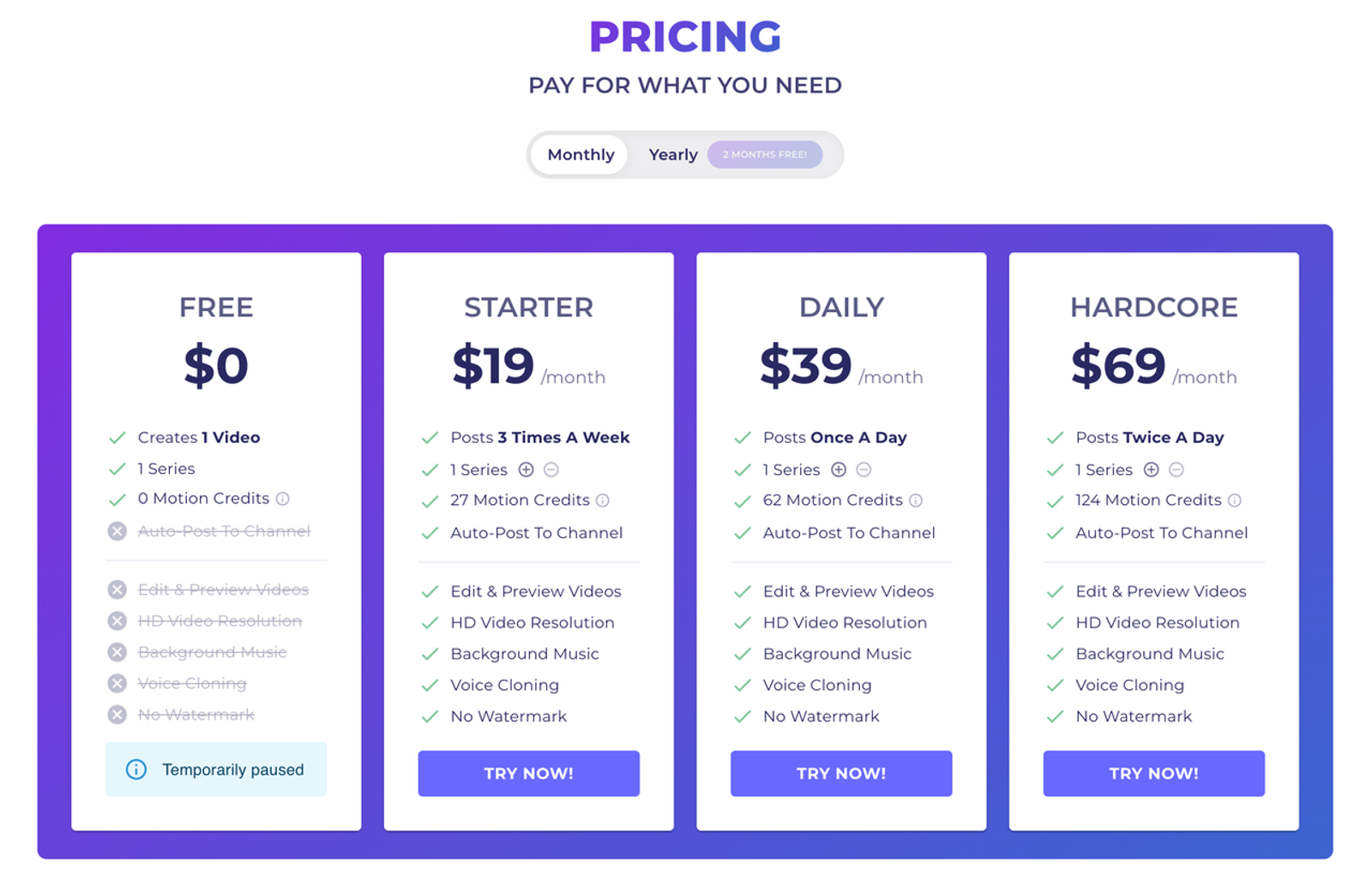
Check the cost for one Series, its posting frequency, and the Motion Credit allowance. AutoShorts.ai’s published pricing lists one Series per standard paid plan. The free tier was marked temporarily paused when checked on November 19, 2026.
| Monthly plan | Price for one Series | Posting frequency | Motion Credits |
| Starter | $19 | Three times per week | 27 |
| Daily | $39 | Once per day | 62 |
| Hardcore | $69 | Twice per day | 124 |
Motion Credits animate scene images, so budget them separately from the number of episodes on the calendar. A packing tips Series can go to several eligible destinations. A separate Series about the brand’s product range adds another subscription cost.
I’d count approved episodes and review minutes over the same period. Include time spent correcting scripts, replacing images, and watching fresh renders. If the team can reliably clear three episodes a week, use that number when comparing plans. A daily schedule has value when the review team can support it.
When Should a Team Generate Product Footage Separately?
Produce the product shot separately when a viewer needs to see the exact SKU, a feature in use, or a stated result. For the packing cube, film the zipper closing around the stated contents or show the cube in a carry-on of the stated dimensions. The AutoShorts episode can provide the educational setup while the approved footage shows what the cube actually does.
For a simple product reveal, a controlled animation of an approved packshot may be enough. Keep the label and proportions visible, then place the shot in the final edit with the approved copy. If the campaign already has a library of demonstrations, an editing or clipping workflow can turn those recordings into short vertical videos while preserving the footage that supports the claim.
Conclusion
AutoShorts fits a brand that has a repeatable educational format and enough time to check each draft before it goes live. Its value is keeping the series in production from one episode to the next. When the campaign depends on an exact product demonstration or documented approval before release, the deciding work still happens in footage the brand controls and an approval process it owns.
FAQ
- Can a brand use its own product images in an AutoShorts series?
- AutoShorts documents replacing scene images in the upcoming-video editor where that control is available. Its public guide leaves two details unspecified: which formats accept a brand’s own uploaded file and whether a packshot can be reused automatically across episodes. A campaign that depends on the same image in every video needs those controls verified in the chosen format.
- Can a team change the narration voice for an existing AutoShorts series?
- AutoShorts documents voice selection during Series setup. Its public editing guide leaves open whether a team can change the voice on an existing Series and whether a change would update an already rendered episode. The Series settings and the next rendered preview are the places to verify that behavior.
- Which social accounts can one AutoShorts series publish to?
- One Series can select one TikTok account, one YouTube channel, and one Instagram account. Instagram must be a Business or Creator account. Each destination needs valid authorization and must be selected for the Series.
- Does AutoShorts let a team export videos without publishing them?
- AutoShorts documents downloads for past videos. Its public guide leaves pre-publication downloads and downloads without a selected destination unspecified. For a brand that needs a file for approval before posting, that export path is a purchase consideration.
- What rights apply to music and scene media in commercial shorts?
- The rights depend on the track, visual asset, and intended distribution. AutoShorts’ public workflow guides describe the media features and leave blanket permission for paid ads, client work, and cross-platform reuse unconfirmed. For U.S. use, the Copyright Office’s guidance on music and recordings explains that a composition and its recording can be licensed separately. The campaign’s clearance record should cover both where applicable, along with the source or license for each visual asset.