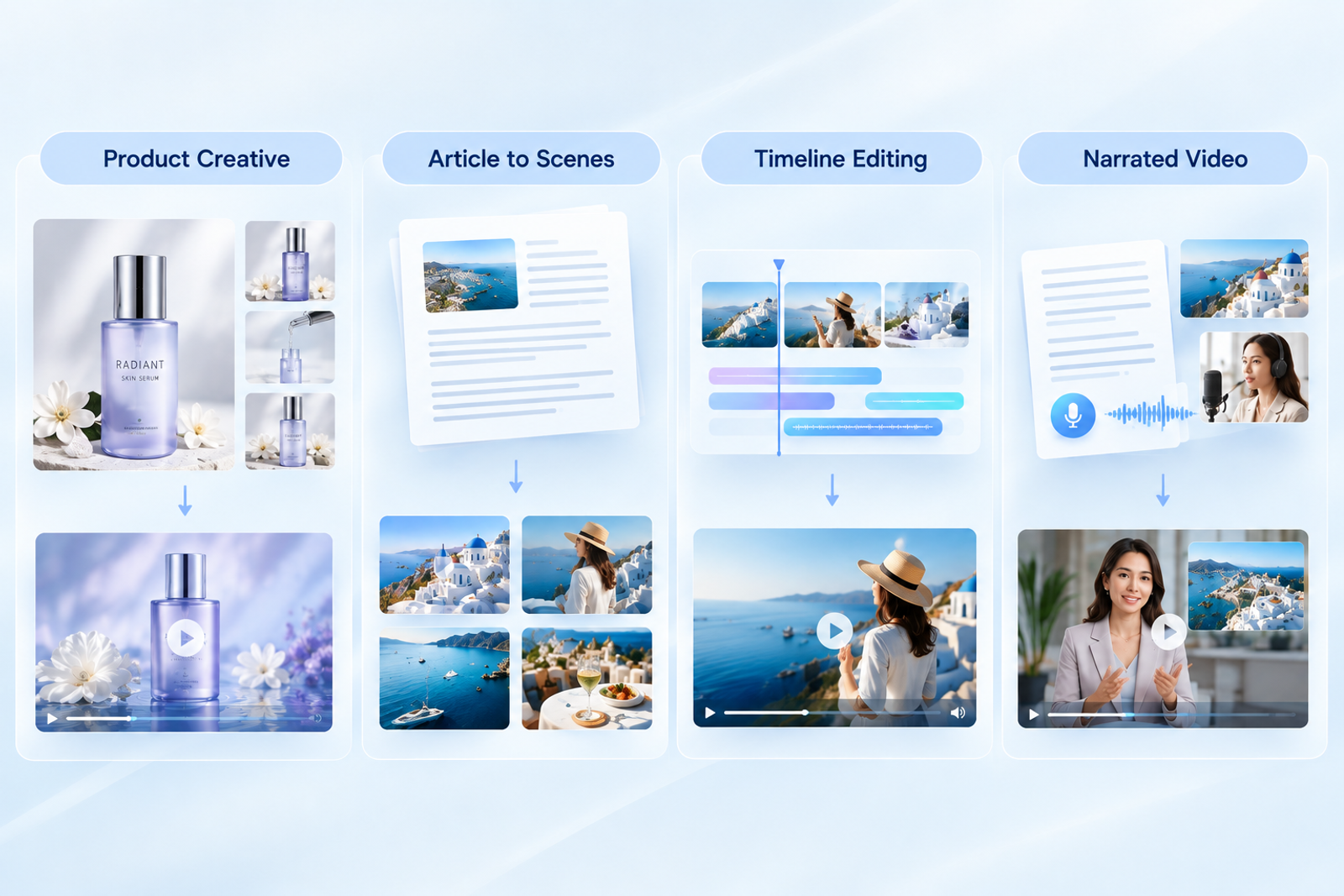
Four Lumen5 alternatives cover different jobs: Wizstar handles product creative, and Pictory turns articles or scripts into editable scenes. invideo provides timeline control, while Fliki combines text, narration, and stock media. I'd match those workflows to the material you already have before comparing their monthly allowances.
An AI video generator's price only becomes useful once the output is clear. Hundreds of generated images won't necessarily cover a month of narrated videos. A short generated clip isn't a finished article adaptation, either. I'd budget for the changes between a first draft and a usable export, too.
Lumen5 Alternatives at a Glance
Lumen5 turns a blog URL, PDF, or text into video, making article reuse the starting point for this comparison. The alternatives branch toward product assets, scene editing, timeline assembly, or narrated stock footage. Start with the material you have and the work it still needs.
Compare the four tools by their starting material, editing control, and the boundary most likely to affect production.
| Tool | Input and workflow | Main control | Important boundary |
| Wizstar | Product links/photos or an idea/brief | Script, scenes, voice, subtitles | Full Agent cost isn't calculated |
| Pictory | Script or webpage to reviewed scenes | Chat and scene editor | No word-for-word fidelity promise |
| invideo | Text-to-video project | Full timeline editor | Generation uses shared credits |
| Fliki | Blog URL or script to narrated stock video | Voice and scene assembly | Revisions and exports consume credits |
Once the workflow fits, compare what each monthly allowance actually purchases.
What Does Each Monthly Budget Actually Buy?
As of October 2026, these monthly budgets cover images, generated clips, or narrated videos under the specified assumptions.
| Plan and actual displayed payment | Monthly allowance | Specified output scenario | Theoretical quantity |
| Lumen5 Basic: USD26 card / USD29 table | 20 AI voice minutes | Two-minute narrated videos; 720p plan | 10, conditional |
| Wizstar Starter: USD10.99 first month; USD18.05 renewal | 1,310 credits | Nano Banana 2 Lite 1080p images or MiniMax H3 15s 2K clips | 327 images or 9 clips |
| Pictory 3 Starter: USD29 | 2,000 credits | Google Nano Banana Pro images | 142 images |
| invideo Starter: USD20/seat | 400 credits/seat | Nano Banana Pro images | About 160 images |
| Fliki Standard: SGD35 displayed | 180 credits | Two-minute stock/green-voice videos; up to 1080p export | 105 videos |
These counts describe different purchases, so the largest number cannot establish the cheapest equivalent output.
Lumen5 Basic provides a useful baseline: 20 AI voice minutes divided by two gives ten narrated videos. Other plan limits still apply. Basic lists unlimited videos, 720p output, a ten-minute maximum, and one animation minute. Ten is the voice-budget scenario, not a total-video cap.
Note:
Lumen5's card and comparison table conflict on price. Fliki displays SGD35, although its FAQ uses US-dollar wording. Confirm Lumen5's checkout price and Fliki's US-dollar charge before committing a budget. Wizstar's introductory payment also differs from its recurring payment.
Note:
Counts assume full allowance use without retries or extra actions, rounded down to whole outputs. Models, resolutions, and output types differ. A plan-average cost isn't a single-item purchase price. Wizstar's full Agent video cost remains outside its standalone-asset calculations.
Each allowance becomes more useful when connected to the work below. I would prioritize the actions your project needs over the size of the credit pool.
Wizstar: Product Content and Generative Creative Workflows
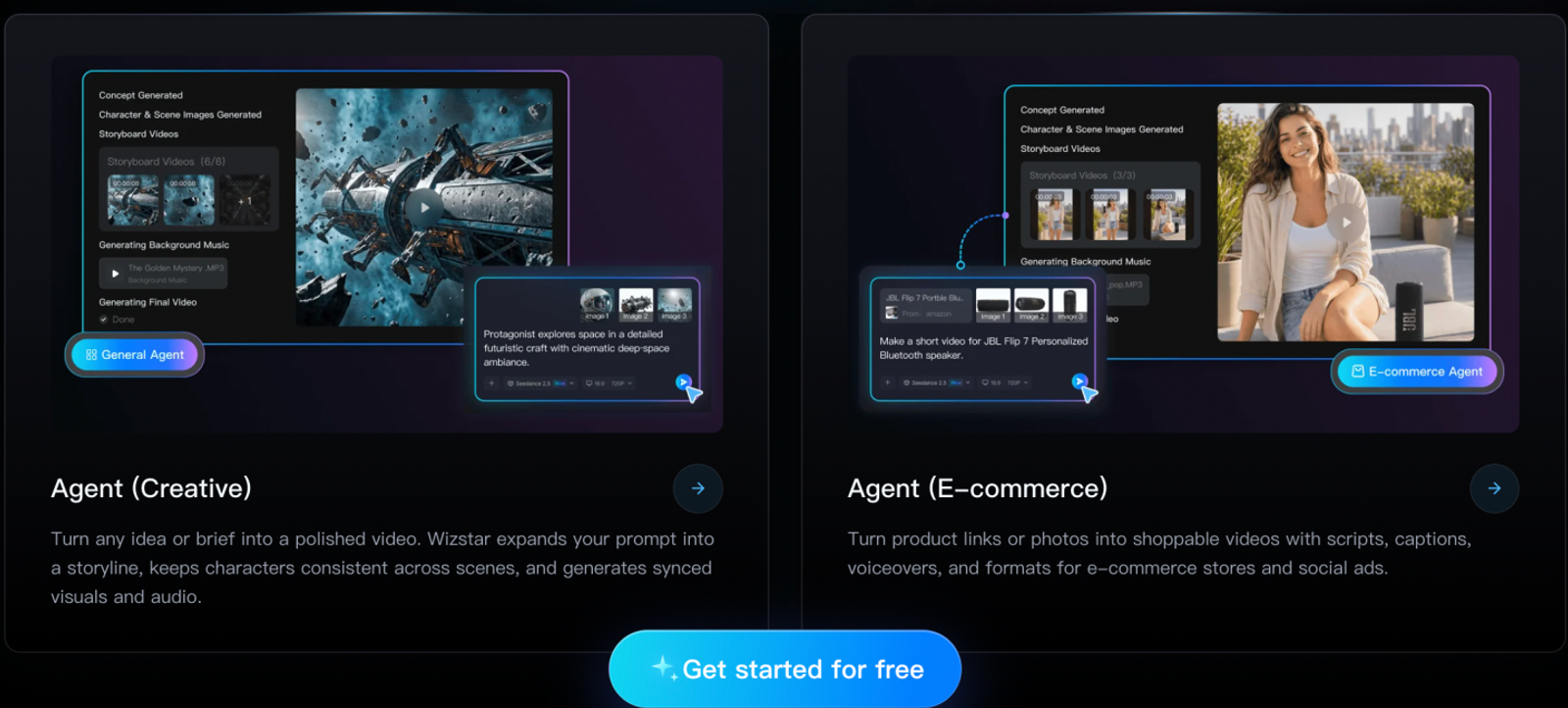
Wizstar puts product material and new visual assets at the center of the workflow. E-commerce Agent accepts product links or photos for product-video work, with script, scene, voice, and subtitle planning. Creative Agent starts from an idea or brief. Those inputs make it relevant when the job begins with a product or creative concept.
I'd put Wizstar on the shortlist for a product campaign needing both images and short generated shots. That makes its shared image/video allowance relevant to the asset list. Product-link input doesn't promise that any blog URL will import; Pictory offers the more direct article-to-scenes route.
Wizstar Starter provides 1,310 shared image/video credits for USD10.99 initially, renewing at USD18.05 monthly. At four credits per Nano Banana 2 Lite 1080p image, 1,310 ÷ 4 gives 327 images and two credits left. That calculation budgets images alone.
MiniMax H3 standalone 2K generation costs nine credits per second, making a 15-second clip 135 credits. Dividing 1,310 by 135 gives nine clips, with 95 credits left. The two full-budget totals are mutually exclusive, so they cannot be added together.
A mixed plan illustrates the trade-off better: 100 images plus six such clips consume 1,210 credits, leaving 100. I'd reserve some allowance for revisions before committing to that asset list. Paid exports are watermark-free. Budget for extra Agent actions separately before treating that asset list as a completed campaign.
Pictory: Blog-to-Video with Scene-Level Editing
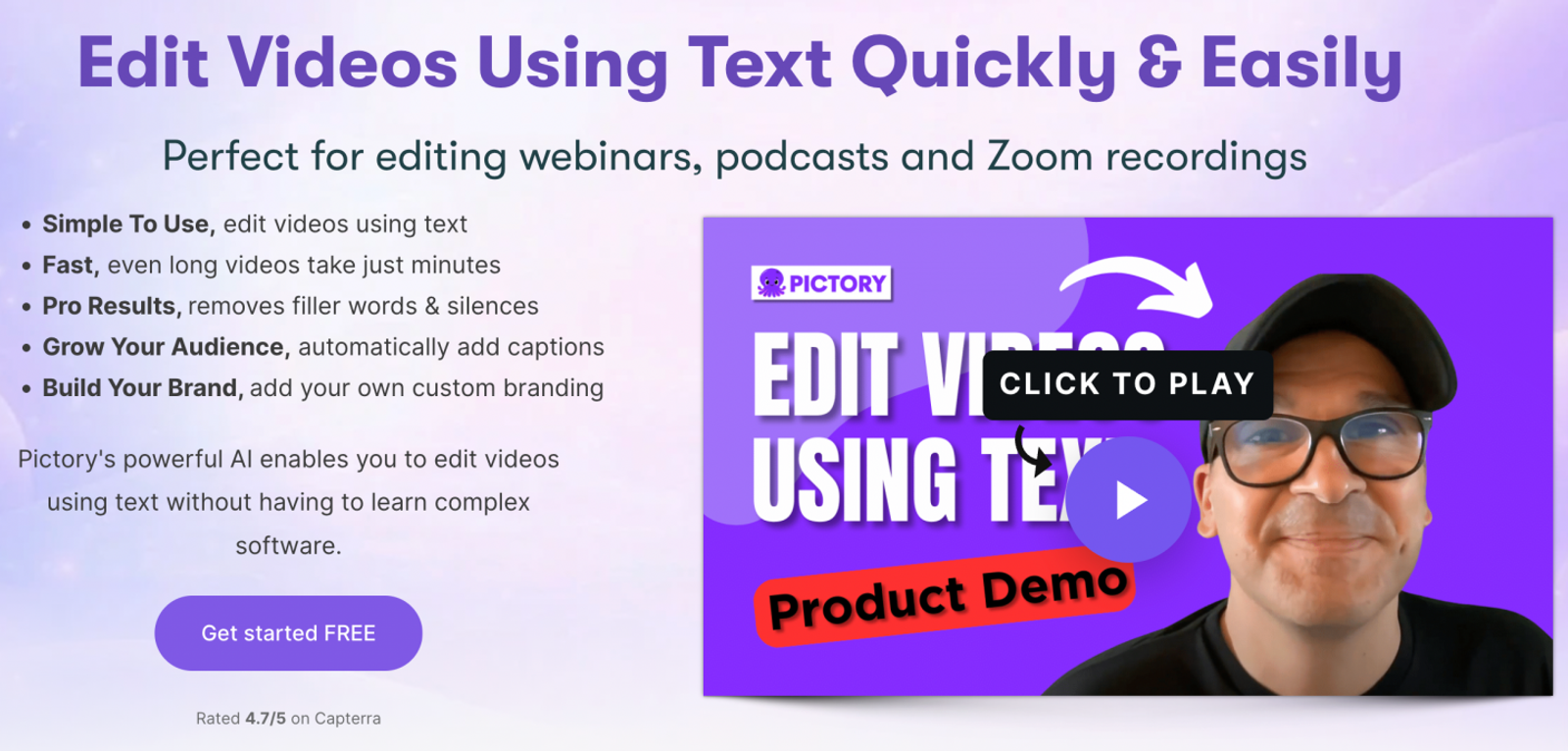
Pictory 3 accepts scripts or webpages and offers chat and scene editing. You can review the script and scenes before previewing the video. The existing writing remains the foundation of the project.
I would favor this route for an approved article whose main remaining work is scene-by-scene editing. For a written explanation needing a different visual beside each point, the scene workflow addresses the job directly. If the main difficulty is manual timing and arrangement across the timeline, invideo becomes the stronger match.
Pictory Starter costs USD29 monthly for 2,000 credits. Google Nano Banana Pro images cost 14 credits each, so 2,000 ÷ 14 yields 142 whole images with 12 credits remaining. The image resolution isn't disclosed. The quantity helps budget new visuals within the article project, but it doesn't establish a finished-video allowance.
Don't count the plan's “up to 30 minutes per month” wording as extra capacity beyond this full-credit image scenario. I'd decide how much new imagery the article needs before assigning the entire allowance to images. The attraction is the article-to-scenes workflow; the image count answers only one production question.
invideo: Text-to-Video with Timeline Control
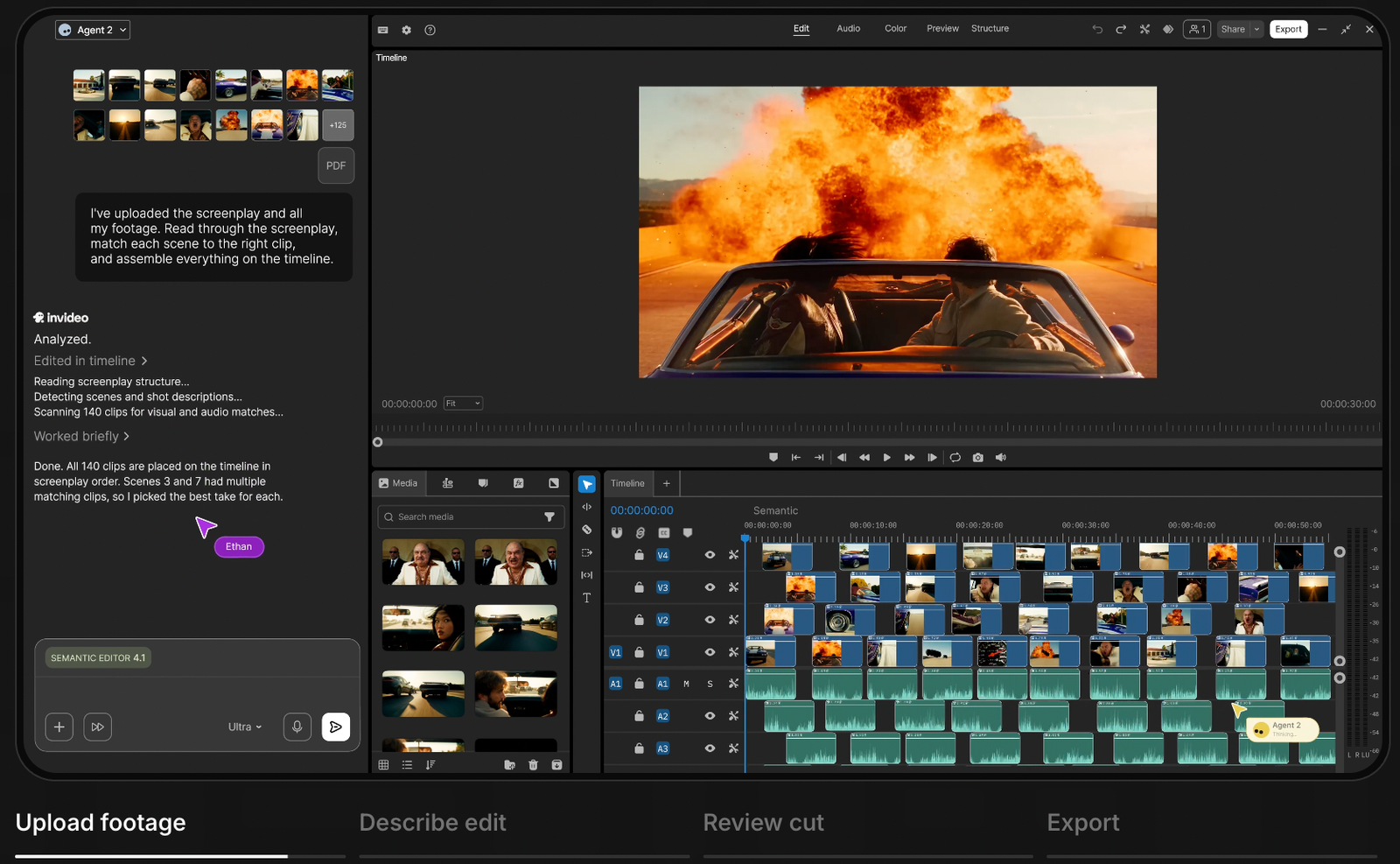
invideo is the default for creators who need full timeline control, which its Starter plan includes. Manual timing and arrangement give it a clear role after generation. That editing requirement is the reason to prioritize it.
invideo Starter costs USD20 per seat monthly and includes 400 credits per seat. Nano Banana Pro generation costs about 2.5 credits per image, giving approximately 160 images if all credits go there. The standard image resolution remains unconfirmed. That prevents a quality-equivalent comparison with Pictory or Wizstar based on image count.
I would justify this purchase through the timeline work before treating the image allowance as the deciding factor. If your changes are contained within individual scenes, Pictory may already fit the project without making timeline control the priority.
Downloading a finished video consumes no credits, but generation and other functions share the allowance. A download without a credit charge doesn't make its production free, so keep room for those earlier actions when estimating output. The useful distinction is between exporting existing work and spending credits to create or change it.
Fliki: Narrated Videos Built from Text and Stock Media
Fliki connects a blog URL or script to narration and stock media. Its budget example therefore comes closer to a finished narrated-video count than the image scenarios above. I'd favor that approach for a fixed script needing voiceover and supporting stock footage. Newly generated product shots would change the calculation.
Fliki Standard displays SGD35 monthly with 180 credits. A two-minute example costs 0.5 credits for submission, plus 2 × 0.5 for a green voice, plus 2 × 0.1 for export. That totals 1.7 credits, with stock media adding no credit charge in this scenario.
Rounding 180 ÷ 1.7 down gives 105 videos, totaling 210 finished minutes and leaving 1.5 credits. This assumes one export per video, with no rework or publishing actions; the paid limit of 2,000 workflows monthly doesn't constrain it. The plan's 1080p ceiling describes export resolution, not generated-shot quality.
I'd plan below the theoretical maximum if the script or voice may change during production. More expensive voices, generated footage, and repeat exports alter the budget under Fliki's credit rules. For a settled script, the stock-and-narration calculation gives you a concrete starting budget. A project still changing direction needs more room for revisions. Treat the allowance as production capacity, with room for the changes your script still needs.

Choose Your Workflow, Then Take the Next Step
The strongest match follows your source material: Pictory suits article-to-scene reuse, while invideo deserves priority for timeline control. Fliki's stock-and-narration calculation fits a settled script. Wizstar belongs in the first shortlist when product assets or a creative concept need new images and generated clips.
For that product or creative task, bring one product link, photo, or brief to Wizstar. Take the E-commerce Agent path for product material or Creative Agent for the idea. Check the chosen model and quoted credits, then reserve a revision budget before expanding the project.
Compare one small output with the source when script fidelity or product appearance could change your choice. Once that result fits the job, budget the required assets and finishing actions together. Rank costs only when currency, output type, and specifications match. The useful budget is the one that gets your chosen workflow to a finished video.
FAQ
- Can I try Lumen5 or Wizstar for free before subscribing?
- Yes, both offer a free starting point, though their allowances and feature access differ. Lumen5’s Free plan includes five videos per month, and its pricing FAQ states that no payment details are required to start. Wizstar advertises 20 free credits upon signing up or logging in. These credits apply to eligible tools; advanced avatar generation and voice synthesis require a paid subscription. Use your free allowance to test a representative task before committing to a recurring plan.
- What happens if I run out of Wizstar credits before my subscription renews?
- You can purchase additional credits or upgrade to a plan with a larger allowance. Wizstar notes that existing creations remain accessible even when credits run out, so an empty balance does not mean your previous work disappears. Be sure to check your account balance and spending history before buying more. Top-up expiration dates and refund policies follow standard purchase terms, so confirm those details at checkout rather than assuming extra credits last indefinitely.
- Is it safe to upload confidential client material to an AI video generator?
- You should only upload confidential material if the platform's data terms meet your client’s requirements and you have explicit permission to use it. Wizstar’s privacy policy states that AI inputs are sent to relevant model providers for generation. Always review data retention, training usage, deletion rights, and access controls before uploading. For initial tests, use public or redacted files instead of unreleased products, customer records, or identifiable client footage.
- How can I stop AI-generated videos from distorting text and product details?
- Keep exact text and logos in editable overlays, and simplify generated shots to feature a single subject and main action. Long passages, complex packaging labels, and intricate motion can lead to unstable details. It is best to add prices, specifications, and calls to action during the editing phase rather than asking the model to render them directly inside the scene. Check your final clip frame by frame around motion and transitions; adjusting prompts can reduce errors, but it cannot guarantee absolute accuracy.
- Can I create and edit Lumen5 videos on my phone or tablet?
- Lumen5’s video creator requires a laptop or desktop computer, while phones or tablets can only view its public information pages. Its documented system requirements include a modern desktop browser, a minimum 1024 × 768 display resolution, and a 5 Mbps internet connection. If editing on mobile is essential, verify that your chosen platform supports the full editing and export workflow on that device before subscribing.
- Does Lumen5 support non-English videos, captions, and AI voiceovers?
- Lumen5 supports video creation in over 35 languages, though support varies across text, scripts, translation, captions, and voiceovers. Its interface and media search remain English-only, and right-to-left languages are currently not supported. It is best to check your specific language against the official feature table rather than relying solely on the headline language count. For example, the table lists Chinese AI voiceover support but omits Vietnamese AI voiceover support, and plan-level restrictions also apply.
- What file format does Lumen5 export, and why can’t I download my draft?
- Lumen5 typically exports completed videos as MP4 files. Unfinished drafts must be published and rendered before they can be downloaded. From your dashboard, open the video’s three-dot menu and select Prepare download. If your project is still in draft mode, complete the publishing step first. If you plan to use another editor, determine whether you need just a playable video file or the original editable project, as an MP4 export does not preserve the underlying source timeline.