The short answer
For 2027 Facebook ad planning, Wizstar, Creatify, Runway, and InVideo are four workflow candidates to examine according to your starting assets: product imagery, a product page, a shot brief, or an approved script. This is a documentation-based shortlist for readers searching “best AI video generators for Facebook ads 2027,” not a ranking or a buying verdict. Product pages were checked in November 2026.
Which Facebook Ad Workflow Are You Choosing a Tool For?
Product-Led Ads, Generated Footage, and Script-Led Assembly
An ai video ad generator for Facebook can mean several different things. A product-led workflow begins with a real item and must preserve its packaging, color, and variant. A footage generator creates a shot that may establish mood but still needs a script, product proof, and an ending. A script-led assembler selects or generates media around an argument.
Use one brief to compare them: a 20-second ad for a refillable travel bottle, using an approved white-background photo, a close-up of the cap, and the claim “leak-resistant when closed correctly.” The team wants a Feed version and a vertical Reels version, each with a legible opening and a visible product by the midpoint. The brief exposes a practical question: when the cap or claim is wrong, can the team repair one element, or must it generate the entire ad again?
How Were the Four Tools Shortlisted?
Product Accuracy, Editability, Format Fit, and Cost per Approved Asset
I shortlisted four distinct documented starting points for the same brief. The table can narrow a trial, but cannot establish which tool preserves this bottle most accurately. Product accuracy, editability, format fit, and cost per approved asset remain evaluation questions, not scores.
| Tool | Documented starting point | Trial it for | Main question to verify |
| Wizstar | Product images or links | Product-led drafts | Can the team correct the product and claim without rebuilding the whole video? |
| Creatify | Product URL or uploaded assets | Product-page ad variants | Does it import the approved variant and claims correctly? |
| Runway | Text or image prompt | Original brand shots | Can an accepted clip become part of an accurate, complete ad? |
| InVideo | Script and media | Script-led assembly | Can stock shots be replaced with real product proof? |
For cost, record every attempt, credit charge, stock or music fee, editor hour, and approval round. Divide the total by the number of approved, placement-ready assets, not the number of raw generations. A tool that makes ten drafts cheaply may be expensive if only one survives. “The next edit is part of the cost” is especially relevant when a client changes a claim after seeing the first cut.
1. Wizstar for Product-Led Ad Drafts
Starting With Approved Product Assets
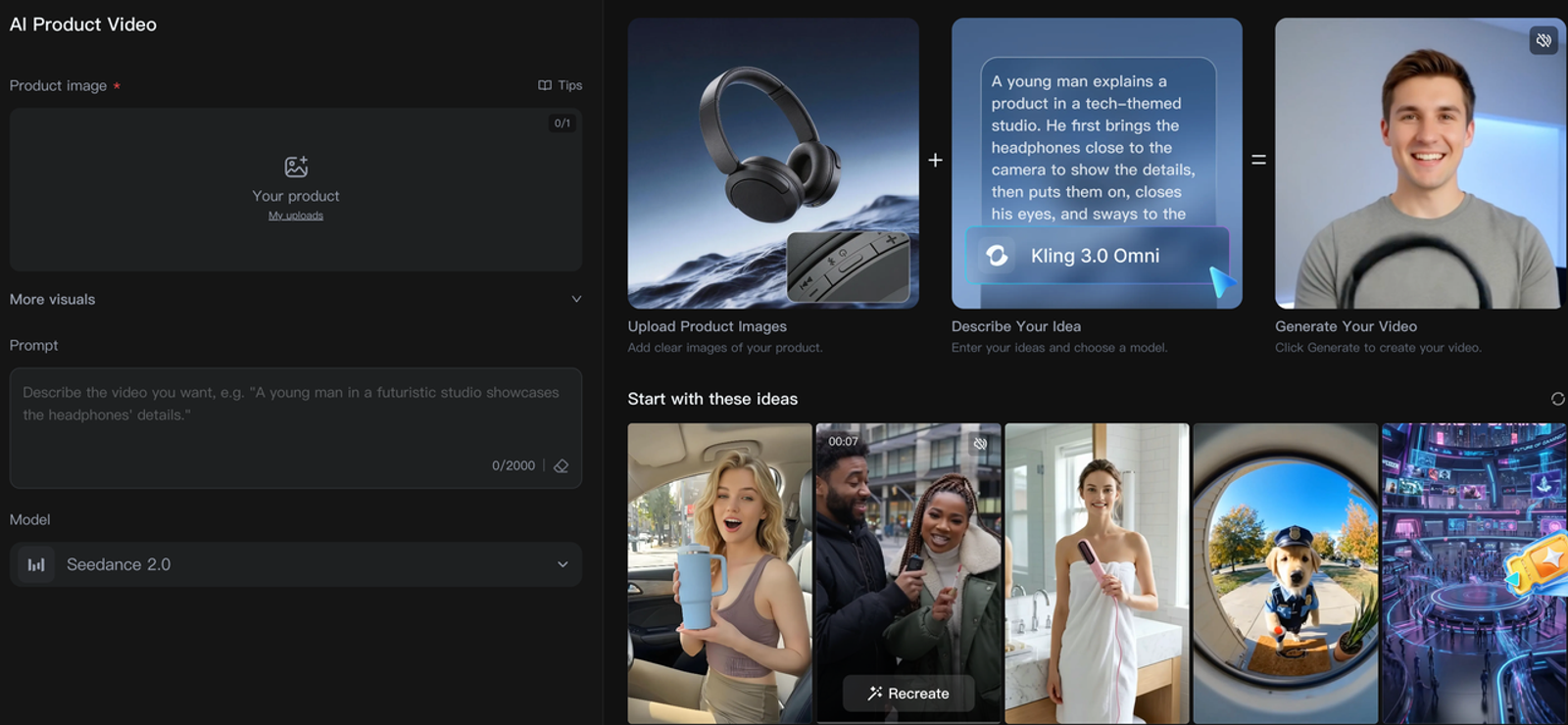
Wizstar’s product-video and ecommerce entry points describe starting from a product image or link and building video with scripts, captions, and voiceovers. For the bottle brief, I would start with the approved front image and cap detail rather than a prompt asking a model to invent the product. That gives reviewers a clear reference for whether a generated scene still depicts the sold item. I would check the label before the lighting: a polished shot with a changed logo is unusable.
Wizstar is a candidate if the team needs a product-focused draft from existing assets. Whether the team can correct claims and scene order efficiently before export is a test question. Its site describes editing and export in broad terms, but the exact control, available ratios, credit consumption, and commercial rights for a particular workflow need checking in the current account and terms.
When This Workflow Is a Poor Fit
If the campaign needs a precise demonstration of the cap mechanism, generation from stills should not replace authorized footage of the mechanism. Likewise, an AI actor should not be presented as a real buyer.
2. Creatify for Product-Page Ad Variants
What to Check in the Current Product Entry Point
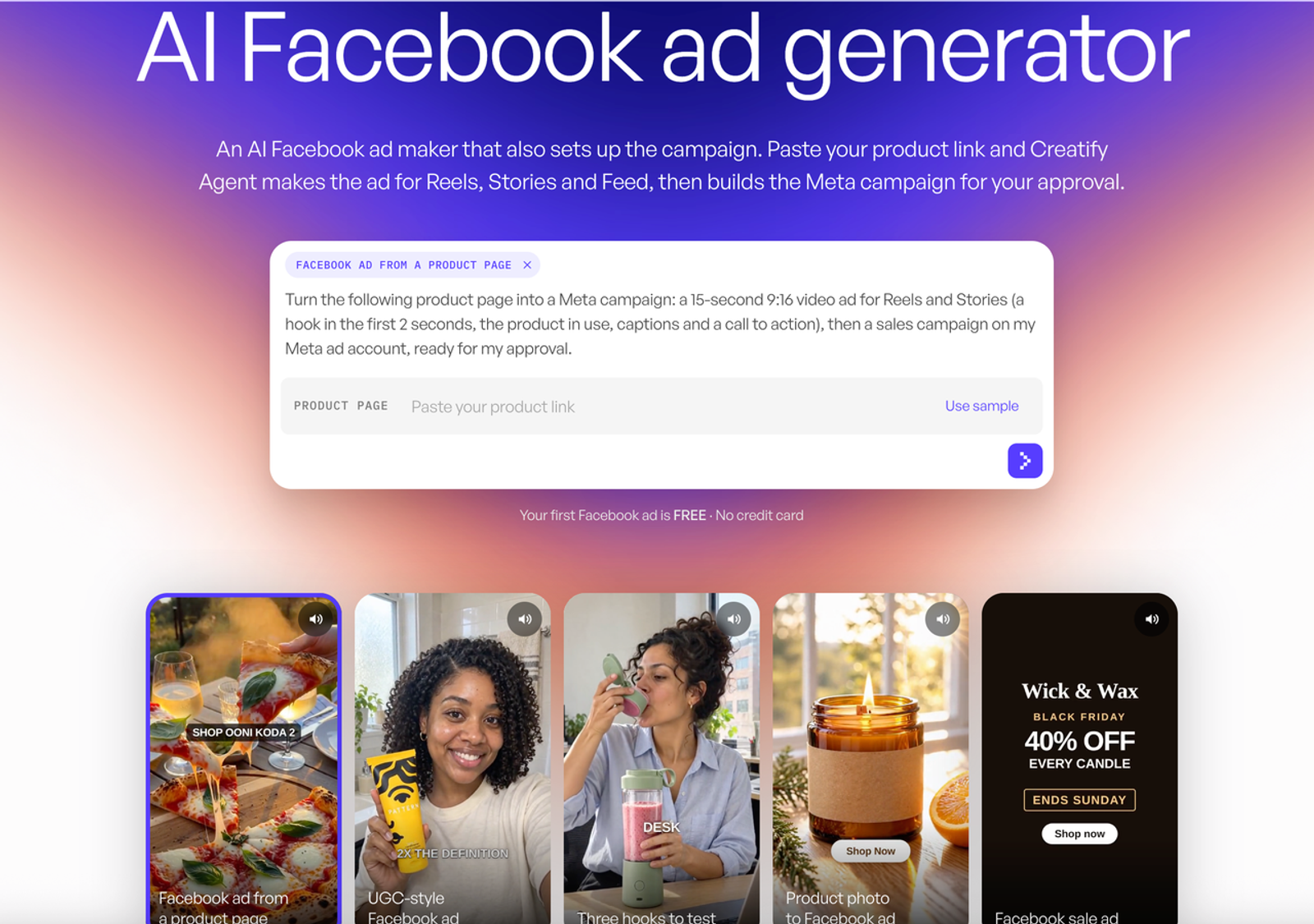
Creatify’s URL-to-video documentation says it analyzes a product URL and also permits manual asset and product-information entry. That makes it a logical candidate when a DTC team has maintained product pages and wants several hooks from the same item. For the bottle, compare the imported product name, selected color, price or offer, and media against the approved brief before paying for a render.
The current product pages describe preview, edits, and multiple export ratios, but the decisive question is what a reviewer can change after the first draft without disturbing the accepted product shot. Test a single correction: replace “leakproof” with the approved “leak-resistant when closed correctly,” then check the audio, captions, and end card.
Where Human Editing Still Matters
Product-page extraction saves setup only when the page is a trustworthy source. A generated spokesperson can deliver a scripted claim, but cannot turn invented experience into a genuine testimonial.
3. Runway for Generated Brand Footage
A Shot-First Production Path
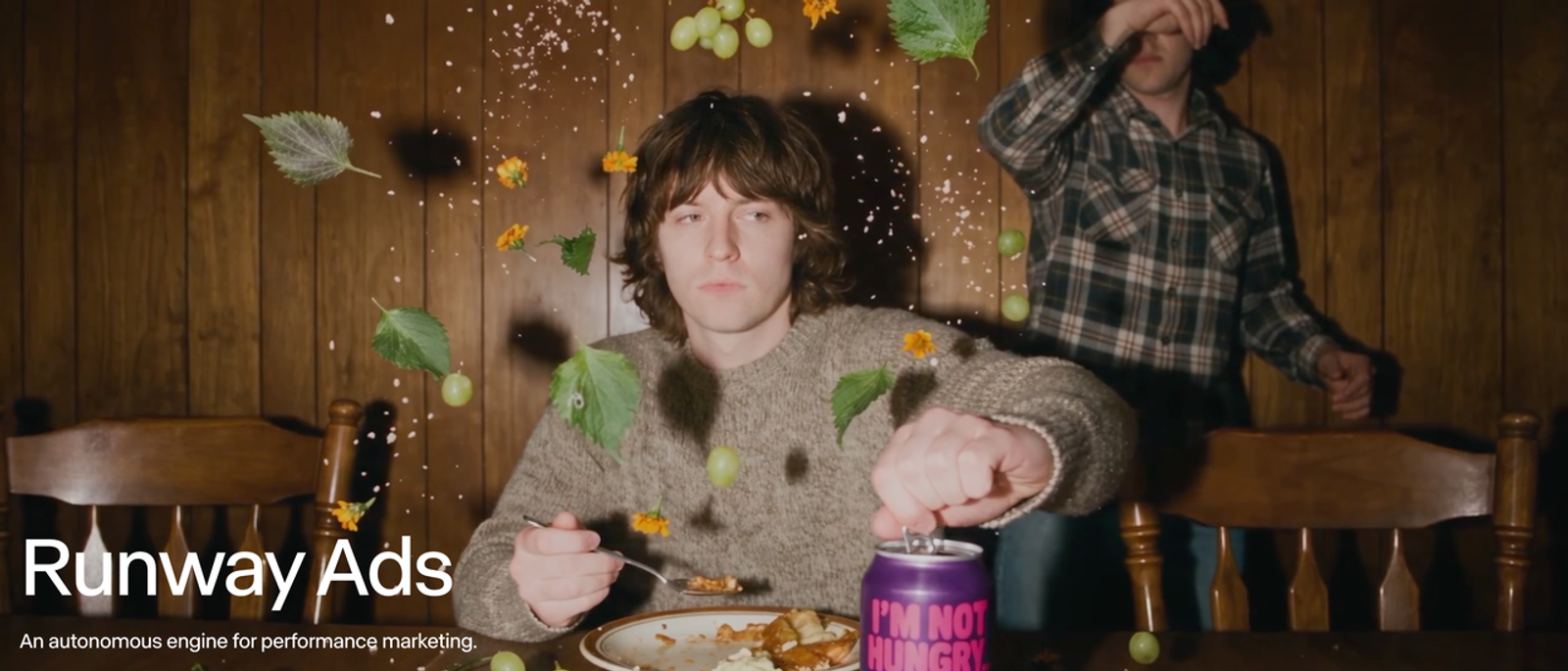
Runway’s current generative-video documentation describes text-to-video and image-to-video inputs, with aspect-ratio options that vary by input mode. This is useful if the bottle campaign needs a distinctive travel setting or atmospheric opening that the team has not filmed. I would make that a shot assignment: a brief exterior or transition, followed by a real product close-up carrying the claim. The model can supply visual material; the brand still has to assemble the ad.
For product fidelity, use the approved bottle image where the workflow permits and inspect the cap, printed text, proportions, and continuity frame by frame. Pretty is easy to spot. Useful takes another look, especially when an image is cropped into a vertical frame and the actual item becomes too small.
The Gap Between a Clip and an Ad
Runway’s documented output is a generated clip, not a complete approved Facebook campaign. Add the licensed music, claim, subtitles, end card, and placement-specific exports in the chosen editing workflow. Record the cost of rejected shots and assembly time alongside model credits.
4. InVideo for Script-Led Ad Assembly
Text, Stock Media, and Revision Workflow
InVideo’s script-to-video description explains a workflow that interprets script lines and matches stock footage to them. That starting point suits a team with an approved argument but little footage: problem, bottle demonstration, qualified claim, and call to action.
InVideo’s current plan pages also describe a timeline editor, use of uploaded footage, and stock allowances, but they do not by themselves tell you which licensed track or clip may be used in your specific paid campaign. For revisions, change one claim and observe whether the shot, subtitle, and voiceover can be updated together while the accepted scenes stay in place.
Product-Fidelity Limits
Stock video may show a travel bottle, not the bottle being sold. For Facebook product video ads, substitute approved product footage or stills wherever the identity of the item matters.

Which Tool Fits Your Next Facebook Campaign?
Match the Starting Asset to the Output You Need
Start with the most constrained asset and choose a trial route, not a presumed winner. Approved photos make Wizstar’s image-led route relevant; a maintained product page makes Creatify’s URL route relevant. A missing brand shot points to a Runway clip trial, while an approved script with little footage points to InVideo’s assembly route. These are hypotheses from the documented inputs. The team still needs to inspect the actual output, correction path, terms, and cost before choosing a supplier.
Compare Approved Assets, Not Raw Generations
Give each path the same bottle brief, source files, claim restrictions, two placements, and one scheduled revision. Have the product owner check identity, the copy owner check claims, and the media buyer inspect both exports on a phone. Log the first usable draft, identity failures, repair minutes, rejected generations, actual charges, and whether both placement exports pass. Divide the full spend and labor by approved assets. Until those results exist, this article can help you decide what to test, but cannot name the cheapest or strongest performer.
Conclusion
For 2027 planning, use your strongest approved asset to decide which route enters a controlled trial. A buying decision needs the shared brief carried through product review, editing, placement preview, rights clearance, and actual cost recording. The four tools here are candidates for that trial; The evidence in this article cannot establish a best performer.
FAQ
- Does Meta require disclosure for an AI-generated Facebook video ad?
- There is no blanket disclosure rule for every AI-assisted ad: check the current ad-creation prompts, the creative, and the market where it runs. In its June 2026 update, Meta said it was beginning to detect ads made or edited with third-party AI tools through industry-standard signals and to place an “AI info” label in “About this ad” when detected. Meta also describes labels for some ads made with its own tools; a photorealistic person affects label placement but is not the only condition. The rollout and regional requirements can vary. Save the creation record, check current Ads Manager prompts, and inspect the ad’s “About this ad” display after publication.
- Can an AI-generated customer testimonial be used in a Facebook ad?
- Do not present invented customer experience as a real testimonial. If an avatar performs an approved script, identify it as a dramatization where needed, and do not attach a fabricated name, purchase history, or result. Keep the source and permission for any real customer quote, and have the underlying claim independently substantiated.
- Who licenses music in a generated Facebook ad?
- The advertiser must be able to show rights for the actual track and intended paid use, even when a tool inserts it automatically. Check the tool’s current license, any stock-provider restrictions, territory, duration, and whether the license covers client work. Record the track identifier and terms with the approved export.
- Can one export be reused across Facebook Feed and Reels placements?
- Sometimes, but approval should be placement-specific. A crop that keeps the bottle centered in Feed can cut off the cap or subtitle in Reels; interface elements can cover the offer. Preview the same creative in each intended placement, then export separate versions when framing or text placement needs to change.
- What product claims need separate review before an AI ad is published?
- Review measurable performance, safety, health, environmental, price, scarcity, and comparison claims against evidence and the landing page. In the bottle brief, “leak-resistant when closed correctly” needs an approved basis; “never leaks” would be a different and stronger claim. Check spoken words, captions, on-screen text, and generated packaging because a correction in one layer can leave a contradictory claim in another. This is a production review framework, not legal advice.