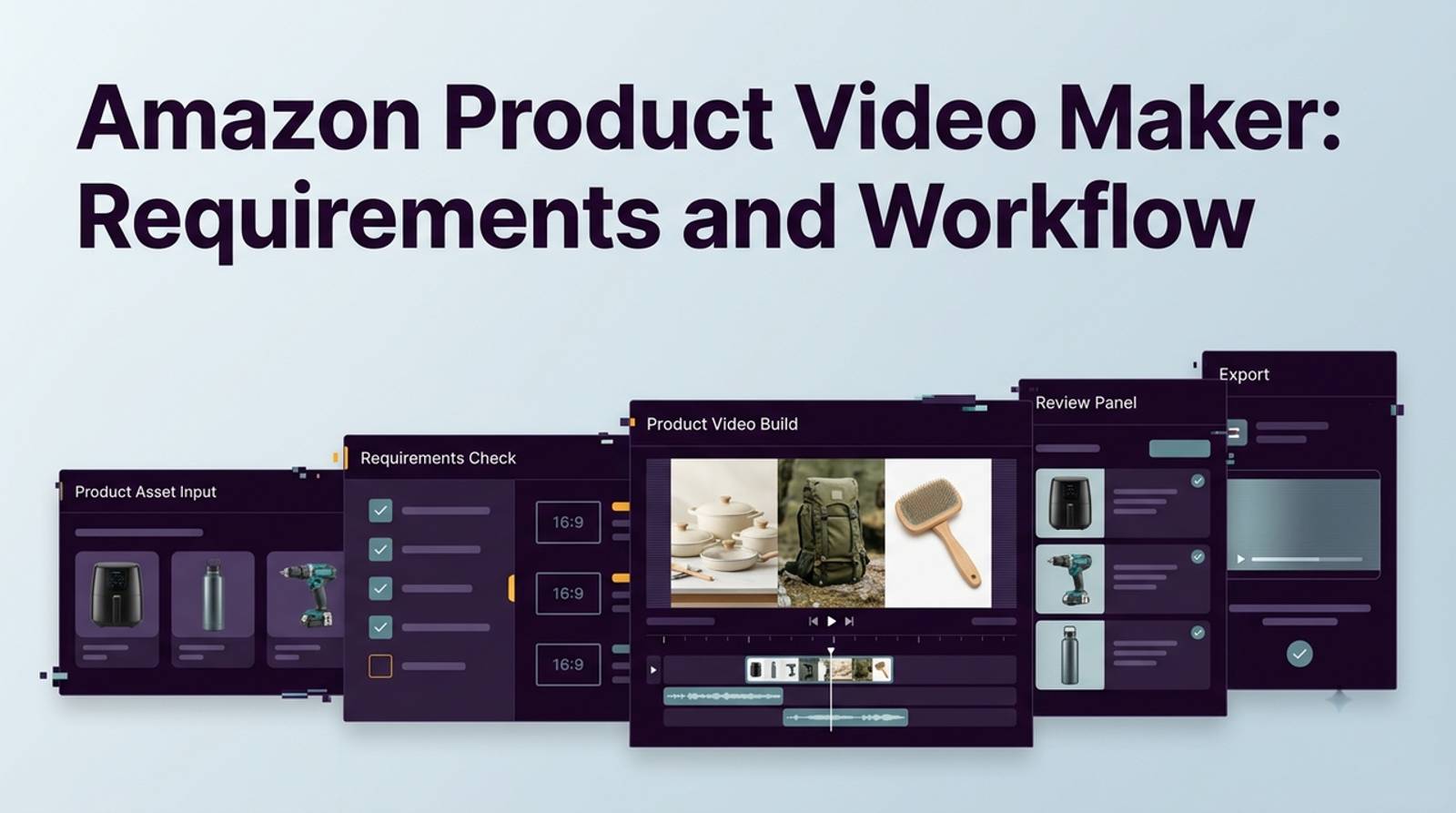
An Amazon product video maker is not where I would start. I would start with placement, because a shoppable listing video, a Sponsored Products feature video, a Sponsored Brands video, and a broader Amazon video ad may all look like “Amazon video,” but they do not share the same purpose, upload path, playback behavior, or technical requirements.
I’m Vela, and this is the point where I slow the workflow down before generating anything. First confirm where the video will appear, what the shopper needs to understand, and which Amazon rules apply to that placement. Once those decisions are clear, an AI video tool can speed up production without quietly creating the wrong asset.
Identify the Amazon Video Placement Before Production
Writing “Amazon video” at the top of a creative brief is no longer specific enough. Amazon now has several video workflows that serve different stages of the shopping journey, and the correct production choices depend heavily on which one you are building.
A product-detail-page video is mainly shopping support: the shopper is already evaluating the product, so the video should reduce uncertainty around use, setup, scale, materials, package contents, or an important feature. Paid video has a different job because it may need to earn attention before the shopper decides to inspect the product at all.

Shoppable Listing Videos Support the Product Detail Page
Amazon’s current seller guidance calls videos uploaded to product listings shoppable videos. Sellers can upload them to Seller Central through Upload and Manage Videos or the Image Manager, then assign ASINs, choose a video type such as Product overview, Unboxing, How-to, Setup, Troubleshooting, or Brand story, select a language, and review the thumbnail before submission.
Eligibility is broader than it used to be for many sellers. Amazon currently says both Brand Registry and non-Brand Registry sellers can add shoppable videos when they have a Professional selling account, at least three months of selling history, and live listings.
The current technical allowance is also much larger than a typical short-form ad: Amazon lists .mov and .mp4, up to 1080p, a maximum file size of 5 GB, and a duration between 1 and 12 minutes. Sellers can add up to four shoppable videos to an ASIN, although Amazon notes that display in the main media block depends partly on the number of product images already present.
That does not mean I would make a 12-minute product video just because Amazon accepts one. Amazon’s own guidance says many successful examples are roughly 30–90 seconds and put an important feature near the beginning. For most ecommerce products, I would rather answer one or two real buying questions clearly than fill the maximum duration.
Sponsored Products Video Is a Separate 2026 Workflow
This is the biggest change I would make to the older version of this article. Amazon now has Sponsored Products video, a format designed around product-feature videos attached to Sponsored Products campaigns.
Instead of uploading one conventional ad, advertisers can add one to five feature videos for a single ASIN inside an ad group. Amazon can then surface relevant product features based on shopping context, and up to three feature-video thumbnails may appear to the shopper.
The videos use the existing Sponsored Products campaign targeting and budget rather than requiring a completely separate advertising campaign.The production rules are unusual enough that I would never reuse a normal talking-head ad without checking it first.
Amazon currently specifies videos of at least seven seconds, MP4 or MOV files up to 500 MB, with 1920×1080 recommended for horizontal video. Most importantly, Sponsored Products feature videos do not support audio; Amazon says uploaded audio will be removed. The guidance also discourages talking-head explainers, slideshows, letterboxing, excessive motion graphics, and on-screen captions that the video depends on for explanation.Amazon’s current documentation still lists horizontal 16:9 as the standard layout while noting vertical 9:16 availability within 2026. Because that rollout language remains in the live guide, I would check the actual Ads Console before producing a vertical-only version rather than assuming every account or marketplace already supports it.
This format changes the creative workflow considerably. A coffee maker, for example, could have separate feature clips for the grinder, controls, and milk frother instead of one narrative video trying to explain all three. Amazon can also reorder or select features based on shopper context, so each clip needs to make sense independently rather than relying on a carefully scripted sequence.
Sponsored Brands Video Still Behaves Like an Ad
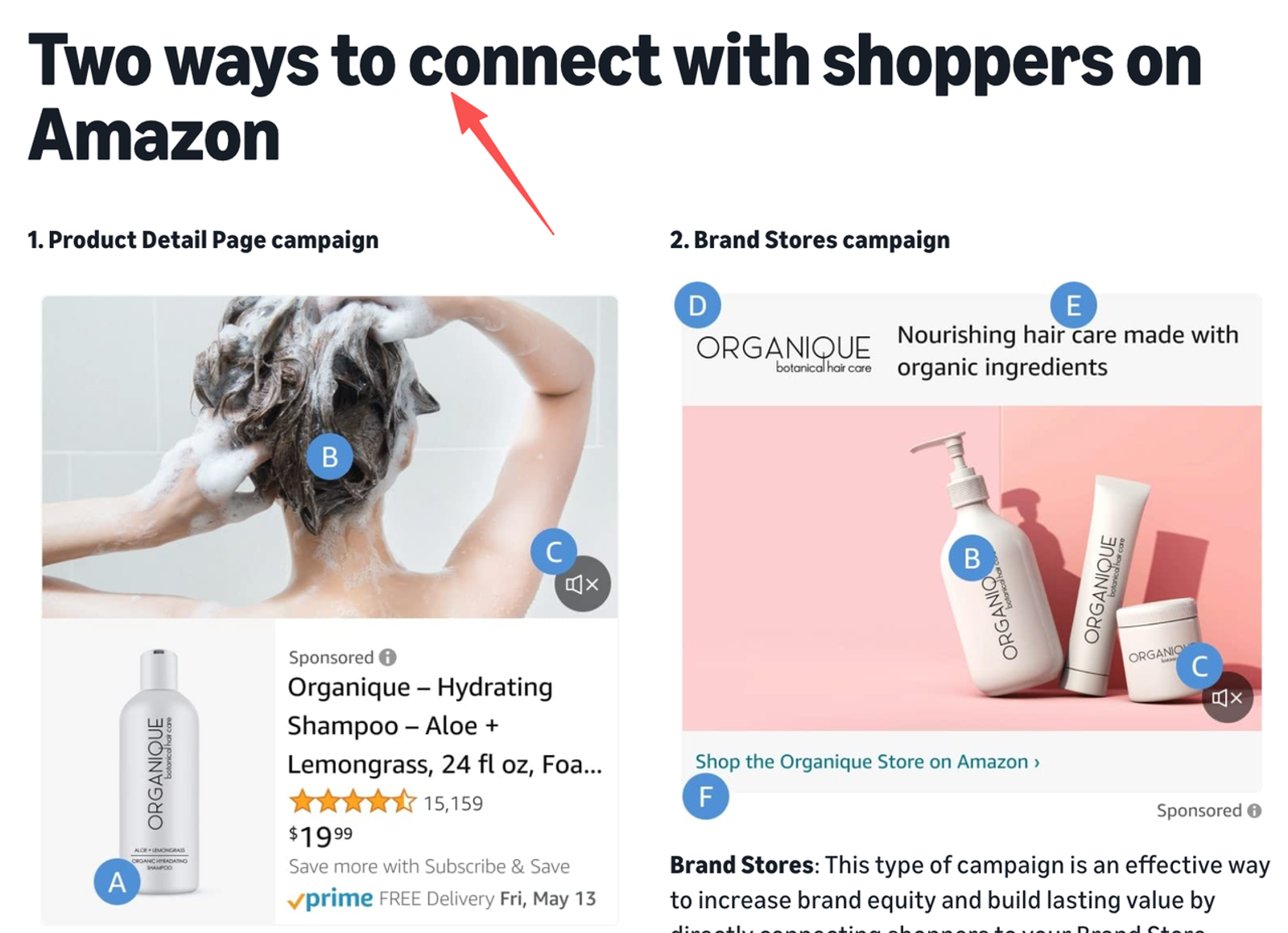
Sponsored Brands video has a different job again. It can send shoppers to either a product detail page or a Brand Store and may appear in search results and on detail pages, so creative needs to introduce the product or brand quickly rather than behave like a long listing tutorial.
Amazon currently allows Sponsored Brands videos between 6 and 45 seconds, with 20 seconds or less strongly recommended. The format remains 16:9, accepts MP4 or MOV, supports resolutions including 1280×720, 1920×1080, and 3840×2160, and has a 500 MB file limit.
Playback behavior also matters. Amazon says the video begins playing when at least 50% of its pixels are on screen and starts muted by default; Shoppers can turn the sound on using the overlaid control. That means narration can improve the experience, but the opening should still communicate something useful through the visuals alone.
I would therefore build a Sponsored Brands video differently from a Sponsored Products feature clip. The former can use pacing, branding, audio, and a short narrative to generate interest, while the latter currently works better as an inspectable, silent demonstration of a specific feature.
Broader Amazon Video Ads Have Their Own Placement Rules
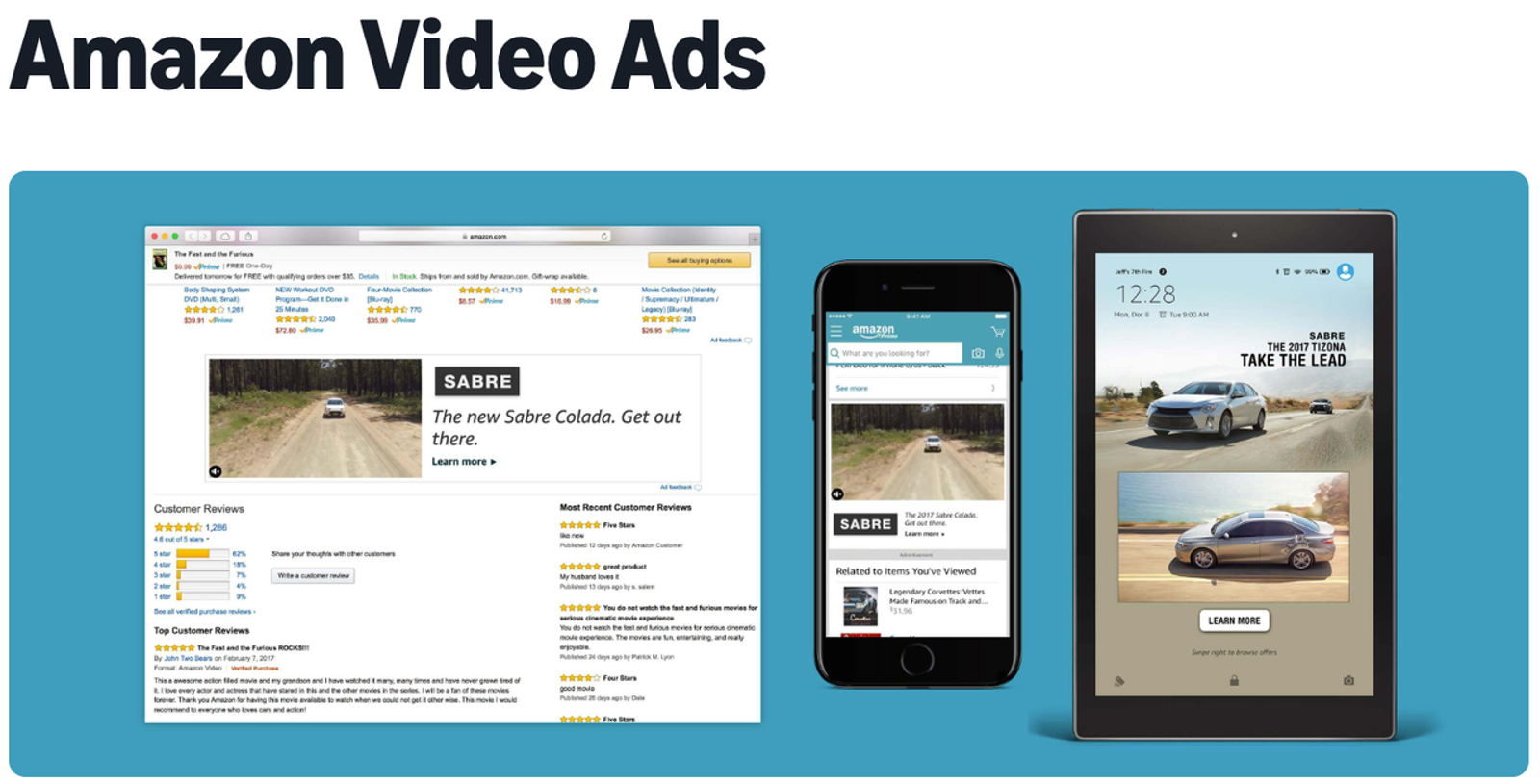
Amazon also offers video across its websites, mobile apps, device surfaces, and broader advertising inventory. For Amazon video ads on supported Amazon placements, the current specification says autoplay begins when the video is at least 50% visible and is always muted until the shopper interacts with it.
Other Amazon Ads formats, including DSP online video, can have different lengths, aspect ratios, serving requirements, and inventory. I would not export a generic “Amazon ad” and hope the media team can reuse it everywhere. Ask for the exact campaign type and placement before deciding dimensions, duration, CTA treatment, or whether sound can carry important information.
Build the Video Around Product Evidence
Once the placement is settled, I would stop thinking about video style for a moment and write down what the shopper actually needs to see.
For a storage product, that might be capacity and how it fits into a particular space. For a kitchen tool, it could be the motion required to use it and the resulting preparation step. For electronics, setup, ports, size, or compatibility may matter more than a polished lifestyle scene. Those details are often more useful on Amazon than generic cinematic shots because the viewer is already close to a buying decision.
Plan the Proof Before Generating the Scene
There is a useful distinction between a benefit and evidence for that benefit. “Easy to install” is a claim; showing the actual installation sequence lets the shopper judge the process. “Compact” is a claim; Showing the product next to a familiar object or inside its intended space gives the viewer something concrete to inspect.
For every important scene, I would write the buying question first, then decide what image or action answers it. That keeps the video from becoming a floating list of marketing phrases and makes it easier to decide where AI-generated footage is useful.
With Sponsored Products video, this approach fits especially well because Amazon explicitly wants feature-focused clips that demonstrate functionality or use. With a shoppable listing video, the same thinking can be expanded into a longer overview, setup sequence, or troubleshooting walkthrough.
Give an AI Product Video Maker Approved Inputs
An AI product video maker becomes useful when the team already has a reliable source package: current product images, packaging references, approved claims, a product-detail page, variant information, brand assets, and a clear target placement.
I would not ask the model to invent missing product information. If a product has four buttons, the generated version should not suddenly have five; if the box contains one accessory, the video should not create three because the scene looks richer that way. Generative video can produce convincing motion while quietly changing product geometry, labels, colors, quantities, materials, or surrounding objects, and those changes matter much more in ecommerce advertising than they do in a purely fictional video.
A practical workflow is to generate one short scene at a time and review product accuracy before building the next one. The first usable version does not need to be the final Amazon asset, but it should preserve the facts well enough that the team can continue refining it instead of repairing a fictional version of the product.
Keep Variants and Packaging Accurate
Variant accuracy deserves its own review because Amazon may connect videos directly with individual ASINs. The Sponsored Products video workflow, for example, allows videos to be uploaded at the child-ASIN level so that a specific color or variation can have matching video content.
For shoppable listing videos, Seller Central also lets you associate content with ASIN variations. That convenience is useful only when the video honestly represents those variations. If size, quantity, accessories, compatibility, ingredients, or package contents change, I would make a separate version rather than force one generic video across products that are materially different.
Design for the Actual Playback Behavior
The older version of this article treated “muted Amazon video” as one general rule. That is too broad now because the formats behave differently.Sponsored Products feature videos currently have no audio at all, so the product action must carry the meaning.
Sponsored Brands video supports audio but starts muted by default, which means the opening still needs to work visually. Broader Amazon video ads can also autoplay muted, while listing videos serve a different shopping-support role and should be evaluated according to their actual display environment.
This is why I would test every final asset once without relying on narration. The shopper should still understand what product is being shown and what action or feature matters. That does not mean filling every frame with captions; in fact, for Sponsored Products video, Amazon specifically discourages videos that depend on talking-head explanations or caption-heavy presentation.
For formats that do support text, readability matters more than quantity. Keep important words large enough for mobile viewing, avoid placing critical information where interface controls may cover it, and let the product demonstration do as much explanatory work as possible.
Review Claims and Creative Policy Before Upload
I would review the finished video twice: first as a shopper asking whether it genuinely clarifies the product, then as a policy reviewer looking for anything that could trigger rejection or mislead the buyer.
Amazon’s current moderation guidance for Sponsored Brands and display video lists several creative patterns that can cause trouble. These include customer reviews and star ratings, Amazon branding or references that make the ad resemble Amazon UI, deals or savings promotions in formats where they are prohibited, aggressive urgency, illegible text, blank frames, abrupt endings, and unsupported claims.
That means I would not casually add a five-star badge, “Amazon’s #1 choice,” copied Buy Now button, fake interface element, or “last chance” message simply because it makes the scene look more like a marketplace ad. Amazon’s exact policies vary by format, so the right question is not “Have I seen another seller do this?” but “Does the current policy for this placement allow it?”
Treat Product Claims as More Than an Amazon Review Issue
Passing Amazon moderation does not turn a product claim into a supported claim. In the US, the FTC’s longstanding advertising-substantiation standard requires advertisers to have a reasonable basis for objective express or implied claims before publishing them.
For AI-generated video, implied claims deserve extra attention because the model can create visual “evidence” nobody explicitly requested. Showing a bag remaining dry in heavy rain, a cleaning product removing a difficult stain, or a device surviving an impact may communicate performance claims even if the script never says them aloud.
I would therefore keep a simple claims-support file with the project and remove any generated action that overstates what the available evidence supports.
Export for the Placement, Then Preserve the Source
Once the creative passes product and policy review, export specifically for the target placement rather than treating one source file as the finished version for every Amazon surface. Confirm duration, ratio, resolution, codec, file size, language, safe areas, and audio behavior against the current Amazon documentation or the requirements visible inside Seller Central or Ads Console.
I would also keep the source project, final export, approved script, claims support, product references, prompts, generation settings, ASIN mapping, language version, thumbnail, export settings, review notes, and the date when the Amazon requirements were checked. AI tools change, Amazon rules change, and products themselves change; without that record, a simple revision six months later can turn into a complete rebuild.
After publishing, view the live placement on mobile and desktop where possible. The final QA question is no longer “Did the file upload?” but whether the shopper sees the correct product, can understand the important detail, and receives the same information the listing currently promises.
Final Takeaway
The most useful Amazon product video workflow begins before the video maker opens. Decide whether you are creating a shoppable listing video, a Sponsored Products feature clip, a Sponsored Brands ad, or another Amazon video format; each one asks the creative to do a different job and now comes with meaningfully different technical and policy requirements.
Once the placement is clear, build around product evidence, give the AI tool approved assets rather than permission to invent, review every generated scene against the real ASIN, and export for the actual destination. I would rather make one accurate Amazon video that answers a real buying question than generate ten polished variations that show the wrong product or were built for the wrong placement.