As an AI creator working across images and video, I care about whether an edited photo remains usable in the next step. A striking portrait loses its value if the person no longer looks like themselves. My priority is a clear edit request and a short list of details worth protecting.
OpenAI names its product experience GPT Image 2.5 and its API model family GPT Image 2.5, including Flare and Sunburst. These related names do not establish identical controls. Start with the task templates, then adapt and check your edit.
How to Structure a GPT Image 2.5 Photo-Editing Prompt
State the source image and the exact edit
Upload the original photo to ChatGPT and describe the change. Open the image to use Select for a local edit, or describe the area directly. OpenAI’s editing instructions caution that edits can extend beyond the selection. Compare the result with your original before continuing.Use this reusable template:
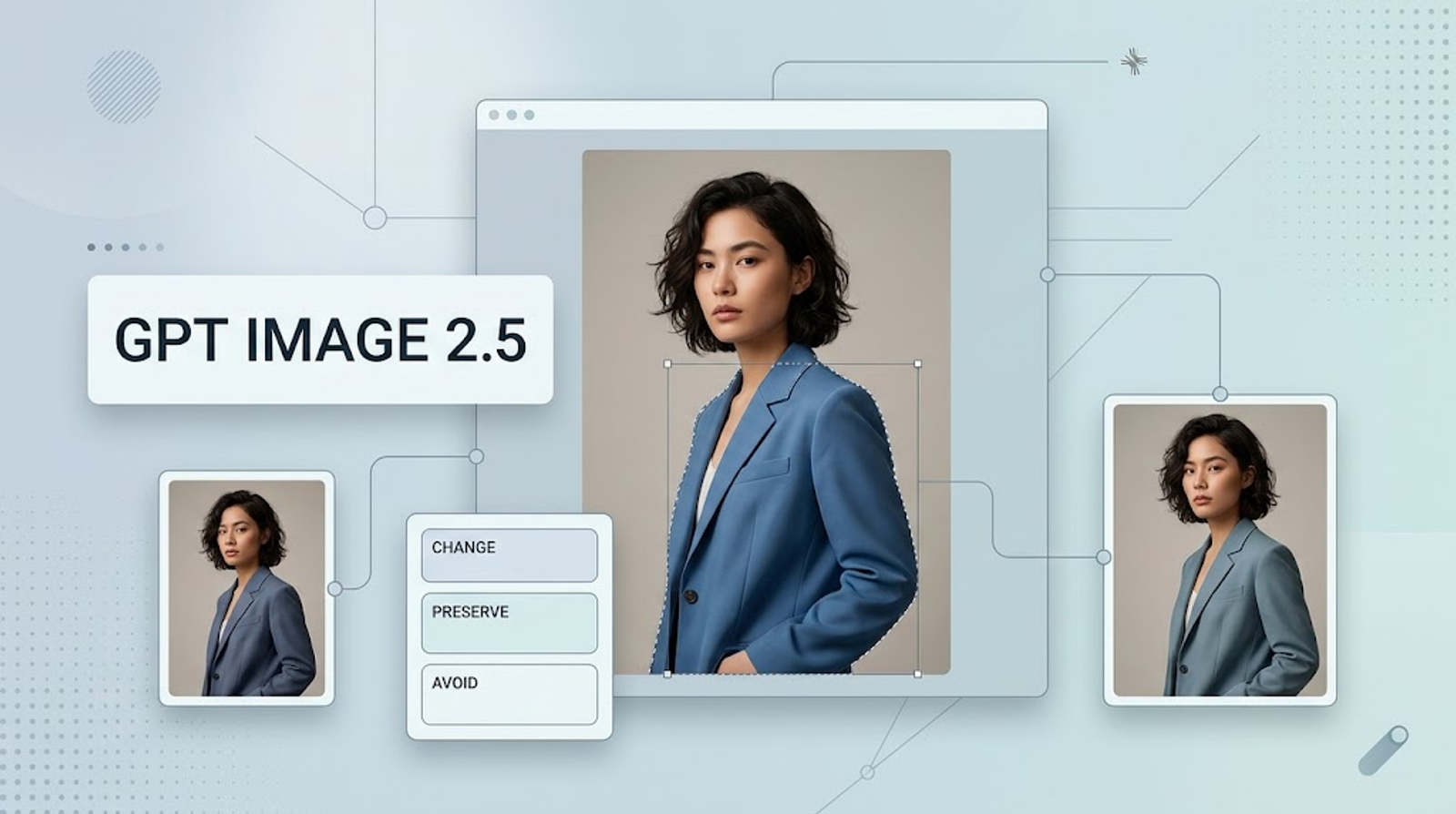
Edit the uploaded [photo type]. Change [specific element] to [desired result]. Preserve [identity, objects, and composition]. Use [lighting, colors, and texture]. Frame for [intended use]. Avoid [unwanted changes].
Replace every bracket. Identify the target precisely: “the blue jacket” or “the wall behind the person.”
Separate changes from preservation rules
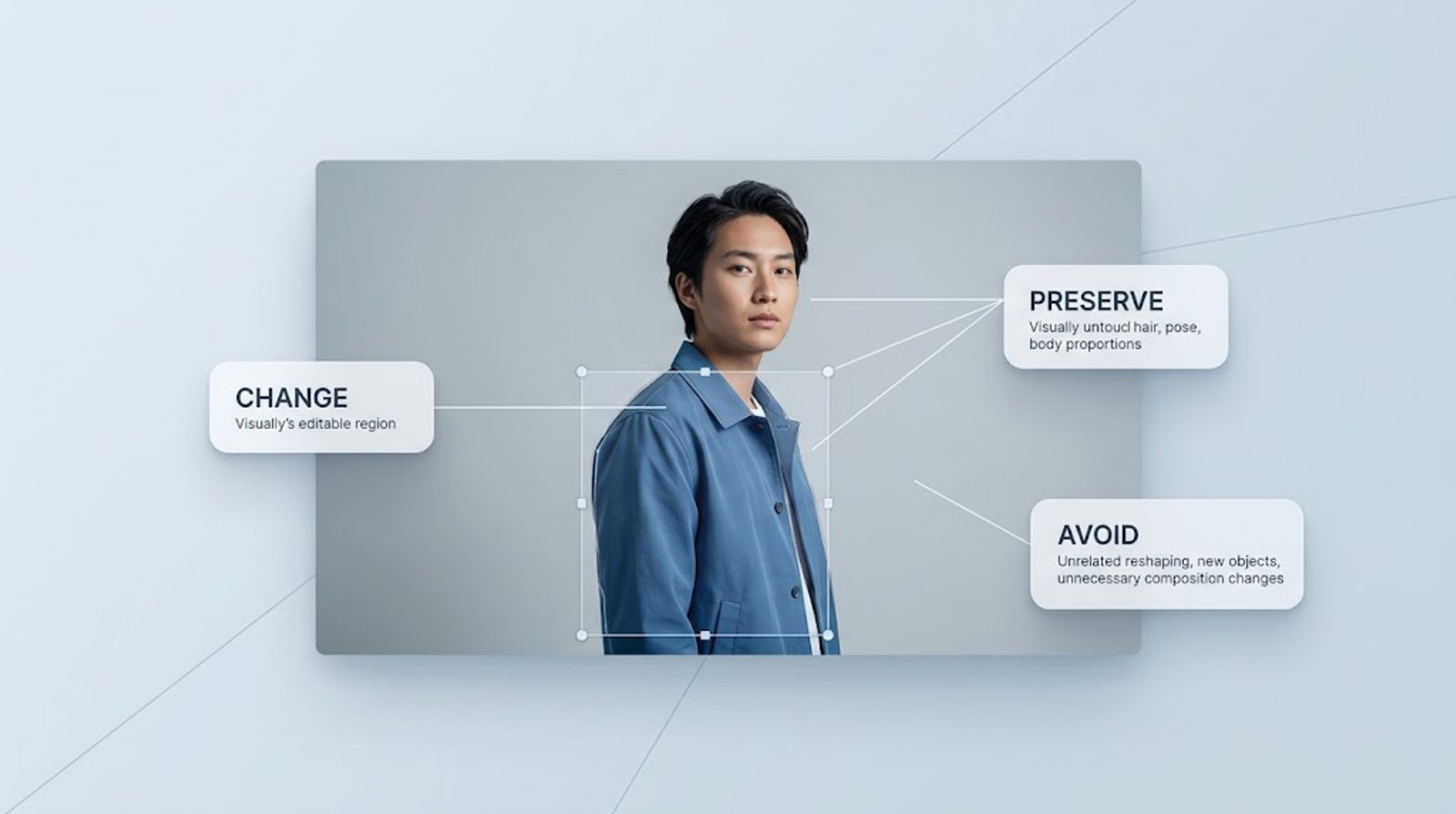
Write two distinct decisions: what may change and what must remain. For a wardrobe edit, clothing is changeable; the face, pose, and background may be fixed.
OpenAI recommends this separation, including preservation of identity, geometry, lighting, and labels. Treat those instructions as requirements to inspect afterward, rather than guarantees.
Add visible style details and intended output
Translate “professional” into visible choices: a neutral backdrop, soft side lighting, natural skin texture, and head-and-shoulders framing. Translate “cinematic” into a particular palette, shadow depth, and composition.
Remove adjectives that add no visible instruction. “Beautiful, premium, stunning” gives you less to evaluate than “soft window light from the left.”
Copy-and-Paste Prompts for Common Photo-Editing Jobs
These templates apply OpenAI’s prompting guidance; they are starting points to test on your photos. Replace bracketed variables before sending.
Retouching, lighting, and cleanup
Natural portrait retouch
Change: Lightly reduce temporary blemishes on [area].Preserve: Pores, freckles, skin texture, facial proportions, expression, skin tone, hair, clothing, and background.Avoid: Beauty reshaping and airbrushed skin.
Check whether distinctive marks disappeared along with the blemishes.
Gentle lighting correction
Lighten the shadow across [specific area] slightly. Preserve light direction, highlights, skin color, background, face, pose, clothing, and framing. Keep the result natural without adding a glow or new light source.
Use this for a restrained correction. A complete day-to-night transformation needs different preservation rules.
Remove a distraction
Remove [object and exact location]. Continue the surrounding [surface or background], matching perspective, texture, and shadows. Preserve the subject and other objects. Do not crop or add elements.
Inspect the reconstructed area for repeated patterns and broken lines.
Background, wardrobe, and object changes
Simple studio background
Replace the background with a soft, neutral gray studio backdrop. Preserve the person’s face, expression, hairstyle, clothing, pose, and framing. Match the backdrop lighting to the existing subject lighting. Keep hair edges natural, with no bright outline.
I would match the new background to the subject before asking to change both lighting and setting.
Wardrobe replacement
Change: Replace only [garment] with [color, material, and cut], fitting the existing posture with believable folds and shadows.Preserve: Face, hair, body proportions, pose, hands, accessories, and background.Avoid: New jewelry or text.
This follows the approach in OpenAI’s clothing-edit example. Check cuffs, collars, and fingers where clothing meets the body.
Object color change
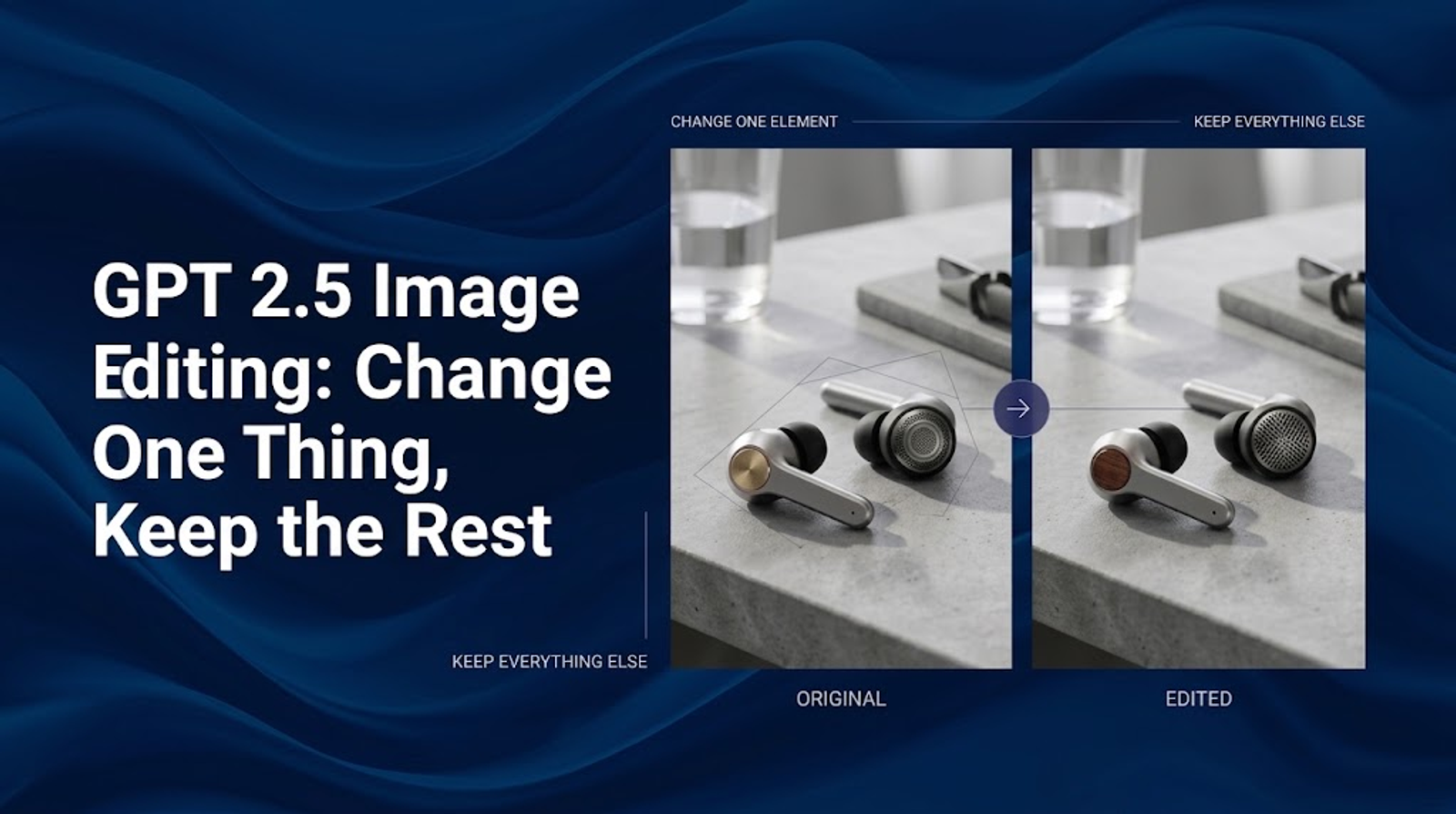
Change only the [object] from [original color] to [new color]. Preserve its shape, material texture, reflections, shadows, labels, and position. Keep all surrounding objects and the camera angle unchanged.
For products, compare the silhouette and label before accepting the color.
Style transfers, collages, and social-media formats
Restrained film look
Give this photo a warm film-inspired finish: subtle grain, gently softened contrast, and restrained warm highlights. Preserve facial features, skin texture, clothing, objects, and composition. Keep the subject sharp. Add no scratches across faces, borders, or text.
Scrapbook composition
Change: Arrange this photo as one main portrait and two smaller crops of existing details. Add cream paper textures and tape accents outside the face.Preserve: The person’s appearance.Avoid: Invented poses, expressions, lettering, or accessories.
Vertical social format
Adapt this image to 9:16. Keep the full head and shoulders visible, with space above and below for captions. Preserve identity, clothing, and proportions. Extend the existing background if needed, without adding objects or text.
For collages, check every repeated face. For vertical layouts, preview where captions will sit before keeping the composition.
How to Adapt a Prompt Without Losing Identity or Composition
Replace variables instead of copying irrelevant details
Delete borrowed details that do not fit your photo or goal. For photo editing prompts without changing face, I would specify expression, freckles, glasses, hairline, and proportions. Do not simultaneously request a different expression or face shape.
Choose prompt length by scope: a shirt-color change needs fewer instructions than a full restyle.
Revise one condition at a time
Illustrative example—not a recorded test: Upload a portrait and apply the studio-background template above. If the face passes inspection but the gray backdrop looks too warm, use that output for one follow-up:
Use this edited image. Make only the background color cooler and more neutral. Preserve the subject’s skin tone, face, clothing, pose, and framing.
OpenAI advises narrow follow-up edits. Compare the new backdrop and protected details. If the face changed, return to the original portrait; do not carry that error forward. Save the accepted version.
Assign clear roles to reference images
When providing multiple references, name their jobs:
Image 1 is the photo to edit and the identity reference. Image 2 supplies only the jacket design. Keep Image 1’s person, pose, lighting, and background. Replace only the jacket.
This applies OpenAI’s reference-role guidance. Make clear whether a reference supplies clothing, style, or the entire setting.
GPT Image 2.5 Checks Before You Use the Result
Face, body, product, and unwanted-change checks
Compare the original and edit side by side. My acceptance criteria would be:
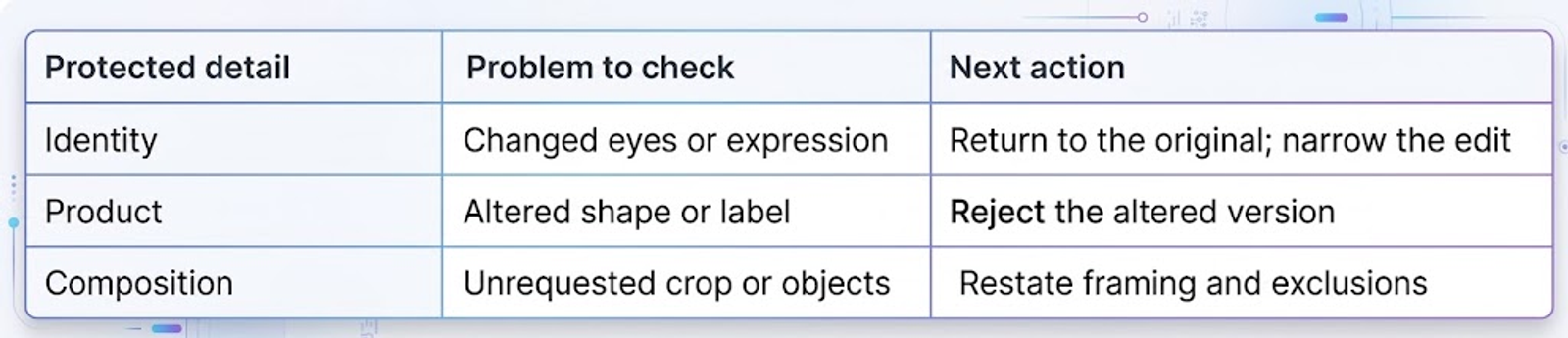
For pixel-identical preservation, OpenAI recommends compositing. Keep the original as a base layer and mask in only the accepted edited area. Leave protected pixels uncovered by the edit.
Text, logos, and edge-quality checks
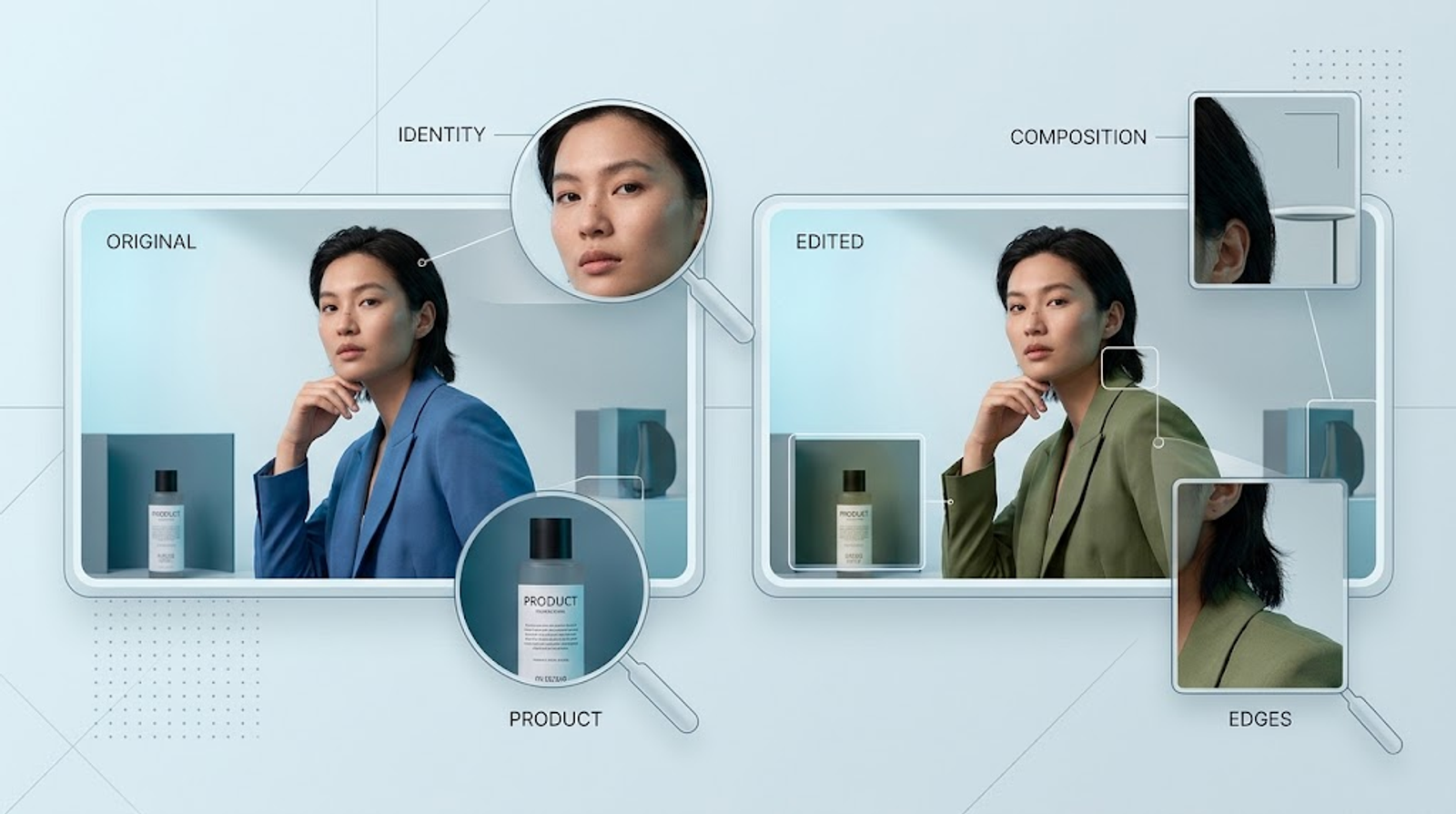
Read every word and inspect hair, glasses, garment edges, and object boundaries at full size. OpenAI’s result checklist includes text accuracy, identities, product shapes, and unwanted changes.
For critical typography, I would add final text in a layout editor after approving the photo.
Aspect ratio, resolution, and platform-use checks
In ChatGPT, choose an aspect ratio or request it in your prompt, then select Save to download the image, as described in OpenAI’s image controls. Check the actual dimensions and final crop; a “4K look” is not a measurement.
For the API, size and quality are separate parameters, not guaranteed effects of prompt wording.
When a Prompt Should Be Shorter or More Specific
Simple local edits
For an obvious target, one change and a relevant preservation list may be enough. Avoid adding new lighting, framing, and style instructions to a request that only changes a shirt color.
Complex style transformations
Use labeled lines for Subject, Changes, Preserve, and Style when requirements compete. Decide which features can transform: a clay-figure version can retain recognizable hair and clothing while deliberately changing texture and proportions.
Iterative multi-turn refinements
Keep a local copy of each accepted version with its prompt. My stopping rule is practical: the requested change is visible, protected details pass inspection, and the image works at its intended size. If repeated attempts fail those checks, return to the original and use the compositing approach above.
Try GPT Image 2.5 Sunburst and Flare on Wizstar
GPT Image 2.5 Sunburst and Flare are now live on Wizstar to power your visual workflows. Upload your own assets today to test their creation and editing capabilities and see how seamlessly they fit your creative pipeline.