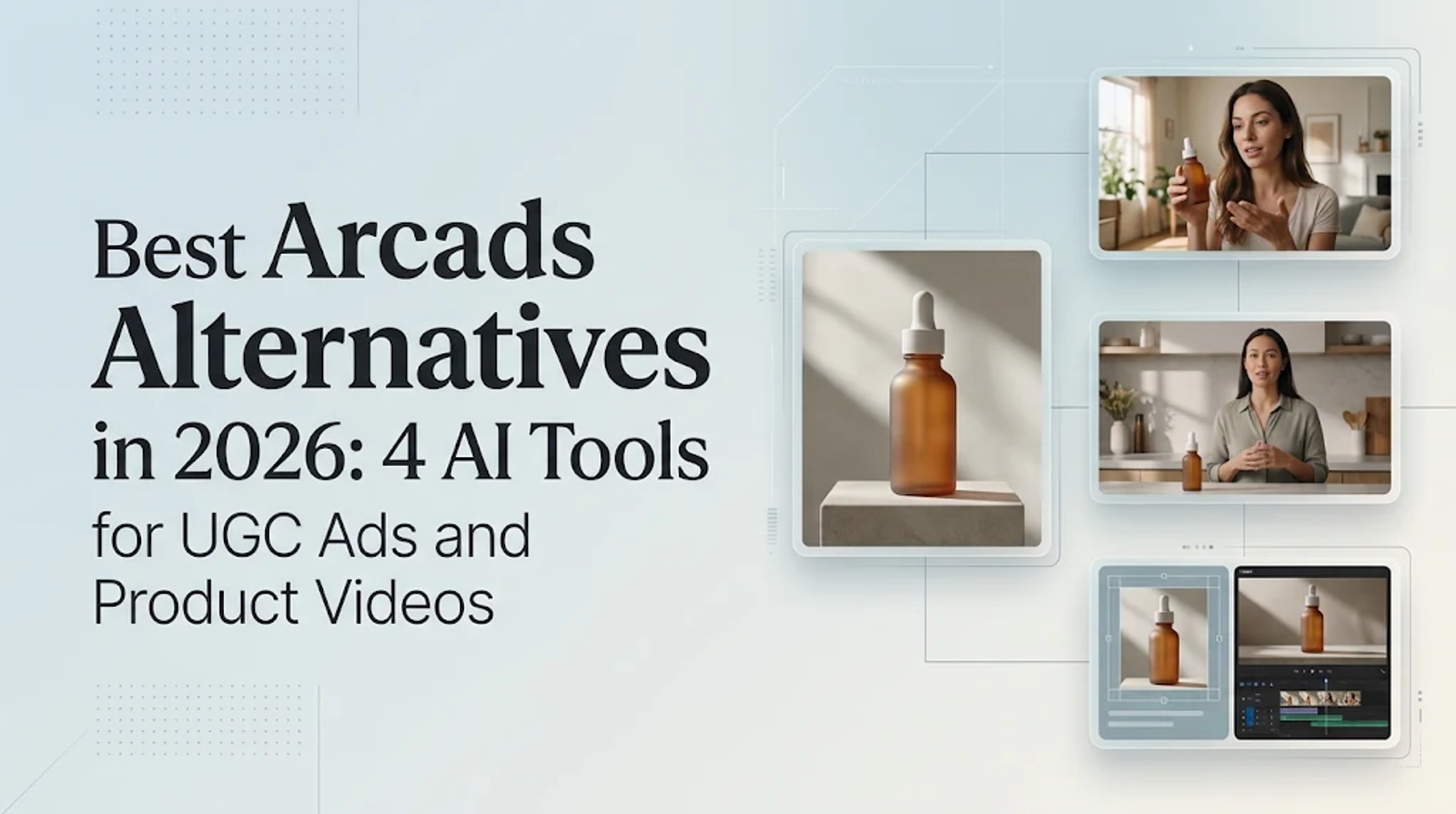
Among these Arcads alternatives, Creatify is the default choice for URL-driven ad creation and variations. HeyGen focuses on presenter delivery and localization, while Tasy pairs short UGC clips with static ad images. Wizstar takes a different route by developing product links or photos directly into scripts and product footage. Personally, I give the product itself priority: a convincing AI speaker cannot rescue an unrecognizable label or a shot that never explains the offer.
The most useful comparison starts with the material you already have and the specific creative you need. A product page, a finished script, and an existing presenter video each point to a different starting point.
Compare the production task first
Arcads already combines 1,000+ AI Actors, custom actors, product showcases, multiple video models, editing, and translation. Product video and multi-model generation are shared capabilities across most of these platforms. The real difference lies in how each tool organizes those features into a production workflow.
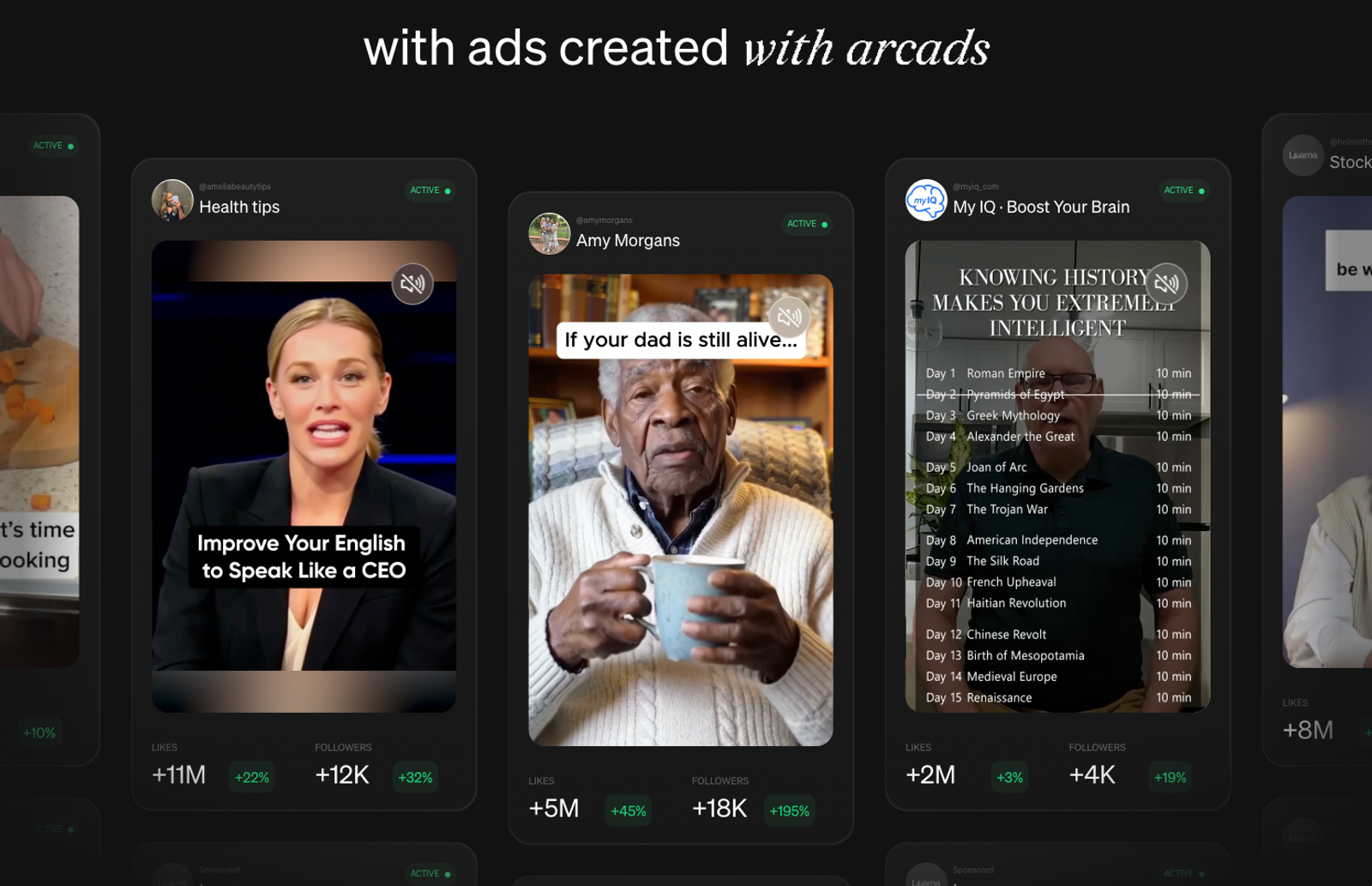
These four platforms emphasize different starting inputs and creative outputs:
| Platform | Starting material | Main creative task | Relevant tools |
| Creatify | Product URL | Ad creation and variations | Ad Agent, templates, Model Playground |
| HeyGen | Presenter script or video | Avatar delivery and localization | Avatars, lip sync, video translation |
| Tasy | Product description or upload | Short UGC and ad images | Avatars, image generation |
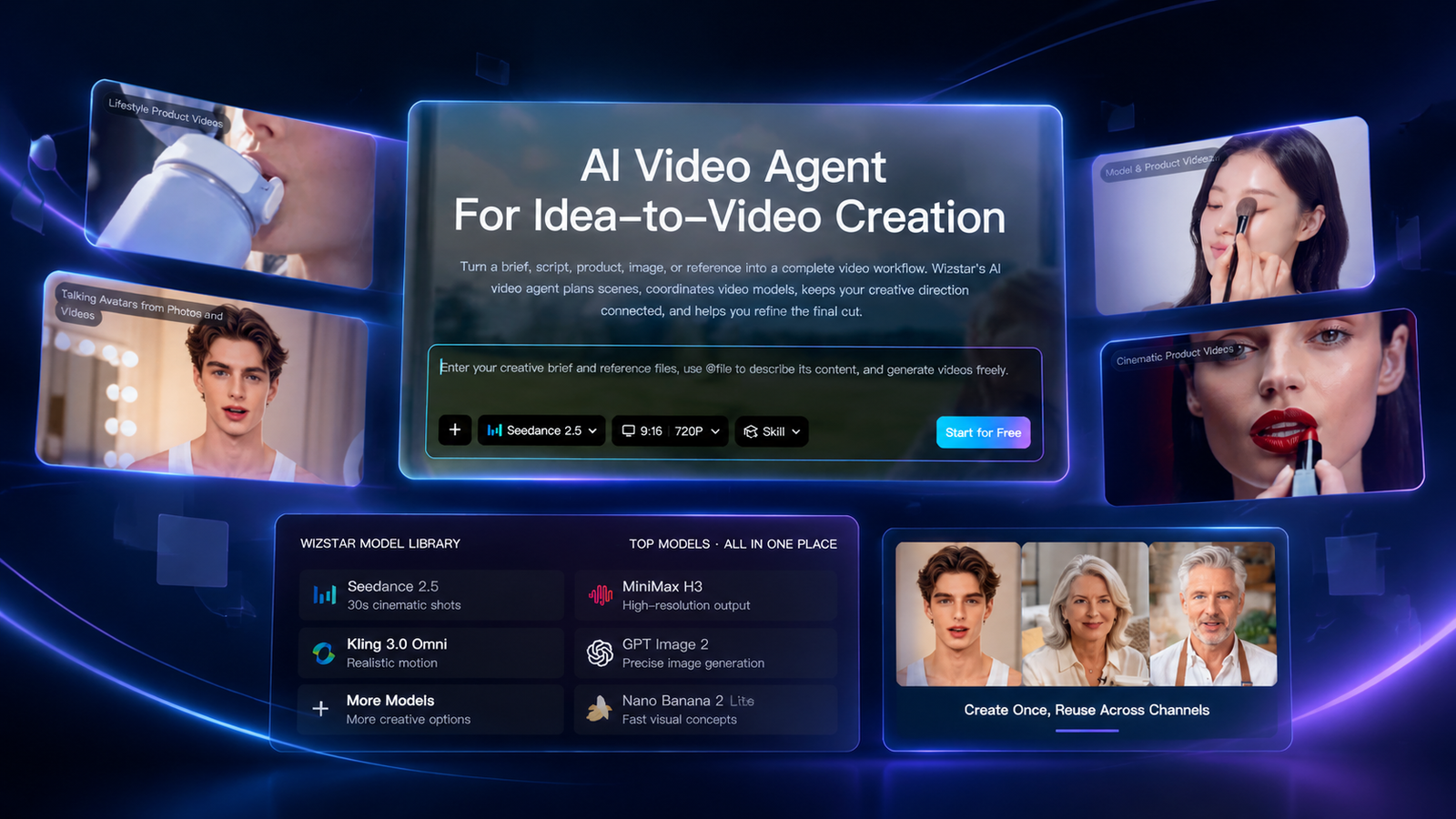
| Wizstar | Product link or photos | Scripts, scenes, and product footage | E-commerce Agent, AI Product Video |
Your first decision is which input should drive production—actor counts alone cannot answer that.
A presenter explaining a desk lamp and a close-up showing its controls perform completely different jobs. Decide which shot carries the core message before selecting a platform.
Creatify keeps ad creation at the center
Creatify is the strongest starting point for turning raw product information into ads and creative variations. Features like URL-to-video, Ad Agent, ad templates, and Model Playground directly connect product inputs with ad structure and alternative creative treatments.
If you have a live product page and several angles to test, Creatify gives you a straightforward way to build them out. Templates provide the structural framework, while actor selection handles the spoken hook. Still, I recommend settling the core message before picking a face—otherwise, you just end up with several polished variants repeating the same unclear claim.
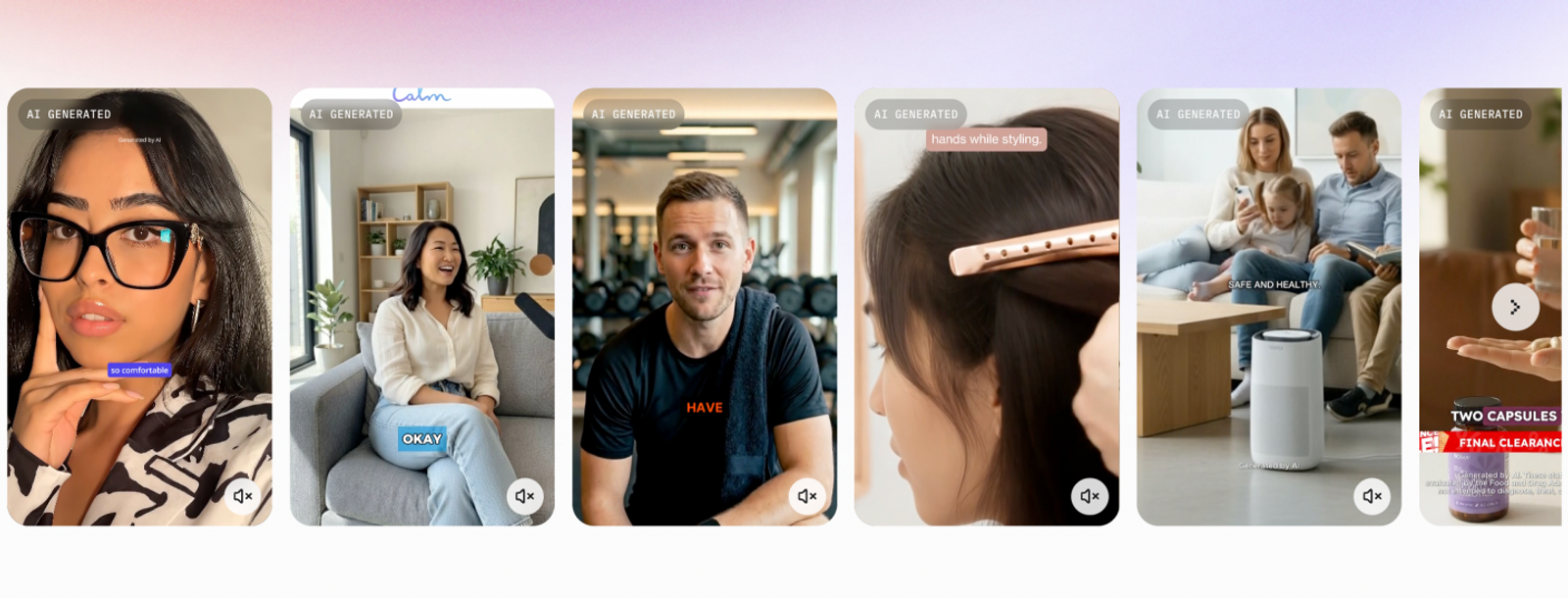
HeyGen puts spoken delivery first
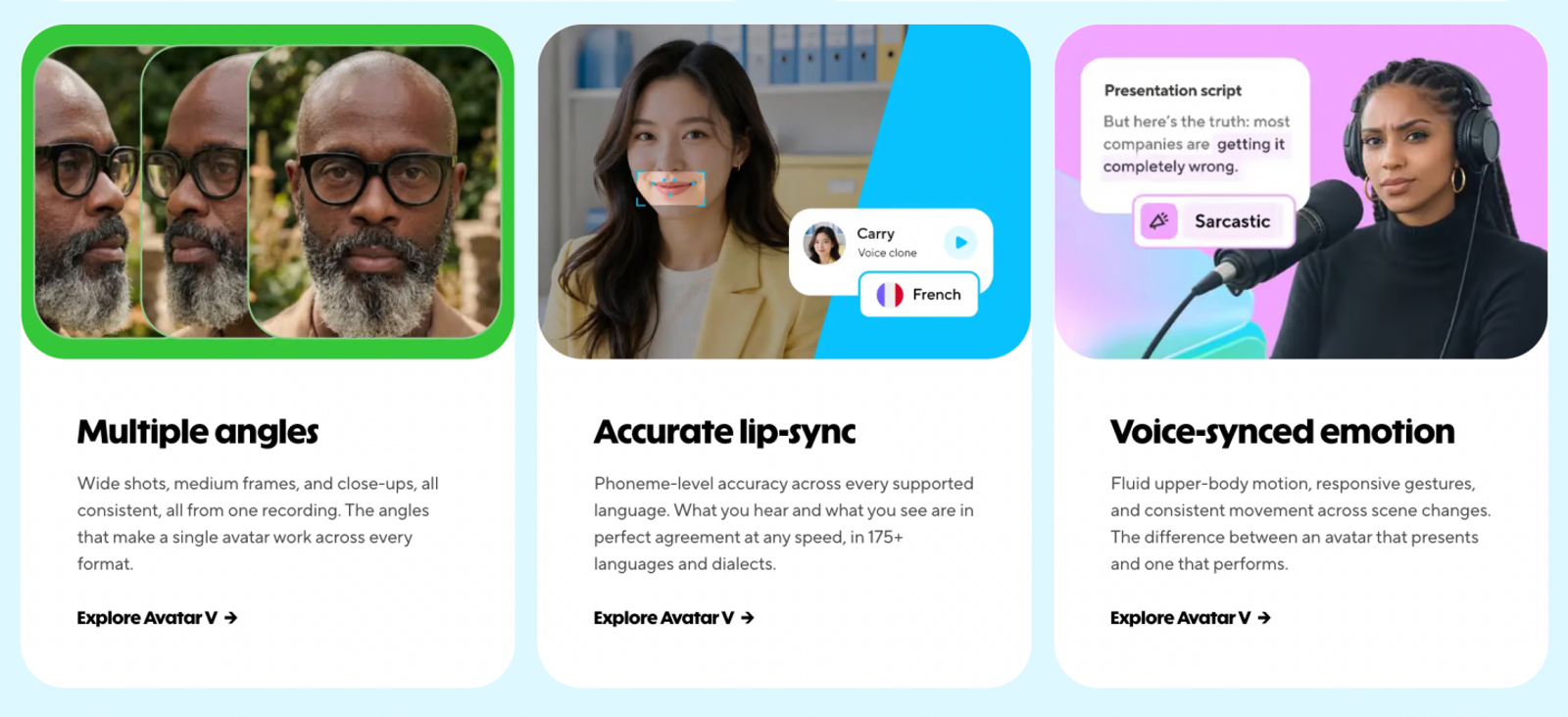
HeyGen is the clear choice here for presenter-led explanations and localization. Its realistic avatars, lip sync, and support for 175+ languages and dialects are built for delivering a message across global audiences, making script accuracy and pronunciation the top priorities.
A product walkthrough can remain visually simple and still demand careful localization. The critical question is whether the translated script preserves your actual product claim. Control over that wording matters far more than an elaborate background, because fluent speech is only useful when the meaning survives intact.
HeyGen’s distinguishing strength is presenter continuity across multiple versions of a message. Here, the speaker carries the explanation; if you need fresh product close-ups, that serves a different production need. Make that distinction clear before building your localization brief.
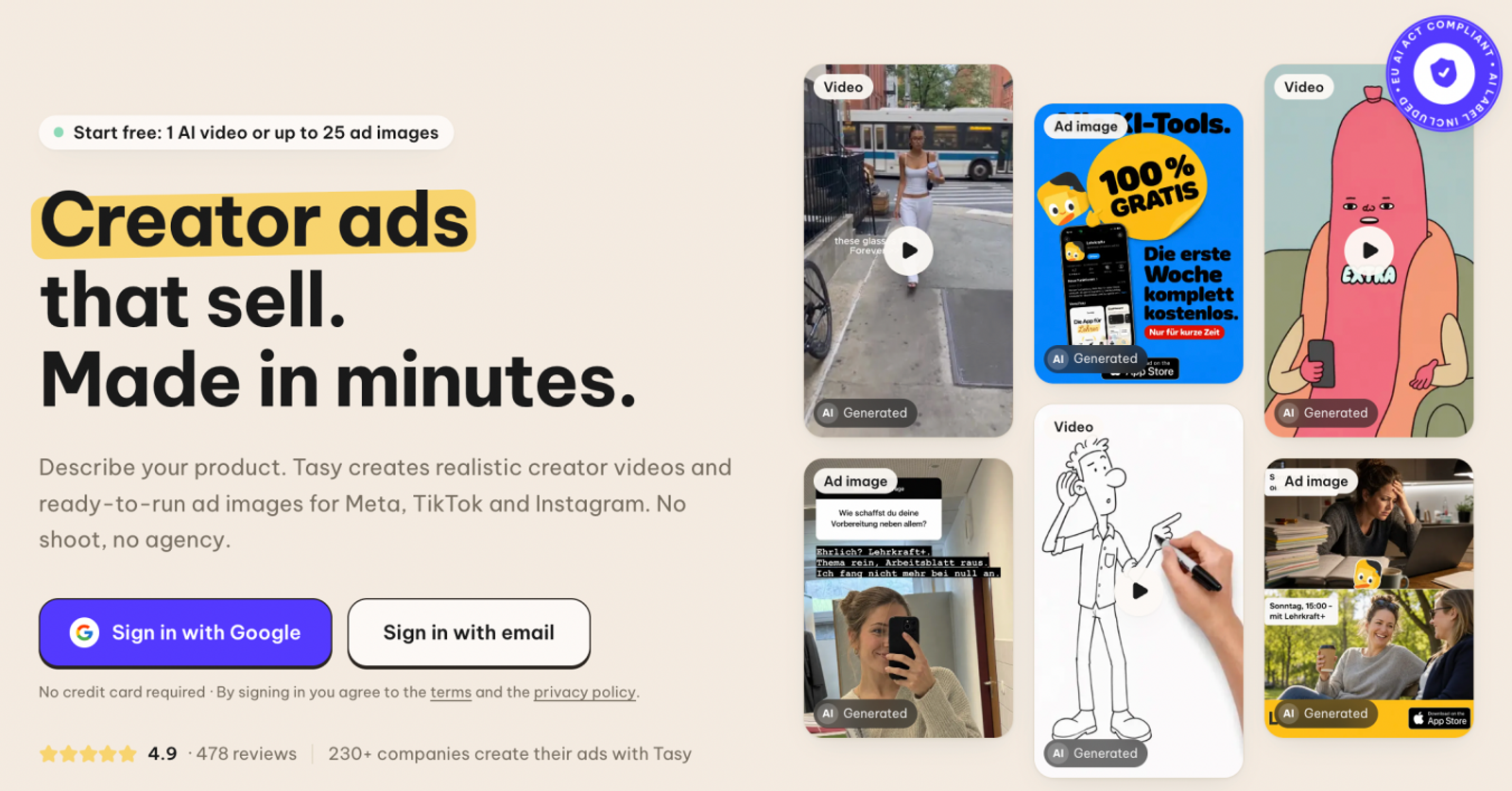
Tasy combines short UGC and ad images
Tasy turns product descriptions into both UGC videos and static ad images. It offers 1,000+ avatars and over 20 languages, while product uploads let sellers start directly with their own assets. That combination fits a creative brief that needs both a short spoken promotion and a static image built around the same product angle.
The built-in image capability is what sets it apart here. A seller often needs an avatar clip for one ad placement and a static image communicating the exact same offer elsewhere. While those are distinct ad formats, the underlying creative brief can stay focused on a single product benefit—ideally kept tight enough to translate cleanly across both formats.
Wizstar develops the product material
Wizstar's E-commerce Agent accepts product links or photos and builds them into scripts, scenes, captions, and voiceovers, while its AI Product Video tool focuses specifically on generating product footage. This makes the product itself your central organizing point: what needs to be shown, what needs explaining, and which visual can anchor the scene?
Consider a desk lamp with a distinctive control panel. A product link supplies the feature context, while your photos provide the exact visual reference. The script explains the benefit, and the footage ensures the relevant hardware detail is clearly recognizable. Keeping that link between script and visuals intact throughout production prevents decorative B-roll from displacing the feature a buyer actually needs to understand.
Wizstar also includes AI Avatar, Lip Sync, and Video Translation, and its Agent supports multiple models within a single workflow—a capability Arcads offers as well. The practical distinction is starting directly from your product material to develop both the messaging and the visual treatment together.
Monthly pricing and what the allowance produces
Here is how the monthly commitments compare before breaking down what each credit pool actually produces:
| Representative plan | Monthly USD price | Monthly allowance | Selection rationale |
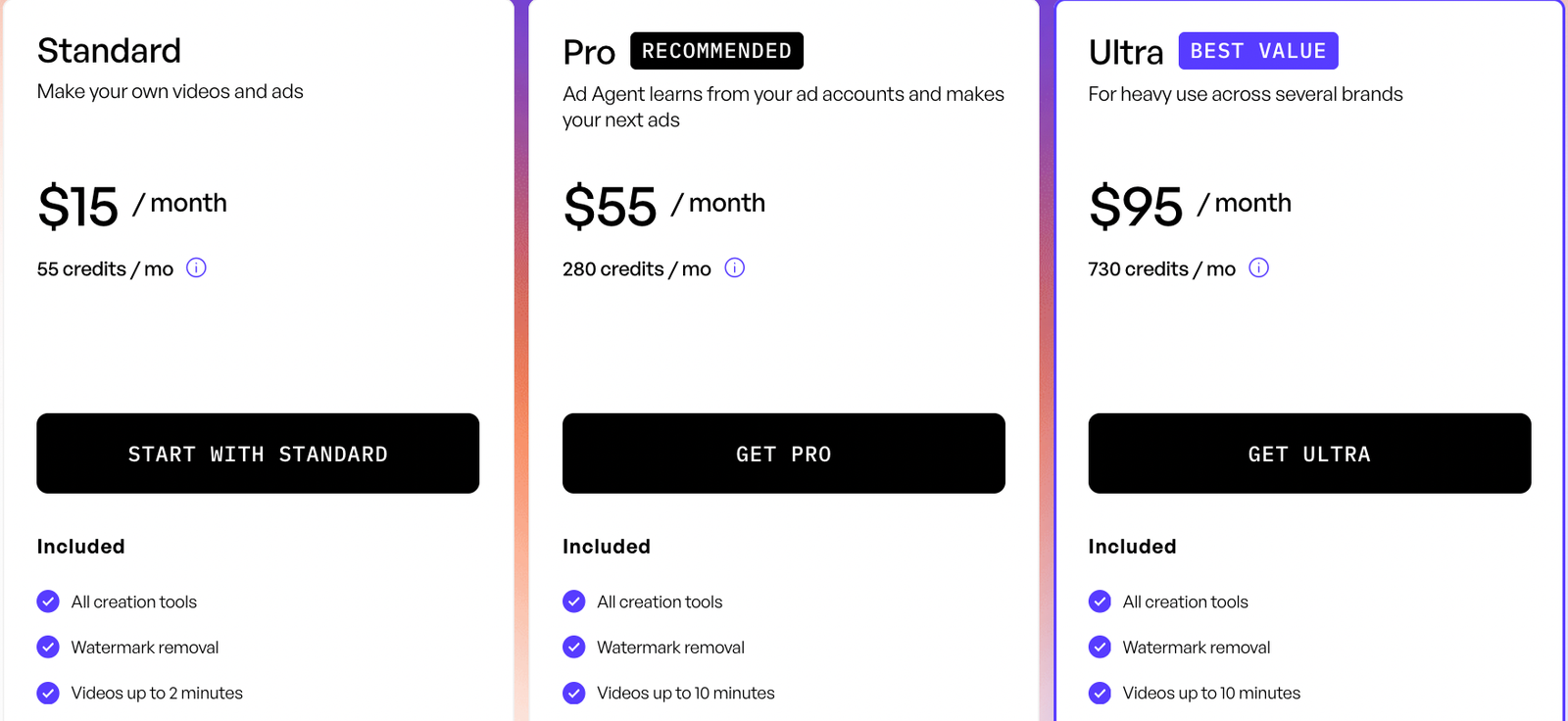
| Creatify Standard | $15 | 55 credits | Solo ad creation; watermark removal |
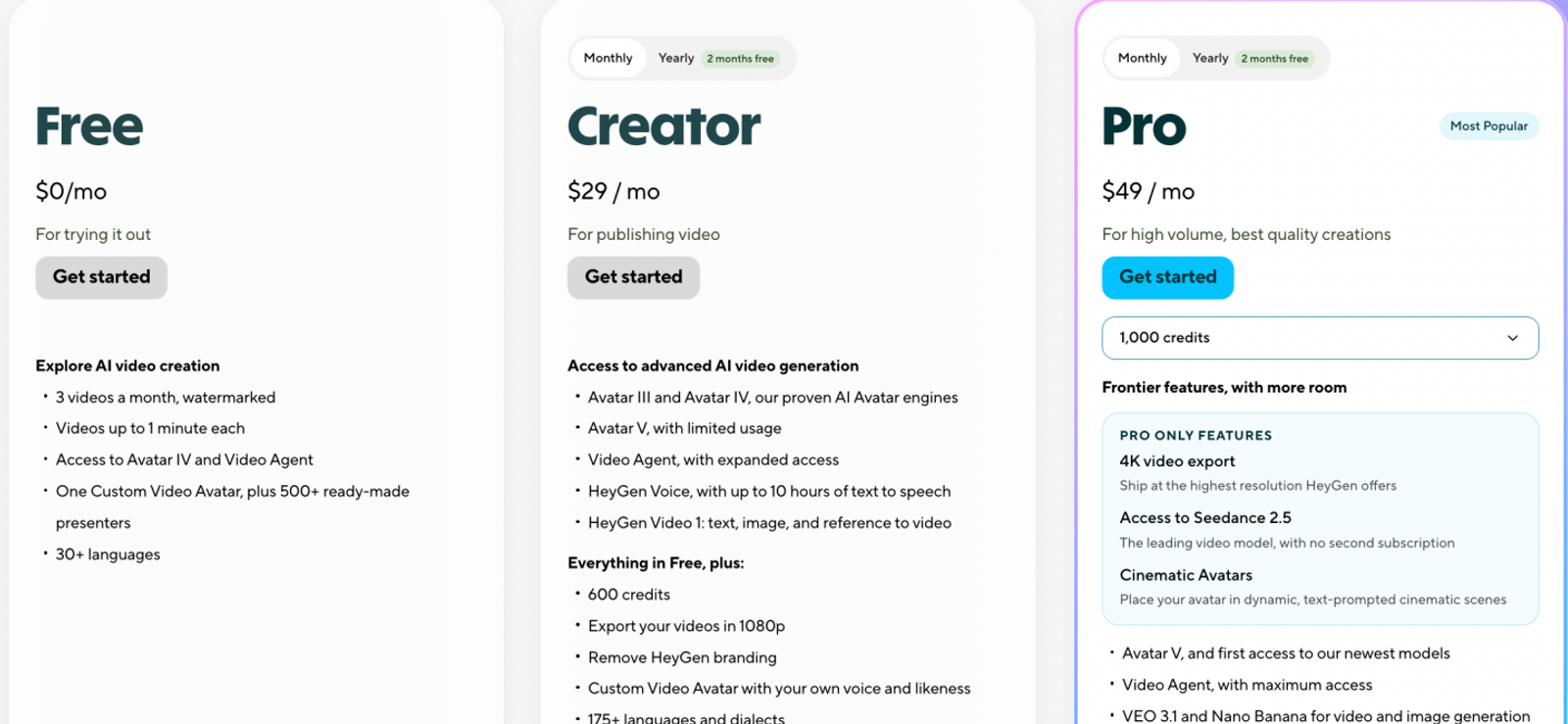
| HeyGen Creator | $29 | 600 credits | Custom video avatar; 1080p |
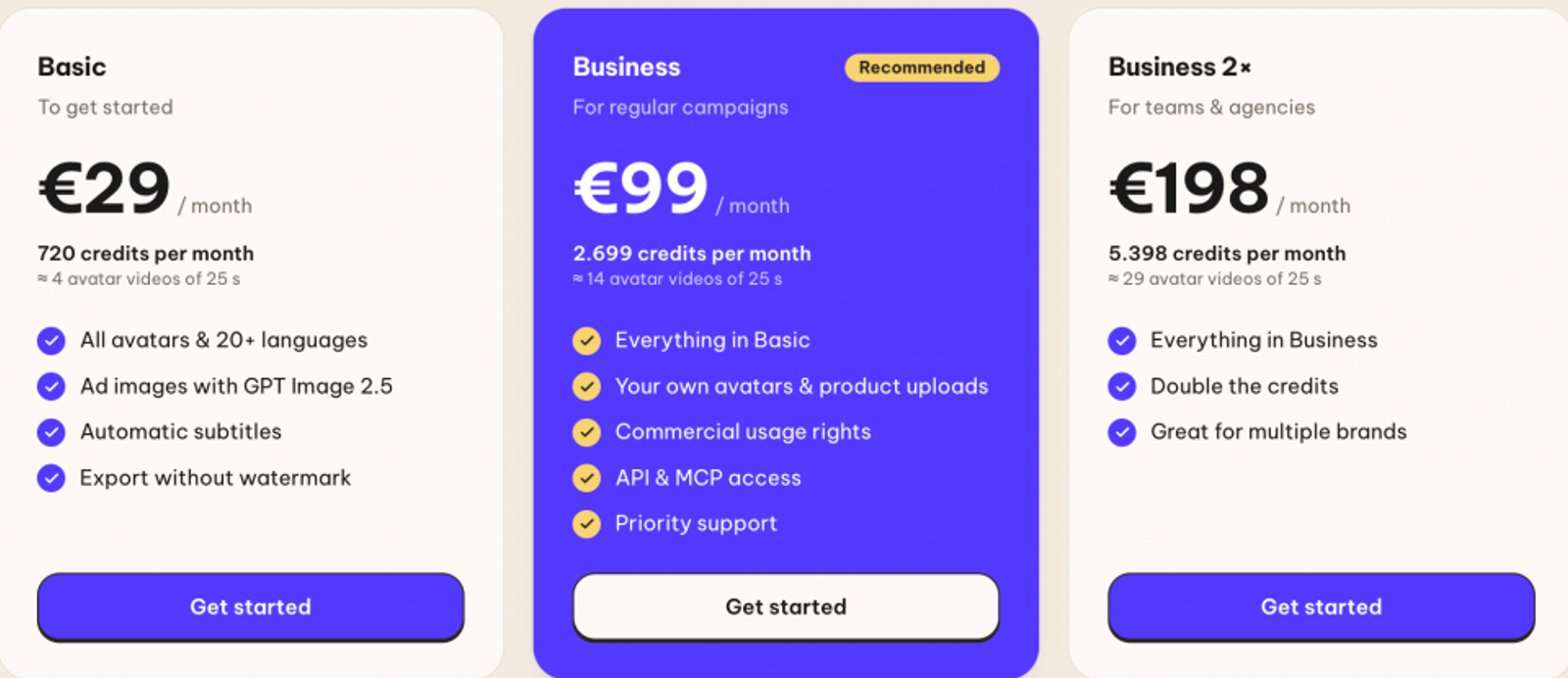
| Tasy Business | About $110.16; billed €99 | 2,699 credits | Product uploads; commercial usage rights |
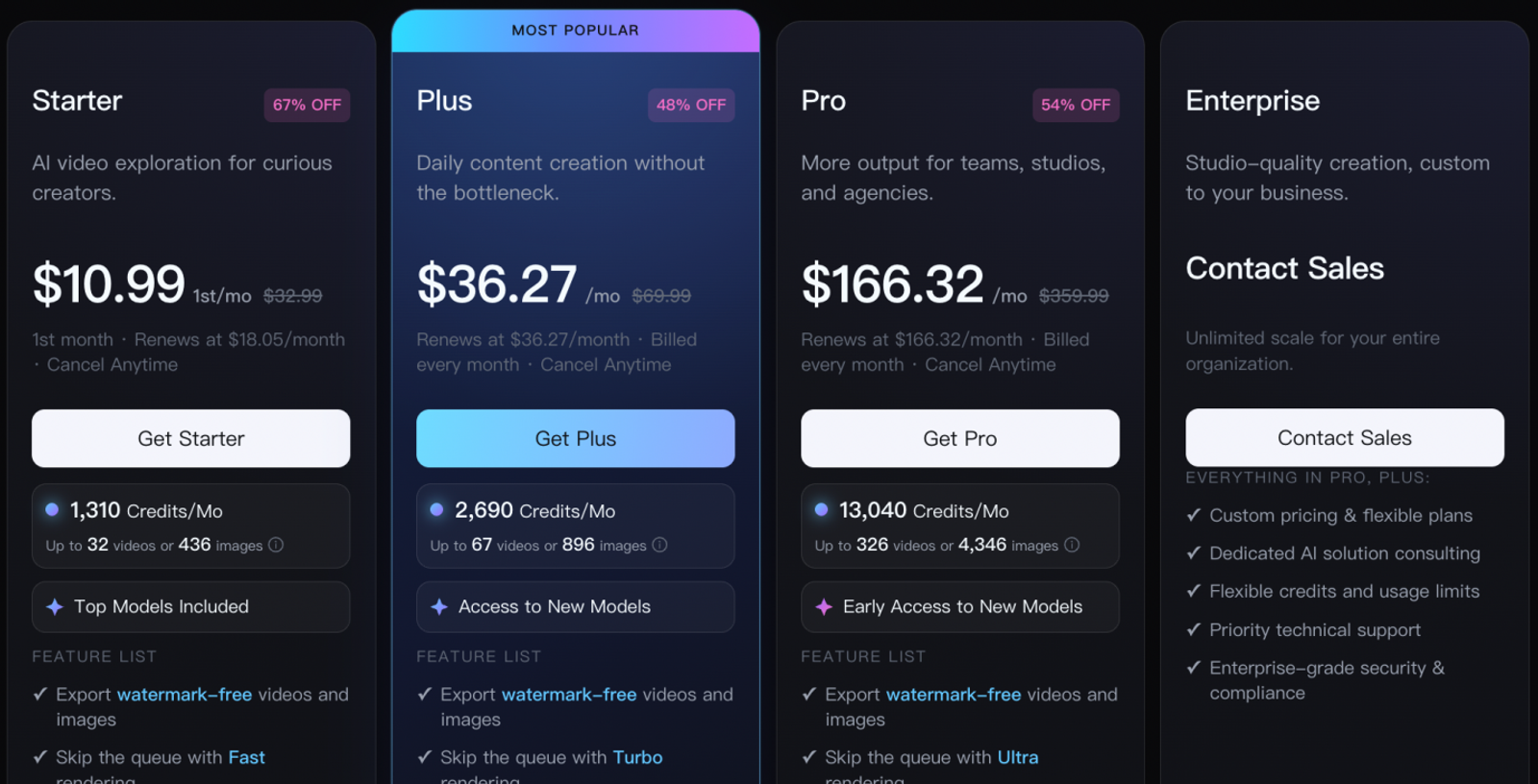
| Wizstar Starter | $18.05 recurring; $10.99 first month | 1,310 credits | Shared allowance across creation tools |
The real comparison comes down to output, since one credit buys a very different operation on each platform.
Creatify Standard’s 55 credits cover eleven Aurora 720p, 15-second avatar generations or fifty-five Boreal-H3 768p, five-second generations. Spending the full allowance on either option works out to roughly $1.36 or $0.27 per generation, respectively. Those are very different deliverables, making Standard a practical entry point for light solo ad testing. Moving up to Pro costs $55/month for 280 credits and up to five parallel generations—worth considering once simultaneous production becomes a bottleneck.
Tasy Business estimates about fourteen 25-second avatar videos per cycle. Dividing $110.16 by fourteen puts the cost at roughly $7.87 per video. Opt for Business when product uploads, custom avatars, and commercial usage rights are non-negotiable in your brief, as its lower-priced Basic tier serves a more limited scope.
HeyGen Creator’s $29 plan includes 600 monthly credits, one custom video avatar, and 1080p output. Upgrading to Pro costs $49/month and unlocks up to 4K resolution along with translation-script editing and proofreading—an upgrade worth paying for whenever strict control over translated copy is required.
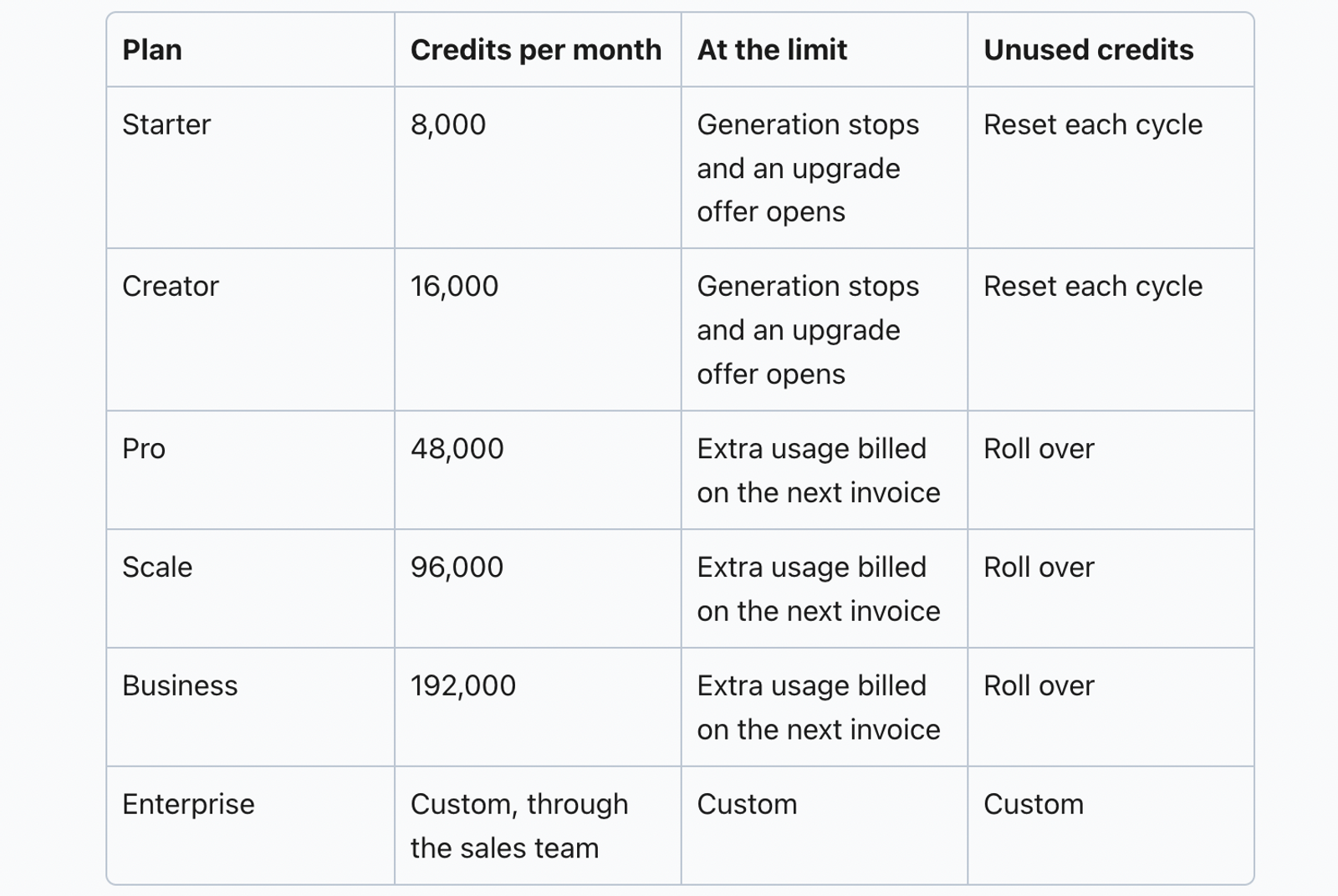
Arcads Starter supplies 8,000 monthly credits. An Arcads 1.0 talking-actor generation of up to two minutes uses 800 credits, yielding ten videos if nothing else draws from your balance. Other tools consume credits separately, and exact dollar plan prices are displayed inside the app.
Wizstar publishes a MiniMax H3 720p rate of six credits per second. A five-second clip uses 30 credits, so 1,310 credits yield 43 full clips, totaling 215 seconds of footage. At the recurring monthly price, that comes out to roughly $0.42 per five-second clip (assuming the entire allowance goes toward that operation without using other tools). You can easily budget those 43 clips as visual B-roll and product footage for UGC ads.
Whatever platform you choose, factor rejected generations into your asset budget and price out your required creative mix before committing to a full monthly allowance.
Make the purchase around the next deliverable
Start with Creatify if you need a solo ad-testing setup, or Wizstar if your priority is building product footage from links and photos. Upgrade to Creatify for parallel generations, HeyGen for translation proofreading controls, or Tasy for custom avatars and commercial rights only when those specific requirements show up in your brief. Let your next deliverable justify the spend.
FAQ
- Does Arcads require a credit card for its free trial?
- Yes. Arcads requires a credit card to start its 72-hour trial, which includes 1,000 credits. You receive a reminder 24 hours before the trial expires, after which the monthly Starter subscription begins automatically. Cancelling during the trial cuts off access immediately, so time your cancellation carefully if you still have active work to finish. These terms are detailed in the official pricing instructions.
- Are failed Arcads generations refunded?
- Yes, Arcads automatically refunds credits when a generation fails technically. However, this policy covers system failures—it does not refund credits when a completed video simply misses your creative expectations. Keep that distinction in your budget, since a technically valid output may still require another take before approval. The official credit instructions outline how failure refunds work.
- Do unused Arcads credits roll over?
- Rollover rules depend on your tier: Starter and Creator credits reset at the end of each billing cycle, whereas Pro, Scale, and Business credits roll over without a cap or expiration date. Cancelling your subscription changes this, as any unused credits are forfeited once the billing cycle ends. Match your plan to whether your production volume is steady or seasonal, and factor cancellation rules into any credit-banking math. See Arcads' plan rules for full details.
- Are custom avatars included in a Wizstar subscription?
- No. Wizstar's pricing breakdown lists both custom avatars and custom voices as paid add-ons across Starter, Plus, and Pro plans. You should budget those custom assets separately from your monthly subscription credit allowance whenever a campaign requires a dedicated brand spokesperson or voice rather than stock generation tools. Check the add-on details in the official plan comparison before finalizing your project budget.
- Can I buy more Wizstar credits without upgrading my plan?
- Yes, Wizstar allows active subscribers to purchase top-up credits without upgrading to a higher tier. Top-up credits work across both video and image tools, and the system consumes your monthly subscription credits first. This gives teams a flexible way to handle temporary production spikes without committing to a higher recurring plan. The pricing FAQ explains top-up options and credit consumption order.
- Can I use Wizstar’s AI avatar generator for free?
- Advanced AI avatar generation and voice synthesis require a paid subscription. While Wizstar grants 20 free credits to new users for eligible tools, they should not be treated as full access to the complete avatar-and-voice workflow—a free credit balance and feature tier access are separate things. Review the homepage's free-plan explanation to verify whether your intended avatar workflow requires a paid plan.