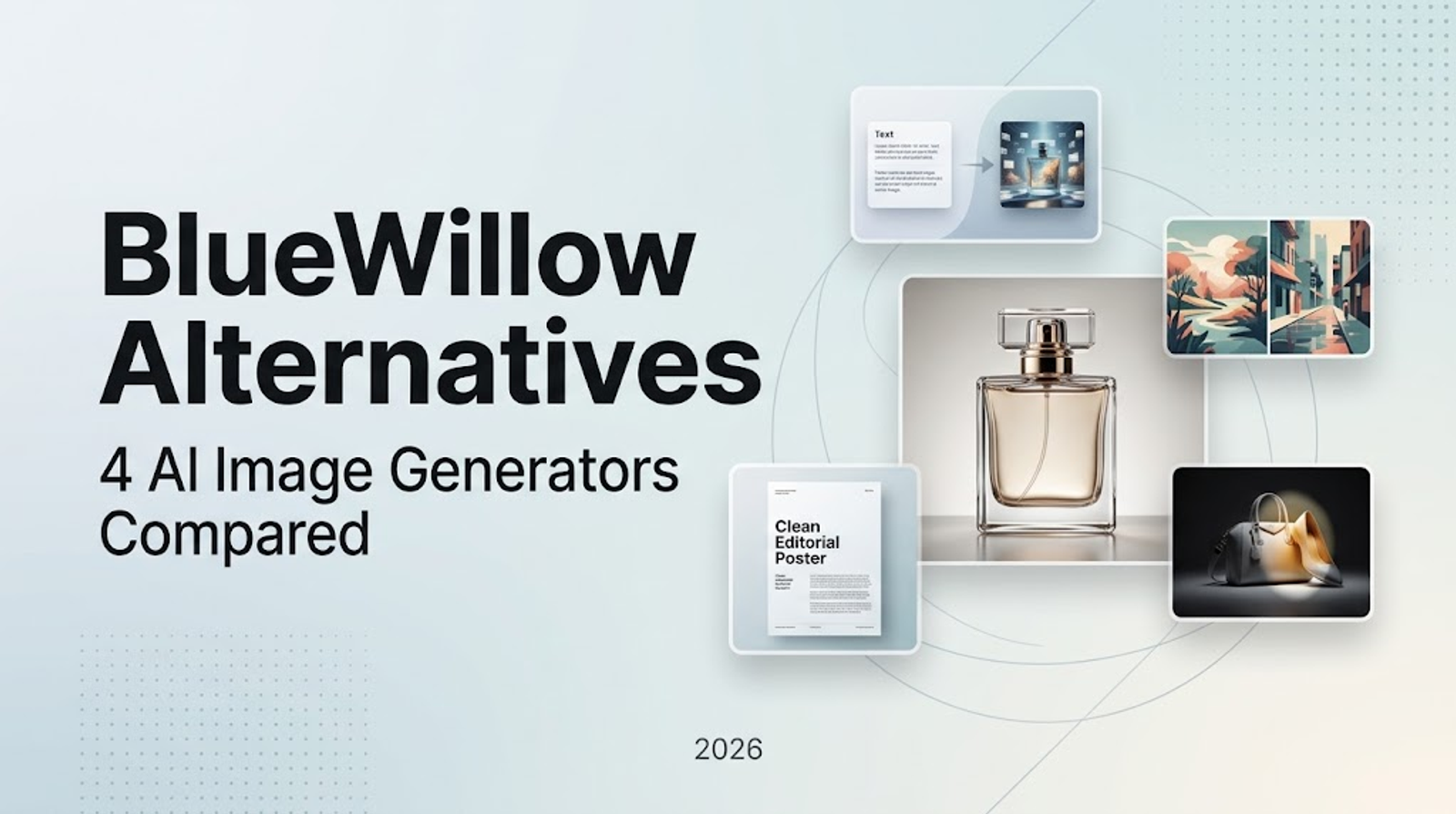
Among BlueWillow alternatives, Wizstar is a practical pick for prompt- and reference-led image creation with output options up to 4K. Midjourney suits visual-style exploration, Firefly handles selected-area edits, and Ideogram is worth considering when short text is central to the image. I'd match those controls to the work before choosing a subscription.
A low monthly fee tells you little about the cost of finishing a visual. A campaign image with the wrong product detail still needs another attempt. The useful comparison starts with your task, then asks what each subscription charges for those attempts.
Four BlueWillow Alternatives at a Glance
These four AI image generators offer different controls for creating and refining images.
| Alternative | Image-Creation Highlight | Suitable Work | Key Consideration |
| Wizstar | Prompt/reference inputs and resolution choices | Concepts and reference-led images in different sizes | Model access and settings depend on the plan |
| Midjourney | Style references with adjustable influence | Exploring a visual theme across images | Style guidance does not copy object or person identity |
| Adobe Firefly | Brush-selected Generative Fill | Adding or replacing elements in an existing image | Model choice affects credit use |
| Ideogram | Short text generation and editable text layers | Covers, posters, and other text-led images | Generated wording still needs proofreading |
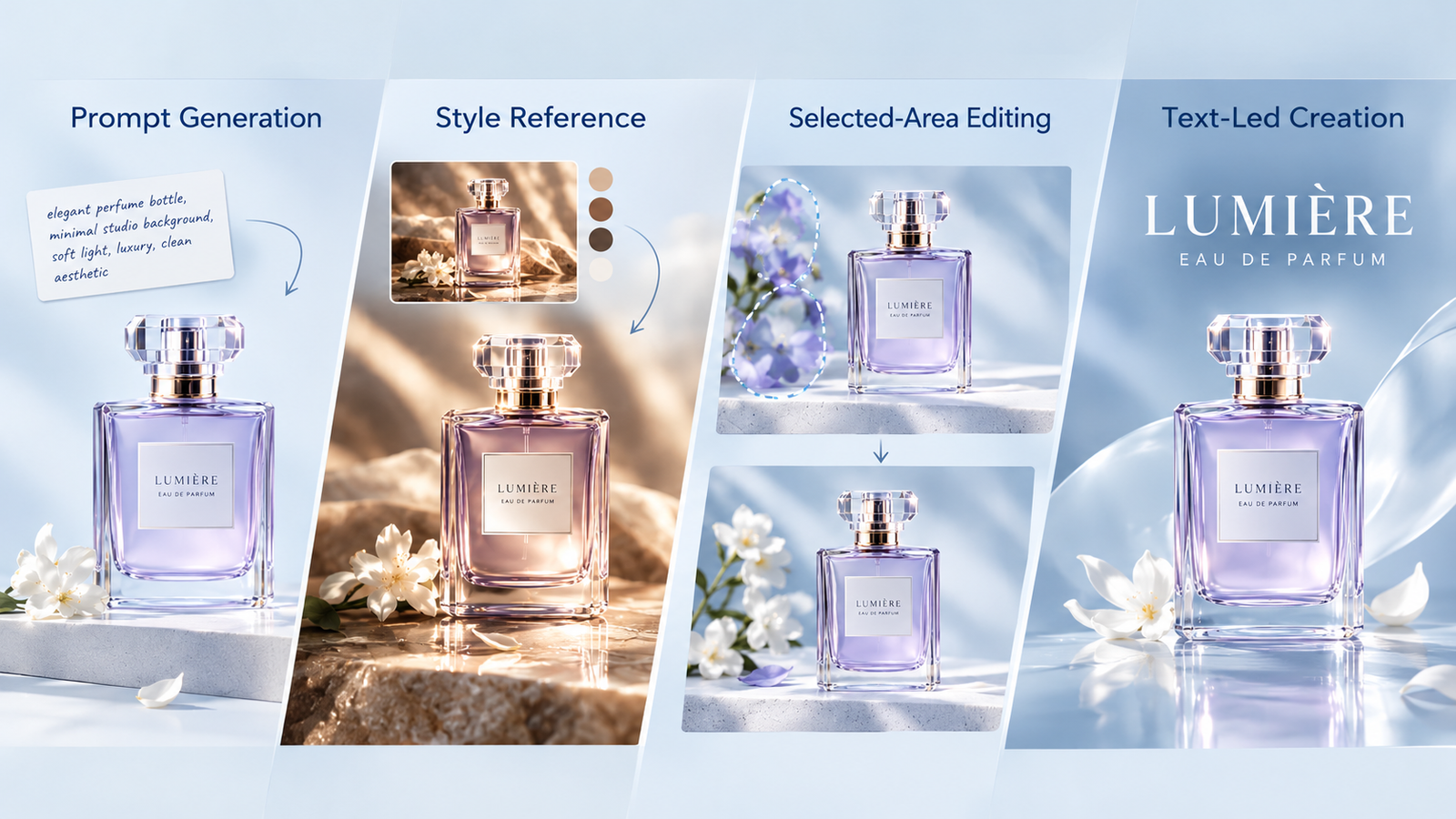
Start with the creative control you need: a reference, a style, a selected area, or editable wording.
These recommendations follow documented features and plan terms, rather than a scored output-quality test. A tool that helps you revise the right part of an image can be more useful than a larger generation allowance.
Keep the task concrete. “Generate concepts for a launch” creates different demands from “edit approved campaign images every week.” Decide whether you need a fresh image from text, a reference-led composition, or a specific editing feature.
What Does Each Alternative Really Cost?
The table compares monthly subscriptions as of October 2026. Use recurring prices for your working budget; introductory offers only reduce the first bill.
| Alternative | Monthly Price | Included Allowance and Access |
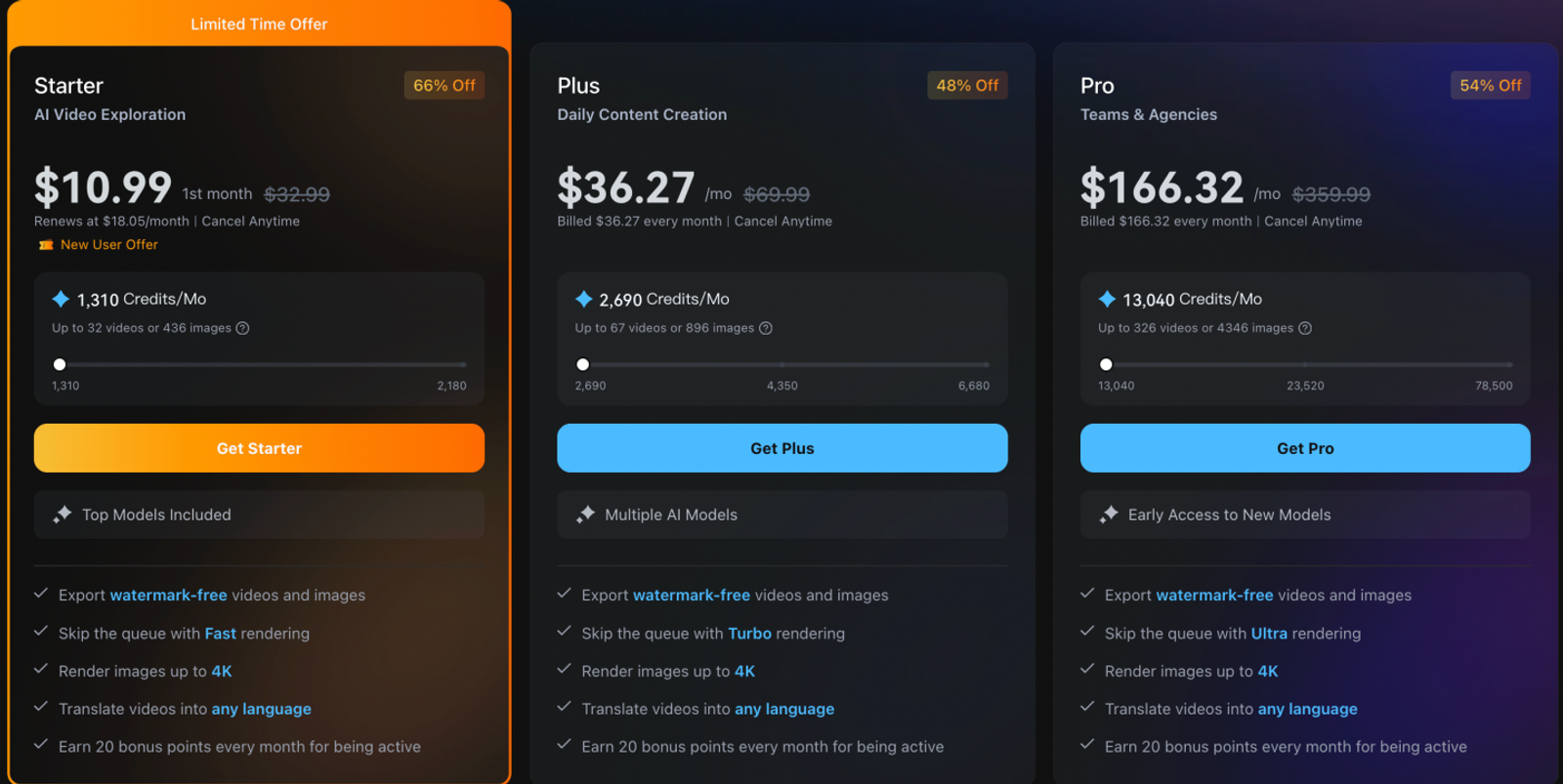
| Wizstar Starter | $10.99 first month; $18.05 renewal | 1,310 credits for eligible image and video models |
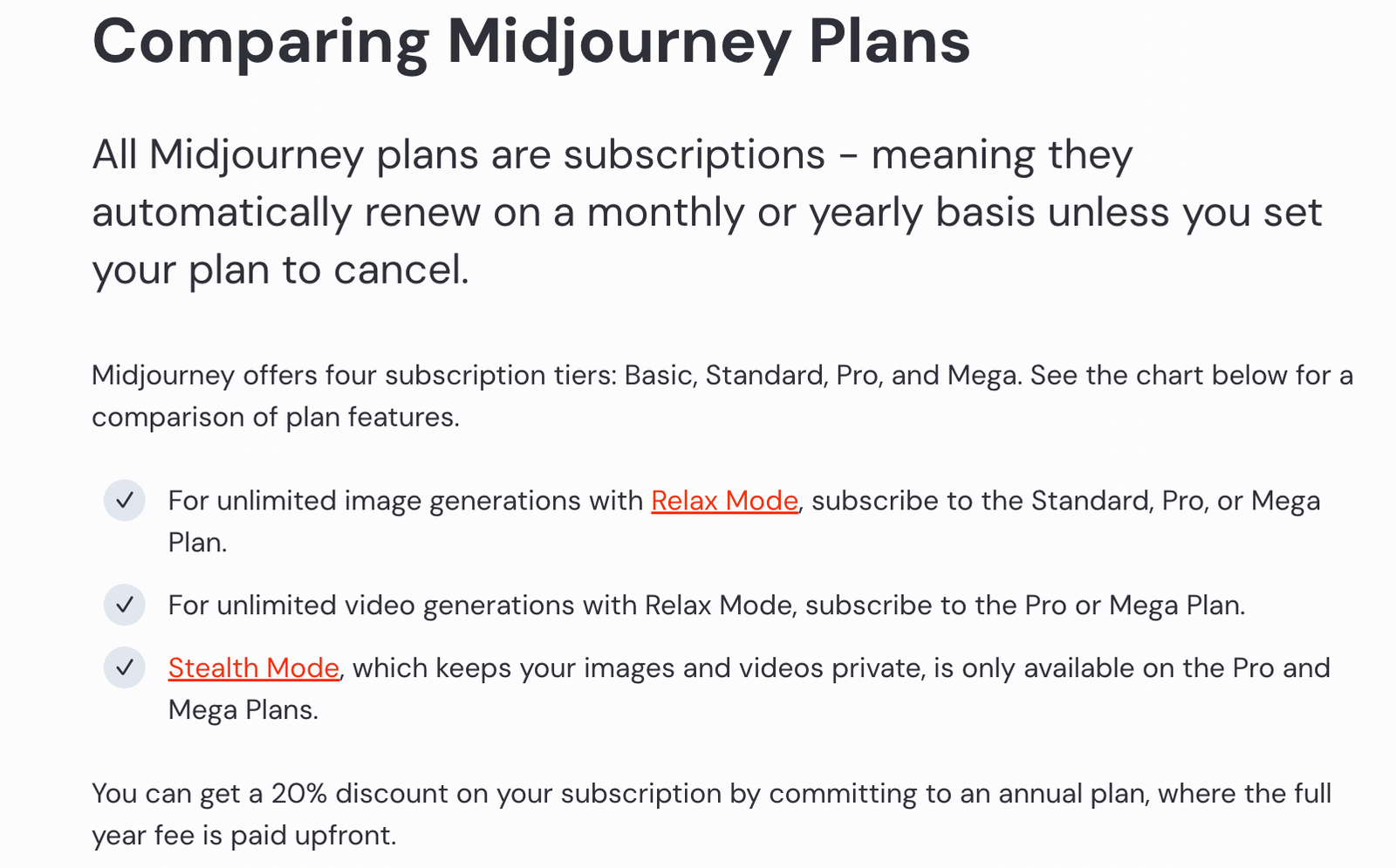
| Midjourney Basic / Standard | $10 / $30 | Basic: 200 Fast minutes; Standard: 15 Fast hours and unlimited Relax images |
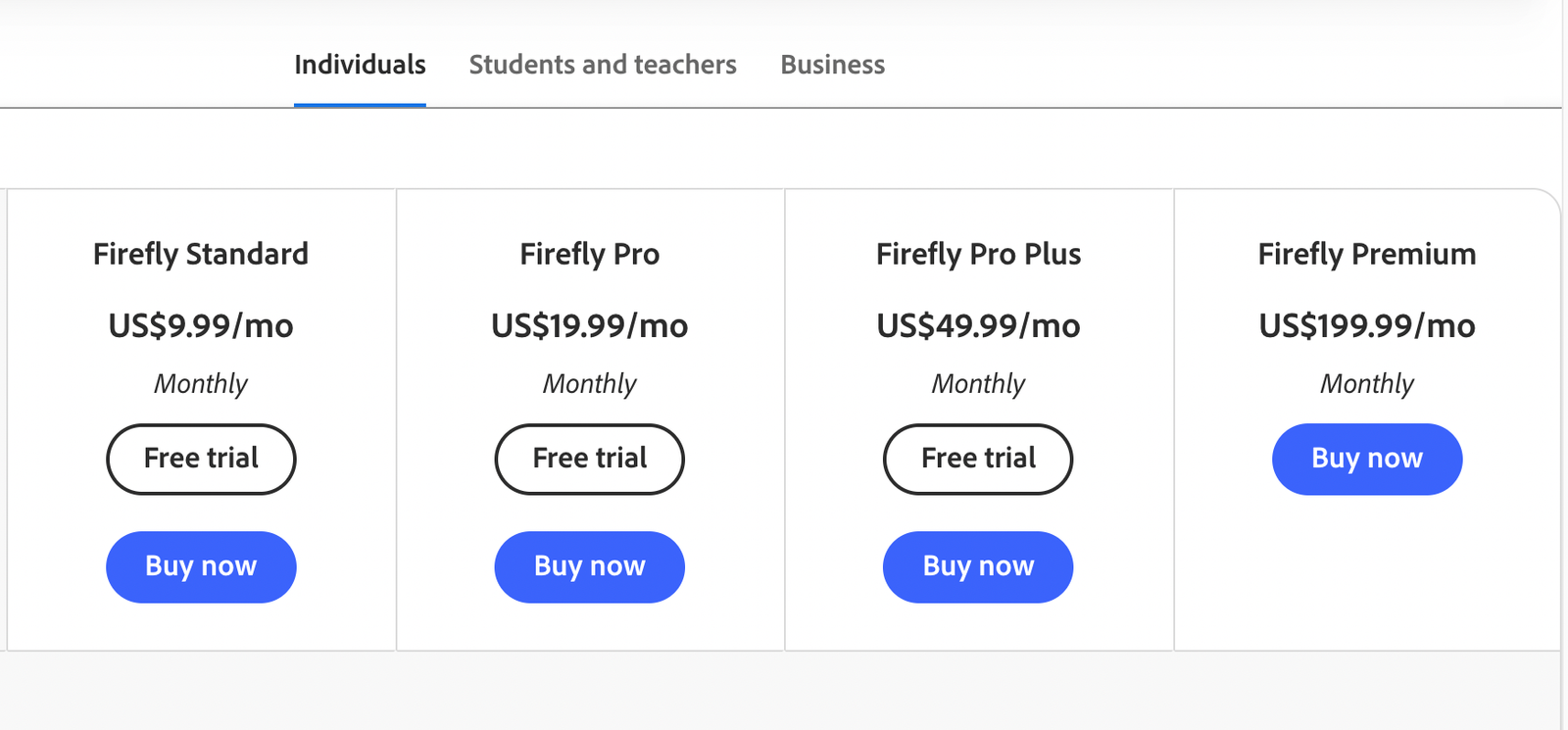
| Adobe Firefly Standard | US$9.99 | 2,000 credits and unlimited standard image features |
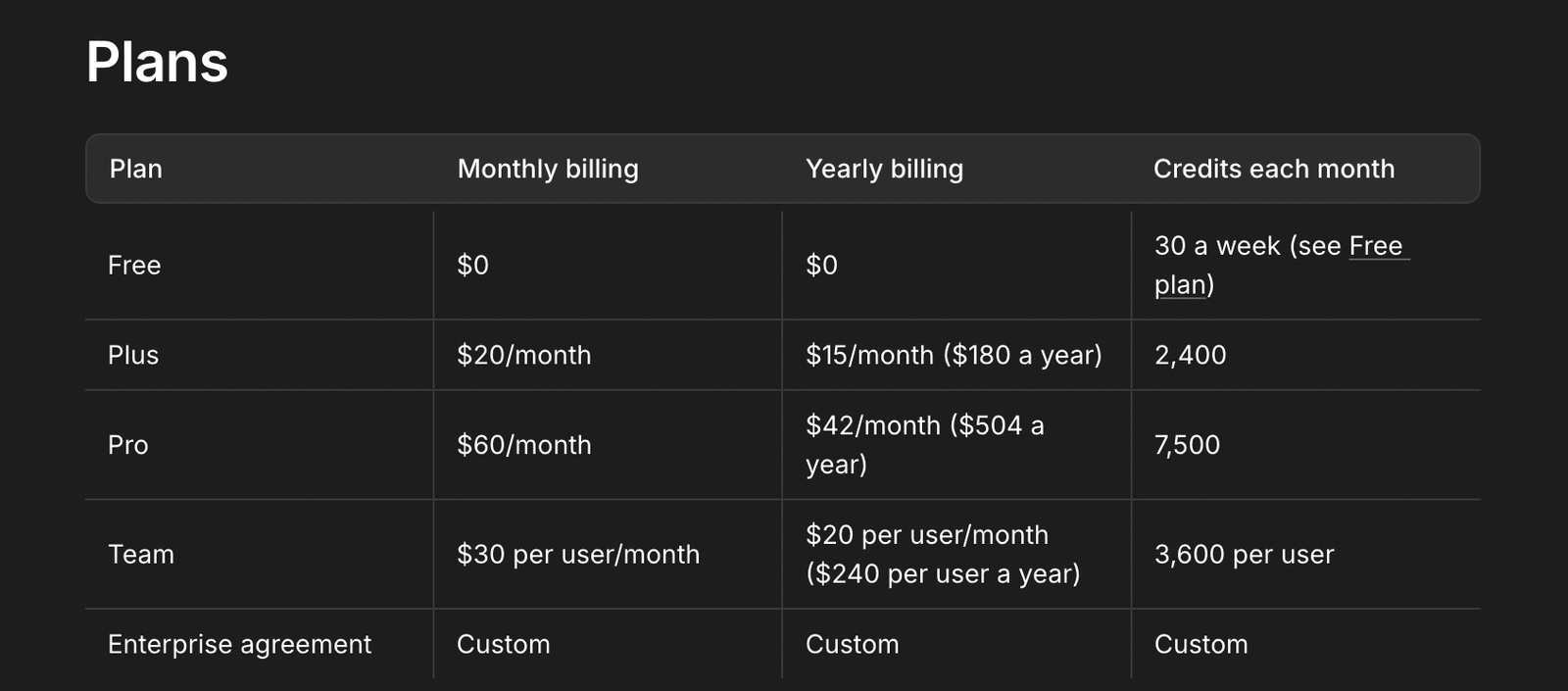
| Ideogram Plus | $20 | 2,400 credits, private generation, and eligible slow-queue generation |
Wizstar's model-specific rates make output budgets straightforward to estimate. At the published Nano Banana 2 rates, 2K costs 8 credits per image and 4K costs 11. The Starter allowance would cover 163 images at 2K or 119 at 4K, about $0.11 or $0.15 each at renewal. Using only 100 4K generations brings the subscription cost to about $0.18 each.
Note:
These estimates assume Starter access to Nano Banana 2, which public plan details do not confirm. Maximum counts allocate all credits to images; costs exclude taxes and extras. Generated images may still need revision.
Midjourney charges for GPU time, so image counts vary with each job's computing needs. Standard's Relax mode supports continued exploration when you can wait. Firefly's unlimited standard image features simplify recurring editing budgets; premium and partner options have separate limits.
Ideogram's credits depend on the model, quality, size, and output count. For a fixed setup, divide 2,400 by the displayed task cost, then multiply by images per task. Reference, edit, and upscale operations also draw from that balance, so leave room for finishing work.
Wizstar for Flexible Image Creation from Prompts and References
Wizstar gives image creators two starting points: describe a new idea or supply a reference image. Its image interface supports both, alongside model and output settings. That combination makes it a practical option for projects that move between text-to-image concepts and work guided by existing visuals.
For a launch campaign, I would use prompts to explore initial concepts, then bring in a reference image when there is a visual direction to follow. You can choose the input that fits each brief within the same image workspace. A reference provides a starting point for the composition and details you want to communicate.
Resolution choices give you another way to shape the workflow. With image options up to 4K and published rates by model and resolution, Wizstar lets you budget for the output size you need. I'd set that requirement before generating a batch. This is useful when a project includes several image deliverables with different size requirements.
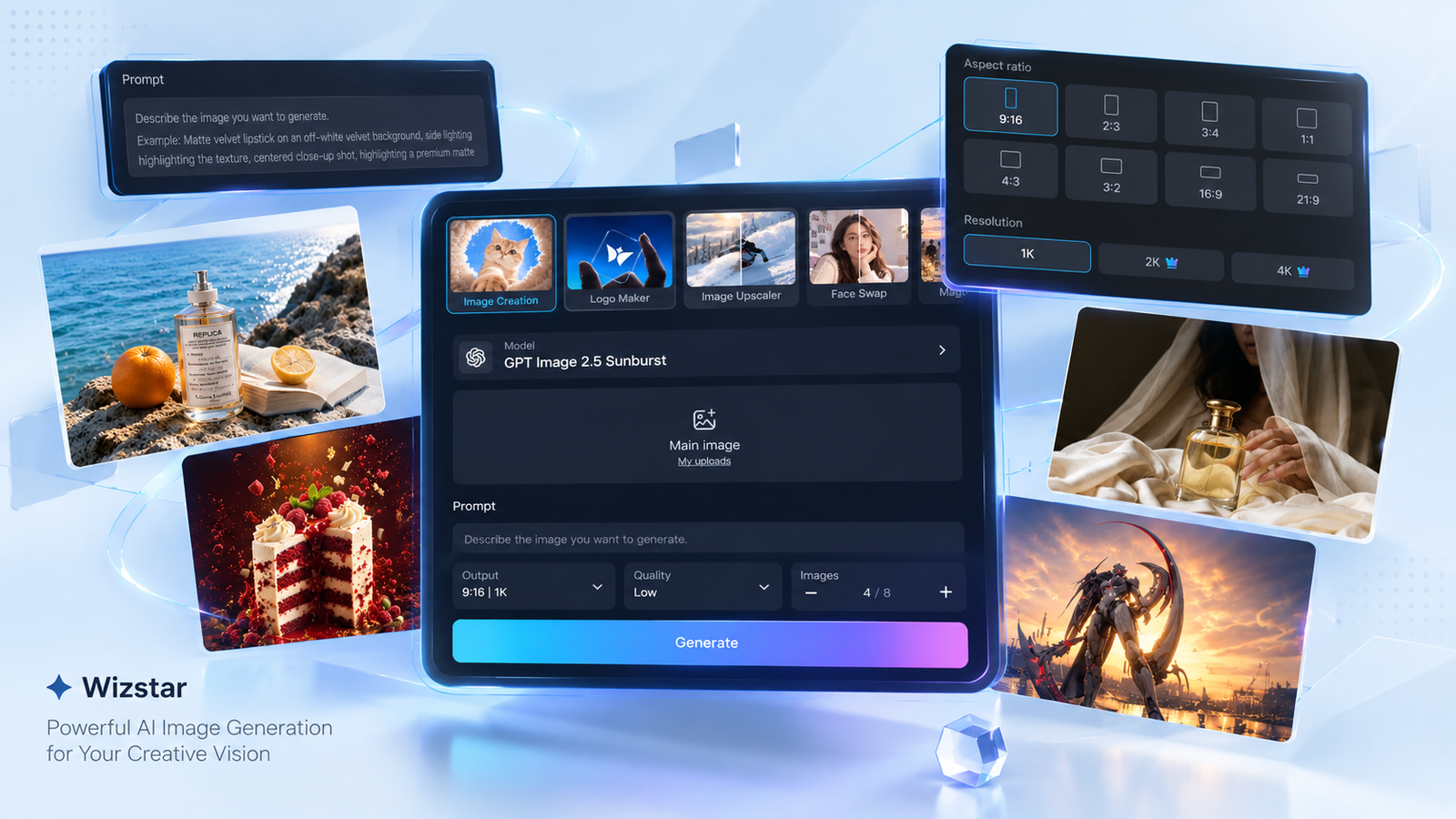
Wizstar also leaves room for projects that later expand into video. Video generation is available on the same platform, with credits shared across image and video work. It is an additional option when a campaign grows beyond still images; the image inputs and output choices remain the main reason to consider it here.
Midjourney for Exploring and Carrying a Visual Style
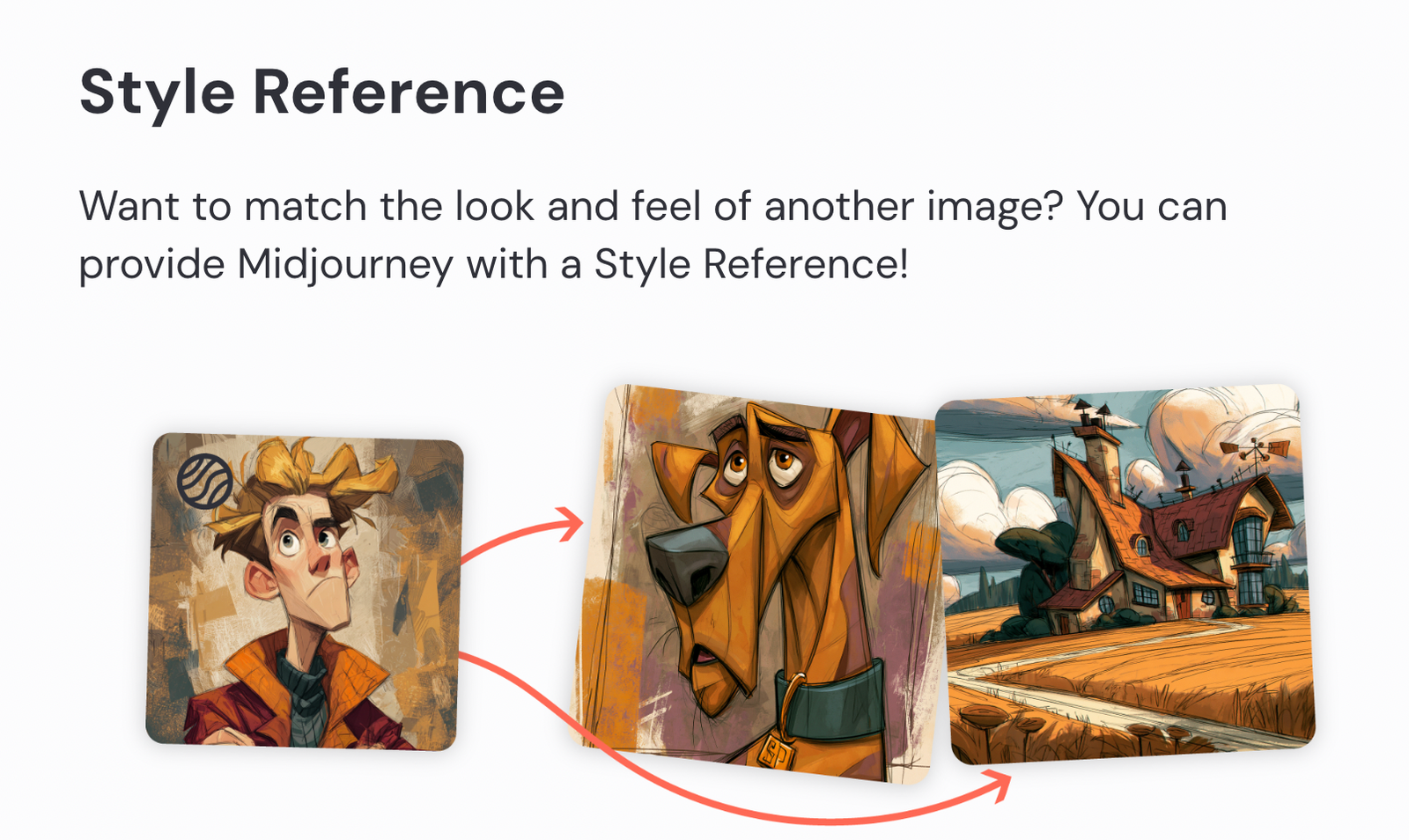
Midjourney's Style Reference lets you guide new images with the colors, medium, textures, or lighting of an existing image. Style Weight controls how strongly that reference influences the result. This gives AI art generation a visual direction beyond a written prompt.
For a series of covers or campaign concepts, I would use a style reference to explore variations within a chosen look. Adjust its influence while changing the subject or composition. The reference guides style; it does not copy a particular person or object. That distinction matters for work requiring exact product details.
The Basic plan at $10 monthly is a modest commitment for occasional exploration. Standard costs $30 and adds unlimited Relax images alongside 15 Fast hours. I'd pay for Standard when repeated visual iteration is part of the regular workload and slower generation is acceptable. For a small, defined assignment, start with the smaller commitment.
Adobe Firefly for Targeted Edits to Existing Images
Adobe Firefly's Generative Fill lets you brush over an area and describe what to add or replace. A reference image can also guide the generated appearance. The useful distinction is control over where the edit happens.
That suits an image whose overall direction already works but needs a different prop or an additional element. I'd use a selected-area edit for that task before regenerating the whole concept. Define the area carefully and make the prompt specific to the change. The workflow gives you a concrete revision step when most of the image is already usable.
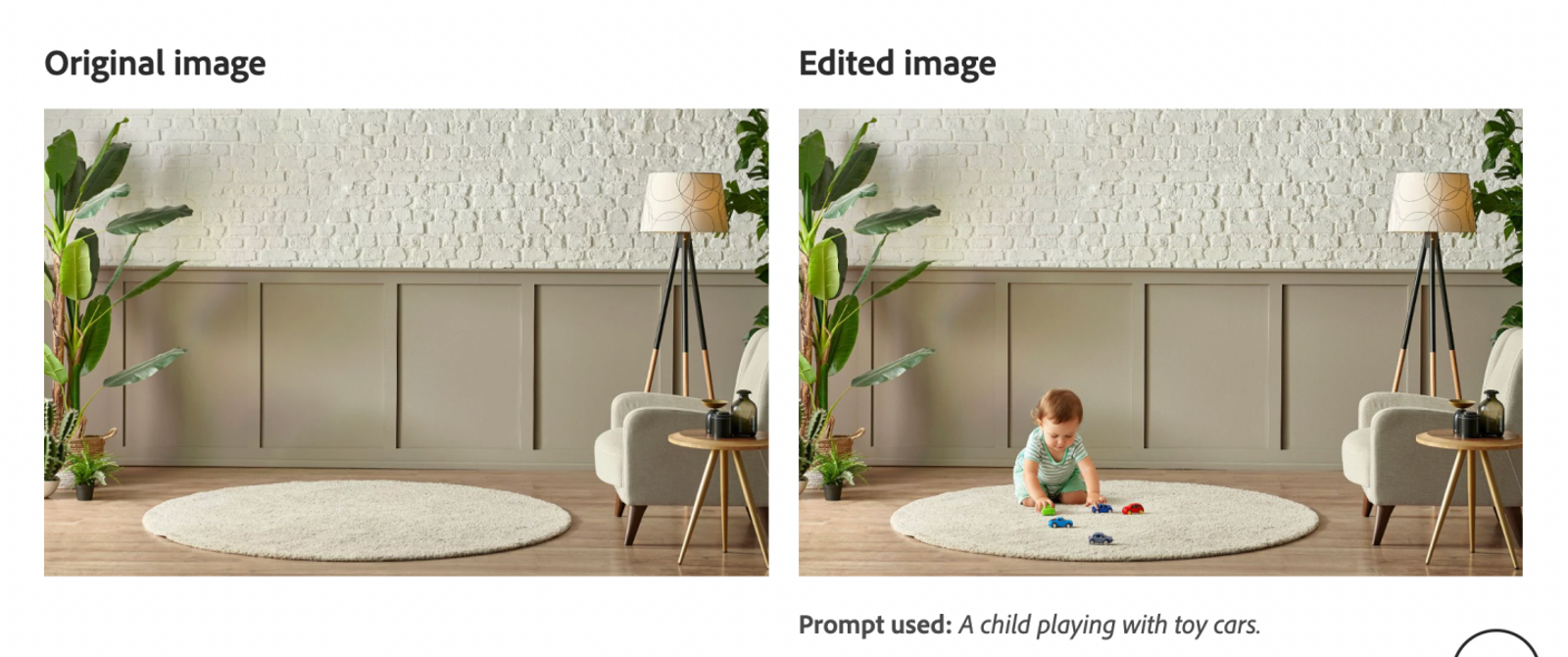
Firefly Standard costs US$9.99 monthly and includes unlimited standard image features, plus 2,000 generative credits. That is a useful arrangement for recurring edits within those standard features. Generative Fill's credit use varies by model, so check the selected model's charge before applying it. The value comes from the editing control you use repeatedly, not simply the size of the credit balance.
Ideogram for Text-Led Images and Private Projects
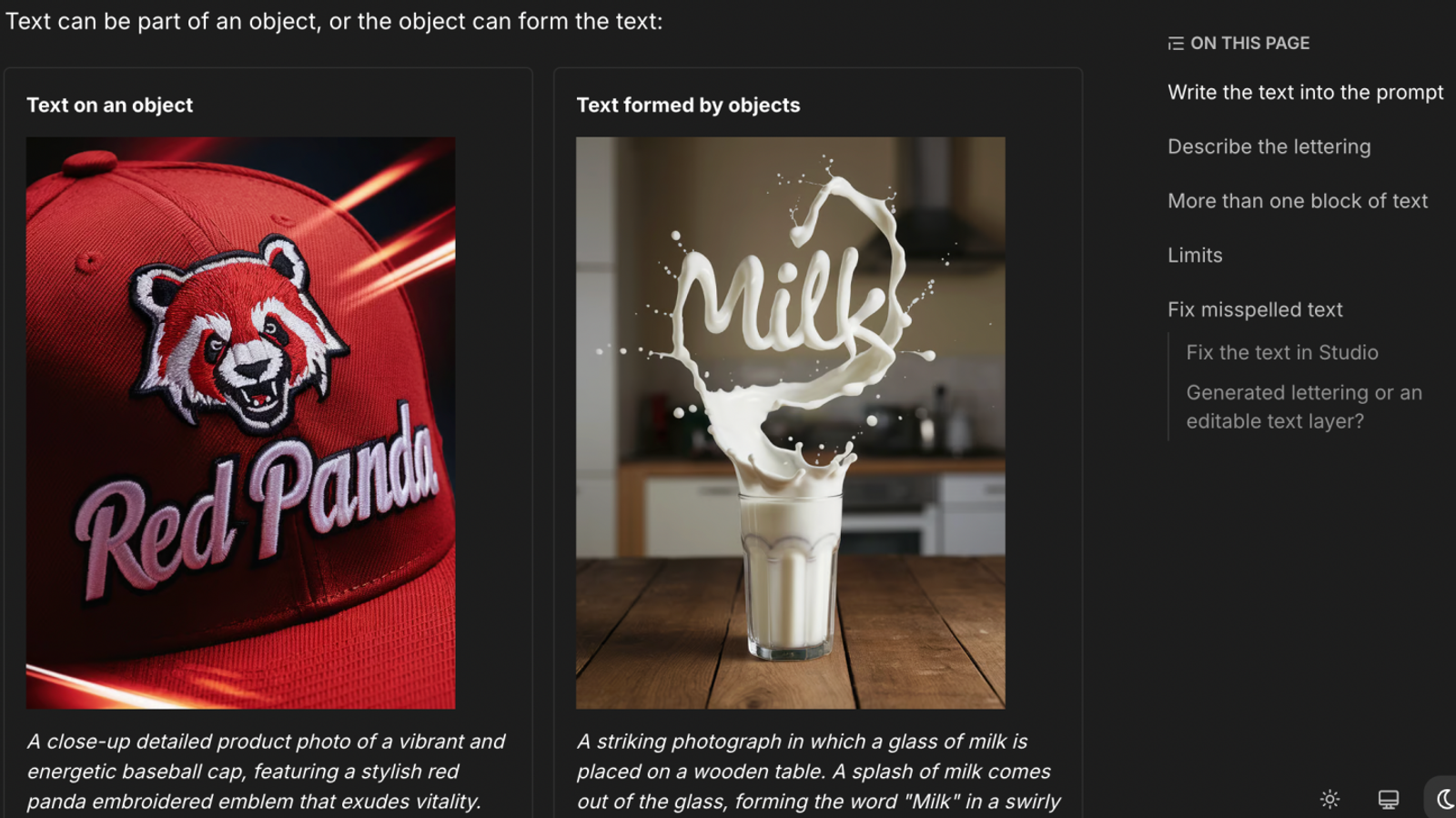
Ideogram's text-in-images workflow starts with the exact wording in quotation marks and instructions for its placement. It is worth considering for short cover titles, poster headings, or lettering integrated into a scene. Keep the wording concise and proofread the result.
Once you have a useful image, Studio's Layerize text can turn detected lettering into editable layers. You can retype, move, or restyle that text instead of relying only on another generation. Decorative or distorted words may not be detected, so this is an editing option rather than a spelling guarantee.
For unpublished client work, Plus adds private generation and quality export at $20 monthly, with 2,400 credits. I'd consider that combination for a cover or poster project where both wording and privacy matter. Budget separately for edits and upscales: they consume credits even when eligible generation can continue in the slow queue.Private generation also does not replace any separate data requirements your client sets.
Turn the Shortlist into a Working Choice
Before subscribing, write down one image you need to deliver, its output size, and whether the source material must stay private. Those requirements should eliminate unsuitable plans before a discount enters the decision.
Then compare a small batch against the same brief. Count the images you would actually use and the time needed to finish them. A workable composition with manageable edits is more valuable than a striking result that misses the assignment.
If your brief combines a written concept with an existing visual, open the Wizstar image workspace with that reference ready. Check the available model, output size, and credit charge before generating. Use the result to decide whether the workflow fits your next batch, then choose the subscription around that workload.
FAQ
- Can I generate images with BlueWillow or try Wizstar without paying?
- Yes—BlueWillow advertises free image generation, and Wizstar offers new users free credits for eligible creation tools. BlueWillow’s FAQ says its free tier does not require a credit card, but gives no fixed daily image quota. Wizstar’s pricing page lists 20 free credits, while its homepage ties free credits to signup. Check which tools are eligible before using them; neither offer establishes unlimited access to every model.
- Do I need a Discord account to use BlueWillow?
- No—BlueWillow says you can make images through its browser experience without a Discord account. Its website now directs the creation link to LimeWire, while describing Discord as a community for news and announcements. Start from that current website link if an older tutorial sends you through Discord commands. This distinction concerns the access route, not a confirmed shutdown of every older bot workflow.
- Can I write BlueWillow prompts in a language other than English?
- Yes—BlueWillow says other-language prompts can produce images, though it recommends English for greater control. Its language FAQ does not provide a complete supported-language list or promise equal results across languages. If your prompt is misunderstood, translate the subject, action, setting, and composition into simple English. Keep product names unchanged where necessary, then adjust the part that was misinterpreted rather than rewriting every instruction.
- Does Wizstar use uploaded images and prompts for AI training?
- Wizstar’s privacy policy allows training and technology improvement, so you should not assume uploaded images and prompts are excluded. The policy says AI-feature uploads are provided to the corresponding model provider for generation and to moderation providers for content review. These provisions describe permitted uses and sharing, not proof that every upload trains a model. For confidential client assets, obtain an applicable data-use commitment before uploading them.
- Can I download Wizstar images without a watermark?
- Yes—Wizstar lists watermark-free image and video exports as a benefit of its paid Starter, Plus, Pro, and Enterprise plans. The plan comparison does not establish the same entitlement for free-credit users. Check your export preview and selected plan before preparing a client delivery. Watermark removal is a distinct benefit; it does not by itself confirm a particular file format or commercial-use permission.