The short answer
To create TikTok video ads with AI, lock one product, audience, offer, and approved claim; make three short openings from the same factual brief; assemble each with accurate product footage; then review the exports in the intended placement before submitting them. AI can speed up scripting, scene transitions, voice drafts, and variant production. It cannot verify your price, product appearance, music rights, or whether TikTok will approve the ad. This is a documented production workflow, not a report of a live campaign test or a promise of better conversions.
Three ads with different hooks and the same product truth make the opening easier to compare. Record each version’s brief and export.
Start with One Product, Audience, and Ad Goal
Choose one sellable product or a clearly defined variant, not a category catalog. Write down who the ad is for, the question it should answer, and the action the landing page supports. For illustration, a portable lamp ad might answer how it fits a desk. Its features, offer, and availability would need merchant approval.
The audience question determines the first image. If buyers doubt size, start with a real scale reference. If they doubt setup, show the genuine installation step. A “viral” opening that hides the product until the last frame may win attention but fail to answer the product question. Plan vertical framing, sound, and room for TikTok’s interface; verify the actual ad format before exporting.
Choose one observation, such as early retention or product-page visits. It guides revision but cannot alone prove sales impact. Fix a destination that cannot answer the ad’s promise.
Prepare an Approved Asset and Claim Brief
Collect the current product listing, approved photos or footage, packaging and label references, price and offer terms, brand colors, and proof for any performance claim. Record who owns each asset and whether its license covers paid TikTok use, territory, and editing. If a person appears, confirm likeness and voice permission for this script and commercial placement. A public post does not grant voiceover, likeness, or paid-ad rights.
Make a two-column truth sheet for the creative team. On one side put approved statements, such as the exact product name, verified dimensions, compatible models, current price, and dated offer. On the other put prohibited shortcuts: invented testimonials, unsupported “best” claims, unapproved discounts, altered labels, or a feature that exists only in a prototype. The FTC’s endorsement guidance for advertisers is a useful U.S. reference when a real person’s opinion or experience appears in an ad. Rights and advertising rules vary by market; this is general information, not legal advice.
Keep a reference frame for product shape and labels. If a generated shot changes either, replace it with an approved asset. I would check the label before the lighting.
Draft Three Short Hook and Scene Variants
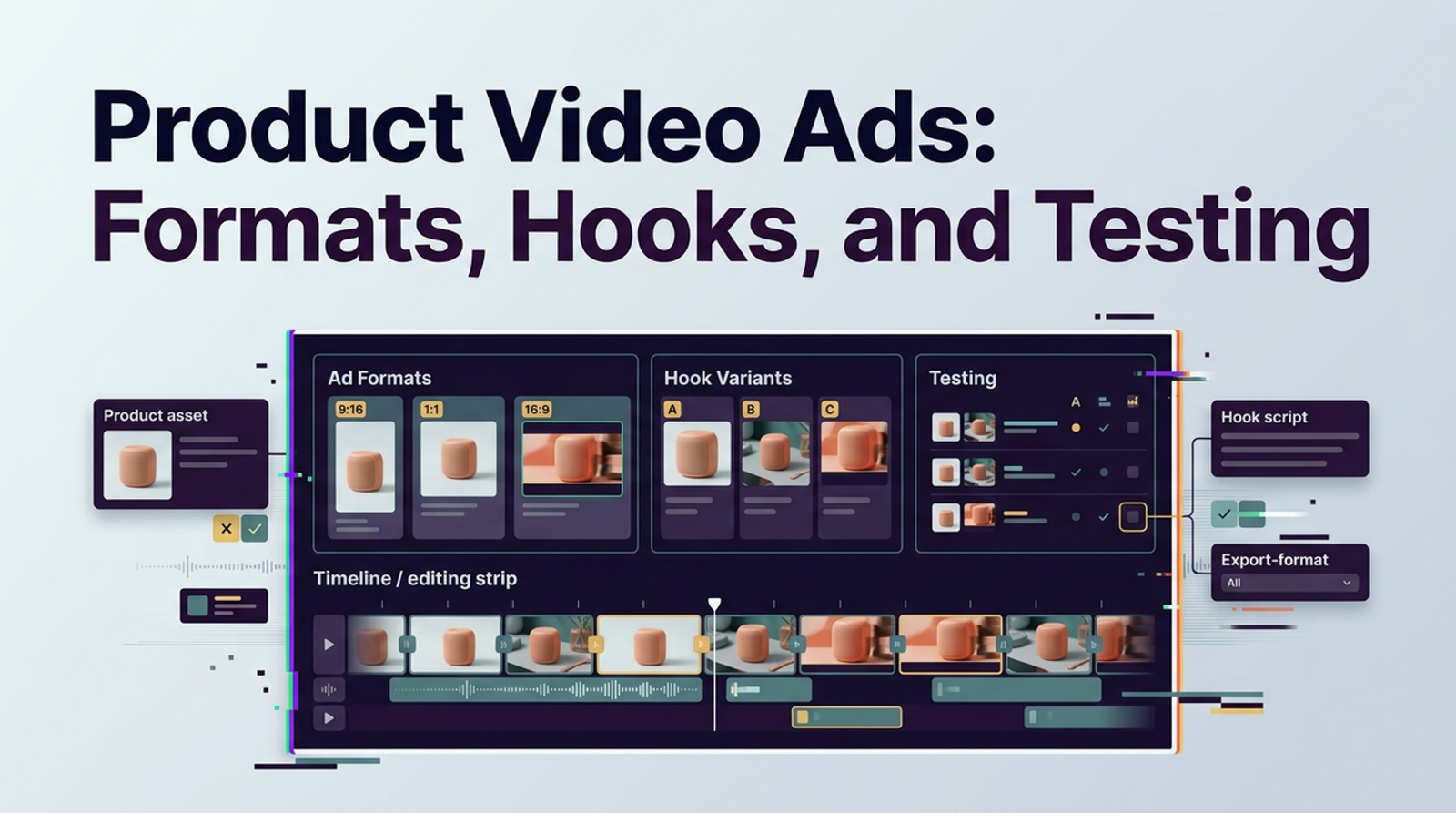
Keep the body of the ad stable while varying the opening question. The following lamp and copy are illustrative concepts, not verified product claims; confirm every feature, fit, and line against the actual product evidence and landing page. Variant A, the problem hook, opens with a real desk that needs light, then cuts to the lamp in use. On-screen text might ask, “Need light without changing the room?” The middle shows the approved setup step; the ending points to the product page. Variant B, the detail hook, opens on a verified control, then widens to the full product. Variant C, the objection hook, asks “Will it fit my desk?” and answers with approved dimensions and a real scale shot.
Brief each variant in one paragraph: opening frame, one line of copy, two or three shots, sound approach, final action, and what must remain unchanged. An AI writing tool can propose alternate hooks, but reject lines that add a new benefit or widen the offer. Vary the hook while keeping approvals manageable. The next edit is part of the cost.
Keep the Product Visible in Each Opening
The product need not fill every frame, but the viewer should be able to connect the opening to what is sold. Show the real package, silhouette, use context, or verified UI early enough that a question or visual surprise has an answer. In Variant A the lamp appears after the desk problem; in Variant B it is the first frame; in Variant C the scale shot connects the question to the item. Keep the same SKU across all three. If the creative opens with a generated person, that person should not imply use, endorsement, or a result the brand cannot substantiate.
Generate Video Scenes and Assemble an Ad
Use AI where the source asset supports it: moving typography, a restrained camera move over an approved still, background transitions, or a draft narration for internal timing. Use real footage for a mechanism, label, interface, texture, or product behavior that must be exact. Feed the generator the approved reference and a narrow shot instruction; ask for one motion at a time. Inspect every generated product frame for shape changes.
Assemble the selected shots in the planned order and add captions from the approved script. Keep editable project files and the source pack. Keep the editable timeline for price or claim changes. Preview the complete ad with sound off and then with sound on. If the spoken message and on-screen text disagree, revise before exporting; viewers may encounter only one of them.
Review Brand Accuracy and TikTok Placement
Have a product reviewer compare the output against the source pack frame by frame. Inspect the SKU, shape, packaging, printed text, color, visible controls, and any before-and-after implication. Then have a campaign reviewer compare the offer, caption, call to action, and landing page. An ad may be visually plausible yet send buyers to a page with another price or product. Review each draft.
Check Text Safe Areas, Captions, and Sound
Review the actual placement rather than relying on a clean editing canvas. TikTok’s auction in-feed ad specifications provide format details and safe-zone files, including cases with anchors. Keep the product, price condition, captions, and essential claim away from interface overlays. Check legibility on a phone, spelling in auto-captions, sound balance, and whether the ad still makes sense muted.
Choose music with commercial rights before locking the edit. TikTok’s Commercial Music Library guidance says businesses should use that library for commercial TikTok activity, including video ads, and should seek proper licensing for other users’ original sounds or other licensed sounds. A sound’s availability in an organic post does not establish paid-ad rights. Save the track and license information with the creative record.
Reject Incorrect Product or Claim Details
Reject a render that changes a label, adds a button, invents a colorway, or shows performance the product has not demonstrated. A small error in the opening may be especially damaging because the opening sets the claim. If the problem is a generated product shot, replace that shot with a real asset; if it is copy, return to the truth sheet; if it is an expired offer, update both ad and destination. Do not hide a mismatch under blur or fast cuts.
Export, Test, and Revise the Variants
Export the three approved versions for the selected placement, naming them by hook and date. Store the brief, source assets, approvals, music record, captions, and exports together.
Move the ads into Ads Manager. As checked on October 30, 2026, choose Spark if you will promote an authorized TikTok post, or Non-Spark if you will upload a separate ad video. In Ads Manager, create the campaign, select its objective, complete the ad group, and add the appropriate post or file. Check that format’s specifications and safe-zone file. Enter the available ad text, call to action, destination, and tracking details; preview the intended placement before submitting for TikTok review. For Spark, finalize the organic post caption before authorization because it cannot be edited afterward. Account options and interface labels can change, so confirm the current workflow at launch.
Keep the campaign variables you can control as comparable as practical, then inspect the chosen observation and the questions each ad creates. If Variant C gets visits but repeated questions about size, the next edit may need a clearer scale shot rather than a louder hook.
Change one creative factor in the next round and record why. Record changes precisely: “Replaced generated close-up because its label changed.” Do not infer a reliable winner from a tiny or mismatched delivery sample, and do not present a new render as a proven improvement without a proper comparison.
Limits of AI-Generated Ad Creative
AI can invent appealing motion and persuasive words faster than a team can verify them. Its output may also make a person appear to use or endorse a product when no such event occurred. TikTok’s advertising policy on misleading and AI-generated content, updated in 2026, permits significantly edited media and AI-generated content subject to disclosure requirements, while restricting misleading claims and identity misuse. Check the current policy and the applicable disclosure control when preparing the actual ad. Neither labeling nor consent makes a false product claim acceptable.
The format has limits too. A real demonstration may be better than generated footage when operation is the proof; a still image may be better for a dense specification or a price that changes often. Use AI to make approved evidence easier to understand, not to manufacture evidence that the team lacks.
Conclusion
One approved brief can support three AI TikTok ads when the opening varies and product truth stays stable. Prepare the source pack, draft three hooks, generate restrained scenes, review claims and rights in the intended placement, then record the next edit. AI cannot guarantee approval or sales.
FAQ
- Does TikTok permit AI-generated people in paid ads?
- Yes, in some cases, subject to TikTok’s advertising rules, disclosure requirements, and rights checks. Obtain permission for any identifiable person’s likeness and voice, and do not create a false endorsement or deceptive portrayal. Review the specific ad before submission; permission to generate a person is not a guarantee of ad approval.
- When must a TikTok ad disclose synthetic media?
- TikTok’s current advertising policy calls for disclosure when media is completely AI-generated or significantly modified by AI, including a real subject made to do or say something they did not. Minor corrections such as basic color or lighting adjustments are treated differently. Use the available AI-generated-content label or a clear disclosure as the policy describes, and recheck the rules for the exact ad before publication.
- Can an advertiser edit creative after a Spark Ad is approved?
- Do not plan on freely editing the underlying authorized post. TikTok’s Spark Ads guide says a post’s caption cannot be edited after ad authorization. Finalize the post and caption before authorization; if the creative itself needs a material change, prepare and authorize a corrected post or ad through the current workflow.
- What happens when a product price changes after export?
- Pause or replace every affected ad and update the landing page, caption, and scheduled variants. Check whether a Spark Ad relies on an organic post with a fixed caption. Do not leave an old price in a video merely because the destination now shows the new one. Assign an offer owner and expiry date before the first export.
- Can a paid ad use music from an organic TikTok post?
- Only if the advertiser has commercial rights for that use. Organic availability alone is insufficient. Use music cleared for commercial activity through TikTok’s Commercial Music Library or obtain an appropriate license for another sound, including creator-original audio, before running the paid ad.