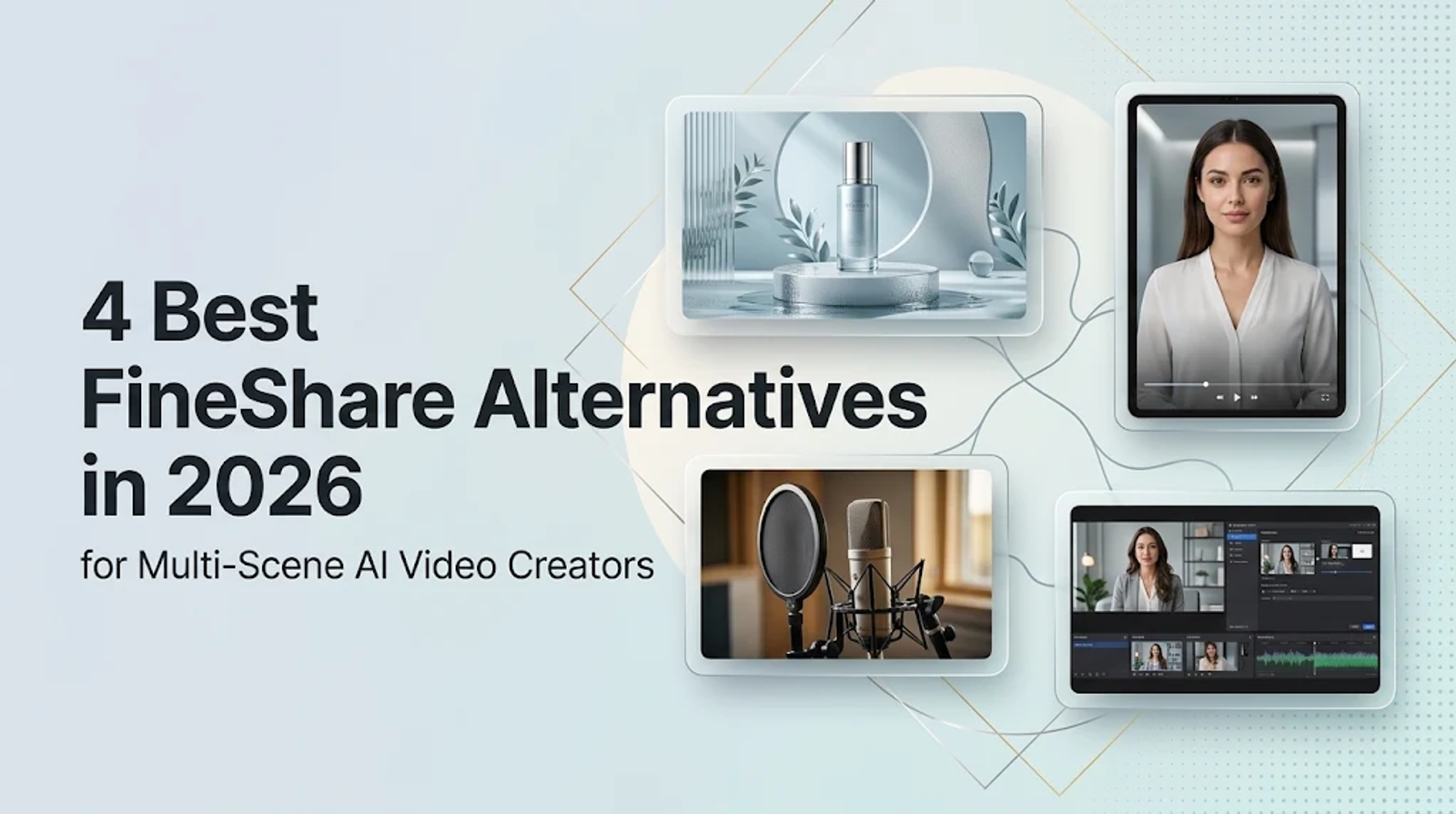
FineShare alternatives are much easier to evaluate once you isolate the specific task you want to replace. Because FineShare packages multiple utilities into one ecosystem, replacing the entire suite with a single platform usually makes little sense. Instead, this four-platform shortlist targets distinct production tasks: Wizstar covers connected AI video generation and talking avatars; HeyGen focuses on presenter-led avatar videos; ElevenLabs handles voice-first production and dubbing; and OBS Studio manages scene recording, streaming, and virtual-camera feeds.
Start with your primary deliverable. A practical replacement should preserve the parts of your existing pipeline that work while upgrading the specific controls, output quality, or pricing model you need to improve.
| Alternative | FineShare task it can take over | Strongest fit | Replacement scope |
| Wizstar | Vora video generation; FineVoice talking photos | Planned video sequences and talking avatars | Partial replacement |
| HeyGen | FineVoice talking-avatar content | Presenter videos using your voice and likeness | Specific video scenario |
| ElevenLabs | FineVoice narration, cloning, and dubbing | Voice-first production | Direct audio-task alternative |
| OBS Studio | FineCam virtual-camera output | Scene-based recording and streaming | Specific camera scenario |
Wizstar: Connected AI Video and Talking Avatars
Wizstar effectively replaces Vora-style text-to-video and image-to-video workflows as well as FineVoice’s talking-photo feature. Its main architectural advantage is connecting discrete generation steps into a structured video project, rather than leaving you to manage isolated clips or standalone portraits.
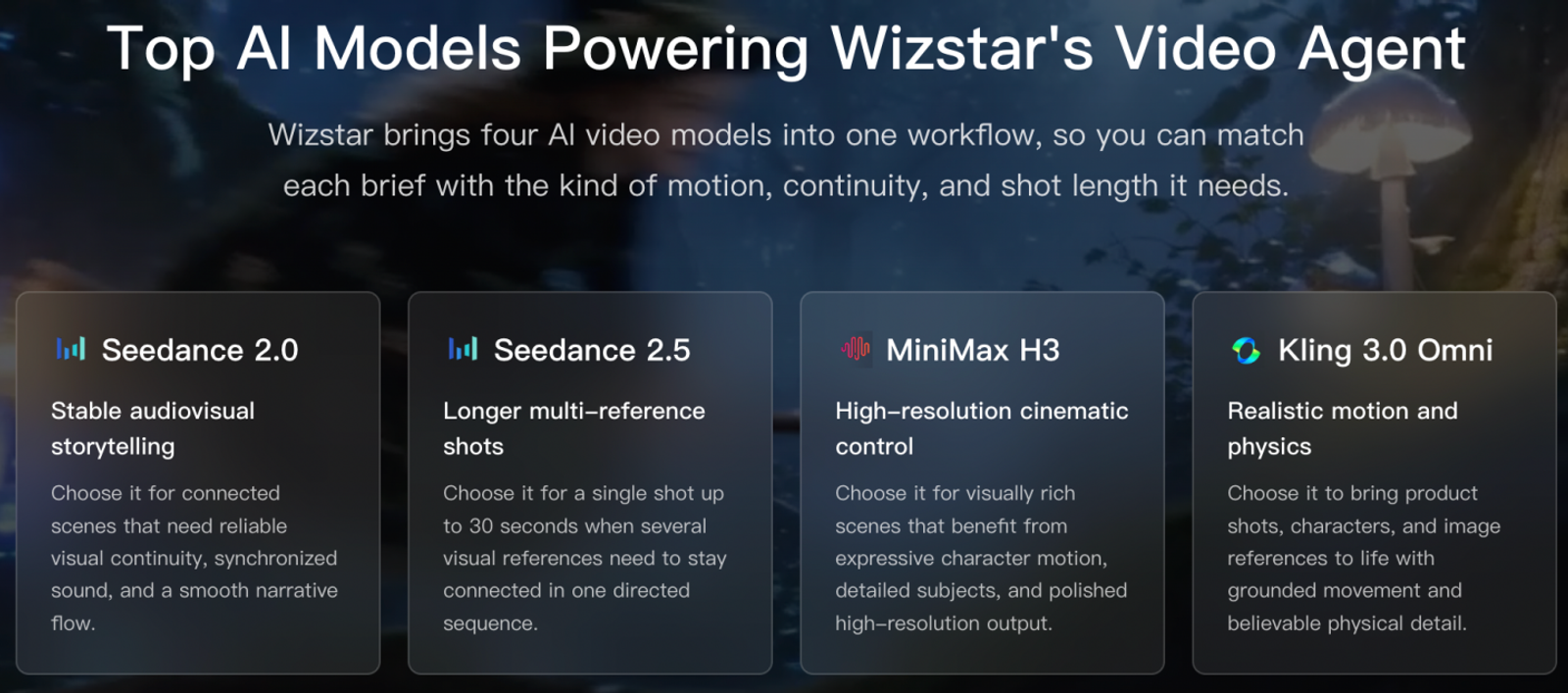
Its AI Video Agent helps creators plan shot sequences, coordinate generative models, and handle script-to-video iterations from a single creative brief, product reference, or source image. The platform integrates top-tier production models, including Seedance 2.5, Seedance 2.0, Kling 3.0 Omni, and MiniMax H3. For creators building multi-shot video ads or narrative clips, this model selection and planning capability simplifies the entire production pipeline.
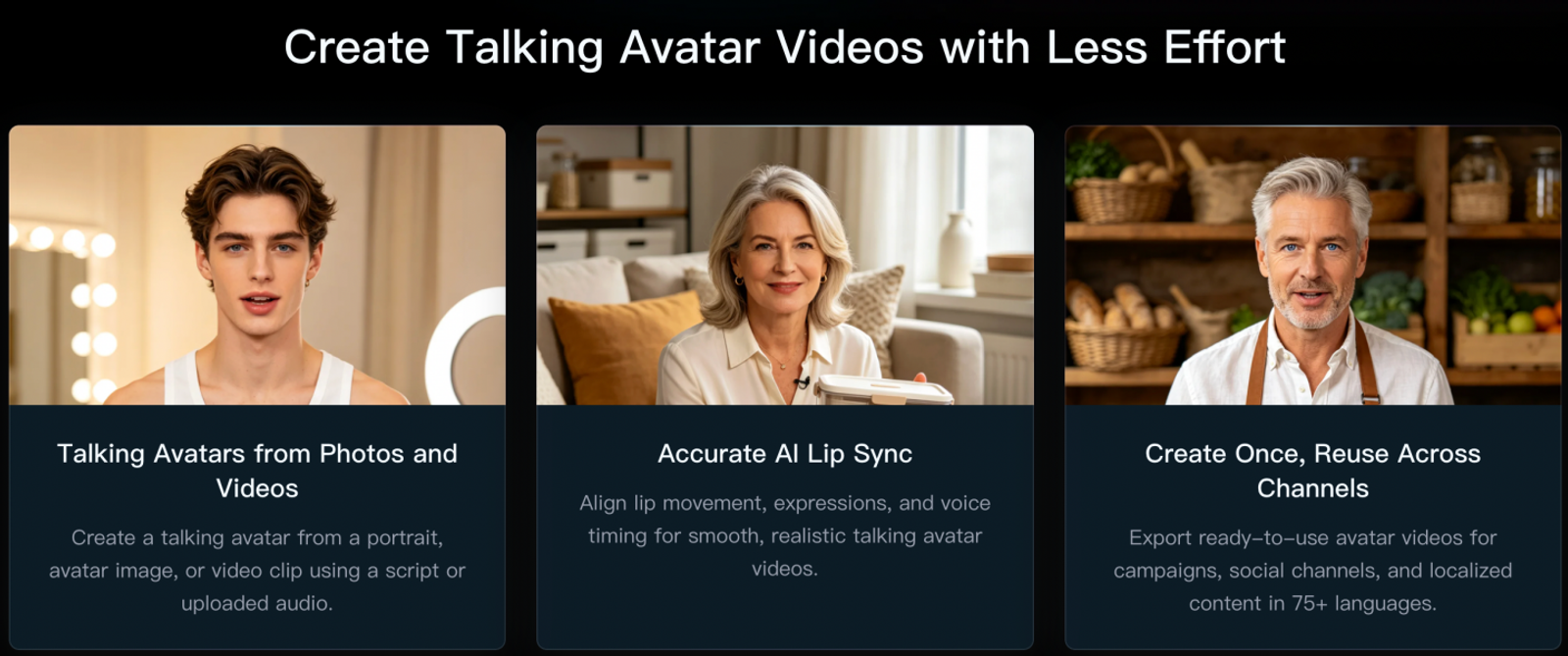
Meanwhile, Wizstar AI Avatar converts still photos or source footage into animated talking avatars driven by uploaded audio or written scripts, complete with lip synchronization across 75+ languages. This gives you a native talking presenter directly inside your video timeline. Wizstar's scope focuses strictly on generative video and avatar media; it does not install virtual webcam drivers like FineCam or modulate real-time microphone input like VoiceTrans.
Choose Wizstar if your primary goal is bringing sequence planning, multi-model video generation, and iterative scene revisions into a unified workspace. It is especially effective when an avatar serves as one component of a broader multi-scene video rather than the sole deliverable.
HeyGen: Presenter-Led Avatar Videos
HeyGen is built to handle the dedicated presenter workflow that FineVoice’s talking-photo feature touches upon: converting a written script into an on-camera performance delivered by a photorealistic digital human.
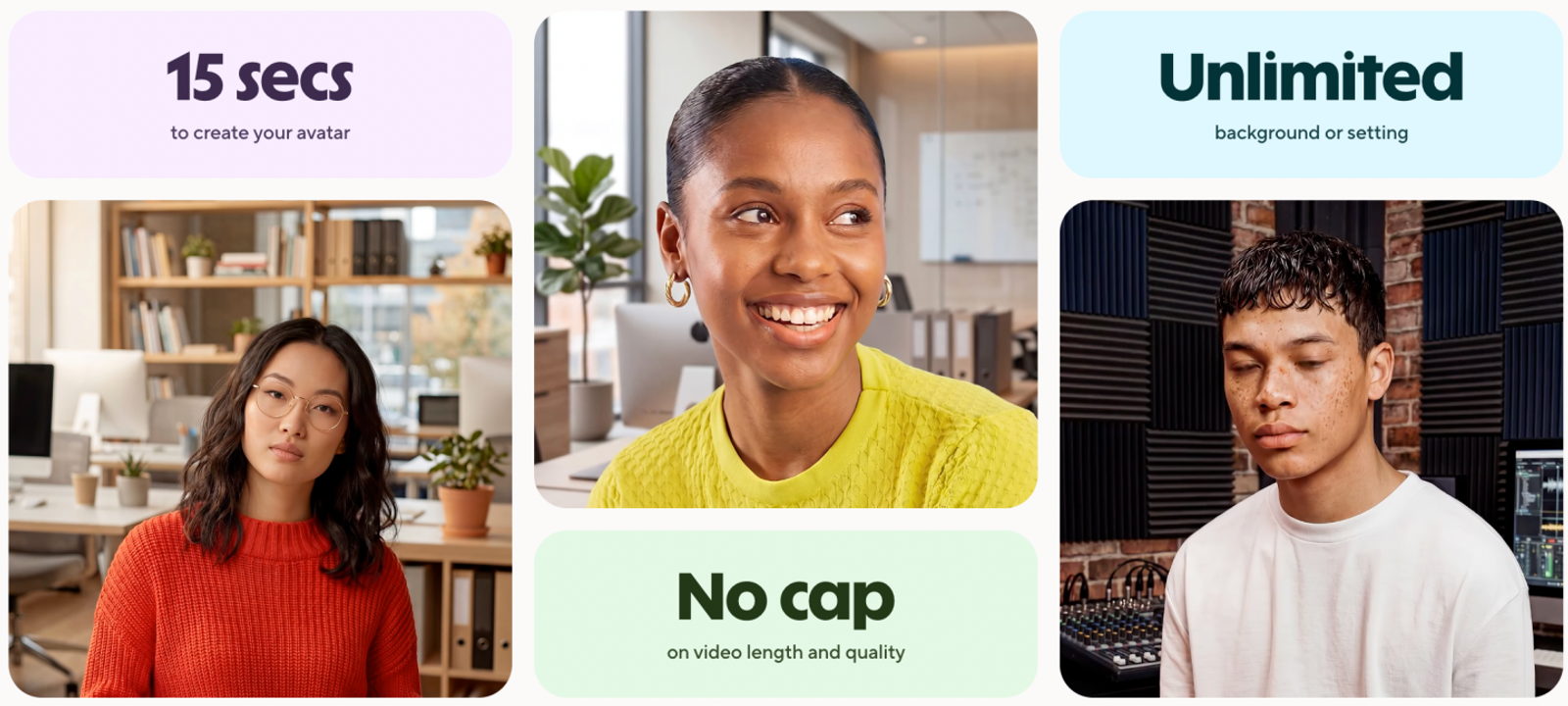
HeyGen provides custom studio avatars, personal likeness and voice cloning, support for 175+ languages and dialects, and standard 1080p export. These features make it a strong fit for educators, corporate trainers, and marketers who want a consistent digital spokesperson across localized video campaigns.
The platform is designed specifically around talking-head formats. It does not focus on generating cinematic B-roll, complex camera motions, or multi-model scene transitions. As such, HeyGen is a targeted replacement for FineVoice’s avatar output, not an alternative to FineShare’s desktop webcam utilities or audio toolsets.
Choose HeyGen when your entire video format relies on a reliable on-screen presenter and maintaining visual identity and personal voice likeness is your top priority.
ElevenLabs: Voiceover and Dubbing
ElevenLabs replaces FineVoice’s text-to-speech, voice cloning, and audio localization capabilities. Its exclusive focus is voice synthesis and professional audio engineering, where the final asset to approve is a clean vocal track rather than a video file.
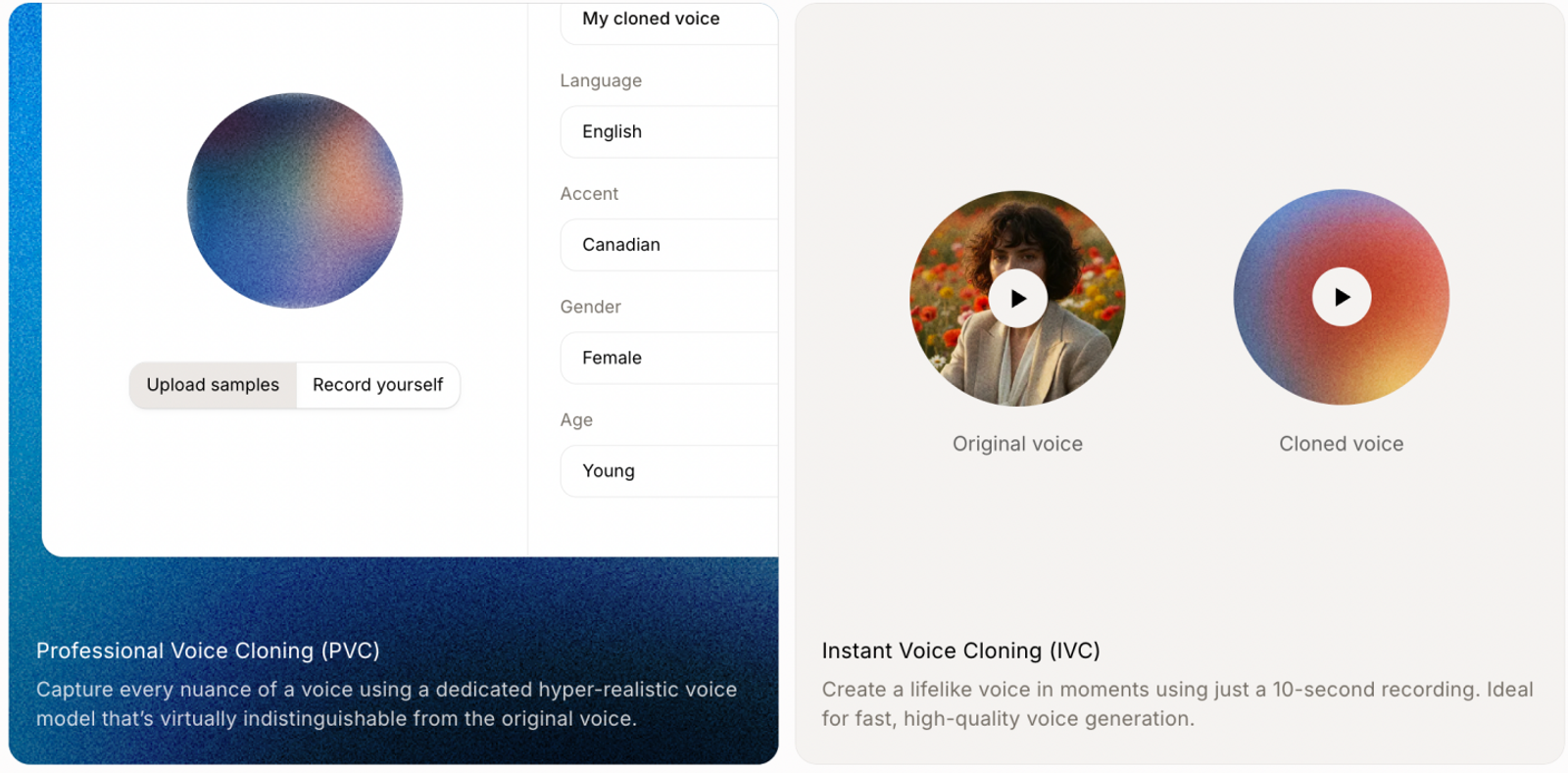
ElevenLabs offers Instant Voice Cloning, Professional Voice Cloning, and a dedicated Dubbing Studio. These tools provide granular control over speech pacing, stability, and emotional delivery, making it an industry standard for video narration, podcast localization, and dynamic character dialogue.
When you only need a voiceover, keeping your toolchain focused on dedicated audio software prevents unnecessary software bloat. Talking-avatar rendering and video capture lie outside ElevenLabs' scope. That boundary keeps production straightforward: generate high-fidelity speech, export the audio stems, and import them into your video editor of choice.
Choose ElevenLabs when vocal nuance and audio realism represent the core requirement of your workflow.
OBS Studio: Virtual Cameras and Live Streaming
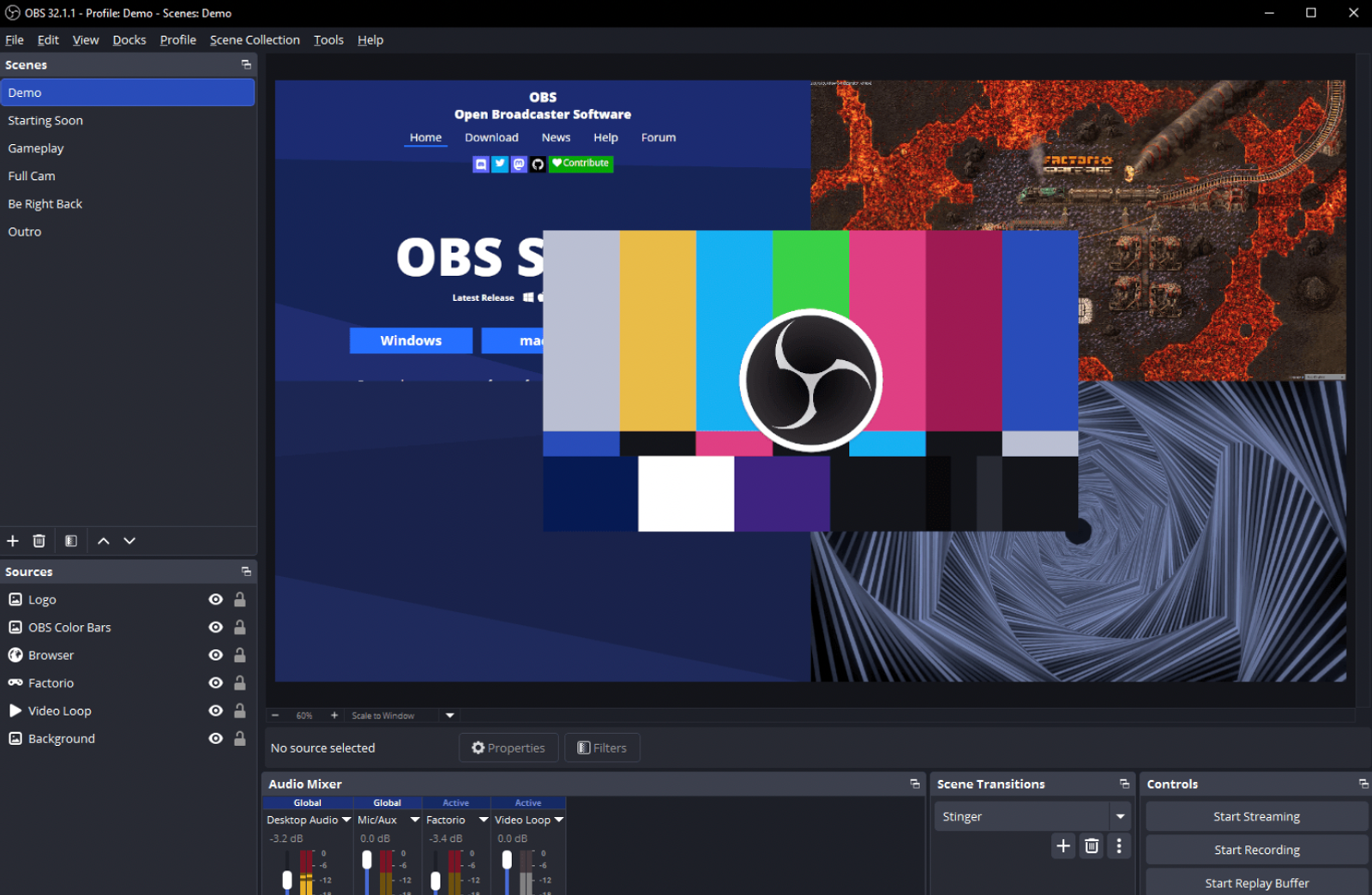
OBS Studio replaces FineCam’s scene composition, desktop recording, and virtual-camera output. Unlike the other generative platforms on this list, OBS is a live production utility rather than a generative AI engine.
OBS Studio is open source, free of charge, and runs natively across Windows, macOS, and Linux. Its Virtual Camera functionality allows you to route an entire OBS canvas—complete with camera inputs, screen captures, graphic overlays, and media sources—directly into conferencing apps like Zoom, Discord, Google Meet, or Microsoft Teams as a recognized webcam source.
This architecture centers your workflow on live scene management. OBS is a robust virtual-camera replacement, though it does not provide FineCam’s one-click mobile-as-webcam utility or automated background blur out of the box (both require third-party plugins or physical green screens).
Choose OBS Studio when your priority is live video routing, reliable screen capture, and complete control over multi-source video switching without paying a monthly subscription fee.
Pricing: compare the cost of the job
| Tool and plan | USD price and billing | Included allowance | Task to budget |
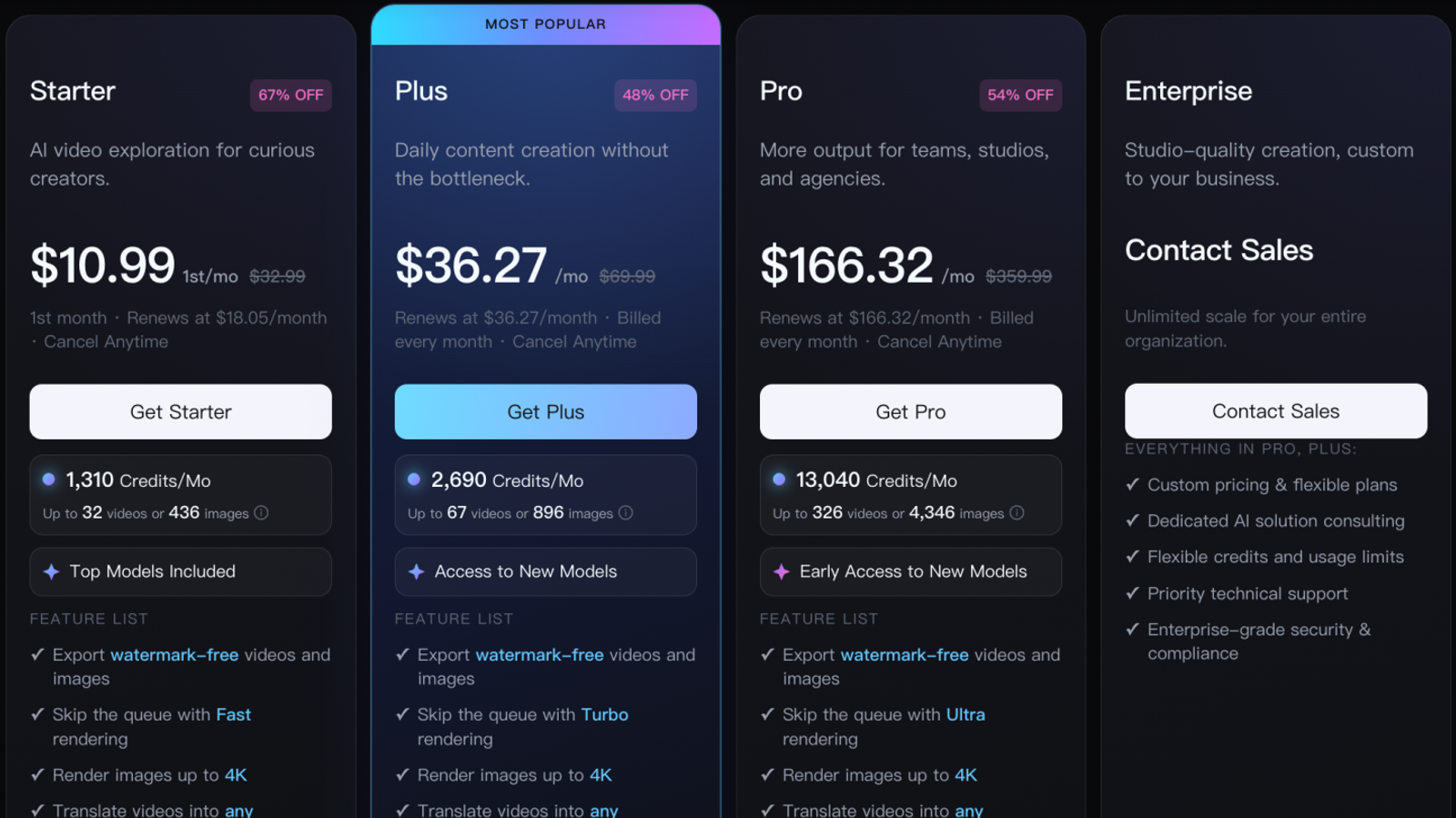
| Wizstar Starter | $10.99 first month; renews at $18.05/month | 1,310 credits/month | AI video and avatars |
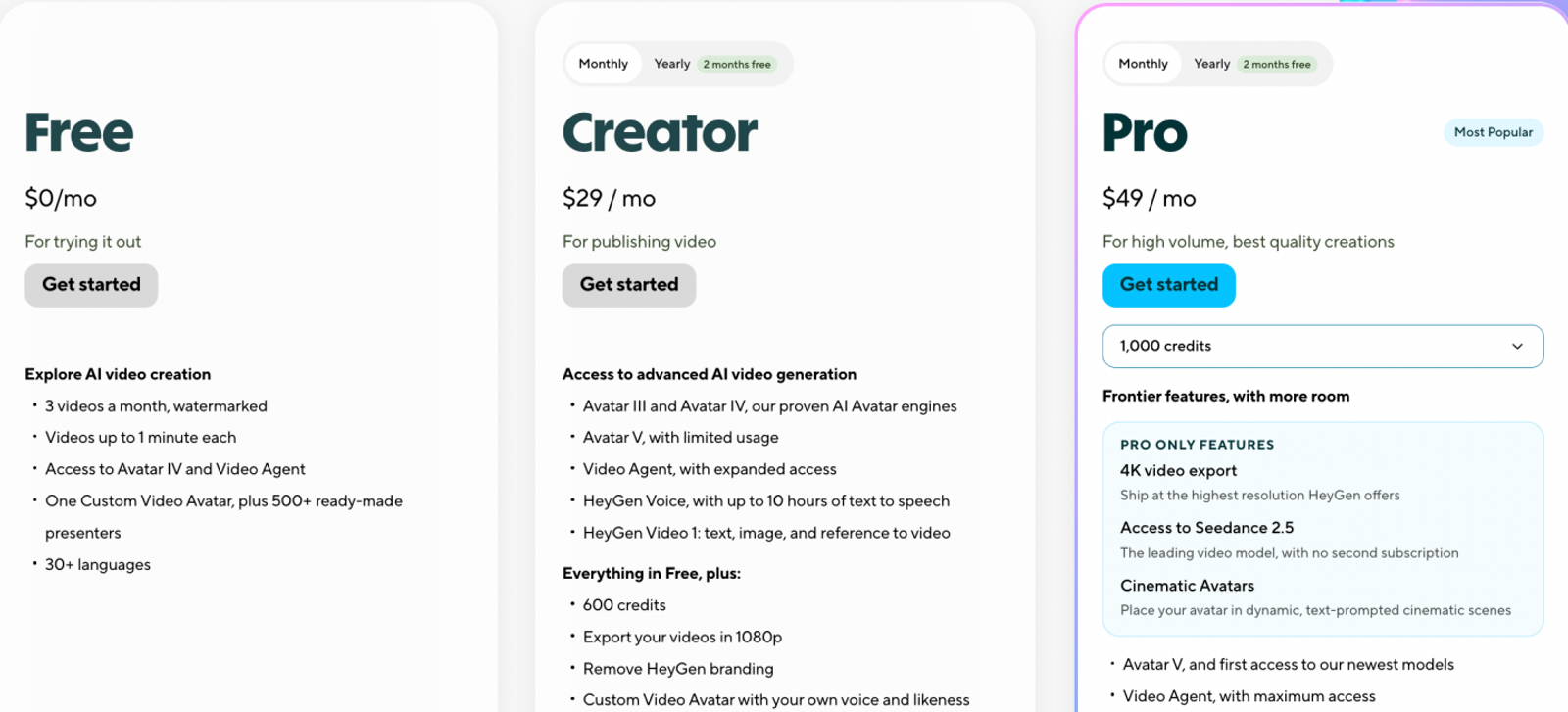
| HeyGen Creator | $29/month | 600 credits; 1080p export | Presenter videos |
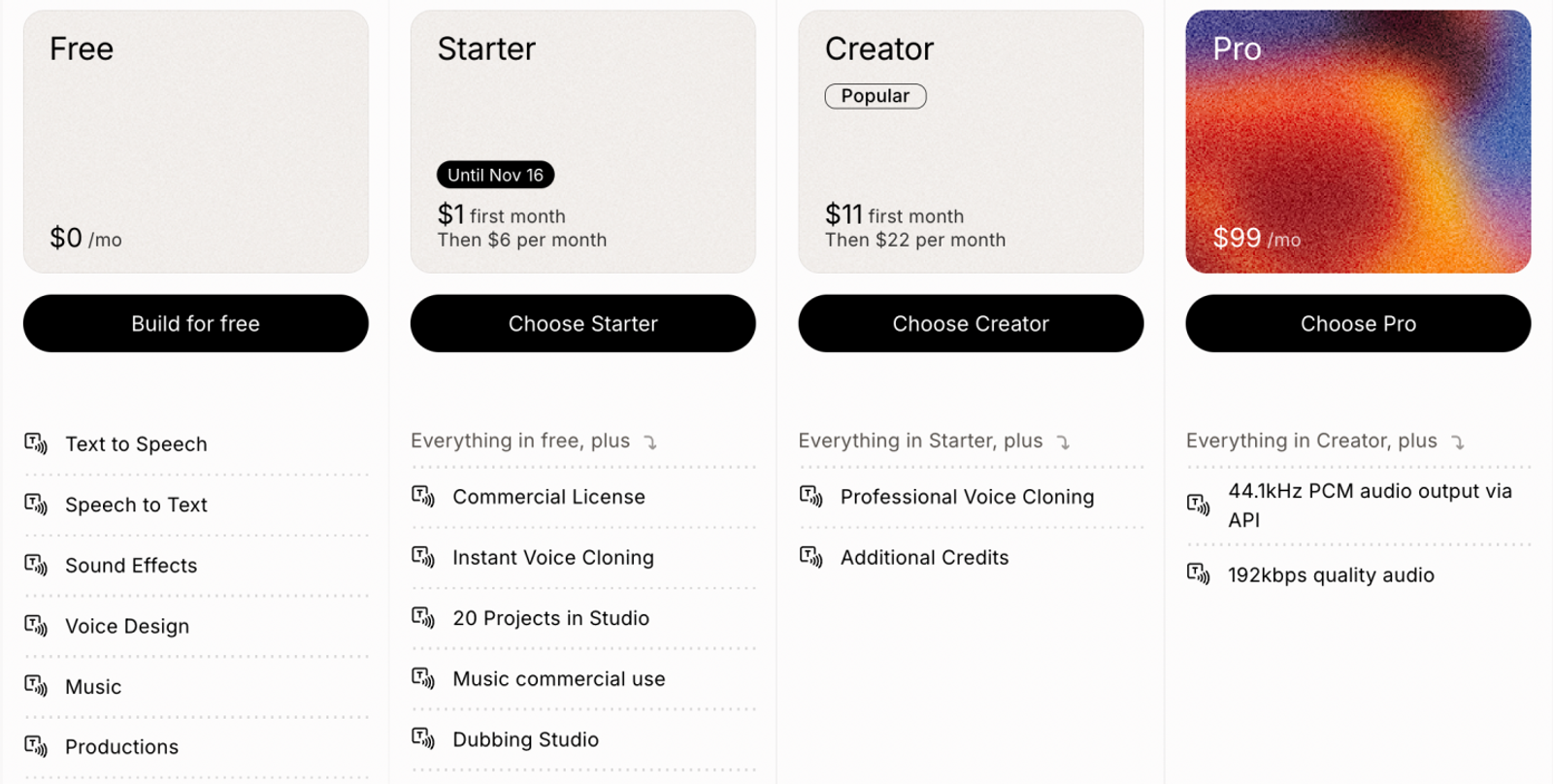
| ElevenLabs Starter | $1 first month, then $6/month | 30,000 credits/month | Voice and dubbing |
| OBS Studio | Free and open source | No paid generation quota | Recording and streaming |
For voice generation, FineVoice Basic and ElevenLabs Starter serve as direct entry-level benchmarks. ElevenLabs renews at $6 per month, whereas FineVoice Basic costs $8.99 per month for 100,000 TTS characters.That FineVoice rate equates to $0.0899 per 1,000 characters assuming you consume the entire monthly quota. Evaluate voice realism and interface control first, then use unit pricing to finalize your setup.
For digital presenters, HeyGen’s $29 monthly Creator plan lets you test personalized avatar generation on a month-to-month commitment. Because its 600 credits are tied directly to avatar generation minutes and processing tiers, budget directly within HeyGen’s own calculator rather than attempting a raw credit-for-credit comparison against other suites.
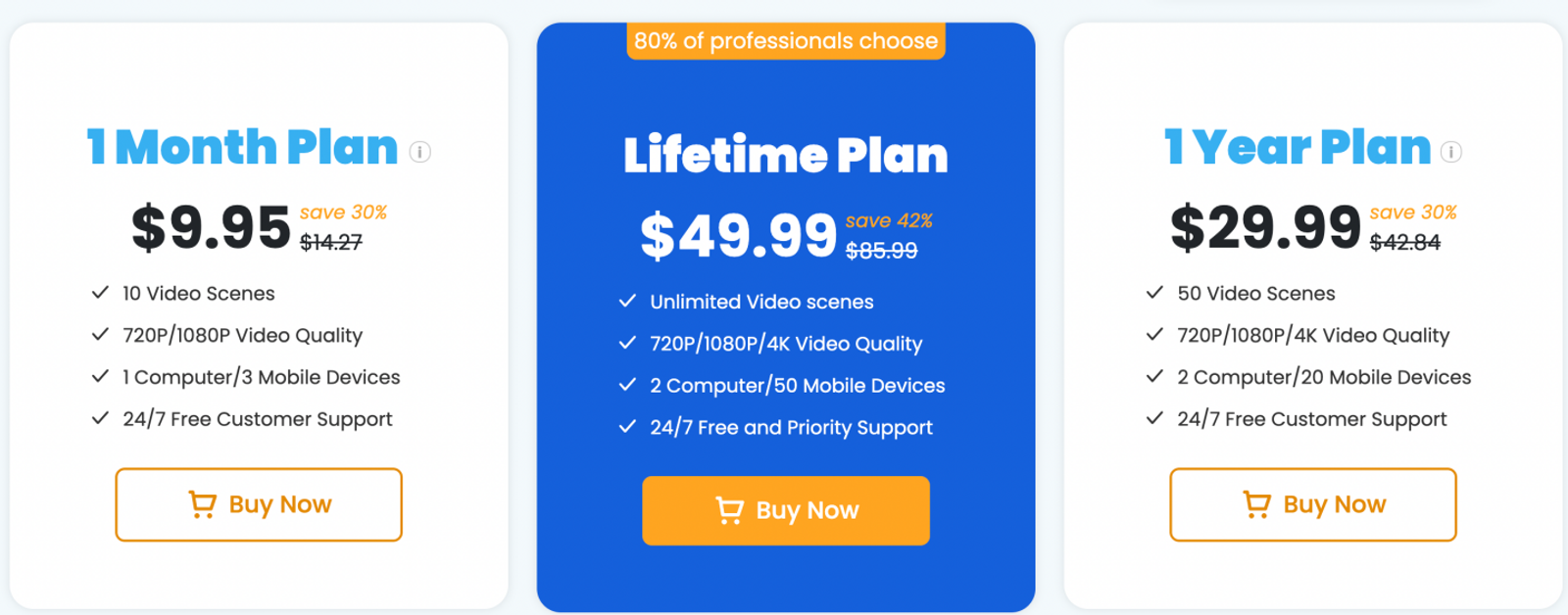
For webcam and virtual-camera duties, OBS Studio eliminates subscription fees entirely. FineCam’s $9.95 single-month license may still appeal if you specifically require its packaged phone-webcam integration or quick AI filters without installing third-party plugins. Here, the purchase covers utility software rather than compute-heavy cloud rendering.
For generative video shots, Wizstar’s monthly renewal allocation works out to approximately $0.01378 per credit. For example, a 5-second 720P Kling V3 Omni shot consumes 30 credits (at 6 credits per second), representing about $0.41 of your monthly subscription credit allocation when fully utilized. (This baseline calculation excludes repeated generations, additional workflow steps, unspent balances, taxes, and add-on credit packs.) Budget your projects around specific shot durations and required models, leaving room for iterative retries.
Which replacement should you choose?
Select the replacement that directly addresses your primary production bottleneck:
- If your content centers exclusively on a digital spokesperson delivering scripted monologues with your personal likeness, HeyGen provides the cleanest presenter-focused environment.
- If your deliverable is strictly voiceover tracks, character narration, or multilingual dubbing, ElevenLabs remains the benchmark for audio fidelity.
- If you need to composite visual sources and feed them into video calls or streaming software, OBS Studio provides professional live control without recurring software fees.
- If Vora’s standalone generations feel fragmented and you need scripted scene planning with multiple video models and talking avatars, Wizstar delivers an end-to-end production workflow.
Before shifting an entire pipeline, run a test project using a representative script, video scene, or camera layout to confirm output quality and interface fit.
FAQ
- Do unused FineVoice characters and minutes carry over to the next month?
- No. FineVoice characters and audio minutes expire at the end of each billing cycle and do not roll over. Calculate your expected monthly narration volume before selecting a plan tier so you do not leave paid character allowances unused. Because terms across FineShare’s individual tools vary, always verify rules within your specific product dashboard.
- Can I use FineVoice-generated AI voices for commercial purposes?
- Yes. FineVoice grants commercial rights for its standard official voices and custom-trained personal voice models. However, using voices that emulate copyrighted or celebrity voices without authorization is prohibited. Always confirm the commercial licensing terms attached to your selected voice model before publishing monetized content.
- What should I do if FineVoice-generated audio quality is poor?
- Inspect your source audio first. Ambient background noise, acoustic room reverb, and inconsistent microphone levels degrade synthesis and voice cloning quality. While FineVoice provides a built-in AI Voice Enhancer, cleaning the raw audio input at the microphone level produces significantly better results. Test a 10-second reference sample to ensure clarity before running full batches.
- How do I cancel my Wizstar subscription?
- You can cancel your Wizstar subscription at any time directly through your account billing settings. Once canceled, your plan features and remaining credits remain active through the end of the current paid billing cycle. Check your billing portal to confirm your expiration date and keep the cancellation receipt for your records.
- Can I try Wizstar’s AI avatar generator for free?
- Yes. Wizstar offers a free trial tier that does not require a credit card, granting 20 credits upon signup. You can use these initial credits to test photo animation, voice synchronization, and output quality with a brief script before choosing a paid monthly tier.