Paid social teams need more than one product image. A campaign may require a thumb-stopping opening frame, a square feed asset, a vertical story variation, a retargeting concept, and several creative directions for testing. Starting every concept from a blank canvas slows the team down. Rebuilding every scene through a full photoshoot can also make early creative exploration expensive.
GPT Image 2.5 for social media ads is most useful when an approved product image remains the visual anchor. The model can help develop new scenes, crops, visual hooks, and campaign directions around that asset. The goal is not to assume that AI-generated creative will automatically improve click-through or conversion rates. The goal is to produce more relevant, reviewable options for a paid social workflow.
OpenAI describes GPT Image 2.5 as better at preserving subjects from reference photos, following targeted edit instructions, and maintaining results across multiple edits. Its API documentation identifies GPT-Image-2.5-Sunburst for workflows where editing precision matters most and GPT-Image-2.5-Flare for faster everyday generation and editing. Current details are available in the official OpenAI image generation documentation.
Start with the product and the ad job
Before generating a social media ad creative, define two things: what must remain true about the product and what the ad needs to communicate in its first moment.
Record the product details that should not drift:
- product shape and proportions
- packaging color and material
- logo and label placement
- distinctive parts such as caps, buttons, seams, or handles
- approved claims and visible text
- camera angle or product orientation
Then define the advertising job. Is the first frame meant to demonstrate a use case, introduce a new product, frame a seasonal offer, create a premium mood, or stop a specific audience from scrolling?
“Put the product on a beach” is a scene request. “Show the product as a compact travel solution, with the subject large in frame and clear space for a short benefit line” is an ad brief.
This distinction matters because a visually attractive scene may still fail as paid social creative if the product is too small, the message is unclear, or the environment does not support the offer.
Design the first frame before the full image
Social media ads compete in crowded feeds. The opening frame needs a clear visual hierarchy before anyone reads the caption or secondary copy.
I evaluate a first frame with four questions:
- Can the viewer identify the product quickly?
- Is there one dominant visual idea?
- Is the contrast strong enough for the intended placement?
- Is the message space deliberate rather than accidental?
Use the prompt to define this hierarchy:
Create a vertical paid social ad using the provided product image as the exact product reference. Make the product large and immediately recognizable in the lower two-thirds of the frame. Use a bold contrasting background that supports the product color. Leave the upper third clear for a short headline. Preserve the product shape, label, logo, cap, and proportions. Do not add competing objects.
This is not a guarantee of performance. It is a way to make the creative hypothesis visible and easier to review.
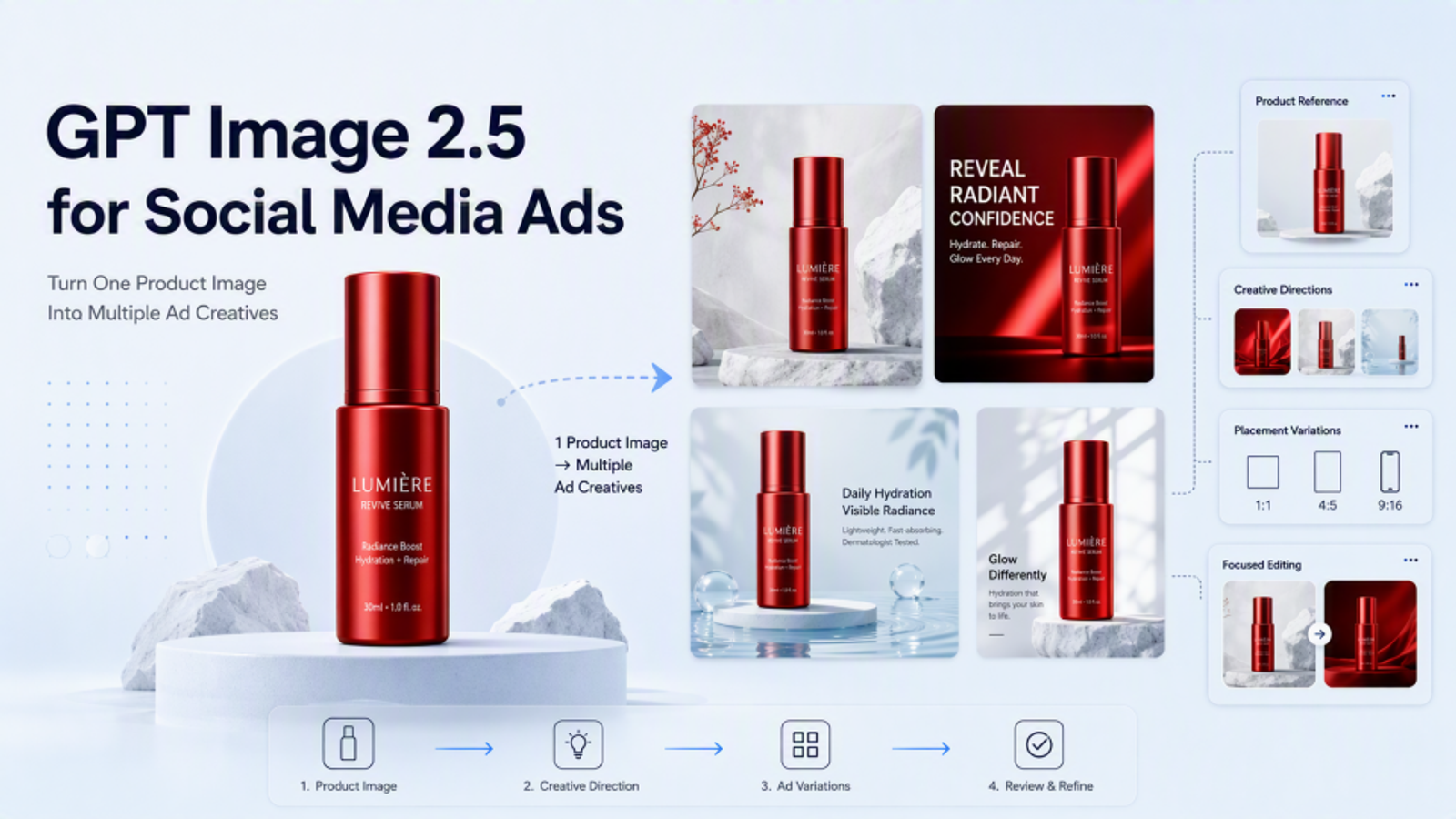
Turn one product image into multiple creative directions
Product ad images are more useful when each variation tests a different communication idea. Avoid generating several images that differ only in decoration.
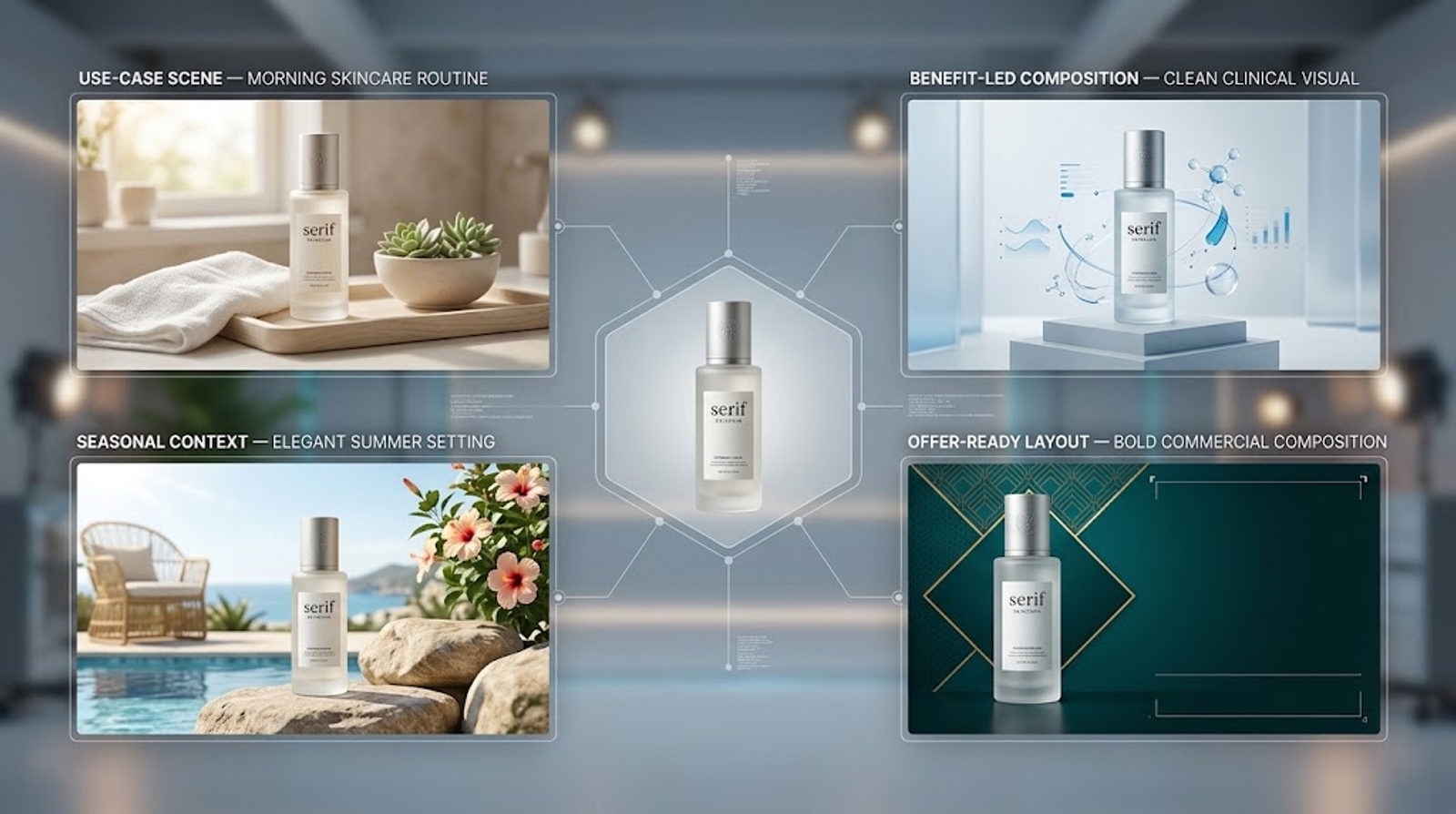
Useful creative directions include:
- Use-case scene: Show when or where the product belongs.
- Benefit-led composition: Make the visual support one clear product benefit without inventing a claim.
- Seasonal context: Use a time-sensitive setting or prop while keeping the product stable.
- Audience cue: Reflect a relevant environment, routine, or visual language.
- Problem-to-solution frame: Show a recognizable situation without implying unsupported results.
- Offer-ready layout: Create intentional space for an approved price, promotion, or call to action.
For example:
Create three distinct paid social concepts using the provided skincare product as the fixed visual anchor: a calm morning routine, a clean clinical setting, and a compact travel scene. Keep the product scale, packaging, logo, and color consistent in every concept. Give each concept a different focal composition and leave approved copy space.
If the variations become too inconsistent, generate them one at a time with a stable visual brief. The purpose of multiple concepts is to compare creative angles, not to lose control of the product.
Use composition to support information expression
AI ad design often fails when the image looks polished but gives the message nowhere to go. Decide which parts of the frame are reserved for:
- headline
- offer or price
- product benefit
- logo or brand signifier
- legal or qualifying copy
- interaction cue or call to action
Then describe those areas in the prompt:
Recompose the product image for a 9:16 story placement. Keep the product fully visible on the left side. Leave the right side visually quiet for headline and offer text. Match the original light direction and preserve the packaging details. Do not crop or redesign the product.
Generated copy should not be treated as final simply because it looks plausible. OpenAI lists precise text placement and clarity among remaining limitations. For prices, promotional terms, disclaimers, and regulated claims, place final text in the team’s design system after the image is approved.
Adapt the same idea to platform placements
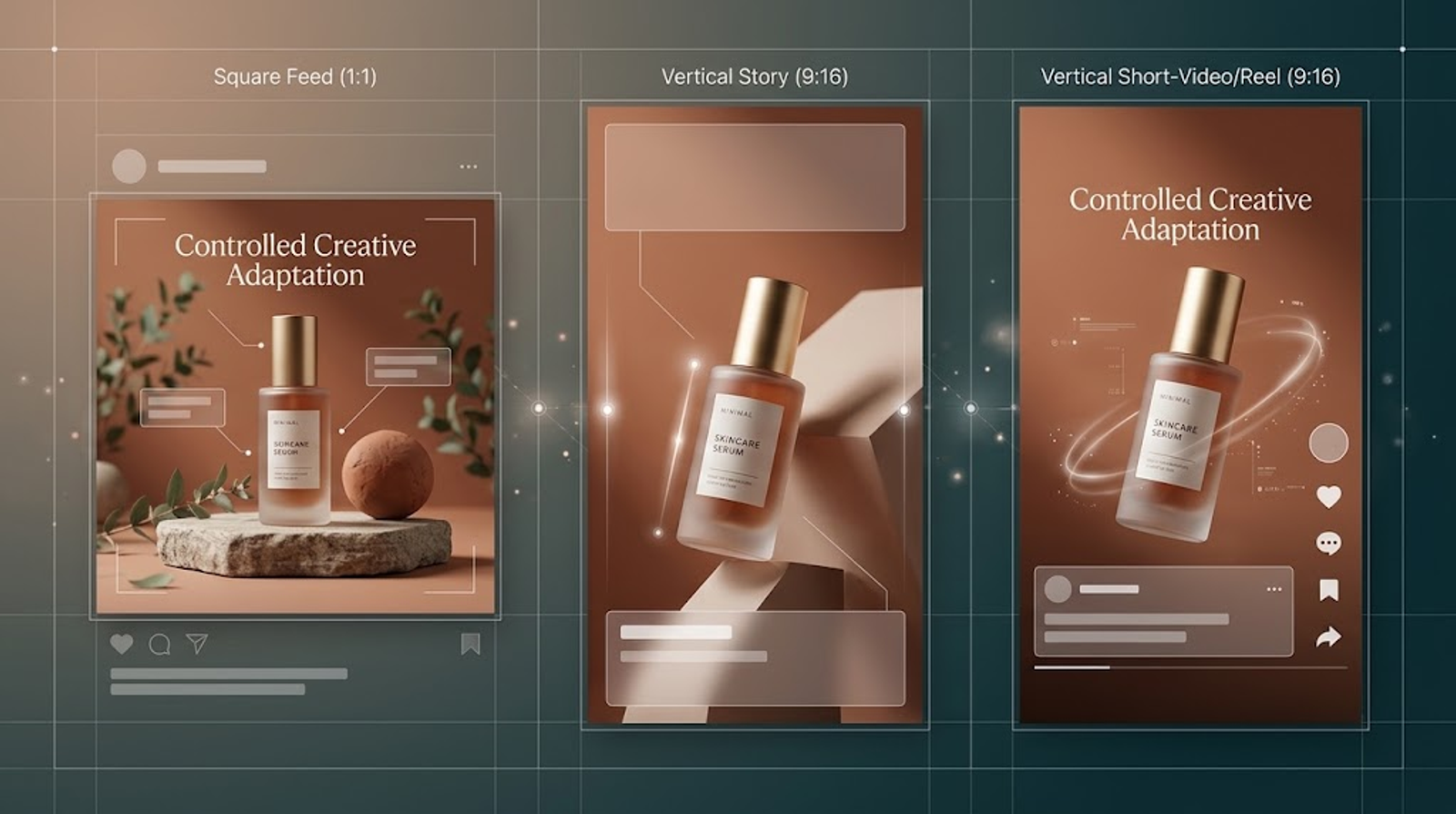
Platform adaptation is more than changing the canvas size. A social media ad creative may need to work in a feed, story, reel, or other placement with different viewing conditions and text-safe areas.
For each placement, consider:
- aspect ratio and crop risk
- product scale at mobile size
- where platform UI may overlap
- how quickly the visual reads without sound
- whether the headline remains legible
- whether the focal point survives a tighter crop
A useful instruction is:
Adapt this approved concept for a square feed placement and a vertical story placement. Keep the product identity, lighting direction, color treatment, and central message consistent. Rebalance the negative space for each format rather than stretching the original composition.
This creates a controlled family of assets. It does not remove the need to inspect each placement separately.
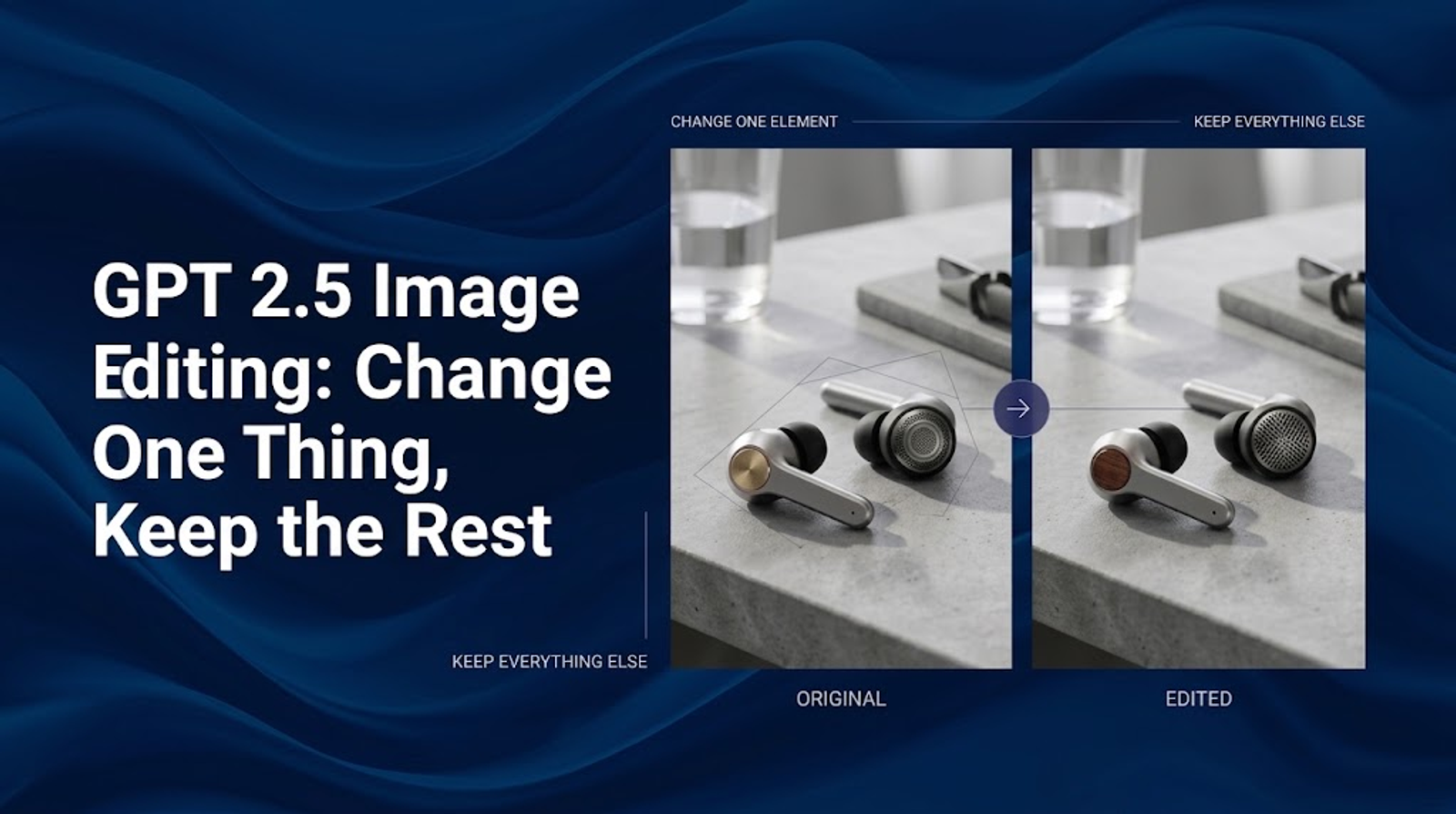
Use product image editing for focused creative changes
Once a concept is working, use product image editing for local revisions instead of asking for a full redesign.
Examples include:
- changing a seasonal background color
- replacing one prop
- adding a gift ribbon
- removing a distracting object
- changing the product’s position within the frame
- adjusting the amount of copy-safe space
Write the change and the preservation boundary together:
Change only the background from warm beige to deep cobalt blue. Preserve the product shape, packaging, logo, label text, reflections, camera angle, and shadow. Keep the composition suitable for a vertical paid social ad.
When the target has a clear physical area, a mask can provide additional guidance. OpenAI’s documentation states that the image and mask must have the same format and dimensions, and the mask must include an alpha channel. It also cautions that the mask is guidance rather than a guarantee of exact boundary following.
Inspect the product edge and nearby shadows after a masked edit. A background change can still alter reflections or the apparent material of the product.
Keep the product truthful while making the ad more dramatic
Paid social rewards attention, but attention should not come from a misleading product representation. Separate creative exaggeration from factual implication.
Usually safer changes include:
- a more distinctive background color
- a stylized but plausible environment
- stronger composition and contrast
- seasonal props that do not touch the product claim
- visual metaphors that are clearly presented as concepts
Higher-risk changes include:
- showing a product performing an unsupported function
- changing the apparent size, quantity, or material
- implying a result, certification, or ingredient not established by the source
- adding before-and-after evidence that was not supplied
- placing the product in a context that suggests a regulated use
The final question is not whether the scene is photorealistic. It is whether a reasonable viewer could infer something materially false from it. Human review remains necessary for commercial and regulated content.
Build visual consistency across paid social creative
A growth team may need dozens of marketing visual content variations. Consistency helps the audience recognize the brand while still allowing different hooks.
Define a compact visual system:
- lighting direction and softness
- color treatment
- product scale range
- camera language
- background and surface materials
- prop density
- acceptable level of visual drama
- copy-safe areas
A reusable brief might say:
Brand style: energetic but premium, warm directional light, saturated accent colors, clear product focus, restrained props, high contrast, and generous space for short mobile copy.
Keep this brief stable while changing the creative idea. OpenAI notes that GPT Image models can still struggle with recurring brand elements and precise layout-sensitive composition. Visual consistency should be checked against approved references rather than assumed.
Choose Sunburst or Flare by creative need
OpenAI positions Sunburst for workflows where editing precision matters most and Flare for faster, high-quality everyday generation. For a careful product revision, a multi-step campaign asset, or a visual that needs repeated inspection, Sunburst is the more relevant starting point. For quick concept exploration and higher-volume variations, Flare may be more practical.
This is a workflow recommendation, not a universal performance ranking. Results can vary with the input image, prompt, quality setting, and API configuration. The API also supports controls for size, quality, format, compression, and background. Use lower settings for rough concepts and compare higher settings for final candidates.
A practical paid social creative workflow
Use this sequence to move from product image to ad creative:
- Select the approved product image. Confirm identity, rights, and packaging accuracy.
- Define the audience and placement. Name the platform context, viewing condition, and available copy space.
- Write the first-frame hypothesis. State what should catch attention and what the viewer should understand.
- Set the preservation boundary. List product details, brand elements, and claims that must not change.
- Generate a small set of distinct concepts. Change the communication angle, not just the decoration.
- Adapt promising concepts to placements. Rebalance the composition for feed, story, or other formats.
- Inspect the product and message. Check recognition, hierarchy, text, crop safety, and unintended changes.
- Iterate with a focused edit. Narrow the prompt or use a mask when the drift is local.
- Finish exact design elements. Add final copy, pricing, legal language, accessibility details, and tracking variants.
- Record the creative decision. Keep the source, prompt, references, model, settings, and approved outputs together.
This workflow creates more options without treating every generated image as a finished advertisement.
When GPT Image 2.5 is a good fit for social ads
GPT Image 2.5 is a practical fit when a team has an approved product image and needs more visual directions quickly: lifestyle concepts, seasonal frames, placement variations, or early paid social hypotheses.
It is a weaker fit when the asset must reproduce tiny packaging text without review, prove an exact product condition, document a regulated claim, or serve as the sole evidence for a performance statement. In those situations, use AI to explore the creative direction and rely on approved photography, design production, and human review for the final ad.
Do not judge the workflow by the number of images generated. Judge it by whether the team can produce relevant, accurate, reviewable concepts and make better creative decisions with the available time.
Final takeaway
GPT Image 2.5 for social media ads works best when the product image remains the source of truth and the prompt defines a clear advertising job. Design the first frame, give each variation a distinct communication purpose, adapt the composition to the placement, and inspect the product and message before approval.
AI-generated creative may increase the number of ideas a team can review, but it does not prove that any single image will improve CTR, conversion rate, or return on ad spend. The useful workflow is disciplined: generate hypotheses, check product truth, finish exact design elements, and let campaign results—not assumptions—determine what deserves further investment.
Turn your product images into scroll-stopping social ad creatives with Wizstar. GPT Image 2.5 is coming soon to Wizstar—stay tuned and get ready to create more engaging visuals for your next campaign.