The short answer
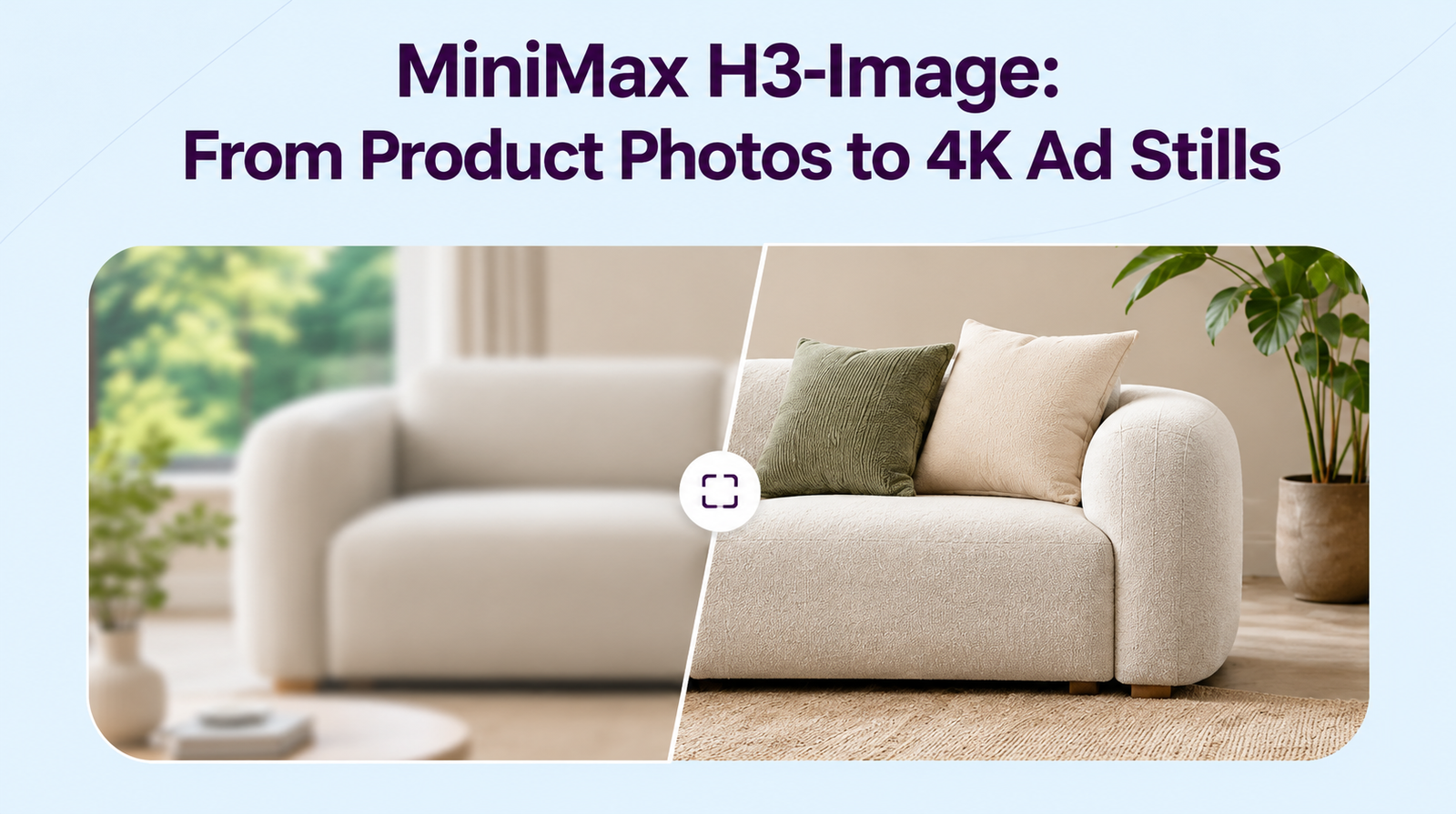
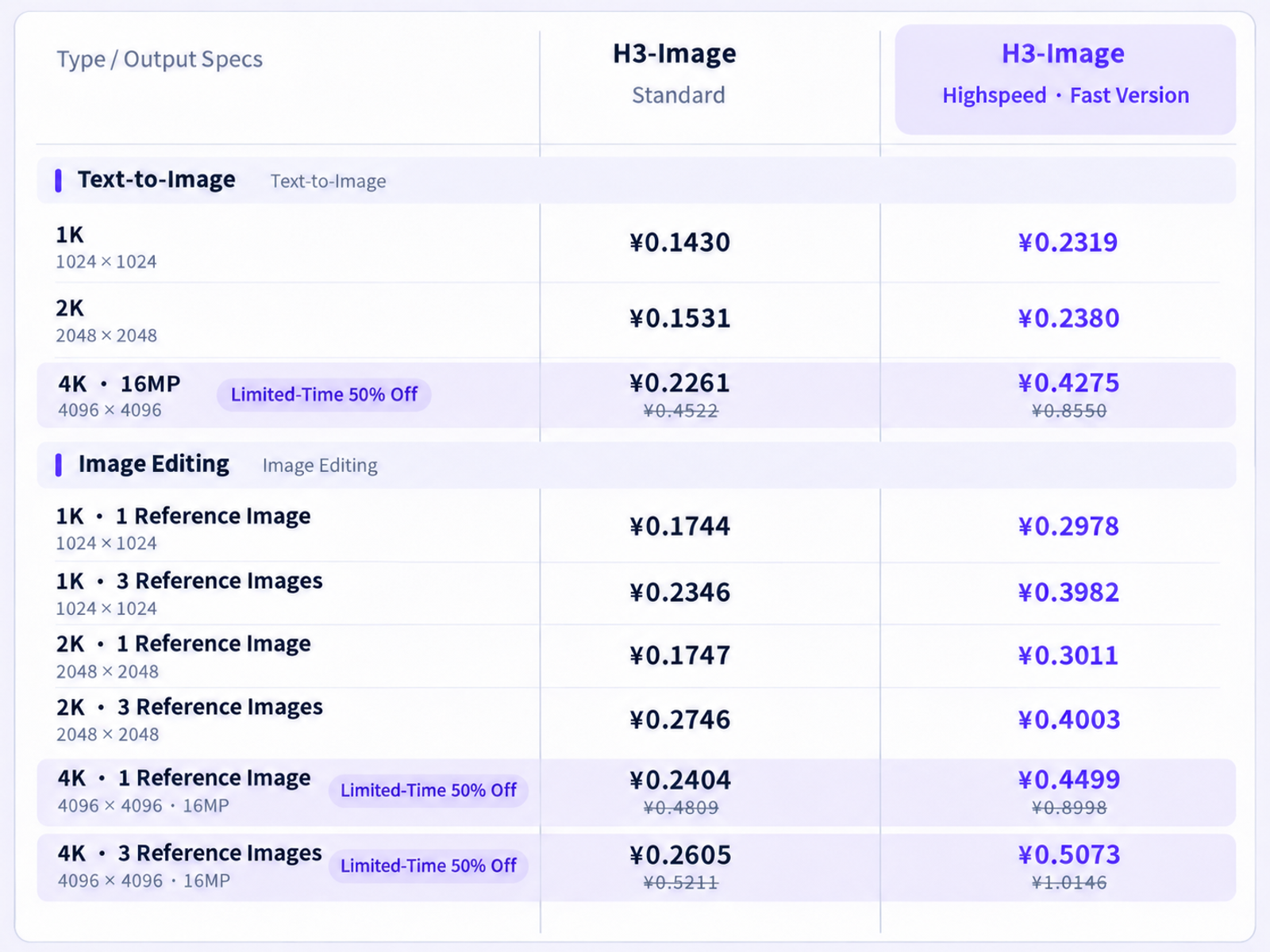
MiniMax H3-Image can turn an approved product photo and visual references into a 4K ad still for review. MiniMax describes it as an image generation and editing model with 4K output and support for multiple references. For ecommerce, DTC, and ad teams, that gives you a way to try a new scene around an existing product. The workflow below follows MiniMax’s documentation and uses an illustrative brief. The finished still needs to pass product, placement, and usage checks before it goes into an ad.

What Can H3-Image Add to a Product Photo?
H3-Image can put the product into a new setting and use separate images to guide lighting and composition. A catalog photo of a steel bottle, for example, could become the subject of a studio ad with a warm backdrop and room for a headline.
4K Output and MiniMax’s Speed Claim
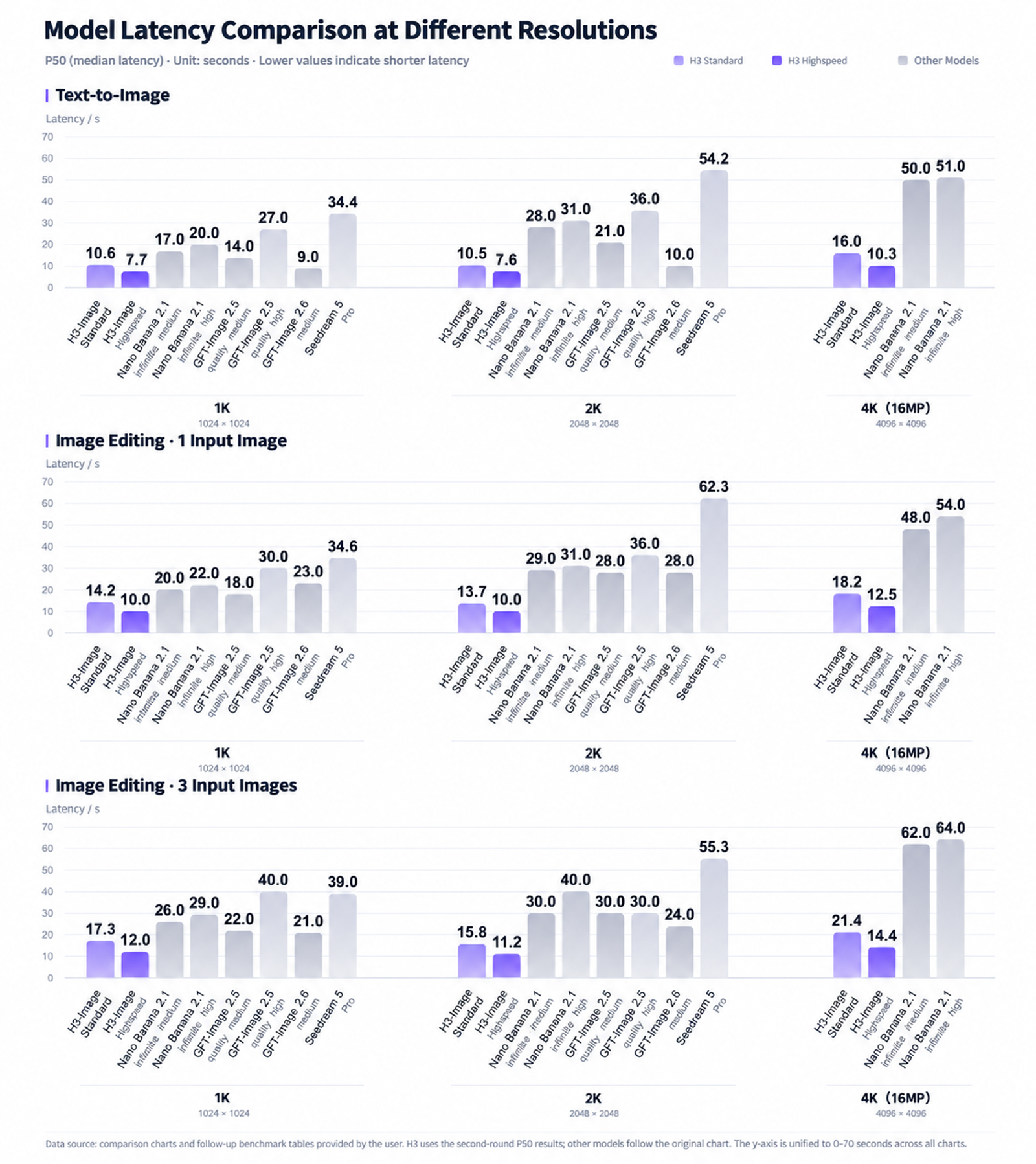
MiniMax says H3-Image can generate a 4096 × 4096 image, about 16 megapixels, in under 10 seconds. That figure describes generation. Budget time separately for uploading references, making a revision, checking the product, and approving crops. The extra pixels give a designer room to crop and inspect small details, including whether a wordmark still matches the original. The figures come from the MiniMax H3-Image announcement.
Up to 16 References for Subject, Style, and Layout
H3-Image accepts up to 16 reference images. For one SKU and one composition, I would start with three. Use the approved photo for the product, a lighting image for the mood, and a sketch for placement. A fourth image earns its place if it answers a specific question, such as what the cap looks like from an angle the main photo barely shows.
How Do You Create One Product Ad Still?
Start with an approved photo of the exact SKU and variant you plan to advertise. Generate one composition, compare it with the source, and ask for one change if a specific element fails review.
Choose an Approved Product Photo and Reference Roles
For this example, use a three-quarter photo of a brushed steel water bottle with a black cap and a readable front logo. Choose an approved reference with soft side light and an in-house sketch with the bottle slightly right of center. Mark the planned 4:5 and 9:16 crops on the sketch so you can see where the bottle and headline need to fit.
Illustrative brief
Create one square 4K still for a paid social ad. Use Image 1 for the exact bottle, including its silhouette, cap, finish, and logo. Use Image 2 for the warm backdrop and soft light from the left. Use Image 3 for placement, keeping the bottle within the marked crop area and leaving room above it for a headline. Leave that area blank for approved copy.
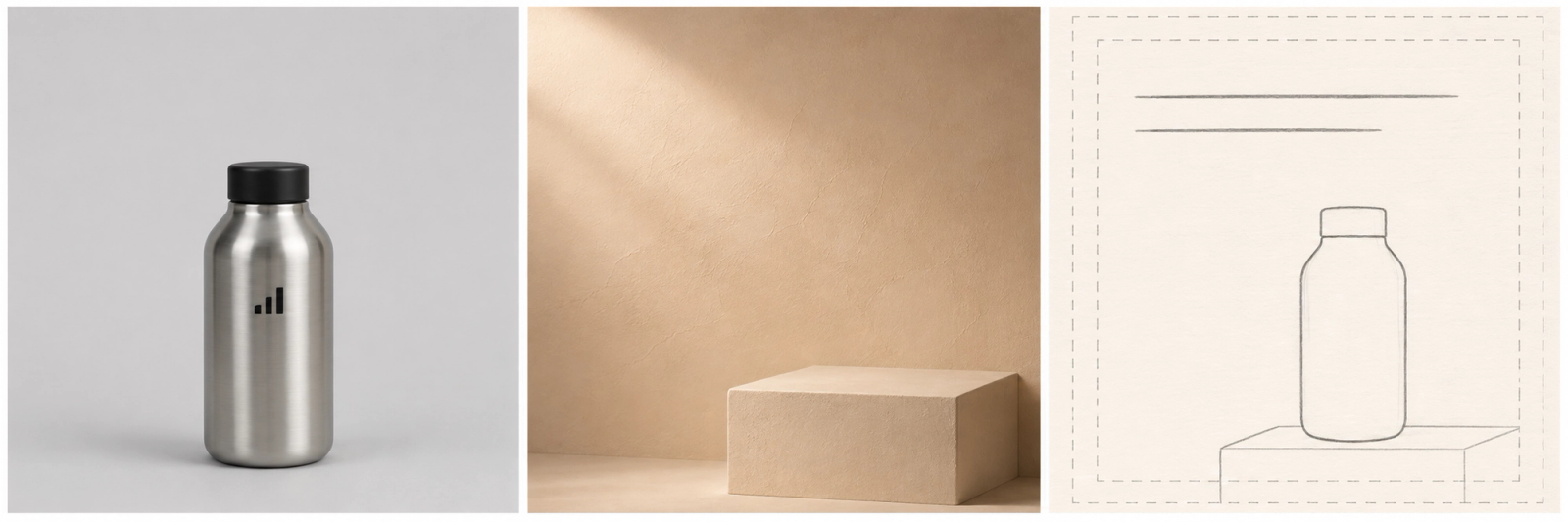
Figure 1. From left to right: product identity, lighting, and placement.
Generate a Draft and Refine the Composition
If H3-Image is available in your signed-in workspace, open a desktop project, attach the three images in order, and paste the brief into the project chat. Request one square 4K draft and check the downloaded file’s dimensions. PNG, JPEG, and WebP are listed on the H3-Image page in MiniMax Design.
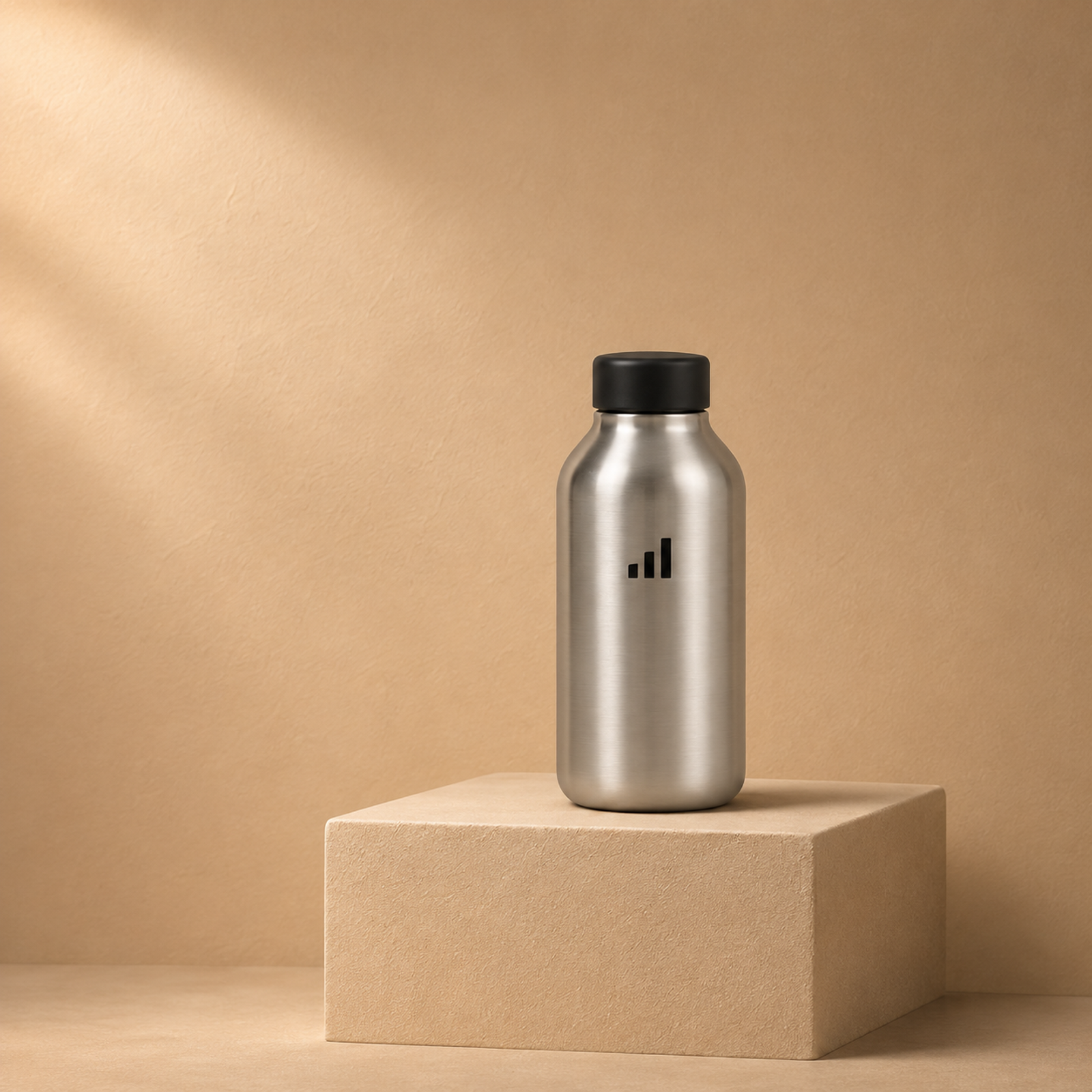
Figure 2. An illustrative square ad composition. The bottle sits just right of center, with space above for approved copy.
If glare crosses the logo, ask the model to soften that highlight while keeping the bottle, camera angle, and layout fixed. Compare both versions with the source photo. The next edit is part of the cost. If the edit changes the cap or redraws the logo, a designer can composite the approved bottle over the generated setting and submit the result for the same checks.
What Must Be Checked Before You Use the Still?
Check product accuracy, crop readability, and permission to use the asset in the intended market before handing it to media buyers.
Packaging, Logos, Text, and Placement Crops
I would check the label before the lighting. At full size, compare the logo, label text, cap shape, finish, and proportions with the approved photo. Confirm that the still depicts the correct variant and that any selling point matches the approved copy. A stray badge suggesting a certification can change what the ad promises. For U.S. campaigns, review implied claims alongside headline copy using the FTC’s advertising guidance.
Preview the 4:5 feed and 9:16 story crops at phone size with the real headline and placement overlays. Reject a crop if it cuts off the cap, hides the logo, or puts the selling point under interface controls. If a crop fails, keep the approved master and adjust that placement’s layout before exporting it.
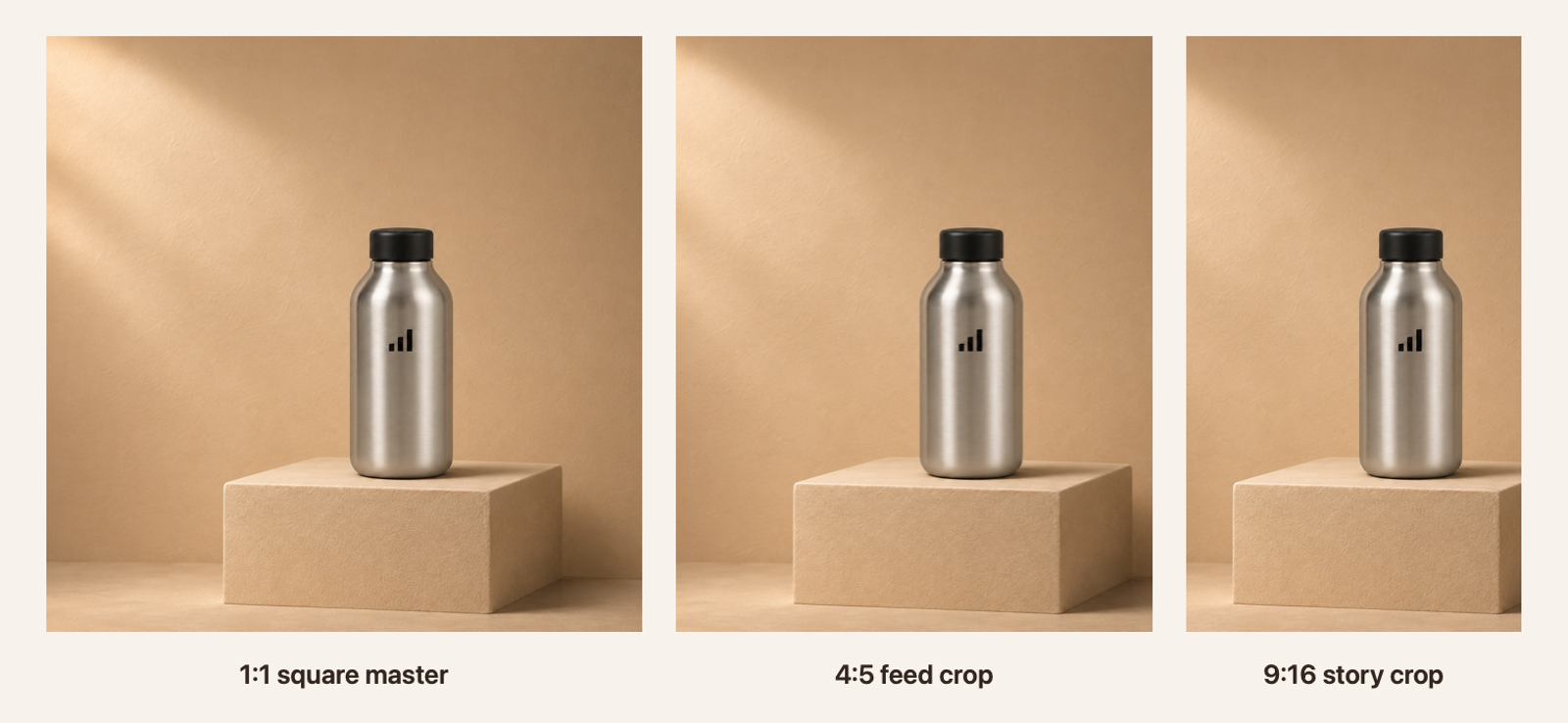
Figure 3. Centered crops of the same mockup. Check the bottle and headline space again with the actual placement overlays.
Regional Access, License, and Commercial Terms
Check the rules for your access route and target market before uploading or approving an ad. The H3-Image Community License for the open weights excludes the U.S., EU, UK, and South Korea and restricts use of covered outputs outside the licensed territory. It also calls for prior written authorization if annualized revenue exceeds US$1 million, including affiliates, or if you provide a hosted service to third parties. MiniMax directs those requests to its model licensing portal.
For hosted use, confirm that the production account offers H3-Image and check the applicable commercial terms for your campaign markets. Clear the source photo, style image, and layout for both upload and campaign use. Account access and usage rights should be checked before the team commits an asset to production.
When Can the Approved Still Move Into Video?
The still can move into video once the product, crop, and usage checks pass for the intended placement. Hand over the approved file with its crop dimensions and a note identifying details that must stay recognizable in motion. For the bottle, that means checking the cap, silhouette, and logo throughout the resulting clip as well as in the opening frame.
Conclusion
MiniMax H3-Image gives product teams a way to try a new setting around an existing SKU. A usable 4K master shows the right product, leaves room for approved copy, and reads clearly in each planned crop. If the generated scene works but the product details drift, compositing the approved photo can preserve the layout and restore those details before final review.
FAQ
- Which image formats can MiniMax Design accept as references?
- MiniMax Design lists JPG, PNG, WebP, HEIC, and HEIF. Each reference can be up to 64 MiB and must measure between 128 and 8192 pixels per side.
- Can H3-Image export a transparent product cutout?
- Transparent export is unconfirmed by MiniMax Design. If your designer needs a cutout, plan to mask the approved product photo separately. MiniMax explicitly excludes transparent backgrounds in its Image Generation API guide.
- Does MiniMax Design support vertical 4K images?
- Yes. MiniMax Design lists 4K output and supports portrait ratios. MiniMax’s API documents 3072 × 5472 pixels for 9:16 at its 4K area setting. Check the dimensions of the Design export before handing it off as the vertical master.
- How does MiniMax handle uploaded product photos?
- The public H3-Image tool page specifies upload limits. It leaves retention, deletion, and potential training use for product photos unconfirmed. Before sharing an unreleased SKU, check the terms for your specific service and account through the MiniMax privacy policy overview.
- Does a failed H3-Image generation consume credits?
- MiniMax Design’s public H3-Image page leaves failed-run credit handling unspecified. MiniMax’s API guide says an entirely unsuccessful streaming request incurs no charge. If a Design run fails, check the account’s credit history before retrying.