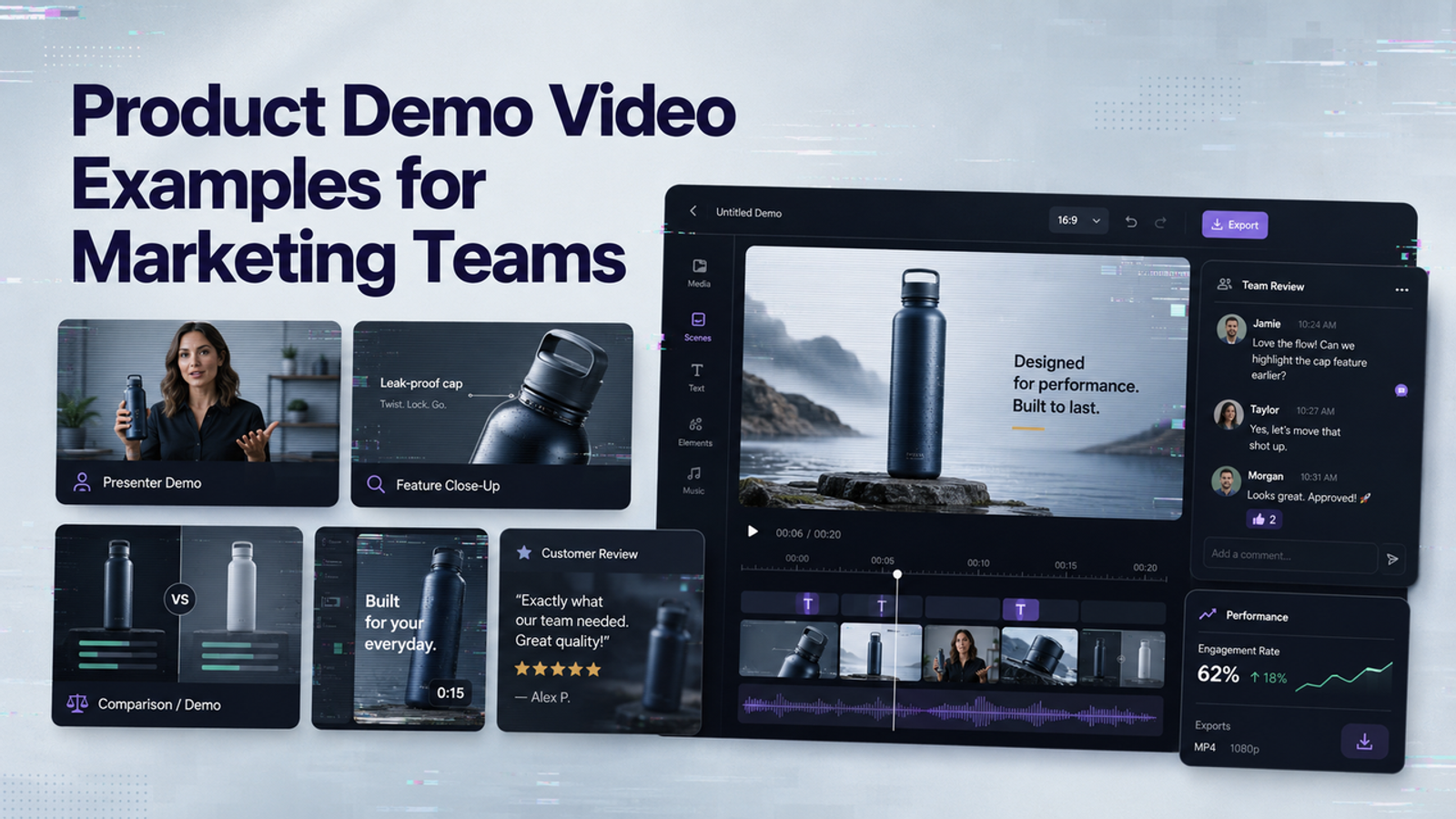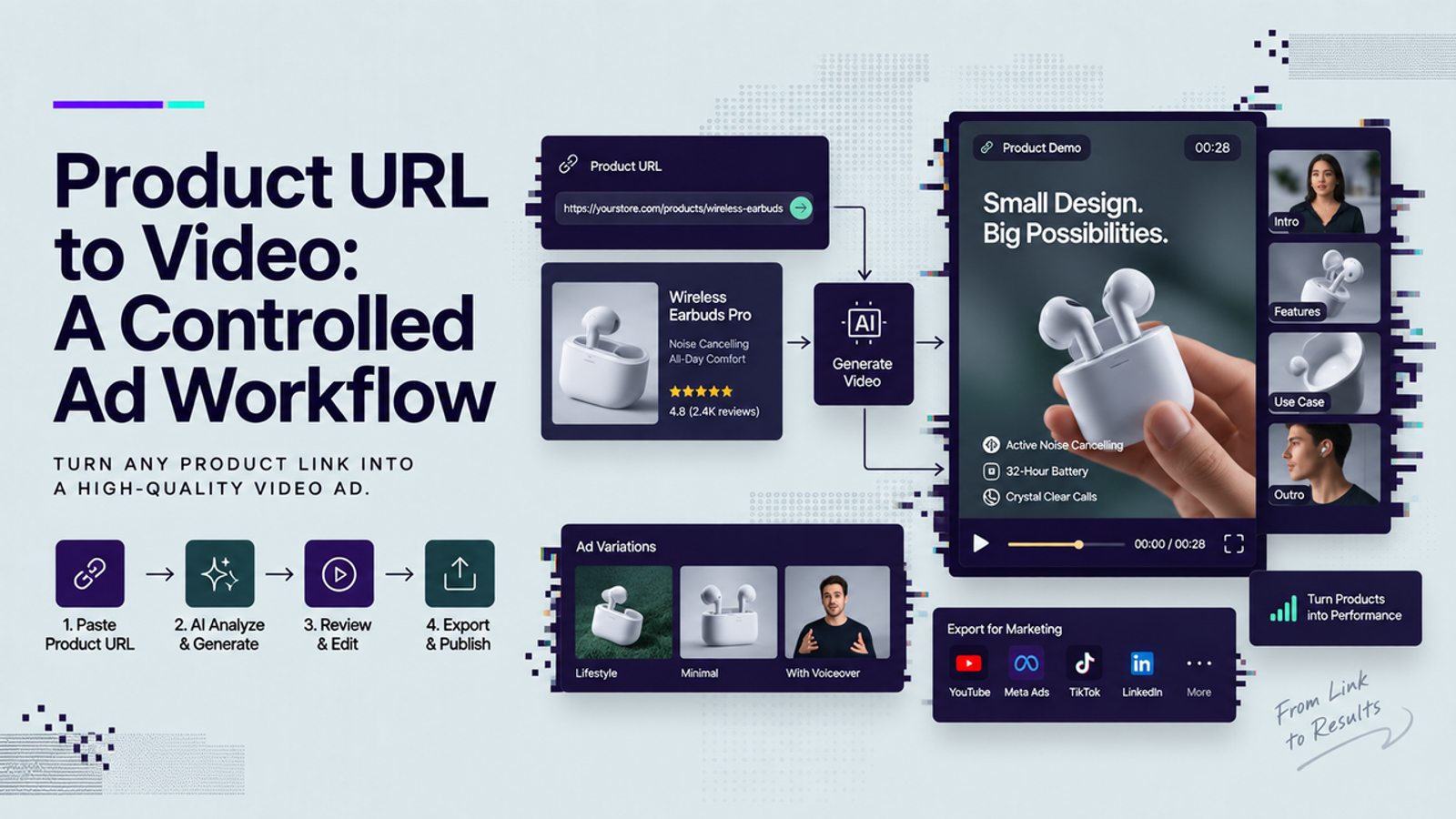
A product URL can save a marketing team from rebuilding every input by hand, but I would not treat the page as an automatically trustworthy script. I’m Vela, and my rule for a product URL to video workflow is simple: use the URL to collect facts and assets, then make a separate creative decision about what belongs in the ad. Price, promotions, specifications, reviews, imagery, and regional details still need a human check before the video leaves draft.
What a Product URL Can and Cannot Provide
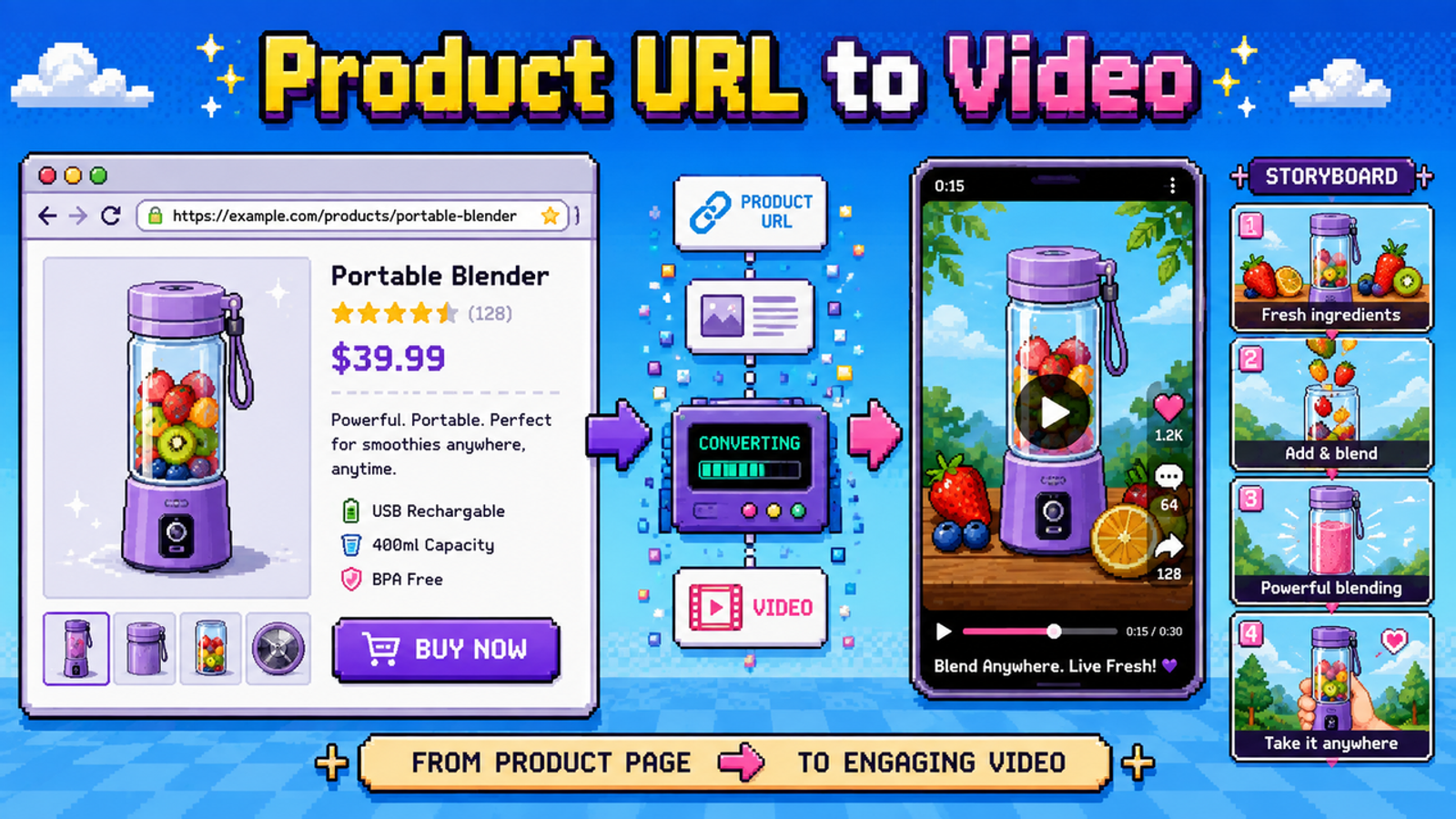
A product page can give an AI product video generator a useful starting package: product name, images, selling points, variants, price, availability, specifications, and sometimes reviews or FAQs. Wizstar’s current public homepage also describes product links as an input for its e-commerce workflow and says it can create scripts, captions, voiceovers, and channel-ready formats. That confirms the input path, not the accuracy of every field pulled from every page.
The URL cannot decide whether a claim is approved, whether a discount will still exist tomorrow, whether a review can be reused in an ad, or whether an image is licensed for campaign use. I would treat the page as a source folder, not as creative approval.
Prepare the Product Page for Video Creation
Before generating, freeze the facts you intend to use. Record the SKU or variant, review date, target market, price and currency, promotion end date, and the exact images selected. Product pages can change while campaign assets remain in circulation.
Google’s 2026 Merchant Center update is a useful reminder that product data keeps evolving, while its product-data rules require important offer information to stay accurate. If your ecommerce video creative displays a price, stock message, or shipping promise, capture the approved value before generation rather than trusting a later scrape.
Confirm Images, Claims, and Variant Details
Match each image to the exact variant being advertised. A black 256 GB model should not inherit another SKU’s color, capacity, bundle, or accessories. The GS1 Global Data Model page I referenced listed version 2.14 from May 2025, emphasizes consistent and complete product data across channels; that is the discipline I would borrow here.
Separate observable facts such as dimensions, included parts, materials, or compatibility from stronger persuasive claims. If the supporting evidence is not available to the campaign team, I would leave the stronger claim out.

Remove Outdated or Unsupported Information
Product pages often retain old campaign banners, expired sale language, legacy packaging, or reviews tied to an earlier version. Remove anything you cannot confidently connect to the current offer. Small thing, but it matters: one outdated discount line can force revisions across every export.
Turn Page Content Into a Scene Brief
A good product page to video workflow does not copy the page paragraph by paragraph. It turns approved facts into a short scene brief: hook, product proof, visual action, and CTA. Each part should point back to something the team has approved.
If the page confirms a spill-resistant lid, for example, show the lid closing or the product being carried. That is stronger than reading a feature list aloud. Keep prices, dates, regional wording, and disclaimers separately editable because those elements are most likely to change.
Generate a Small Creative Set
I would generate a small set first, not twenty nearly identical ads. Use one approved product, one audience, and one channel, then change one creative dimension at a time: the hook, presenter angle, scene order, or CTA.
That makes review easier. If every version changes the script, background, claims, pacing, and offer together, the team cannot tell what improved. A controlled URL-to-ad workflow should create differences you can actually evaluate.
Check Product Accuracy and Brand Fit
This is where I slow down. Check product shape, packaging, logo placement, label text, color, button count, materials, included accessories, and relative scale. Then compare every spoken or written claim with the approved source.
Rights need a separate check. A public URL does not automatically make its photography, graphics, customer media, or other creative assets free to reuse. The U.S. Copyright Office AI initiative includes a 2025 report on copyrightability of generative-AI outputs; I would use that as background while still checking ownership or licensing of the source assets you upload.
Brand fit is simpler: does this feel like the brand will publish it? If the product is accurate but the pacing, presenter, humor, or setting is wrong, revise the creative direction rather than “fixing” the facts.

Revise Hooks, Scenes, and Calls to Action
Once the product is accurate, revise the persuasion layer. Test a problem-led hook against a demonstration-led hook, move proof earlier, and replace vague phrases with visible product evidence. Keep the CTA aligned with the landing-page action.
I would not invent urgency. “Limited stock,” countdown language, discount percentages, free-shipping promises, and performance guarantees should stay out unless they are current and approved.
Approve Exports for Each Channel
Approval should happen per channel and market, not once for one master file. A 9:16 social version may need larger captions and faster proof, while a product-page video can spend more time on use details. Check safe areas, audio, CTA wording, destination URL, price, currency, and offer dates before export.
Regional versions deserve their own fact check. The EU General Product Safety Regulation, in its 2026 consolidated text, shows how online product offers can carry identification and safety-information duties. Your video may not repeat every page field, but it should not contradict required product identity, warnings, or market-specific information.
Common Visual and Messaging Errors
The failures I watch for are predictable: the wrong variant appears, packaging text changes, accessories are invented, a temporary price becomes permanent narration, or a customer review is rewritten as if it were a brand claim.
Reviews need extra care. The FTC’s Consumer Reviews and Testimonials Rule Q&A explains that the rule took effect on October 21, 2024 and addresses deceptive or unfair review and testimonial practices. Even when a review is genuine, confirm permission, context, attribution, and whether it can be reused in advertising.
Conclusion
The useful version of product URL to video is not “paste a link and publish whatever comes back.” It is a controlled handoff from page facts to creative decisions. Lock approved facts and assets, build a short scene brief, generate a small creative set, and review every version against the source before campaign use. If the first result is reviewable, the workflow is doing useful work. Final approval still belongs to the team.
FAQ
- Can teams use product URLs they do not own?
- A public URL is not the same as permission to reuse its content. If the page belongs to a client, retailer, distributor, or another brand, confirm rights to the images, copy, reviews, logos, and other assets. When permission is unclear, use an approved asset pack instead.
- How are password-protected product pages handled by video tools?
- Do not assume a tool can access authenticated pages. If a page requires login, export approved images and facts manually. Wizstar publicly confirms product-link input, but the public product information I reviewed does not specify password-protected page handling, so I would treat that capability as unverified.
- What happens when product URLs change after video approval?
- The video does not become accurate automatically because the page changed. Save the source URL, approval date, offer details, and variant used. Before reusing older creative, recheck price, availability, promotions, packaging, and claims.
- Can one URL support versions for different regional storefronts?
- Yes, as a starting reference, but each region needs separate validation. Currency, price, availability, bundles, legal wording, warnings, and promotional rules can differ. I would reuse the scene structure while keeping market-sensitive facts separate.
- Do embedded customer reviews require separate usage permission?
- Potentially, yes. A review on a product page does not automatically give an advertiser unlimited rights to reproduce the reviewer’s words, name, photo, or video elsewhere. Check the applicable terms, permissions, and advertising rules before turning reviews into narration, captions, or testimonial scenes.