The short answer
For a short product ad shot, test Runway first when you need to direct a restrained camera move and hand the result to an editor; test Kling when approved extra references or a defined end frame are central to the shot. The choice depends on what survives review. A clip must keep the product recognizable, follow the intended motion, and leave the team a practical way to finish the ad.
This comparison uses current provider documentation and a proposed matched test. I have the documentation, not a finished test, so the workflow below is a way to make a defensible choice—not a claim that either tool produces better results from your product image.
Which Tool Fits This Product Ad Brief?
The Same Source Image and Approval Standard
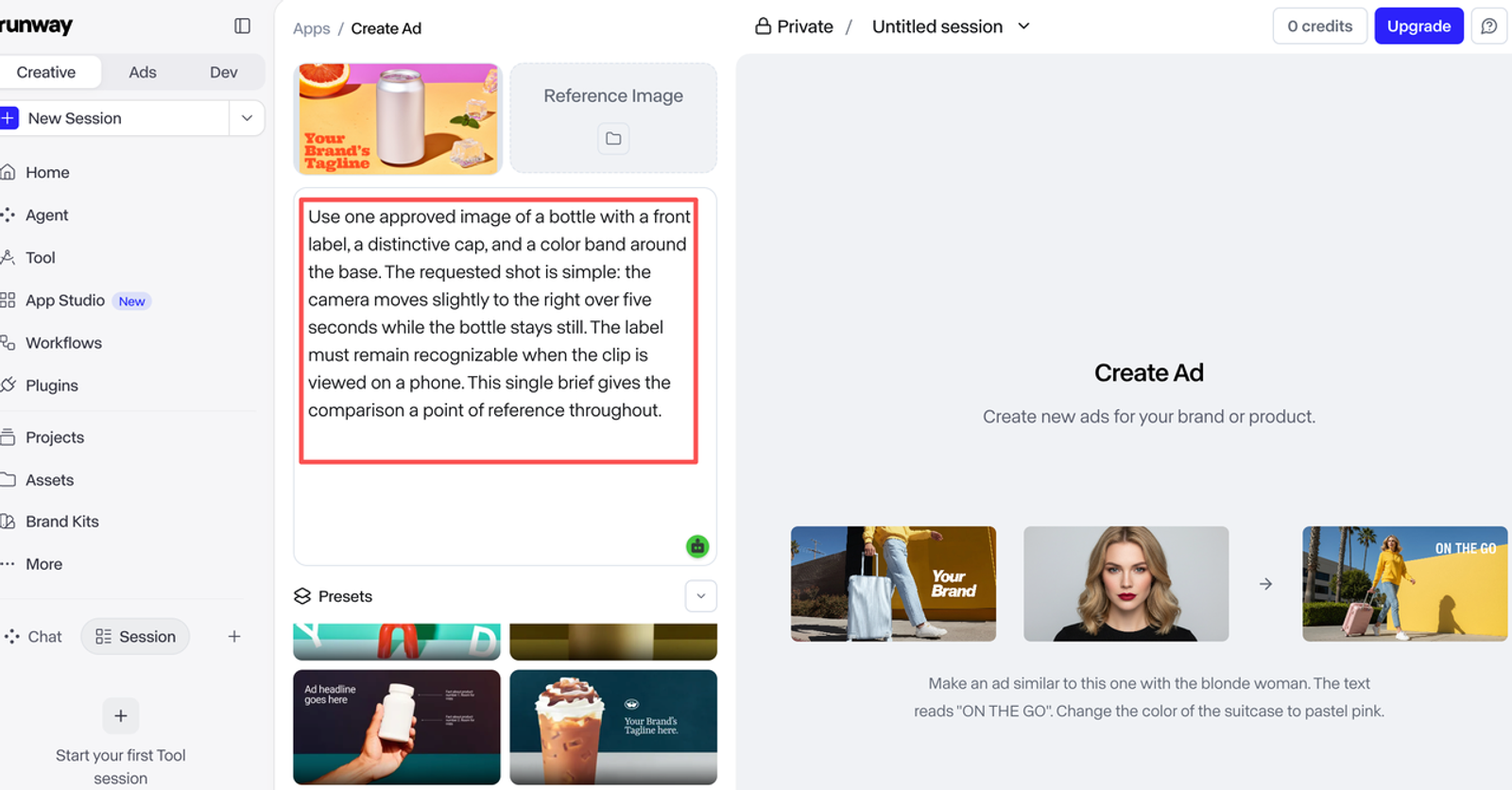
Use one approved image of a bottle with a front label, a distinctive cap, and a color band around the base. The requested shot is simple: the camera moves slightly to the right over five seconds while the bottle stays still. The label must remain recognizable when the clip is viewed on a phone. This single brief gives the comparison a point of reference throughout.
Write the acceptance rule before generating. Reject a take if the bottle changes shape, the cap or color band drifts, the camera obscures the front at the intended product reveal, or any visible label text becomes a different claim. Then consider whether the motion and lighting are worth editing. I would check the label before the lighting: the team can adjust a grade, but it cannot approve invented packaging.
Give each tool the same source image, motion instruction, intended crop, and limited number of attempts. Record the settings, every rejected take, and the reason it failed. If one tool produces a striking first draft while the other produces a plainer clip that passes brand review, the prettier thumbnail has not answered the ad brief.
How Do Runway and Kling Handle the Starting Image?
Reference and Prompt Control
Runway’s Gen-4.5 image-to-video guide documents an image input, a text prompt, and controls including duration and aspect ratio. Its guidance is to use the prompt to describe motion when starting from an image. For the bottle shot, that means directing the small camera arc and stating that the bottle stays stationary, rather than spending most of the prompt describing a bottle already shown in the source.
Kling’s 4.0 user guide describes first-frame and first-and-last-frame image-to-video options, plus a broader workflow for multiple references. A specified final frame could help if the creative director has approved exactly where the camera should finish. Additional product views may help define surfaces that a turn would otherwise leave to the model’s interpretation.
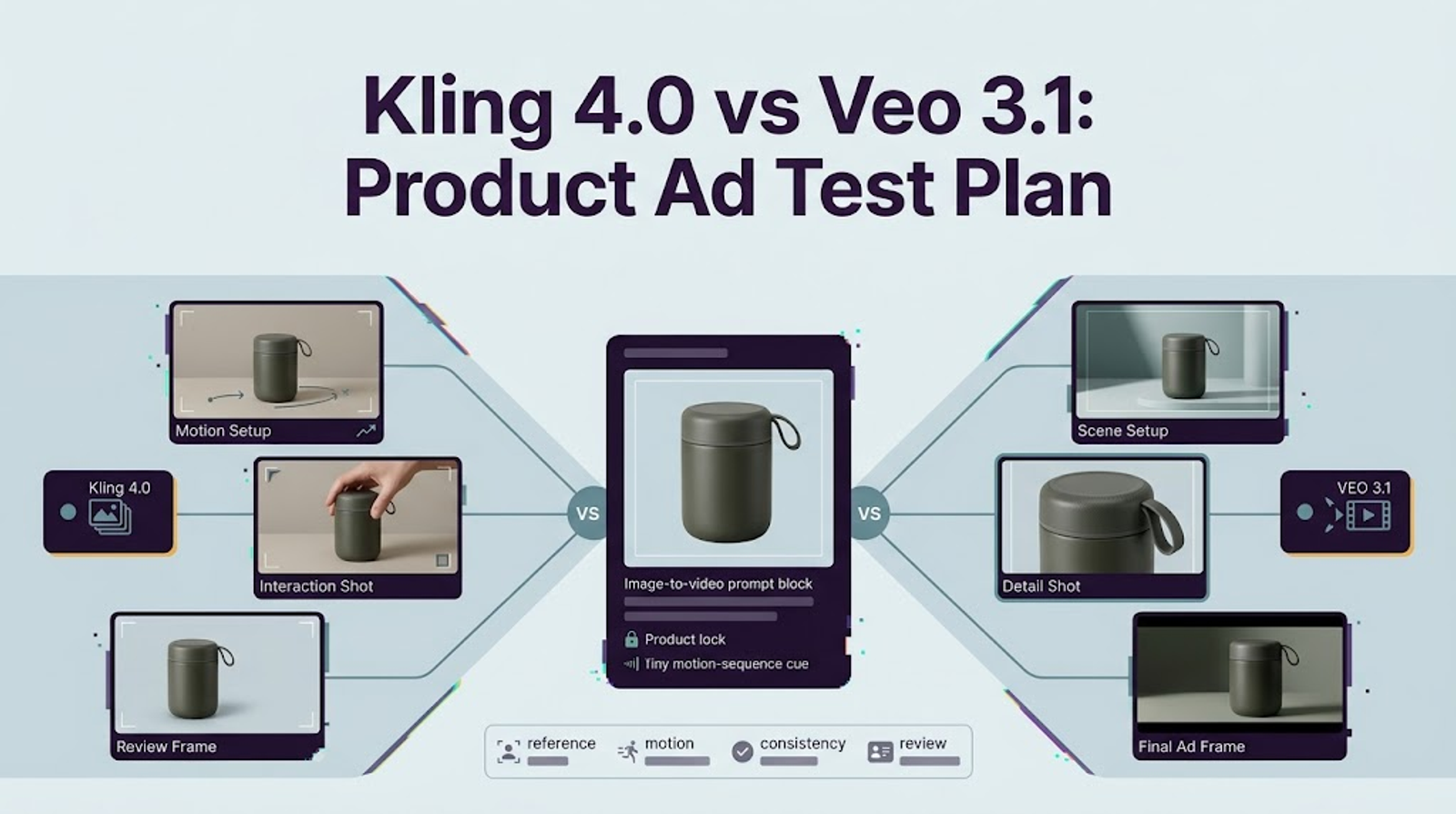
Those options should be tested in stages. First compare Runway vs Kling image to video from the same single photograph. If the result suggests the brief needs an end frame or another approved view, run a second test and label it accordingly. Giving Kling several references in its first attempt and Runway only one image would measure the difference between two briefs as much as the difference between two tools.
Preserving Packaging and Text
The starting photograph establishes what the team supplied; it does not prove that either generated clip will preserve every detail. On the bottle shot, pause at the opening, the point of greatest camera movement, and the final frame. Then scrub the frames between them. A cap that remains correct at both ends could still deform briefly during the move; a label might become unreadable just as the product fills the screen.
Separate identity from legibility. The bottle may retain its silhouette and colors while the small text changes. If the ad does not need viewers to read that text, the team can consider a composition that keeps it out of focus or too distant to convey a claim, then add approved copy in the edit. If readable packaging is essential, it needs its own pass/fail check. Neither a polished demo nor a higher output resolution establishes that the words are accurate.
This is also an advertising review issue, not only an image-quality issue. The FTC’s advertising guidance says claims must be truthful and evidence-based. A reviewer should assess the meaning conveyed by the finished visual and copy, including a claim the generation appears to add to the package.
Which Workflow Gives More Useful Motion?
Camera Direction and Product Movement
For this brief, useful motion reveals the bottle without asking the model to invent much of it. A modest camera arc keeps the front label in view. A full rotation exposes an unseen back panel and asks for details that the starting photograph cannot supply. If the creative concept truly requires that rotation, photograph or provide approved views of the other surfaces before testing it.
Runway documents prompt-based camera choreography for Gen-4.5, while Kling describes more ways to provide reference material in its 4.0 workflow. Those are descriptions of available controls, not evidence that one follows directions more reliably. Give both the same small move, then ask whether the product stays stable and the camera reaches a useful endpoint. Only expand the motion after a restrained shot passes.
The best motion may be less dramatic than the first idea on the storyboard. A short move that leaves two clean seconds for a product name and offer can be more useful to an editor than a sweeping shot that spends the whole clip recovering from a distorted opening frame.
What to Check Across Several Drafts
Watch each take once at normal speed, then review the product edges and label frame by frame. Finally, view it at the size and crop intended for the ad. The three passes answer different questions: whether the movement reads naturally, whether the object survives close inspection, and whether the result communicates on a phone.
Give each rejection one primary reason—packaging, motion, crop, or technical quality. That makes the next attempt more deliberate. If the label fails repeatedly while the motion works, another camera adjective is unlikely to solve the central problem; change the framing or plan to composite approved product artwork. If the package holds but the camera overshoots, revise the motion instruction.
One good output would make me curious, not certain. The team needs to know whether it can obtain another acceptable take when a client requests a different pace or crop. Keep the rejected drafts in the record; they show where review time and generation costs went.
How Does Each Clip Reach a Finished Ad?
Editing, Versioning, and Human Review
The selected generation becomes footage for an ad. An editor may still need to trim the move, add approved copy and sound, adjust the grade, and prepare placement-specific versions. Handoff quality therefore matters alongside generation quality: can the editor receive the file in a suitable format, see what was approved, and make the next requested change without starting over?
Runway documents MP4 output and ProRes or PNG-sequence export for eligible plans and workflows. Check the plan and added cost before relying on those formats. For Kling, confirm the download format and resolution in the model, mode, and account the team will actually use. A model’s advertised generation resolution does not settle what an editor will receive from a particular workflow.
Hand over the approved source image, prompt, model and settings, selected clip, and a brief note explaining why it passed. Name versions by the change requested—such as “right arc, label holds” or “slower ending”—so the reviewer can distinguish an editorial revision from a new generated take. The next edit is part of the cost. Count the time to repair and reapprove a clip when comparing tools, as well as the charge for generating it.
| Same acceptance check | Runway Gen-4.5 | Kling 4.0 | What the team decides |
| Starting image | Use the approved image as the video input | Use the same image as the first frame | Did the opening match the approved product? |
| Packaging | Inspect the label, cap, color band, and shape throughout | Apply the identical inspection | Which takes pass without inventing product details? |
| Motion | Test the specified small camera arc | Test the same arc; assess extra references separately | Which passing take gives the editor a usable reveal? |
| Handoff | Confirm export options on the team’s plan | Confirm export options in the chosen mode | Can the editor finish and revise the shot? |
| Cost | Count every attempted take and required export | Count every attempted take and setting | What did each approved, editable take cost? |
Which Should a Brand Team Choose?
Choose by the Shot You Must Deliver
For the bottle brief, start with Runway if the team primarily needs to steer a small camera move and has a defined editorial handoff. Start with Kling if an approved final frame or extra product references are necessary to specify the shot. These are testing priorities, not predictions of which output will win. Use the decision table and let the passing takes determine the choice.
A different brief may reverse that starting order. If the product has an intricate side panel that must appear, the ability to provide another approved view becomes more relevant. If the ad is built around one front-facing hero image and a precise cut into live-action footage, the editor’s ability to handle the export may carry more weight. The useful question is “Which workflow delivers this approved shot with fewer rounds of review?” rather than “Which platform has more features?”
Cases Where Neither One-Shot Tool Is Enough
Use controlled photography, a 3D product asset, or compositing when the ad requires perfectly readable fine print, an exact view of an unseen surface, or a demonstrable mechanical action. A generated clip can still supply atmosphere or background movement while the product remains under direct control.
The same principle helps with multiple languages or offers. Keep the visual shot free of generated promotional copy, then place approved text in the edit. A price or claim can change without requiring the team to regenerate—and reapprove—the bottle.
Conclusion
The stronger tool for a product ad is the one that gets an approved image through motion review and into an editable cut. Test Runway and Kling with the same bottle, the same small camera move, and the same rejection rules. Choose from the takes that preserve the product and survive the next edit. If the brief demands exact details a generated shot cannot reliably carry, keep those details in photography or compositing.
FAQ
- Do Runway and Kling offer the same rights for paid ad use?
- Do not assume identical rights. Check the current terms for generated-output use, ownership of uploaded material, account-specific restrictions, and any requirements affecting paid campaigns. Confirm that the brand owns or has licensed the source photograph before upload. Please refer to the latest official documentation and have the responsible legal reviewer clear the intended use.
- Can both tools export a vertical clip for Reels ads?
- Both current workflows describe a 9:16 option. Before approving a Reels version, check whether the crop cuts off the bottle, whether the label remains readable at phone size, and whether later overlays cover the product. The final edited file still needs to meet the placement’s current specifications.
- Is native audio available in the current model on each platform?
- Kling describes native audio options in its video workflow. Confirm the selected Runway model and mode before assuming the generated image-to-video clip includes audio. In either case, review sound as a separate ad asset: a visually approved take can still need different effects, music, or a cleared voice track.
- Can either platform keep uploaded product references private?
- Check the current terms and account settings for asset visibility, retention, training use, and deletion before uploading unreleased packaging. Ask whether the specific plan offers the controls your brand requires, and document who can access the project. Please refer to the latest official documentation for the answer that applies to your account.
- Do both tools have an API for the current video model?
- Runway documents Gen-4.5 API access, and Kling’s API updates list Kling 4.0 image-to-video endpoints. Before planning automation, check whether your account can access the endpoint and whether its supported inputs, output settings, and pricing match the workflow your reviewers approved in the web interface.