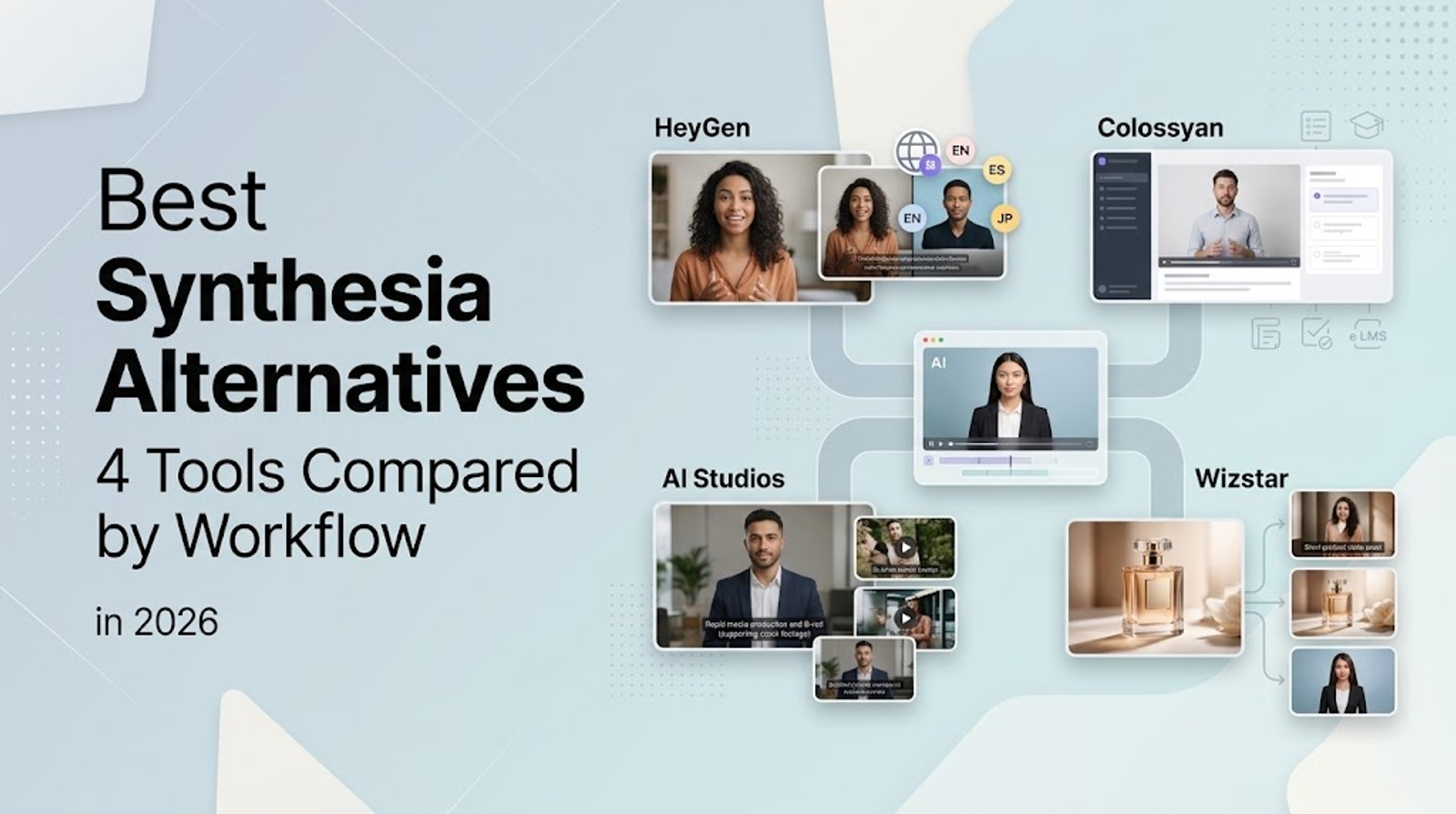
Among Synthesia alternatives, HeyGen excels at standalone avatar videos and translation, while Colossyan is built for SCORM-compliant courses. AI Studios pairs standard presenter generation with stock cutaways and subtitles, and Wizstar connects direct product assets with video, image, and avatar tools. If you are considering a switch, do it to solve a specific workflow gap—swapping presenters alone is rarely worth overhauling an existing pipeline.
Which Synthesia Alternative Fits Your Workflow?
The most effective Synthesia alternative depends on your input material and final delivery format. This guide compares official platform capabilities without speculative generation tests or subjective realism rankings.
Use this shortlist to match each tool to your project requirements before diving into the details:
| Platform | Relevant features | Reason to consider | Functional boundary |
| HeyGen | Photo/video avatars; video translation | Narrate scripts or translate existing footage | Avatar narration differs from generated scenes |
| Colossyan | SCORM; course-element localization | Deliver multilingual training courses | Course format must match the LMS |
| AI Studios | Avatars; lip-sync dubbing; stock; SRT | Combine presenters with supporting materials | Dubbing and generated assets remain distinct tasks |
| Wizstar | Product inputs; images; batch avatars | Build several content types around products | Own clones work in AI Avatar/Turbo |
| Synthesia baseline | SCORM; collaboration; SSO; translation | Retain an established delivery workflow | Check intended-use permissions |
Your workflow decision ultimately comes down to what goes into the system and what needs to come out.
HeyGen for Individual Avatar Videos and Translation
HeyGen is designed for straightforward production: you provide a presenter image or reference recording, along with a script. Its avatar workflows distinguish Photo Look from Video Look, routing uploaded photos and video clips through separate processing pipelines. Choose the path that matches your source assets. For an executive welcome or founder intro, nailing down the presenter persona and key talking points matters far more than generic "text-to-video" promises.
In a Synthesia evaluation, HeyGen fills a distinct niche: transforming written scripts into avatar narration from your available media. An on-screen presenter reading copy serves a different purpose than an AI-generated product environment. A static photo or short video clip will not tell you which presenter will appear more natural on camera.
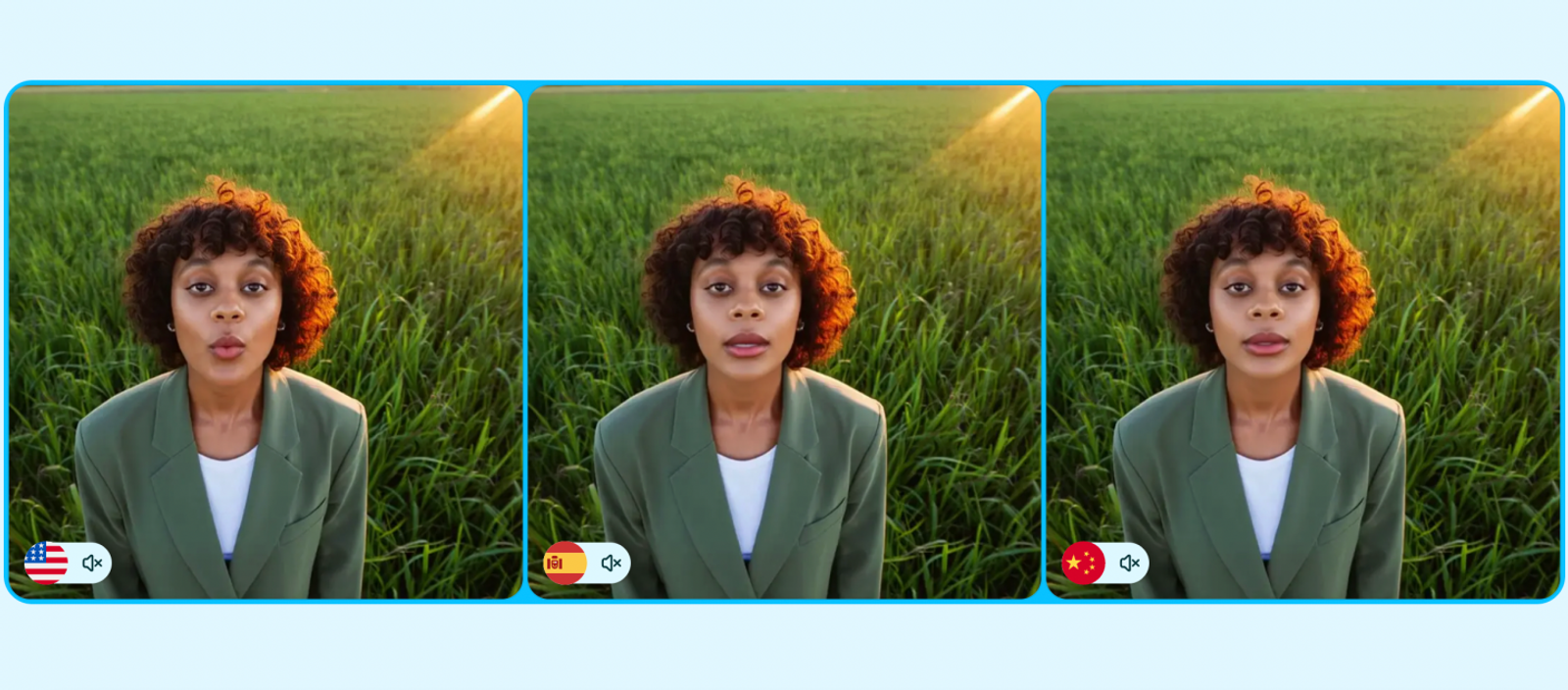
Working with an existing recording provides another approach. HeyGen supports video translation with or without lip-sync, matching mouth movements to translated dialogue when lip-sync is active. Your original footage carries the message across regional languages without requiring newly staged b-roll.
When deciding between Synthesia and HeyGen, separate fresh avatar narration from translated recordings before selecting an engine. HeyGen earns its spot through these flexible source inputs and localized dubbing options. The case for switching rests on matching your specific production task; this comparison does not assign an arbitrary realism score over Synthesia, nor will video translation generate brand-new product footage.
Colossyan for Courses That Require SCORM Exports
Colossyan makes its strongest case when training compliance and LMS delivery are top priorities. Its SCORM support covers both SCORM 1.2 and 2004 standards, providing standard export packages that match enterprise learning management systems. A standalone MP4 may stream smoothly in a browser, but it cannot satisfy tracking requirements if your LMS expects a packaged course. Packaging requirements come before presenter styling.
Course delivery format should always be the starting point when planning AI-generated training modules. Colossyan’s documentation addresses technical handoff requirements, while your internal LMS specifications determine compliance. However, SCORM support only guarantees technical delivery; it does not guarantee learner engagement or retention.
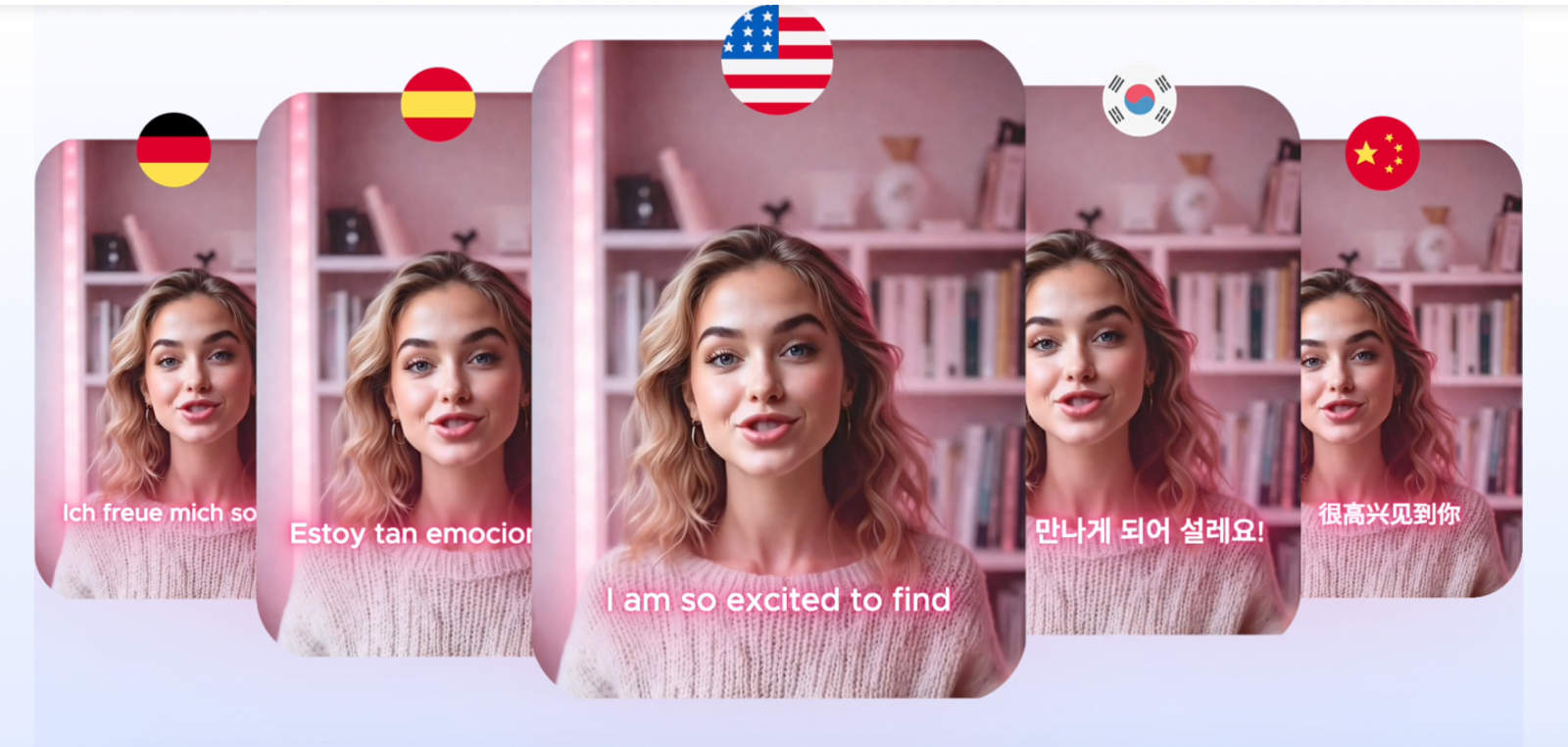
For global training programs, Colossyan localizes avatar narration, on-screen text, and interactive quiz elements in one unified workflow with lip-sync. Swapping spoken narration while leaving on-screen directions untranslated creates immediate friction for learners. Coordinating these visual and spoken elements in one pass solves a real operational headache. That unified workflow is a far more compelling reason to switch than simply choosing a different presenter model, though human review remains essential for translated text.
Synthesia also offers SCORM delivery. Lean toward Colossyan if course-element localization addresses an active bottleneck in your current setup and its export packages fit your LMS infrastructure. If your existing setup already handles enterprise course deployment without friction, a new course builder needs a clearer operational advantage to justify the transition.
AI Studios for Standard Avatar Production and Supporting Assets
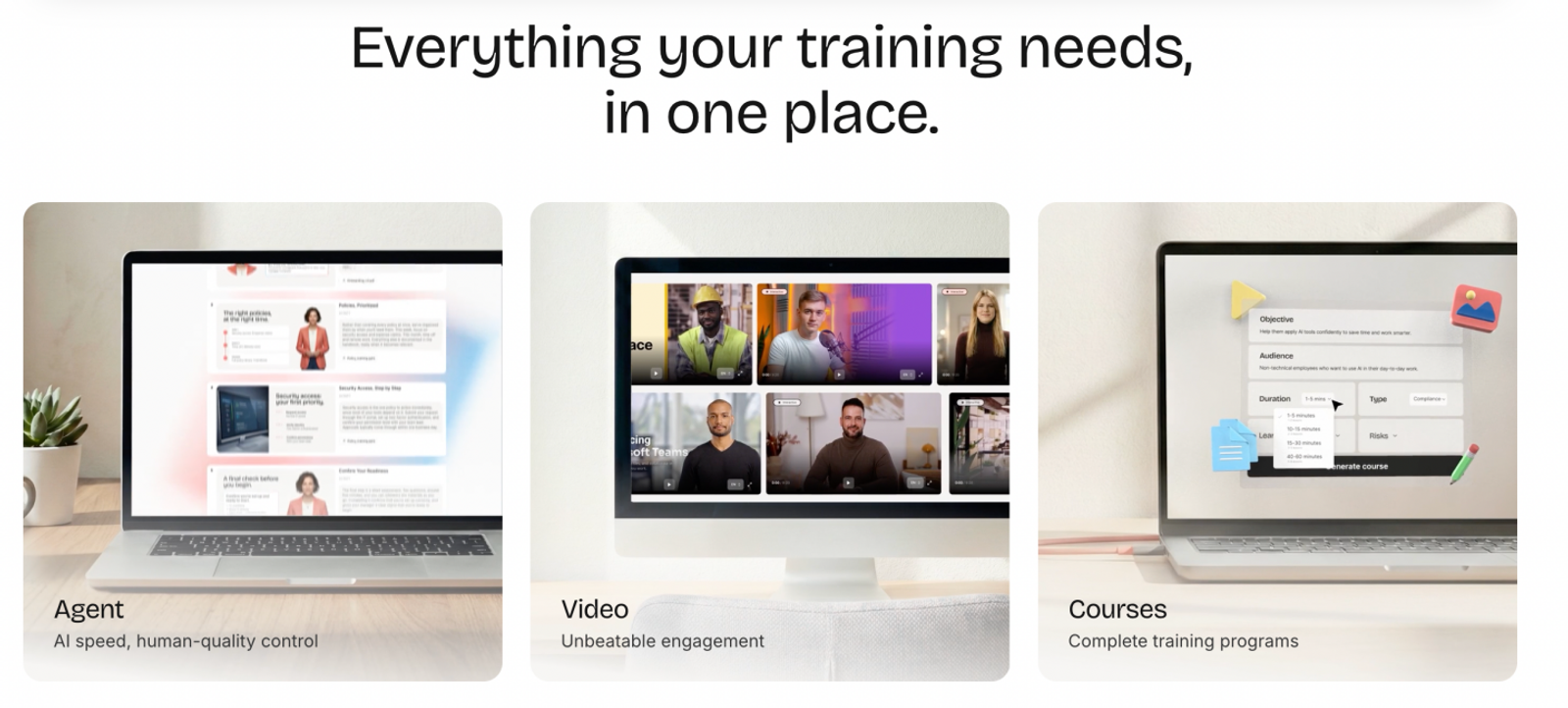
AI Studios is well suited for explainer videos that need supporting cutaways and structured subtitle files alongside talking-head narration. Its feature set includes lip-sync AI Dubbing, a built-in stock media library, and SRT import/export. Together, these features provide practical utility beyond swapping avatar models: multi-language localization, b-roll composition, and accessible caption handoffs.
Take a typical SaaS feature explainer: the avatar presents the narrative, while the stock library provides context shots between software steps. Bi-directional SRT support lets you import existing subtitles or export timed caption files for post-production. That workflow is valuable whenever subtitles must remain an editable, version-controlled deliverable alongside the rendered video.
AI Dubbing also translates existing video assets with matched lip movement. Creating new assets and localizing existing recordings remain separate operational tasks. Clarify both requirements in your production brief, even if you run both through a single dashboard. Broad categories like "AI video" obscure which phase of production you are actually tackling.
The value of AI Studios lies in having this collection of production tools arranged around a core presenter. You should still budget time for manual editing between steps; having features in the same platform does not mean every transition happens automatically. For genuine software walkthroughs, always record live screen captures: an avatar can explain the interface, but it cannot replace actual user actions.
Wizstar for Product Videos, Marketing Images, and Avatar Content
Wizstar’s primary advantage over Synthesia lies in its source material: direct e-commerce and product inputs. Its product-video workflow accepts live product URLs or raw photos to generate scripts, scenes, captions, voiceovers, and finished video clips. For digital marketers with product catalogs and asset folders ready, it builds content around materials you already own.
An ad campaign often calls for an ensemble of deliverables: a short promo video, high-resolution still images, and a presenter summarizing the key offer. Wizstar’s image, avatar, and translation toolsets cover these diverse formats within a single platform. Evaluate that setup against the exact media deliverables your campaign requires. Always plan for manual review, as automated pipelines and AI-generated copy still require human checks for product accuracy.
Batch avatar creation offers an even clearer efficiency gain. The AI Avatar tool accepts multiple scripts for batch processing, turning batches of promotional copy into presenter clips in one run. That functionality serves a concrete operational purpose for multi-variant testing, carrying far more weight than vague marketing claims about "more underlying models."
If you plan to use a custom brand presenter, note an important technical boundary: your cloned avatar and custom voice operate inside AI Avatar/Turbo, not within Agent workflows or other video modules. Keep your custom clone focused on that designated lane. Furthermore, enterprise training needs careful verification: a generic use-case page does not confirm LMS or SCORM compliance. Wizstar’s core strength remains fast, product-centric marketing production.

What Do These Plans Actually Buy?
The practical question is what your required output will cost each month—and which tier limits could trigger an unexpected upgrade. Talking-head scripts, SCORM training modules, and generative marketing visuals each require different budget considerations.
Note on plan selection:
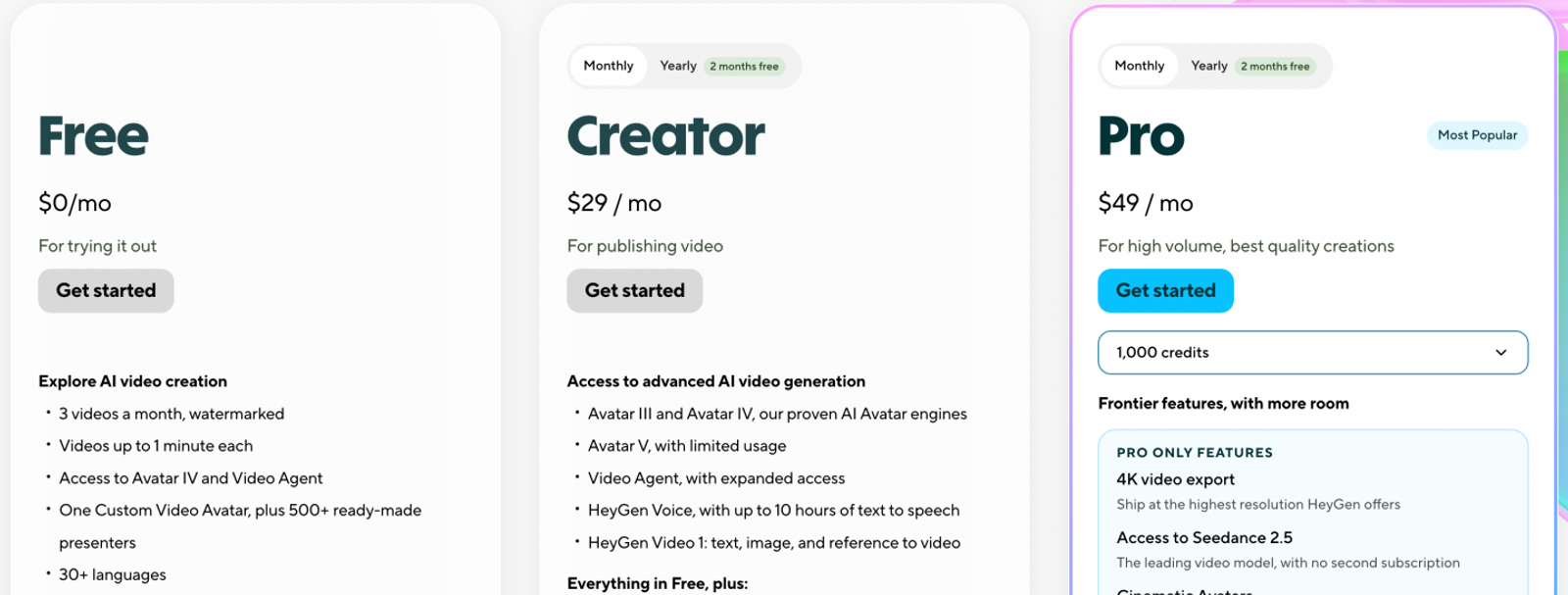
For avatar production, our reference workload is ten three-minute videos per month, using standard monthly subscription allowances without add-on credit purchases. Synthesia Pro, HeyGen Creator, AI Studios Personal, and Colossyan Professional are compared against this workload and the specific generation modes detailed below; tier names do not indicate feature parity. Synthesia Starter’s advertised allowance does not reliably cover this volume. Wizstar Starter is evaluated separately for generated video clips and still images, as verified credit consumption rates for long-form avatars were not publicly published.
Pricing note:
Figures reflect published pricing checked on November 2, 2026. All prices are in USD on standard monthly billing, excluding introductory discounts, annual contract commitments, local taxes, or optional add-ons. Per-video figures allocate the full subscription cost across the sample volume; they are baseline planning numbers, not individual transaction fees or guarantees of final video viability.
Avatar-Video Subscription Budgets
| Platform and plan | Monthly price | Relevant allowance | Allocation across ten three-minute videos |
| Synthesia Pro | $89 | 6,000 credits; advertised as up to approximately 60 video minutes, beyond the shared free allowance | $8.90/video, subject to actual credit consumption |
| HeyGen Creator | $29 | 600 credits; the example uses Avatar IV Photo Look | $2.90/video; 480 credits consumed |
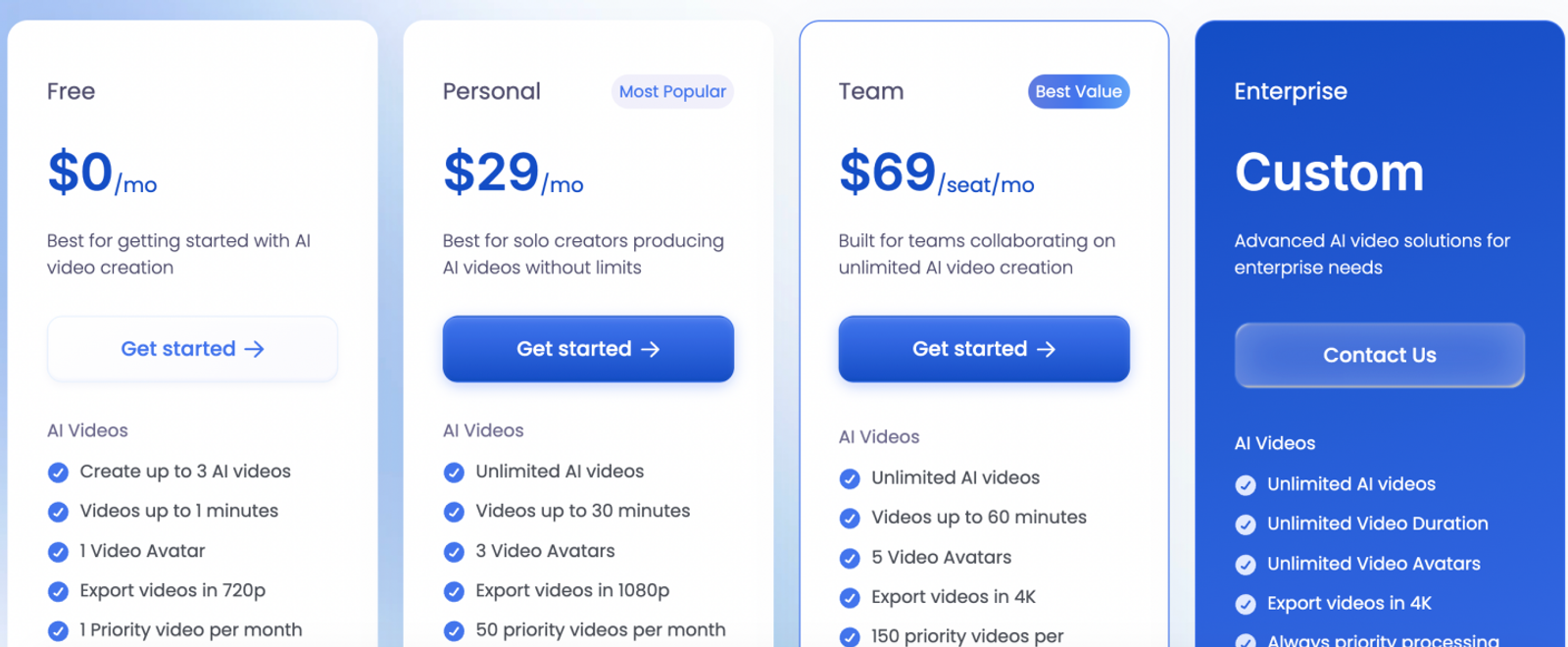
| AI Studios Personal | $29 | Unlimited standard AI videos; up to 30 minutes each; 50 priority videos/month | $2.90/video for standard avatar generation |
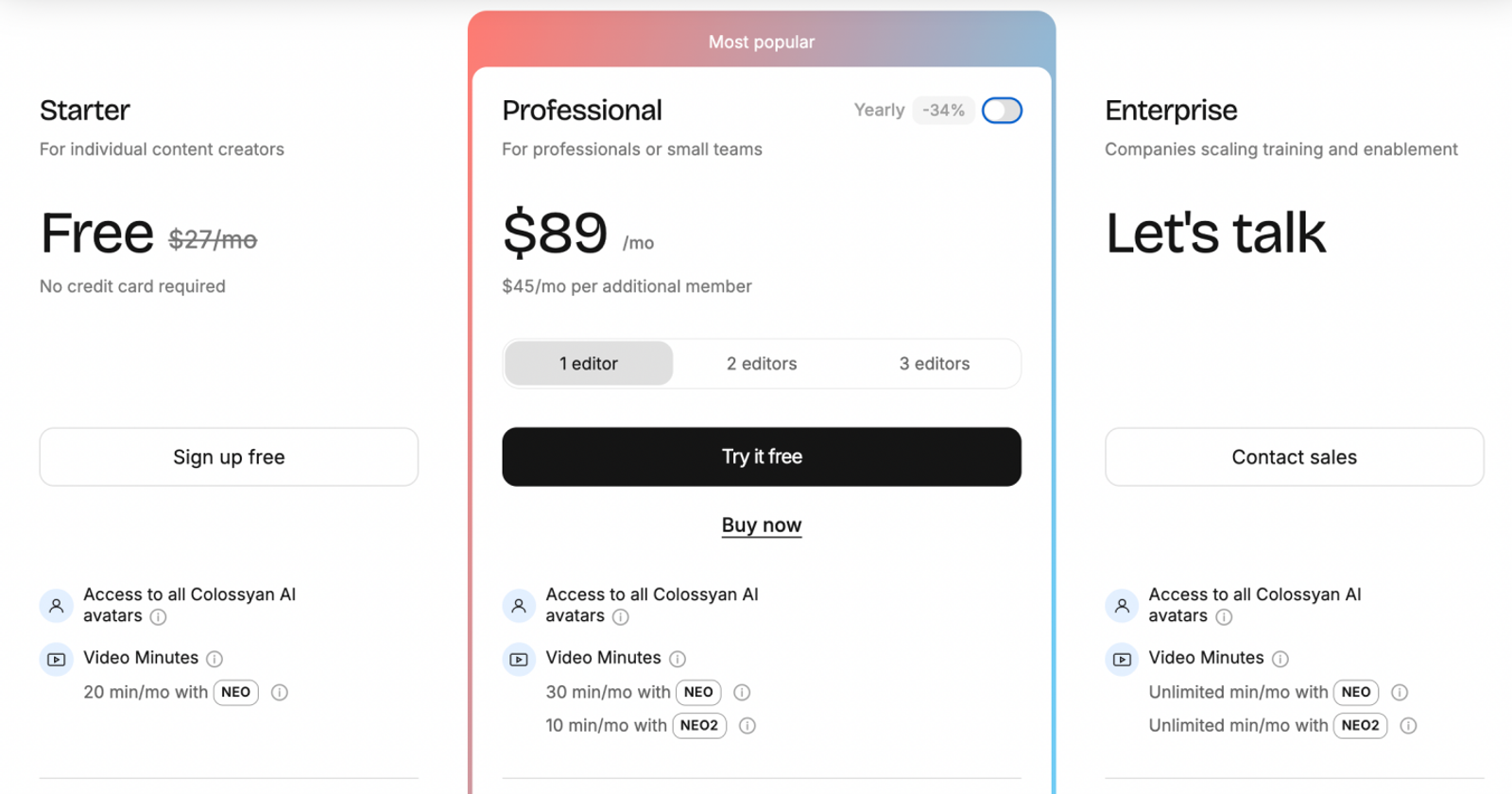
| Colossyan Professional | $89 | 30 NEO minutes plus a separate 10-minute NEO2 allowance | $8.90/video using NEO; NEO2 remains unused |
Identical runtime does not equal identical visual quality, editing complexity, or revision overhead. Different tiers also leave different margins of unused monthly capacity.
Synthesia: Match Budget to Usage Before Paying for Overhead
Using Synthesia’s standard benchmark of approximately 100 credits per finished minute, our 30-minute monthly workload burns roughly 3,000 credits before dipping into the shared free allowance. Pro comfortably covers this production target with headroom to spare, though complex avatar animations can accelerate credit burn.
The main trade-off is committing to $89 per month if your production schedule only uses a fraction of that allocation. For lighter needs, Starter at $29/month is worth reviewing: it provides 1,250 credits (advertised as roughly 12 finished minutes) beyond a shared 10-minute baseline. Select Pro if your monthly pipeline demands steady capacity; evaluate Starter for infrequent, brief updates. If SCORM packages are non-negotiable, you will need a custom Enterprise quote—neither self-serve plan includes advanced delivery packages.
Note:
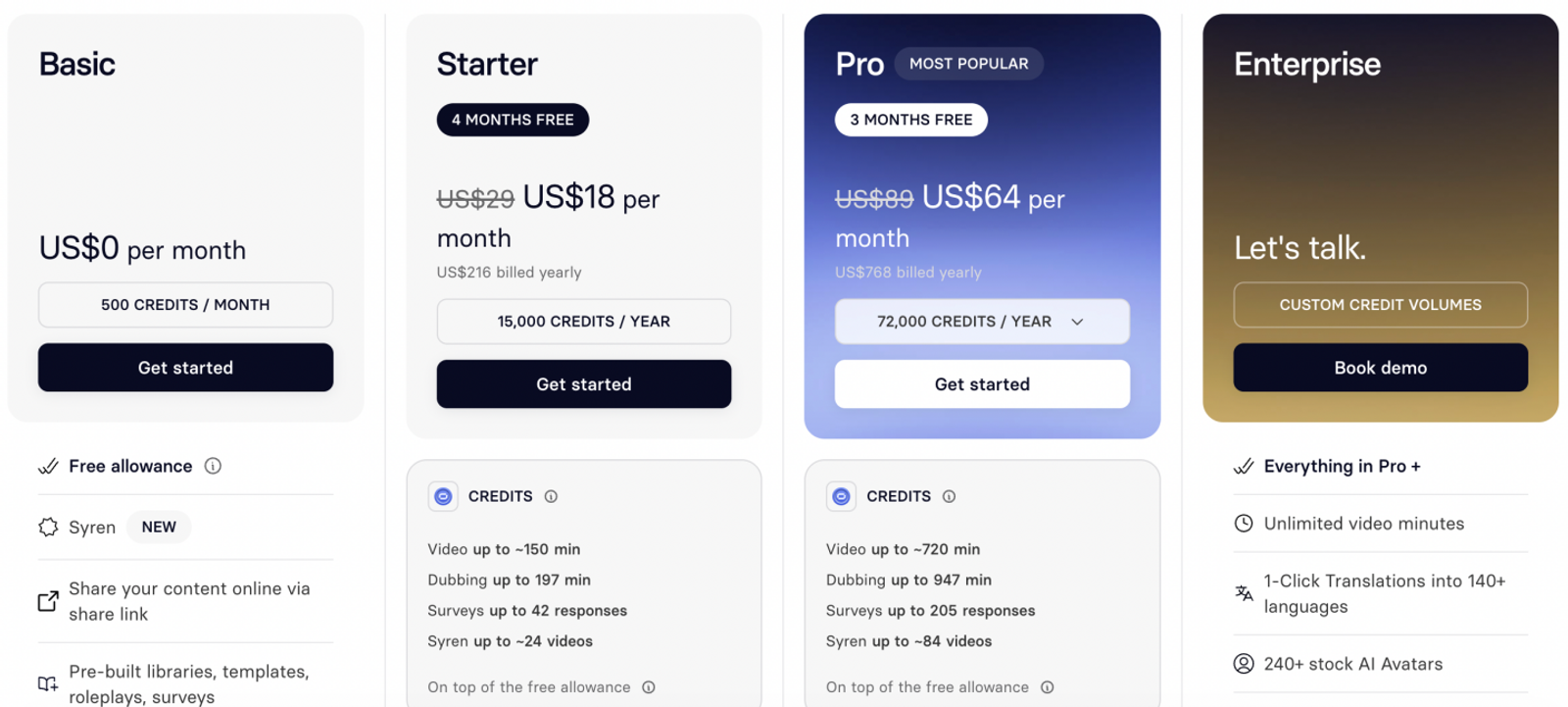
Synthesia Pro costs $89/month when billed monthly or $64/month when billed annually. The calculations below use the monthly price.
HeyGen: Your Chosen Avatar Tier Shapes the Unit Economics
The Creator plan’s $29 price point works well for this reference volume because Avatar IV Photo Look costs 16 credits per minute: generating 30 finished minutes consumes 480 of your 600 monthly credits. That leaves 120 credits for revisions or secondary clips.
However, upgrading to Avatar IV Video Look bumps consumption to 31 credits per minute. That same 30-minute workload jumps to 930 credits, blowing past the Creator plan's base limit. Creator is cost-effective when Photo Look satisfies your brand standard; calculate usage under your target avatar model before purchasing. Do not apply the $2.90 unit estimate to Video Look or specialized motion features without adjusting your budget. Official documentation also highlights that regional and enterprise account rates can differ.
AI Studios: Predictable Spending for Ongoing Standard Presentations
At $29 per month, the Personal plan offers predictable costs for regular talking-head videos. Across ten videos, your unit cost comes out to $2.90 each; ramp up to twenty three-minute explainers, and effective unit cost drops to $1.45, provided you stay within the standard generation pipeline.
The catch lies in the fine print behind "unlimited." AI Studios sets distinct monthly caps of 120 dubbing minutes and 60 generative credits; unmetered standard generation does not give you unlimited generative AI clips or translations. Consider Personal for recurring, presenter-focused instructional content. If your scripts require extensive generated b-roll or heavy multi-language dubbing, factor those add-on costs in before treating the subscription as a fixed production cost.
Note:
AI Studios Personal costs $29 per month on monthly billing, or $24 per month when billed annually at $288 upfront. The calculations below use monthly billing for consistency.
Colossyan: Enterprise Course Delivery Justifies the Price Tag
Professional prices out to $8.90 per video across ten three-minute NEO clips, leaving the auxiliary NEO2 balance intact. The operational justification for its $89 monthly fee is the inclusion of five streaming SCORM exports per month.
If your team only needs raw MP4 video exports, paying that premium offers minimal return. Professional makes sense when its streaming SCORM export capabilities meet a formal LMS requirement. Ten rendered videos do not mean ten SCORM packages, and fully self-contained SCORM packages require an Enterprise contract. For a true head-to-head comparison against Synthesia on LMS compliance, price their respective Enterprise plans rather than matching Colossyan’s SCORM package against Synthesia Pro.
Note:
Colossyan Professional costs $89/month when billed monthly or $59/month when billed annually. The calculations below use the monthly price.
Wizstar: Distribute Credits Across Multi-Format Product Assets
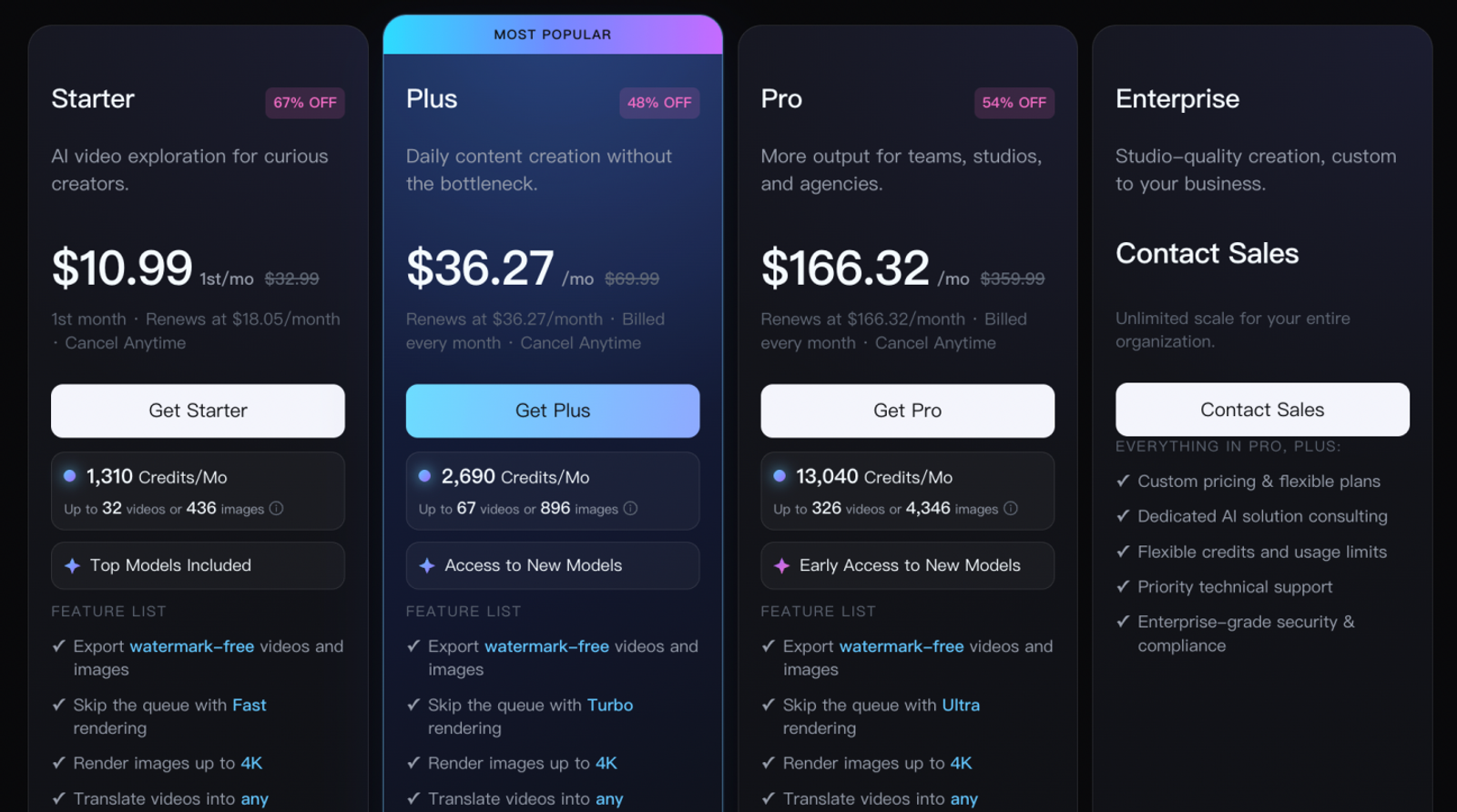
Wizstar Starter renews at $18.05/month for 1,310 credits. Its published credit model allows you to plan spending across mixed asset formats:
| Configuration | Credits per output | Full-budget output count | Subscription allocation |
| Seedance 2.0, five seconds, 720p | 90 | 14 clips; 50 credits remaining | Approximately $1.29/clip |
| Nano Banana 2, 1080p | 6 | 218 images; 2 credits remaining | Approximately $0.083/image |
These allocations draw from a shared credit balance. For instance, a blended campaign could generate ten 5-second video clips and 68 still images (900 + 408 = 1,308 credits), leaving two credits in reserve. This flexibility illustrates how one tier can produce both motion and static campaign assets.
This mixed-media approach gives Wizstar a strong position for e-commerce marketers testing diverse creative variations. The trade-off is that standalone five-second clips are building blocks, not fully assembled commercials, and creative retakes eat into your credit pool. Choose Starter when short clips and companion stills are your target deliverables, and allocate your pool across formats before rendering. These numbers reflect verified asset generation rates, but they should not be extrapolated to predict unit costs for long-form avatar presentations or corporate LMS training.
Note:
Wizstar Starter costs $10.99 for the first month, then $18.05/month on monthly billing, or $16/month when billed annually at $192 upfront. The calculations below use the regular monthly price of $18.05.
When Keeping Synthesia Makes More Sense
Synthesia remains the standard choice when its native course packaging, real-time workspace collaboration, SAML/SSO security, and translation tools already support your organization. Swapping out that infrastructure only makes sense if you are hitting an unresolvable operational bottleneck.
Commercial advertising requires an additional licensing check. Synthesia strictly prohibits paid advertising campaigns using its stock or synthetic avatars and voices. Custom avatars require documented, explicit consent from the depicted individual. Factor these usage terms into your evaluation before deciding where to produce ad creative.
If your corporate training pipeline is running smoothly, keep it where it is and test alternative tools only where specific content types demand them. Colossyan’s synchronized course localization, HeyGen’s versatile avatar inputs and dubbing paths, AI Studios’ integrated asset library, and Wizstar’s product-first generation each address distinct production gaps. The best alternative is the one that solves your missing capability without breaking workflows that already work.
FAQ
- Can I create watermark-free videos with Synthesia or Wizstar for free?
- No. Synthesia’s free tier includes an on-screen watermark, and Wizstar requires an active paid subscription to export clean media. Synthesia includes watermarking among its Basic plan limitations, while Wizstar notes that subscribing to any paid plan removes watermarks during generation. If you need unbranded assets for client work or commercial publishing, confirm these terms before rendering your master cut. Wizstar’s documentation does not indicate that upgrading automatically strips watermarks from previously rendered files.
- Can I roll over unused Synthesia credits to next month?
- No. Monthly plan credits on Synthesia expire at the end of each billing cycle rather than rolling over. Its pricing FAQ contrasts monthly allowances with annual plans, which grant their full credit balance upfront, and add-on credit bundles, which remain active for 12 months. If your production schedule fluctuates, verify which credit type you hold before queuing a large production run; monthly allowances cannot be banked.
- Can I create a Wizstar account without a Google login?
- Yes. Wizstar supports standard email registration and Facebook authentication alongside Google sign-in. Its account documentation lists Gmail, iCloud, and Yahoo among supported email domains. For password recovery, click "Forgot Password?", enter your account email, and submit the verification code sent to your inbox. Ensure you use an inbox you can access consistently, as verification codes are mandatory for account recovery.
- Can I use a single Wizstar account across multiple devices?
- Yes. Wizstar permits multi-device access, though its security guidelines recommend avoiding simultaneous active sessions. If you work across desktop and mobile machines, log out on shared computers and maintain secure credentials. Account mobility does not imply full feature parity across every smartphone or tablet browser; verify performance on your target hardware before building an editing workflow around it.
- What happens to my video files, credits, and subscriptions if I delete my Wizstar account?
- Deleting your Wizstar account permanently clears your project library, voids remaining credits, and cancels active subscriptions. According to Wizstar’s account documentation, account deletion is irreversible and past charges will not be refunded. Export all finished renders and project files via Account Management → Delete Account before closing your profile. The documentation does not specify how deletion impacts enterprise backup archives or regulatory data retention schedules.
- Does Wizstar refund credits if an avatar video generation fails?
- Yes. Wizstar states that credits are deducted only when an avatar video renders successfully, with failed tasks automatically credited back to your balance. This policy specifically applies to avatar video generation and should not be assumed for every image, experimental video model, or voice clone task. To verify transactions, check Billing & Subscriptions → Credit History and compare billing timestamps against failed renders.
- Does uploading longer reference footage make my Wizstar avatar clone look more realistic?
- No. Wizstar’s official guidance clarifies that submitting excessively long training footage does not improve avatar tracking accuracy or generation quality. Its documentation suggests providing a reference clip proportional to your target video length. Instead of longer footage, focus on technical capture quality: clear lighting, an unobstructed face, crisp audio, and a quiet recording environment. Meeting baseline recording standards produces far better results than simply uploading longer footage.