A product lesson can look finished while teaching an outdated step. The presenter says “Export,” the screen now says “Download,” and someone has to find every place that change affects.
I’m Vela. When I read reviews of AI avatar services for e-learning content creation, that is the kind of detail I look for. Can a team keep its lessons accurate, revise them without unnecessary rework, and deliver them through its existing learning system?
I compared public documentation for Wizstar, HeyGen, and Synthesia around those questions. The platform details were checked on October 16, 2026; the lesson below is a proposed pilot for evaluating their fit with your own course materials.
Define the Learning Task Before Choosing an Avatar
Start with one lesson that is annoying enough to be realistic but small enough to review carefully. I would use a five-to-eight-minute product-training module with branded slides, a short screen recording, and terms that must match an approved glossary.
For a concrete example, imagine teaching someone to filter a report and download a CSV file in a fictional software product. The learner should finish with the right filters applied and the expected file downloaded. That gives the review team an observable result to check.
Prepare the approved script, slides, recording, glossary, and expected result before comparing tools. Include a visual step that needs spoken explanation: “Choose Download CSV above the results table” tells learners more than “Click here.” W3C’s guidance on describing visual information explains how essential visual details can be built into narration.
Compare Three Lesson-Production Workflows
| Platform | Workflow to investigate | The question that matters for this lesson |
| Wizstar | Avatar-led training and interactive questions | Can the proposed workflow deliver the lesson and handle questions within your approved material? |
| HeyGen | Turning PowerPoint or PDF material into presenter-led video | Does the import mode preserve what your team needs to edit, and does the selected plan cover delivery? |
| Synthesia | Editable PowerPoint lessons with Enterprise SCORM delivery | Can the team maintain the lesson without losing instructional details during import or revision? |
Keep the source materials and acceptance criteria consistent when comparing recorded lessons. If live questions are part of your evaluation, give that capability a separate task rather than treating it as equivalent to a fixed video.
Wizstar: Avatar-Led Training and Interactive Q&A
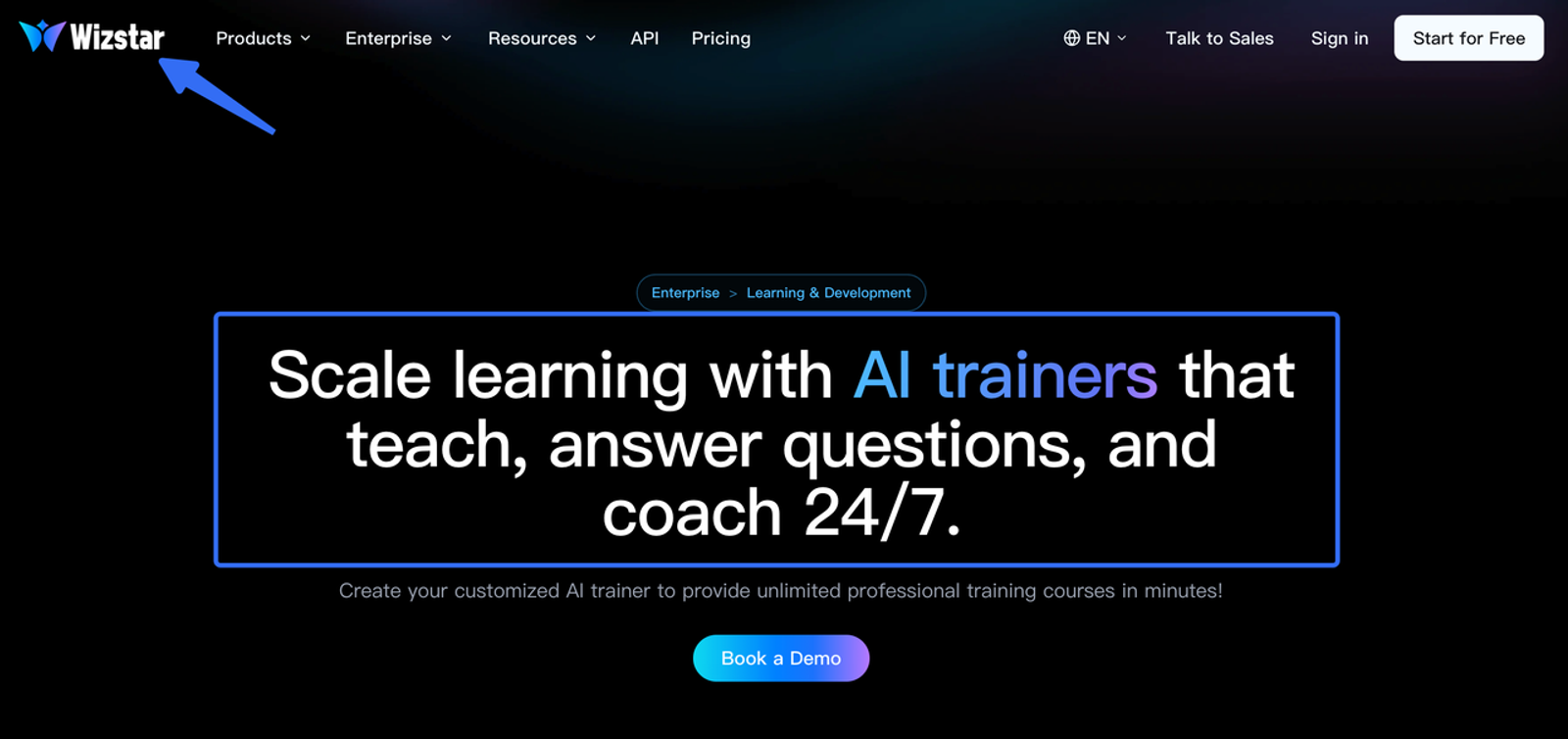
Wizstar’s Learning & Development page presents avatar-led training, multilingual content updates, and interactive trainers that answer questions. That makes the first decision a practical one: are you producing a recorded module, or do learners need to ask questions as they work?
For the report lesson, I would begin with the recorded explanation. Give the demonstrator the approved materials, then request the same button-name correction used with the other platforms. I would want to see what happens to the narration, visual, and captions when “Export CSV” becomes “Download CSV.”
For an interactive trainer, add a question the lesson does not explicitly answer: “Can I download records I do not have permission to view?” Provide the approved answer in the source material. Then try a question outside that material and inspect how the trainer handles uncertainty or directs the learner to support.
Those are proposed acceptance tests, not claims about observed behavior. The public training page does not establish editable slide import, caption-file exports, or SCORM support. Confirm the required delivery format before treating the workflow as ready for your course catalog.I would investigate Wizstar when learner questions are central to the project. For a fixed LMS lesson, the next step is a demonstration using the actual source files and delivery requirements.
HeyGen: Slide Conversion and Terminology Control
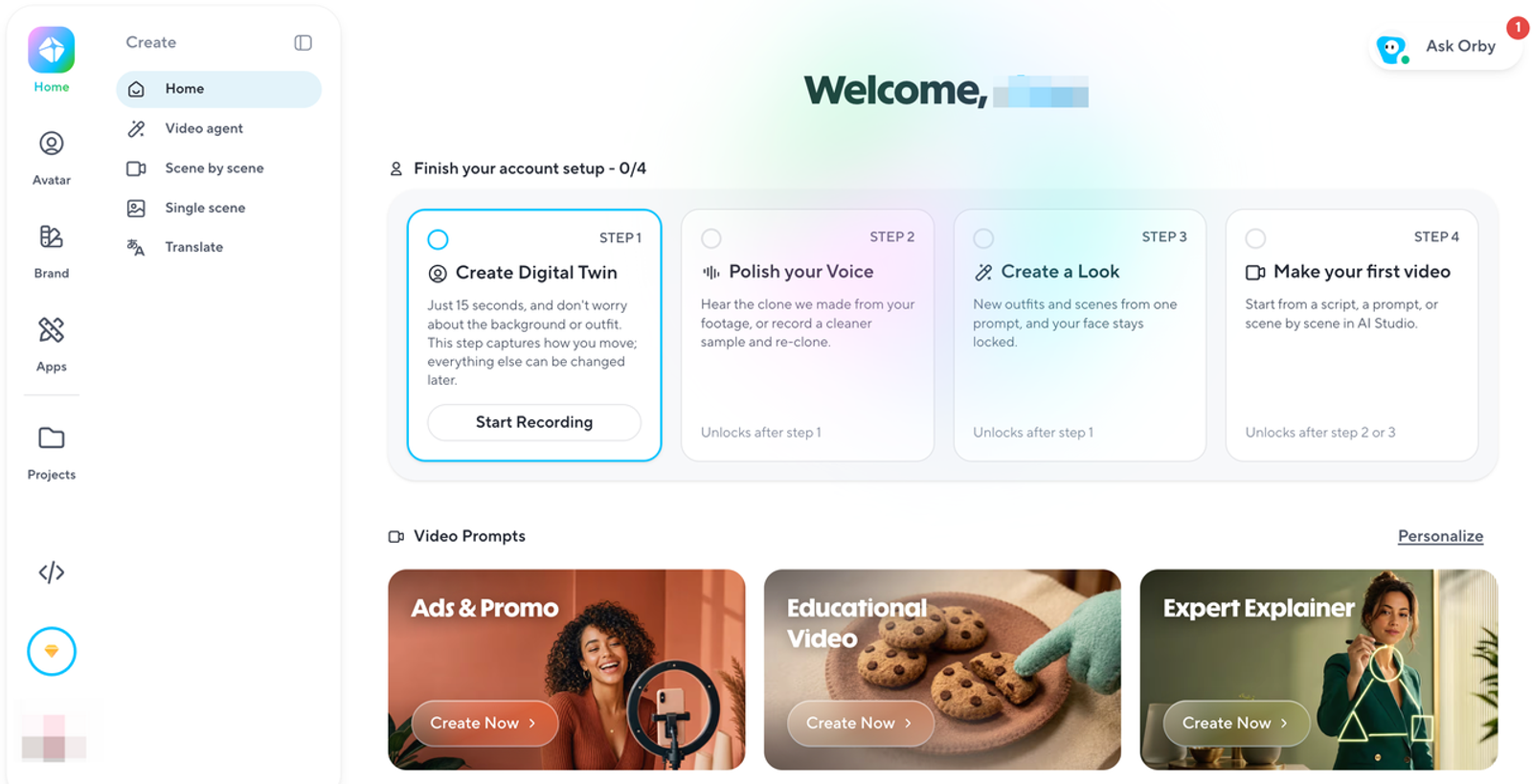
HeyGen has a more explicitly documented route from existing slides to video. Its PPT/PDF workflow offers editable elements or static slide backgrounds. PowerPoint uploads can use speaker notes as the script; PDF uploads do not offer the same speaker-note or editable-element options.
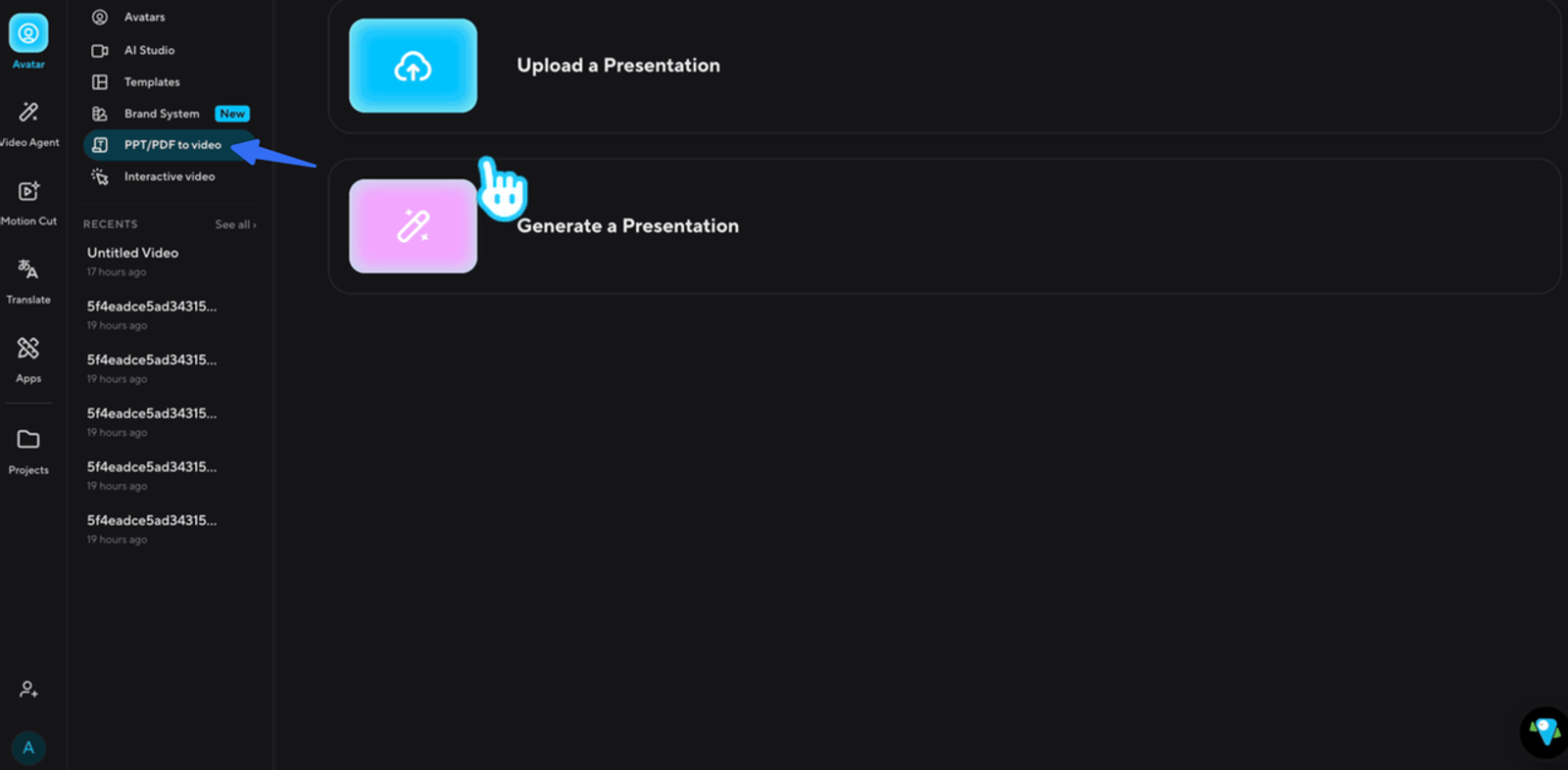
That distinction matters when the product changes. If the button label is part of an editable slide, the team can revise that element. If it is baked into a background image, someone needs to replace the image. Neither approach removes the need to update a screen recording that shows an old interface.
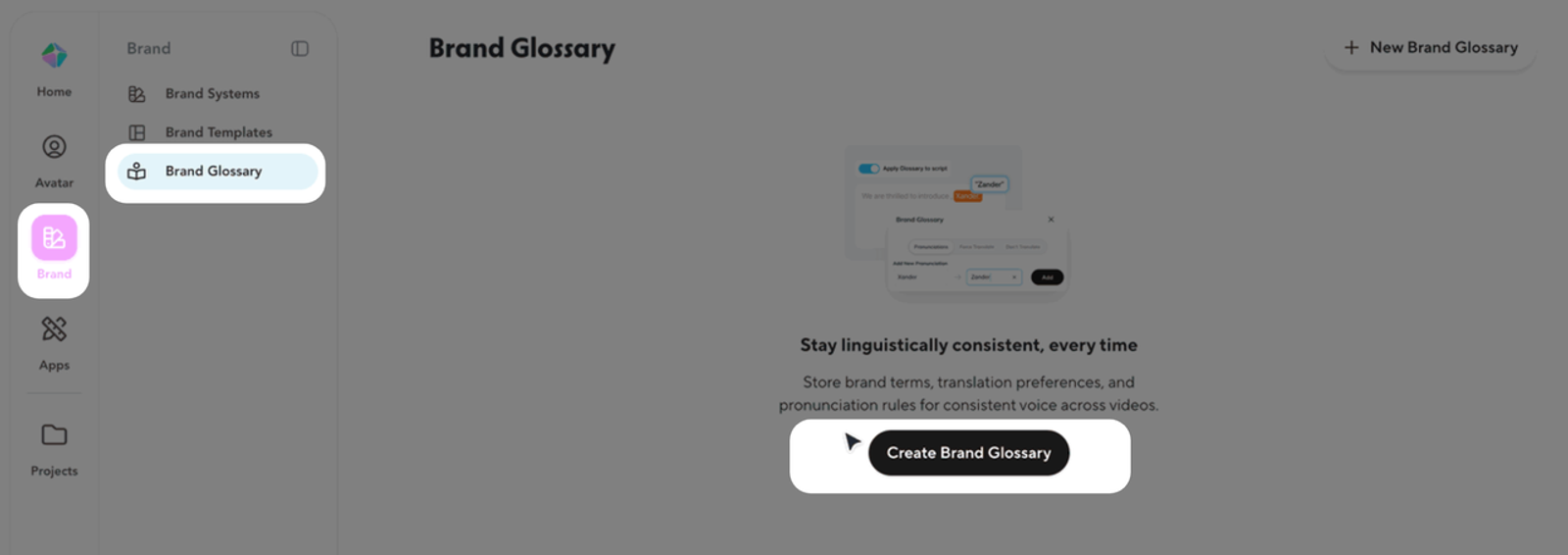
HeyGen also documents Brand Glossary pronunciation and translation rules. Its Brand System guide says to select the glossary for each new video or translation. For a technical course library, I would include that selection in the production checklist and listen to the final “CSV” pronunciation in context.
For delivery, the SCORM guide lists Business and Enterprise access, SCORM 1.2 and 2004, and watch-percentage completion settings. An optional auto-update route serves the video from HeyGen rather than embedding it in the package.
HeyGen is worth shortlisting when the starting material is PowerPoint or PDF and the team wants to investigate a documented slide-to-video workflow. The import mode and delivery plan belong in the comparison from the beginning.
Synthesia: Editable PowerPoint Lessons and Enterprise SCORM
Synthesia’s PowerPoint import documentation describes editable text, shapes, images, videos, and tables, with speaker notes imported as the script. It also states that PowerPoint animations are not imported.
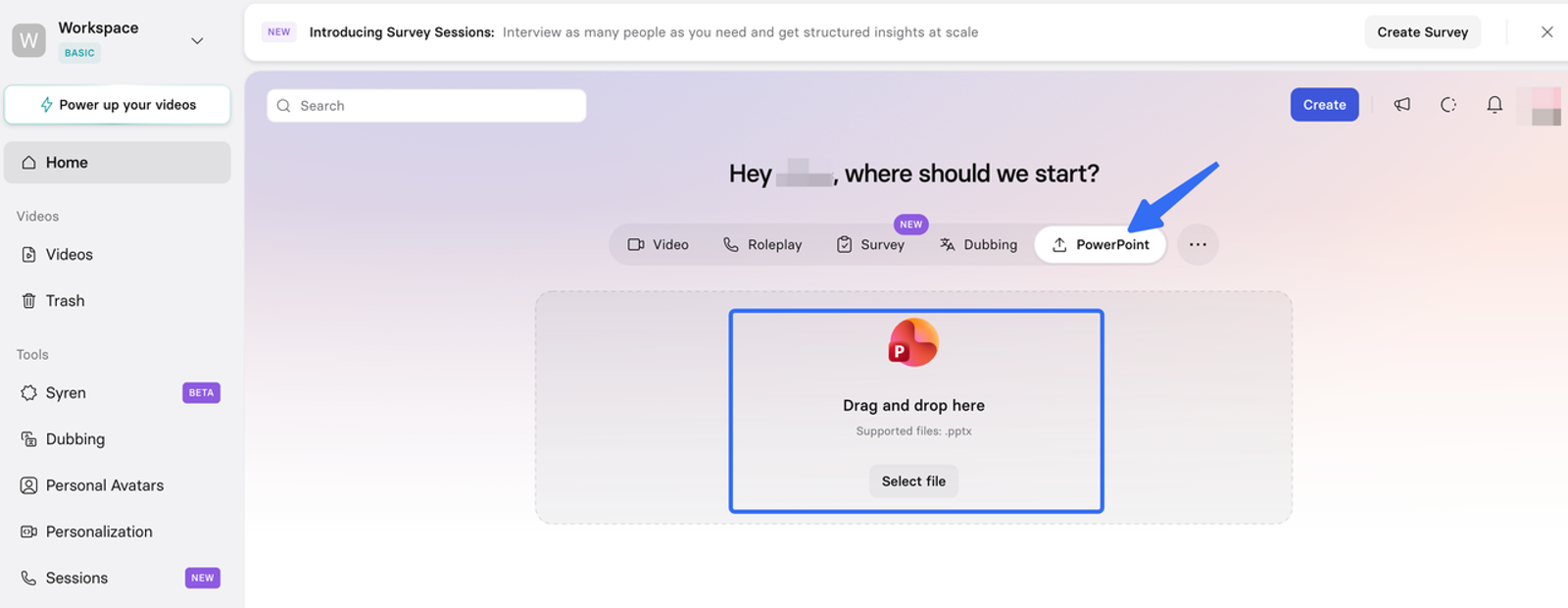
That makes it a candidate for a course library maintained in PowerPoint, with a specific qualification: check how much the teaching depends on those animations. A static overview may need little reconstruction. A sequence that reveals each software step in order may need more work.
For our report lesson, replace the outdated label and demonstration, then check whether the revised explanation still appears beside the right visual. The import guide describes replacing individual elements without re-importing the deck; the pilot should establish how much review that saves for your particular slides.
Synthesia documents word-level pronunciation controls and an Enterprise workspace glossary. Its caption documentation also describes SRT and VTT downloads for external use.
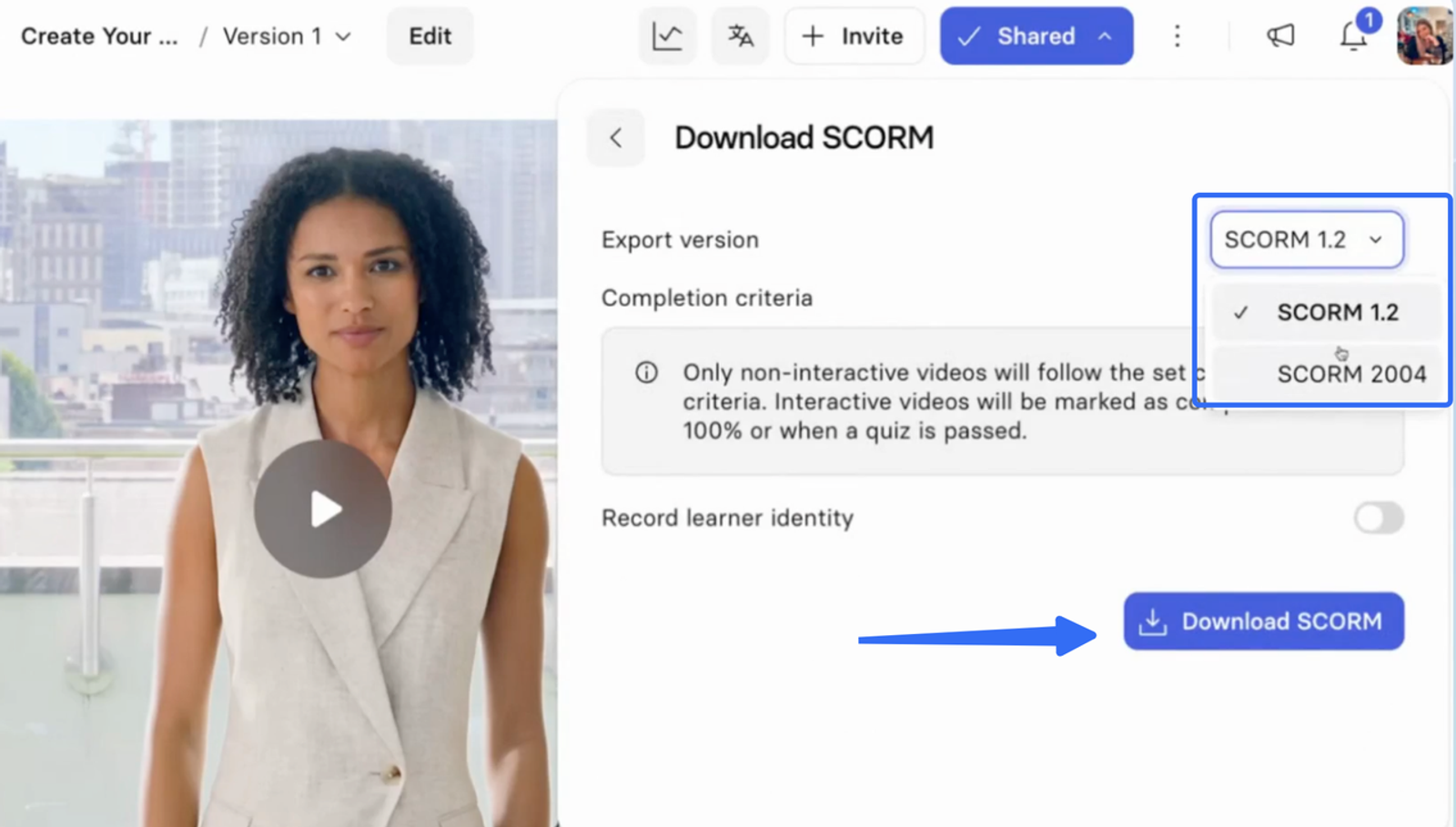
Its SCORM guide lists Enterprise access, SCORM 1.2 and 2004, completion settings, and automatic updates when the video is replaced. Those are useful details for planning the handoff, although they do not establish compatibility with your LMS configuration.
I would shortlist Synthesia for editable PowerPoint lessons when Enterprise SCORM delivery fits the requirements. Before expanding the pilot, check the imported teaching sequence and the exported captions in the final course player.
Evaluate One Lesson With Instructors and Learners
Once a candidate can produce the required output, an instructor should review it against the approved workflow. Listen without watching to catch unclear speech, then watch with the sound low to find visual steps that need better explanation.
Next, make the same update in each version: rename “Export CSV” to “Download CSV,” replace the affected visual, and revise the narration. Check captions and transcripts too. When comparing avatar course video tools, record editing, render waiting, and re-review time separately, alongside generation usage and any extra plan requirements.
Accessibility needs its own review. W3C’s caption guidance covers synchronized speech and relevant non-speech audio. Check caption timing, terminology, transcript availability, slide contrast, and keyboard operation in the final player. Include learners who use relevant assistive technologies alongside the required conformance checks.
Then upload the output to a sandbox course. Test playback, captions, resume behavior, and completion reporting. If a vendor proposes LTI, verify that connection specifically; 1EdTech defines LTI as a standard for connecting learning tools and platforms. An MP4 upload, an embed, and a SCORM package are different delivery arrangements.
For videos that update in place, keep a copy of the approved lesson and ask how the LMS associates previous completions with the version a learner saw.
Keep a small record for each platform:
| Check | What to record |
| Accuracy | Wrong terms, incorrect steps, and corrections needed before release |
| Update | Editing, waiting, and re-review time; affected scenes and files |
| Accessibility | Caption errors, missing visual explanations, and player barriers |
| Delivery | Playback, resume, completion records, and approved-version retention |
| Learner task | Where learners needed help and whether they downloaded the expected file |
Ask learners to complete the report task without coaching. For training video avatars, observing a missed instruction tells you more about that lesson than asking whether the presenter looked convincing. A watch threshold records viewing behavior; it does not prove understanding. A small pilot can expose problems without establishing a general improvement in learning or retention.
Where an Avatar Adds Distraction Rather Than Clarity
I would skip the presenter during dense software steps, spreadsheet inspection, or a diagram that needs the whole screen. In the report lesson, the learner needs to see the filter settings and download control clearly.
The avatar can return to introduce the task, explain why a filter matters, or summarize the result. If the team is unsure, show the same difficult scene with and without the presenter and watch where learners hesitate. Keep the version that makes the instruction easier to follow in that scene.
Conclusion
HeyGen is worth investigating for PowerPoint or PDF conversion with Business-plan SCORM access. Synthesia is another candidate for editable PowerPoint courses with Enterprise SCORM requirements. Wizstar’s interactive training direction deserves a closer look when learners need to ask questions, with the required output and integration details confirmed during evaluation.
I would choose an AI avatar for e-learning after one lesson has survived an accuracy review, a realistic update, and the actual LMS handoff. By then, your team should know what it will have to maintain when the product changes again.
FAQ
- Can a retired instructor's likeness remain in future lessons?
- Check whether the original permission covers new synthetic performances after retirement, including duration, territories, and permitted uses. Keeping an existing recording and generating new speech are separate questions. The U.S. Copyright Office’s digital-replica work provides policy context; the applicable agreement and law determine your rights.
- What consent is needed when learners upload their own faces?
- First ask whether the upload is necessary. Have your privacy owner identify the lawful basis and any biometric-data requirements that apply to the processing. Explain retention, access, deletion, and model-training use. Where consent is relied on, assess whether learners have a meaningful alternative. The EDPB opinion on AI models provides broader data-protection context, not an avatar-specific consent checklist.
- Can instructors reuse course-library illustrations in avatar lessons?
- Check the license for the proposed use, including uploading to an AI service, modification, and distribution. Permission to display an illustration in a classroom does not necessarily cover a publicly available customer-training video. Keep the authorization with the course assets.
- How should a course disclose that its presenter is synthetic?
- Use a visible, plain-language note, such as “AI-generated presenter; content reviewed by [organization].” Claim review only when it happened. Legal requirements may call for additional steps. C2PA Content Credentials can carry tamper-evident provenance where supported; they do not establish lesson accuracy or replace learner-facing disclosure.
- Can draft lessons contain customer data from a software demo?
- Use a sanitized demo account with fictional records wherever possible. If real data is necessary, obtain the required privacy and security approvals and confirm the vendor’s processing terms before upload. Draft projects, shared previews, and recordings still need appropriate access controls. These privacy, rights, and disclosure notes are general operational guidance, not legal advice. Requirements vary by jurisdiction, contract, learner population, and industry.