The short answer
Canva is a good fit for marketing teams that need branded graphics and short videos from one campaign brief. Its templates, Brand Kit, and shared review tools are especially useful when the team already has approved product footage. Based on Canva’s product and policy documentation, I’d use a specialist video workflow when the campaign depends on precise product motion, detailed color work, or a more involved edit.
Quick Verdict for Marketing Teams
I’d choose Canva for marketing teams that regularly package a launch as a social graphic, an email header, and a short promo. Start with the same approved assets and give each format its own layout. For campaigns that also need a longer explainer, our product explainer tool comparison covers where Canva fits alongside dedicated animation and video tools.
Canva’s plan comparison lists Pro for one person, Business with team administration and approvals, and Enterprise with tiered approvals and multi-team management. I’d choose based on who needs to edit and who needs to approve work for release. A solo designer and a team with regional brand reviewers have different reasons to pay.
What Can Canva Produce for a Campaign?
Canva can produce the campaign graphics and assemble a short promo from approved footage. Take a cold-brew bottle launch as an example. The same brief calls for a square social graphic, an email header, and a 15-second vertical video. The source assets are a bottle photo, footage of the removable filter lifting out, an approved headline, and the launch offer.
Reusable Design Assets and Brand Templates
Build one starter layout per placement. Keep the typography and offer styling consistent, then adjust the crop and scale for each format. The email header can give the bottle and headline most of the space, while the square graphic has room for an inset showing the filter. If the header needs a different background, our guide to targeted product photo edits shows how to brief the change and check the bottle’s label and shape afterward. Store the approved layouts and product media in the campaign workspace.
Video Editing and AI Clip Creation
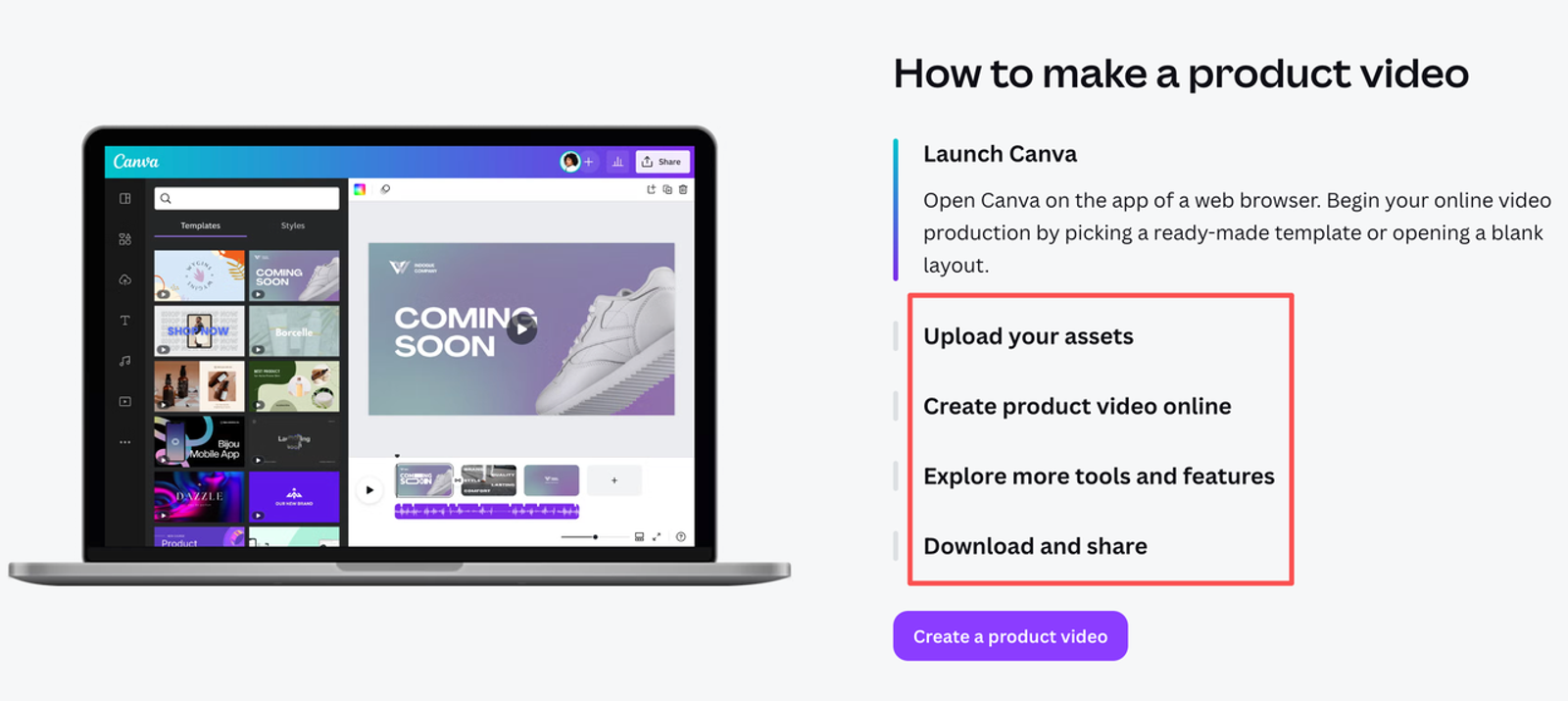
In Canva’s AI video editor, the timeline lets you arrange uploaded and stock footage, add text and audio, and leave comments on scenes. For this Canva video editor review, the bottle promo illustrates a basic edit the team can reuse. Open on the bottle, cut to the filter-removal shot, then hold the branded end card long enough to read the offer. Preview the cut muted to see whether the product action still makes sense.
How Does a Team Keep Work On Brand?
Use Brand Kit to store approved assets, shared templates to guide layouts, and named reviewers to sign off on campaign changes. In this Canva video workflow, contributors can update a placement while reviewers check the details that affect what customers see.
Brand Kit and Shared Templates
Put approved logos, fonts, and colors in the Brand Kit if your plan supports them. Canva Free lists one kit limited to three colors, while Pro lists five Brand Kits. Publish separate templates for the square graphic and vertical video so contributors can change a headline or swap a photo without rebuilding the design. Where element locking is available, lock the logo and any offer terms that must appear across placements.
Review and Approval Across Contributors
Use comments for feedback on a specific design or scene. If your plan supports design approvals, check who can submit and approve designs and whether sign-off is required before publishing. For the bottle launch, have the brand reviewer check logo, type, and color. The product owner verifies the bottle variant, filter action, and offer. The channel owner checks mobile cropping, captions, music rights, and required disclosures. For a paid social cut, our guide to reviewing AI UGC ads before launch covers checking that the footage backs the claim and the offer matches the landing page.
Use Canva’s Content License Agreement to check the stock assets in the ad. Review Canva’s current terms of use, any applicable AI Product Terms, and its privacy policy before uploading product media. Check the target platform’s rules for claims and AI disclosure before publishing. This licensing and data-use overview is general information and does not constitute legal advice.
Where Does Canva Fall Short for Video?
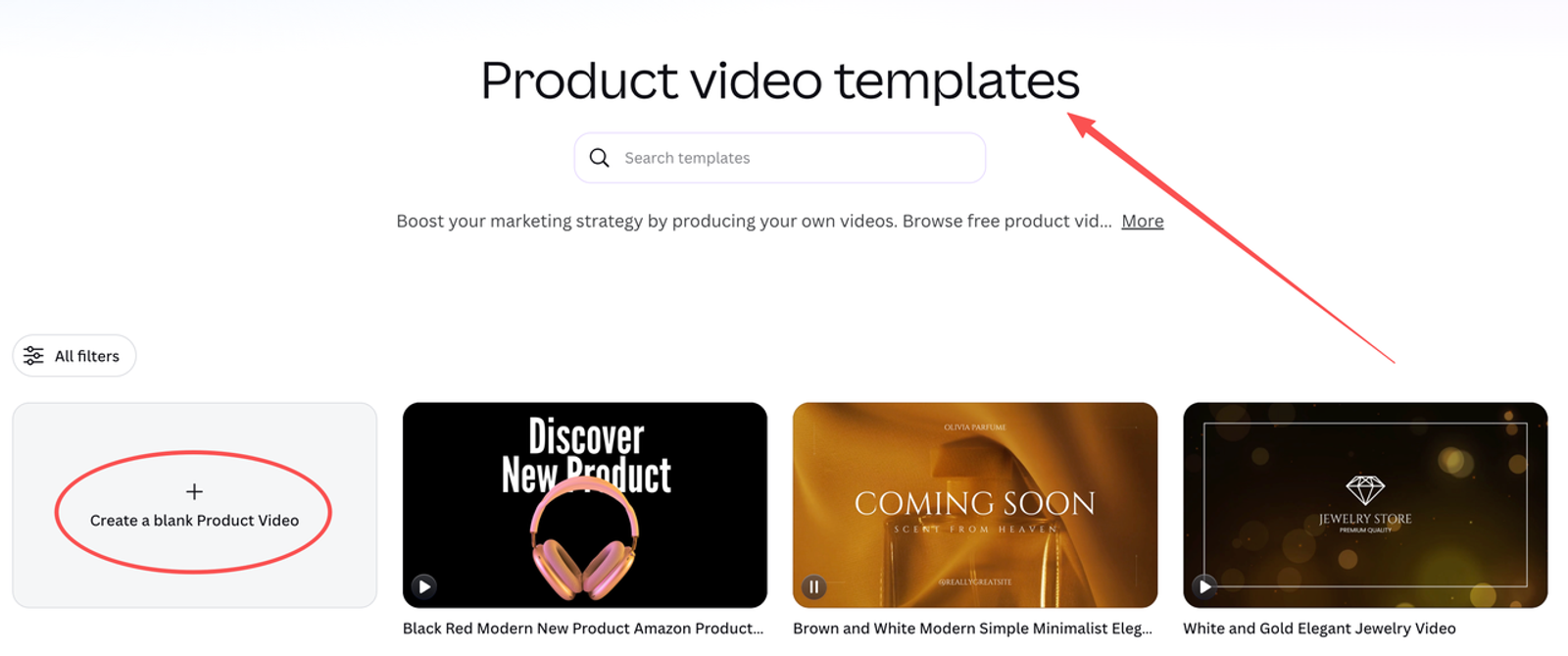
Canva is a weaker fit when the video depends on faithfully showing how parts fit together, matching hand movements across camera angles, or carefully balancing color and sound. A specialist can finish those shots while the campaign team manages the graphics and short versions in Canva.
Product-Specific Footage and Motion
For the bottle promo, viewers need to see where the filter sits and how it comes out. I would check the label and filter rim before the lighting. If a hand obscures the action, capture a clearer angle or ask an editor to cut between two views that show the filter seated and then lifted out. Keep the finished clip in the campaign workspace for future versions.
Magic Video Edits Versus New Clip Generation
For a Canva AI video review, the distinction starts with what you supply. Magic Video automatically edits clips and photos you upload. Open a video design and find it under Templates. Canva’s help documentation describes a 60-second vertical draft that sequences and styles your media and adds music. For the 15-second bottle promo, trim the draft and confirm that the product action is visible and the soundtrack is cleared for the placement.
Magic Media Text to Video generates a new clip from a prompt. Open Magic Media’s video tool from the editor’s side panel or find it under Apps, then select Videos. Canva documents a four-second limit per clip for this feature, and generation draws on the monthly AI allowance. I’d use it for an atmospheric insert, such as morning light across a counter, and keep the real filter-removal shot for the demonstration. For a cutaway animated from a product photo, our PixVerse review for short product clips covers checking whether the label and packaging stay accurate as the camera moves.
Is Canva Worth the Plan for Your Team?
Yes, if your team routinely produces several formats and benefits from shared templates and approvals. If one person creates the assets, Pro may cover the work. Business is easier to justify when several contributors need to use the same brand assets and submit work for review.
Usage, Seats, and Asset Access
Canva’s U.S. annual prices, checked on November 17, 2026, were $144 for one Pro user and $250 per person for Business, before applicable tax. Three Business seats cost $750 per year before extras. Every Business team member needs a paid seat. Free can cover simpler layouts, so check whether your templates, footage, or music require premium access.
The next edit is part of the cost. Estimate how often the offer changes and who will revise the layouts or generate clips. Canva’s monthly AI allowance varies by plan and task. Business members have individual allowances, so budget around the person doing most of the generation.
Conclusion
I’d use Canva to create and approve the bottle campaign’s graphics, assemble the short promo, and update the offer across placements. If the filter demonstration needs precise filming or a more involved edit, finish that shot separately and bring the approved clip into Canva. Price the plan around the people who will create and review the assets and the footage they’ll need for each release.
FAQ
- Can Canva stock assets be used in paid ads?
- Yes, eligible Free and Pro stock can be used in paid ads as part of a Canva design. Check the individual asset because editorial-only content is excluded from advertising. Music has separate rules. Popular Music is barred from paid ads, and Pro Music has placement restrictions even when a track is available in your account.
- Which video export formats does Canva support?
- Canva offers MP4 and GIF for video designs. Use MP4 when the campaign needs audio and GIF for silent animation. Resolution controls depend on the plan and device, with 4K available on desktop for eligible exports.
- What happens to a Brand Kit when a subscription ends?
- For Business and legacy Canva Teams, Canva’s cancellation guide says Brand Kit content, designs, and shared folders are retained when the workspace moves to Free. Paid features end at the close of the billing period. Check which Brand Kit controls you’ll have on Free before scheduling another campaign there.
- Can Canva projects be transferred between team accounts?
- Yes, you can copy eligible designs between teams or accounts when permissions allow. For two teams under one login, use Copy to Another Team. Across separate logins, share the design with edit access and make a copy from the destination account. The original stays in its workspace. Brand Kits and comments do not carry over with the copy.
- Can Canva use uploaded product images for AI training?
- Yes, where the applicable privacy settings permit it. Canva’s Trust Center says uploaded media counts as user content and that Business, Teams, and Enterprise content is currently excluded from AI feature improvement. Canva’s AI Product Terms also allow it to share inputs with technology partners to provide certain features. Check the workspace settings and applicable terms before submitting an unreleased product image to an AI feature.