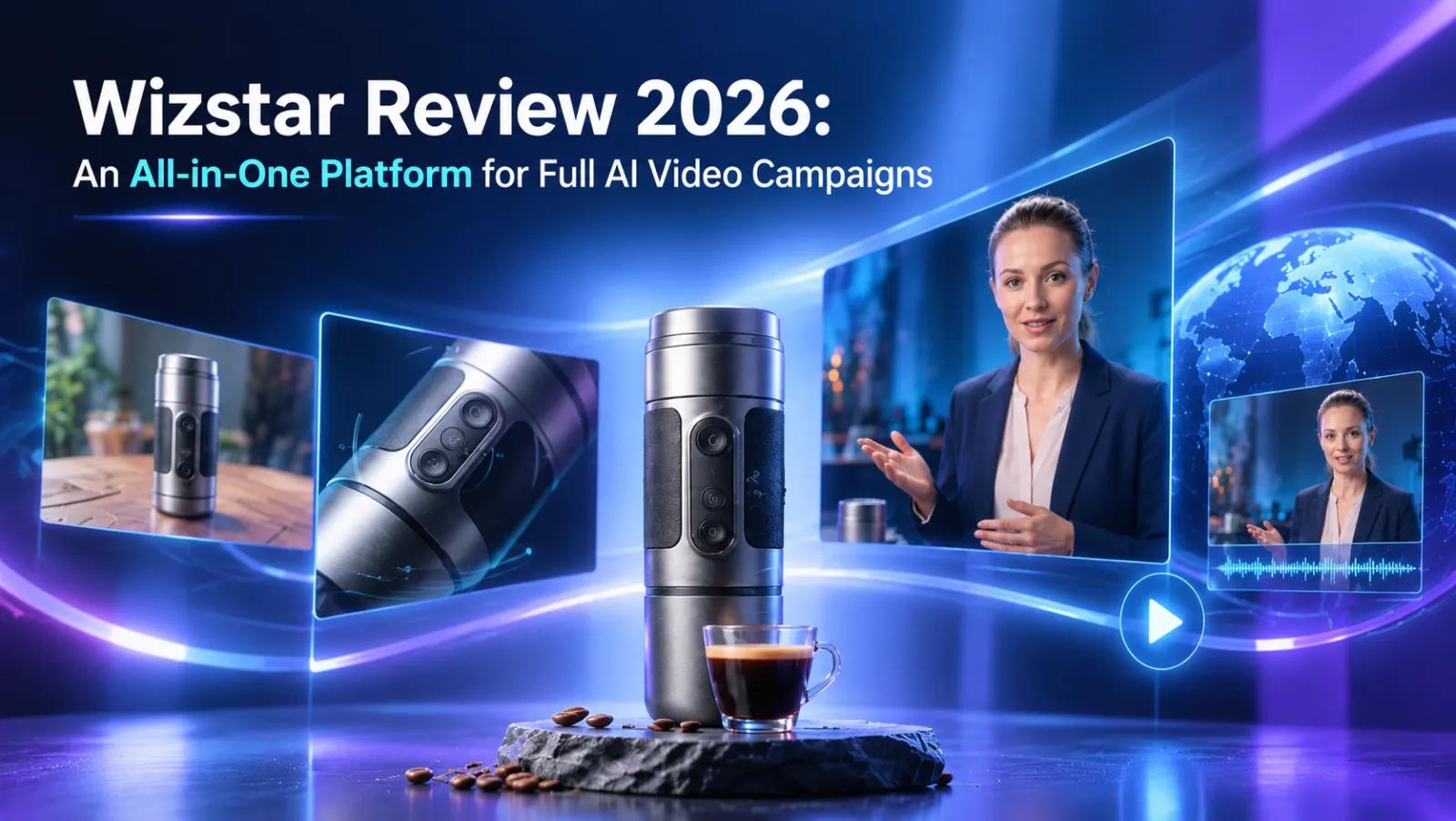
Wizstar is a strong option for ecommerce teams that need campaign visuals, a product ad, a presenter video, and localized versions inside one workspace. Its main advantage is letting you carry a single product message across all those formats without starting from scratch each time—though a human still has to steer creative direction, verify product accuracy, and manage handoffs between tools.
This Wizstar review follows a portable espresso machine launch across three connected stages: an English product ad, an English presenter walkthrough, and a Japanese localized version.
Testing Wizstar with a Global Product Launch
A multi-format campaign starts with a solid reference pack of product photos and approved copy. Keeping the machine’s appearance, approved claims, and visual style consistent is the hardest part when moving from static images to video, from video to an on-screen presenter, and finally from English to Japanese.
Wizstar’s ecommerce Agent requires either a product link or at least three product images to begin. Pairing a clean reference pack with a short list of approved claims gives every downstream step a reliable baseline.
From a Product Brief to a Campaign-Ready Video
Planning the Campaign with AI Creative Agent
Wizstar’s AI Creative Agent works best as a structured planning partner. According to the official guide, the workflow moves from a Demand Overview into a storyboard, script, scene review, and final video merge. In Premium mode, you can specify duration, aspect ratio, video type, target audience, product name, selling points, and supporting assets.
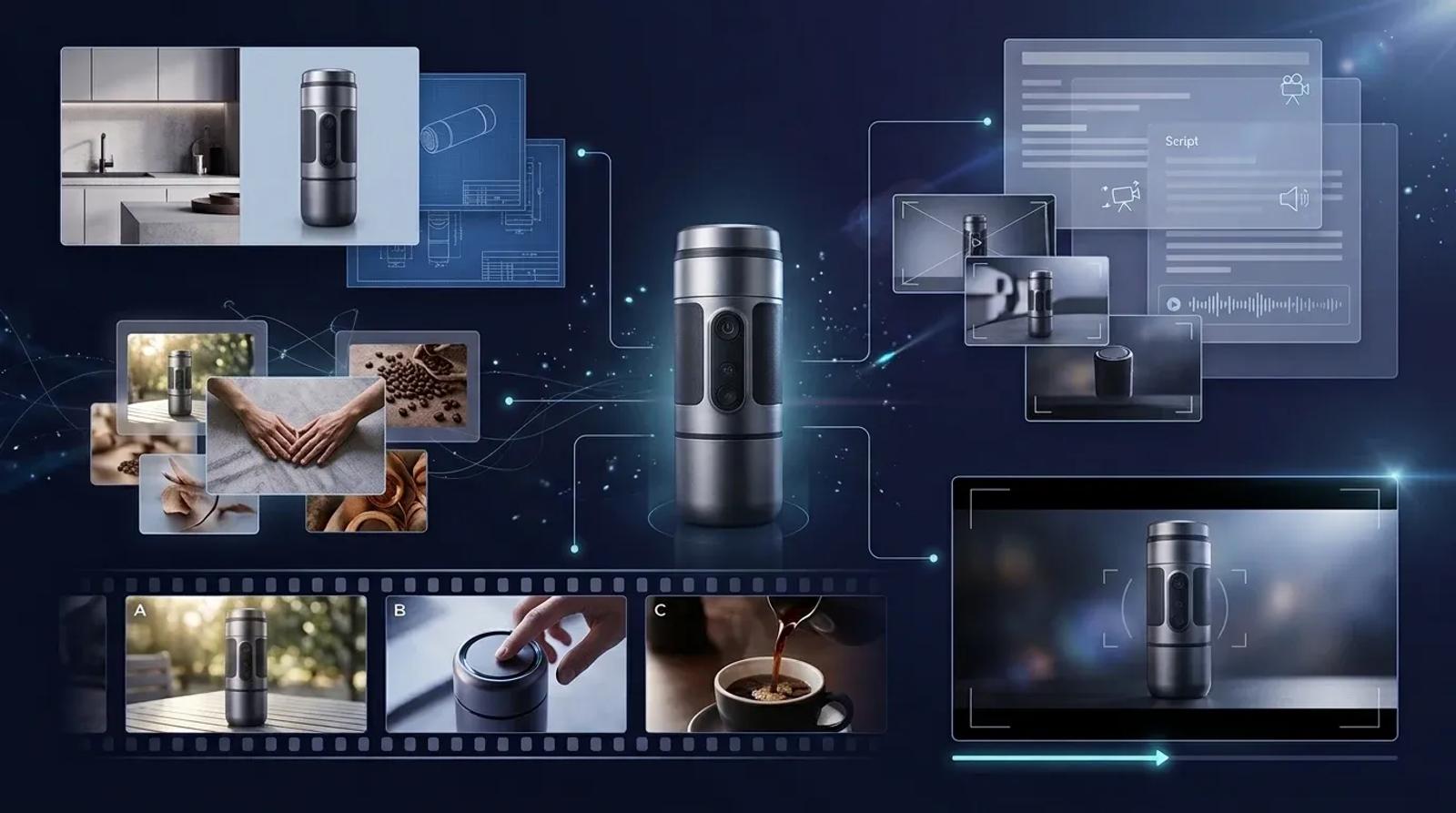
For the espresso machine launch, the goal at this stage is straightforward: define the buyer, set up a relatable coffee moment, showcase the hardware, and explain the core use case from the brief. Catching gaps in the outline saves you from wasting credits generating unusable clips later.
The Agent accepts uploaded images, documents, and product links that you can reference directly in your prompt. A vague instruction like “Make a premium ad” leaves too much to chance. A practical prompt spells out the ad placement, tone, source files, and strict boundaries around what the product can claim.
You can tweak storyboard frames and script lines—including shot size and camera movement—directly in the editor or through chat. If a planned scene pulls focus away from the machine, you can rewrite its role before merging the cut, locking in the narrative before generating disconnected footage.
Building Marketing Images with Text-to-Image and Image-to-Image
Wizstar’s AI Image Generator handles two distinct jobs. Text-to-image explores visual concepts from a written prompt, while image-to-image starts from reference files and uses instructions to lock in or modify specific elements.
In this campaign, text-to-image is useful for testing background concepts—like a sunlit morning kitchen, a campsite table, or a clean ecommerce backdrop with negative space for copy. Once the espresso machine itself needs to look exact, starting from an actual product photo is far more reliable.
That makes image-to-image the workhorse for product-led assets. Wizstar supports up to five reference images per generation. You can use one image to lock down the machine’s silhouette and details while another guides the environment or lighting. Just make sure your prompt assigns clear roles to each file so a background reference doesn’t warp the product’s shape.
From there, you can build out product-page hero shots, lifestyle scenes, social covers, and web banners—adjusting the framing for each placement, since a vertical social cover needs room for stacked text while a site banner calls for a wider balance of subject and negative space.
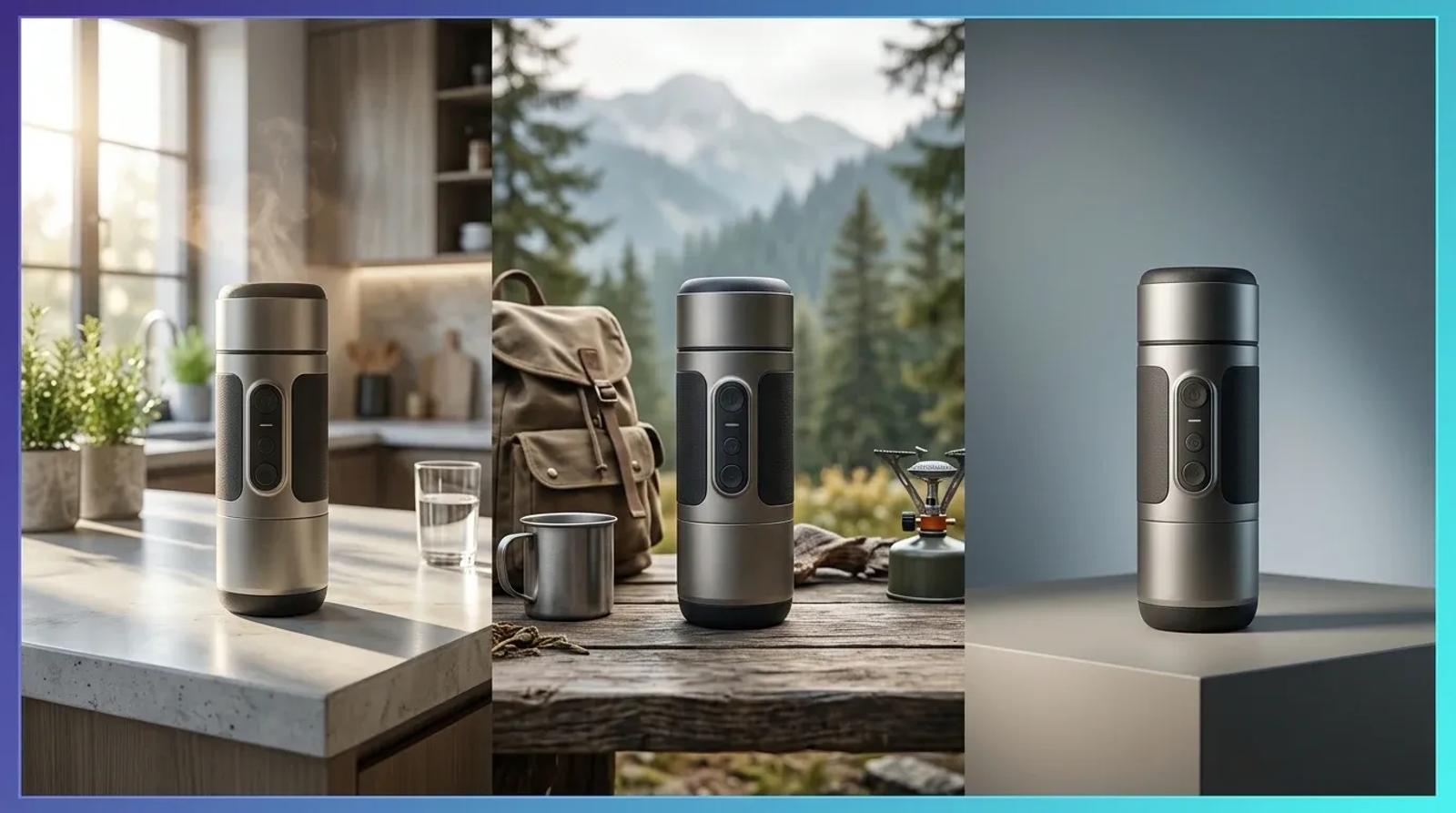
Choosing the right model comes down to the specific visual task. Wizstar positions GPT Image 2.5 for complex prompt adherence and in-image text, Nano Banana 2 for reference-driven edits, and Seedream 5.0 for detailed product and portrait shots. Treat these as practical starting points rather than rigid rankings:
- Start with GPT Image 2.5 when you need a layout-ready visual with clean headline text.
- Use Nano Banana 2 when adapting a single product photo across multiple settings.
- Pick Seedream 5.0 when surface textures and close-up hardware details are the priority.
Every finished image includes a Generate Video button that sends it straight into the AI Video Generator as a starting input. You can get sign-off on a static product composition first, then bring it to life with motion.
Comparing AI Video Models and Generation Routes
Wizstar’s model catalog offers several ways to animate a shot. The practical differences come down to how many references a model accepts, how it handles motion and audio, and how quickly you can iterate.
| Model | Useful starting point | Application to this campaign |
| Wizstar R1 | Reference-led drafts | Exploring motion from supplied product imagery |
| Seedance 2.5 | Directed sequences with multimodal references and audio | Connecting product, setting, motion, and sound references |
| Kling 4.0 | Longer scenes with multiple references | Developing a product scene over 3–30 seconds |
| Kling 3.0 Omni | Image-led motion | Animating product references with attention to physical movement |
| MiniMax H3 / H3 Max | Iterative variations | Exploring alternative hooks and short social treatments |
| Veo 3.1 | Audiovisual scenes | Developing moments where generated sound and cinematic treatment matter |
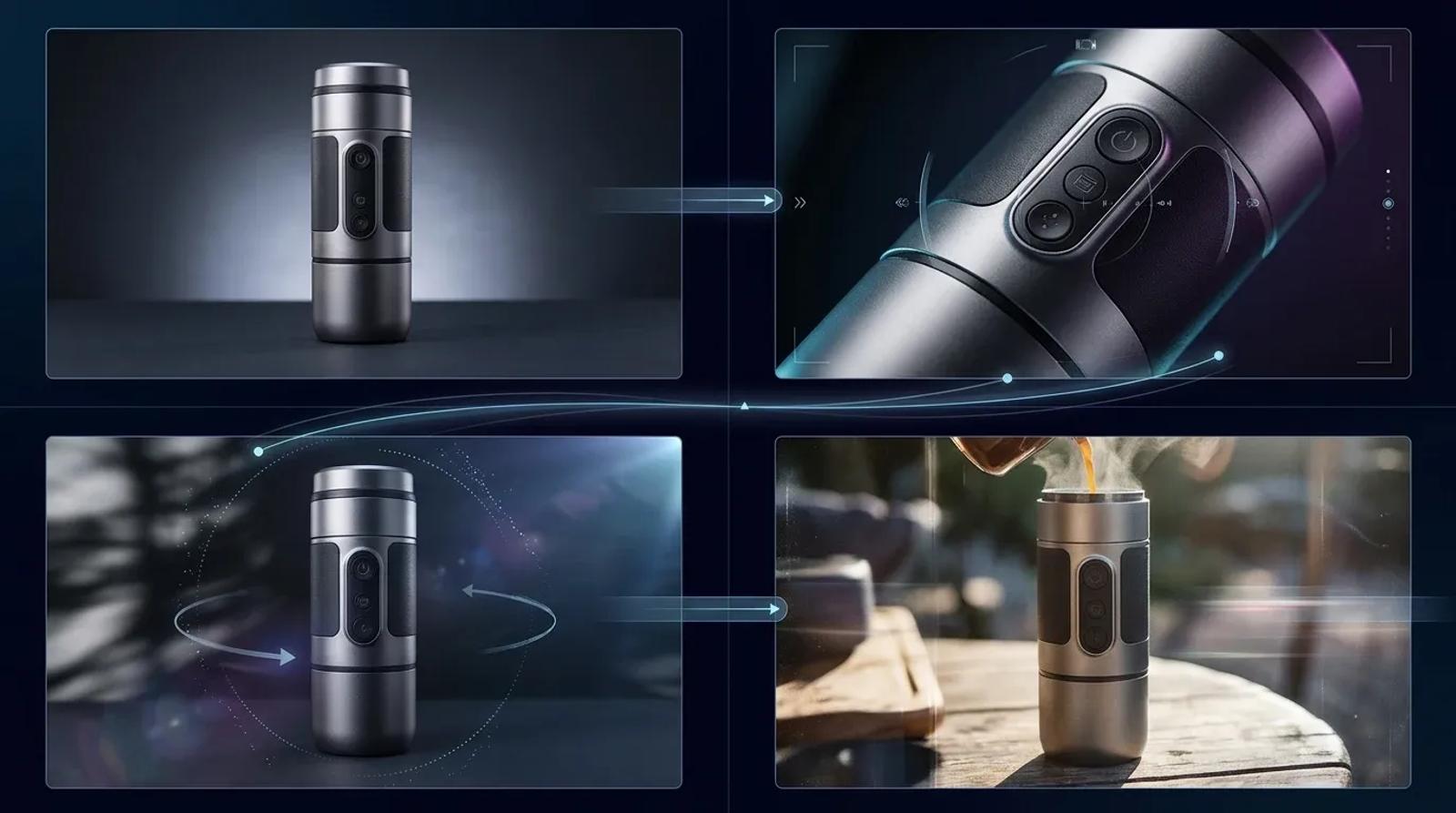
Capacity varies significantly across models: Seedance 2.5 accepts up to 50 image, video, and audio references in Reference to Video, while Kling 4.0 supports up to 15 references, keyframe control, and output up to 2K. Those limits matter once you are working with a full product reference pack or longer sequences.
Before picking a model, decide on the generation route:
- Reference to Video works best when the product’s physical identity must stay faithful to your uploaded assets.
- Keyframe to Video is ideal when you already have an approved opening or closing frame.
- Text to Video fits mood shots and early concepting better than strict hardware accuracy.
For the espresso machine’s main hero shot, an image-led composition with controlled camera movement is the safest starting point. Save longer, multi-reference routes for complex hero sequences, and switch to a sound-capable model when ambient audio—like espresso extraction or pouring—adds clarity to the scene.
Wizstar positions H3 Max for faster iteration and tight prompt adherence, making it a practical choice for testing two different opening hooks side by side. The goal is to solve each individual shot efficiently, not run every scene through every model on the menu.
Turning the Campaign into Presenter-Led Product Videos
Wizstar’s AI Avatar lets you pair visual product footage with a direct spoken explanation. The standard Avatar workspace combines a chosen avatar, voice, and script—its public interface displays a 1,000-character script limit and a 1080P output toggle. Teams can pick a stock presenter or use a custom avatar to produce spoken variations without booking a new studio shoot for every script update.
Avatar Turbo approaches this from a different angle. Its Talking Photo tab animates a still portrait, while Lip Sync Video maps speech onto an existing speaker clip. Both accept either a typed script or an uploaded audio track, which is helpful when you already have a brand spokesperson’s photo or a recorded voiceover whose pacing you want to keep.
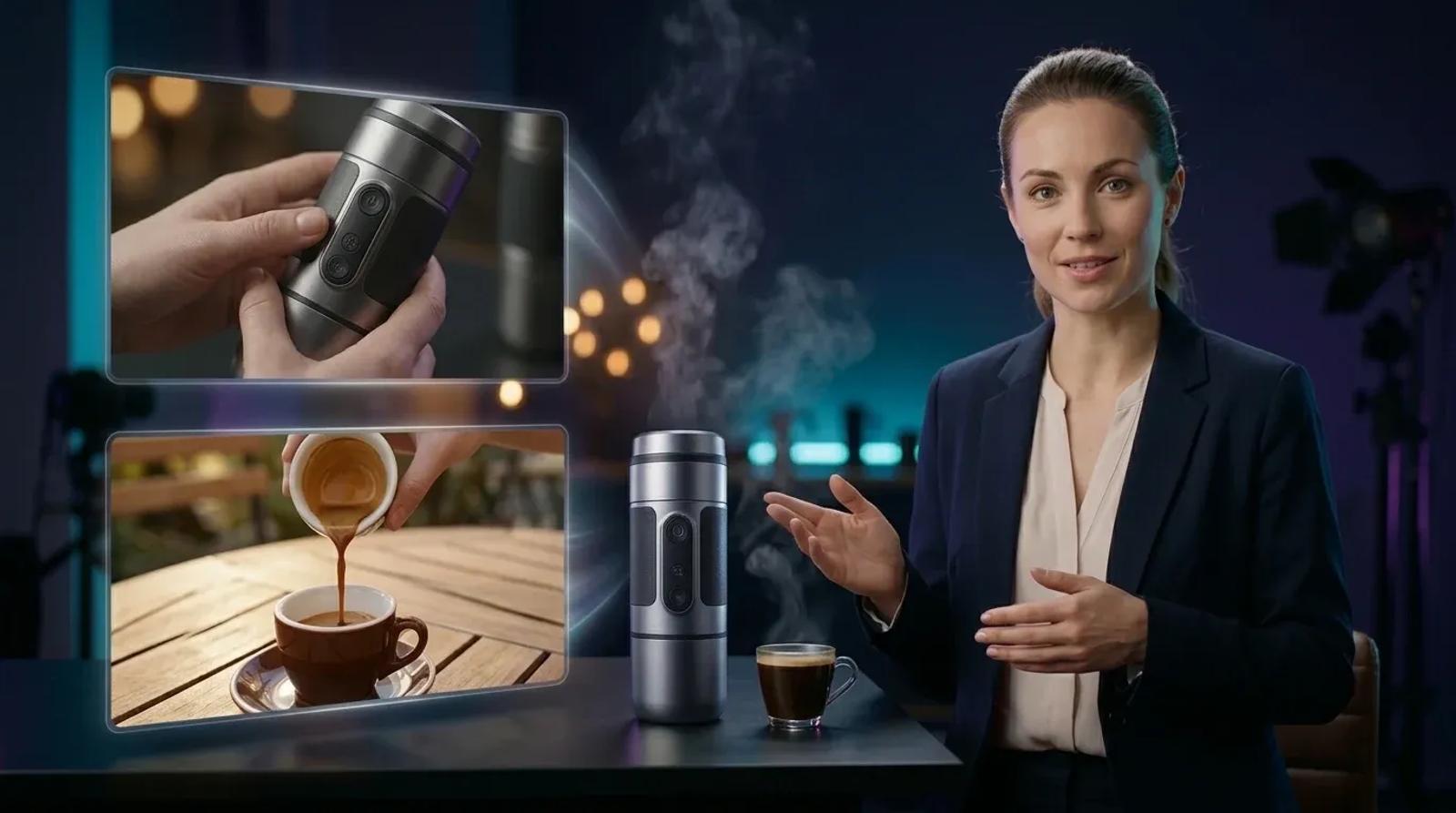
In an ecommerce campaign, the presenter’s job is to clarify who the espresso machine is built for, expand on an approved feature, or point viewers toward key specs on the product page. A punchy social hook and a fuller product-page walkthrough can rely on the exact same approved facts while matching different viewer expectations.
Natural voice pacing and clean lip sync determine whether viewers stay tuned in. Alternating between the presenter explaining the benefits and approved product shots showing the hardware keeps the video engaging—and gives you a clean, approved English master track ready for localization.
Localizing the Campaign for International Markets
Translating and Reviewing the Japanese Version
Wizstar’s AI Video Translation supports local uploads or files pulled from your asset library, along with automatic source-language detection. Documented specs cover MP4 and MOV files from 480P to 1080P, up to five minutes in length, with Japanese included among the target languages.
When a presenter appears on screen, Lip Sync + Audio Translation adapts both the spoken track and mouth movements into Japanese. For voiceover-only product footage without a visible speaker, Audio Translation Only is the cleaner choice.
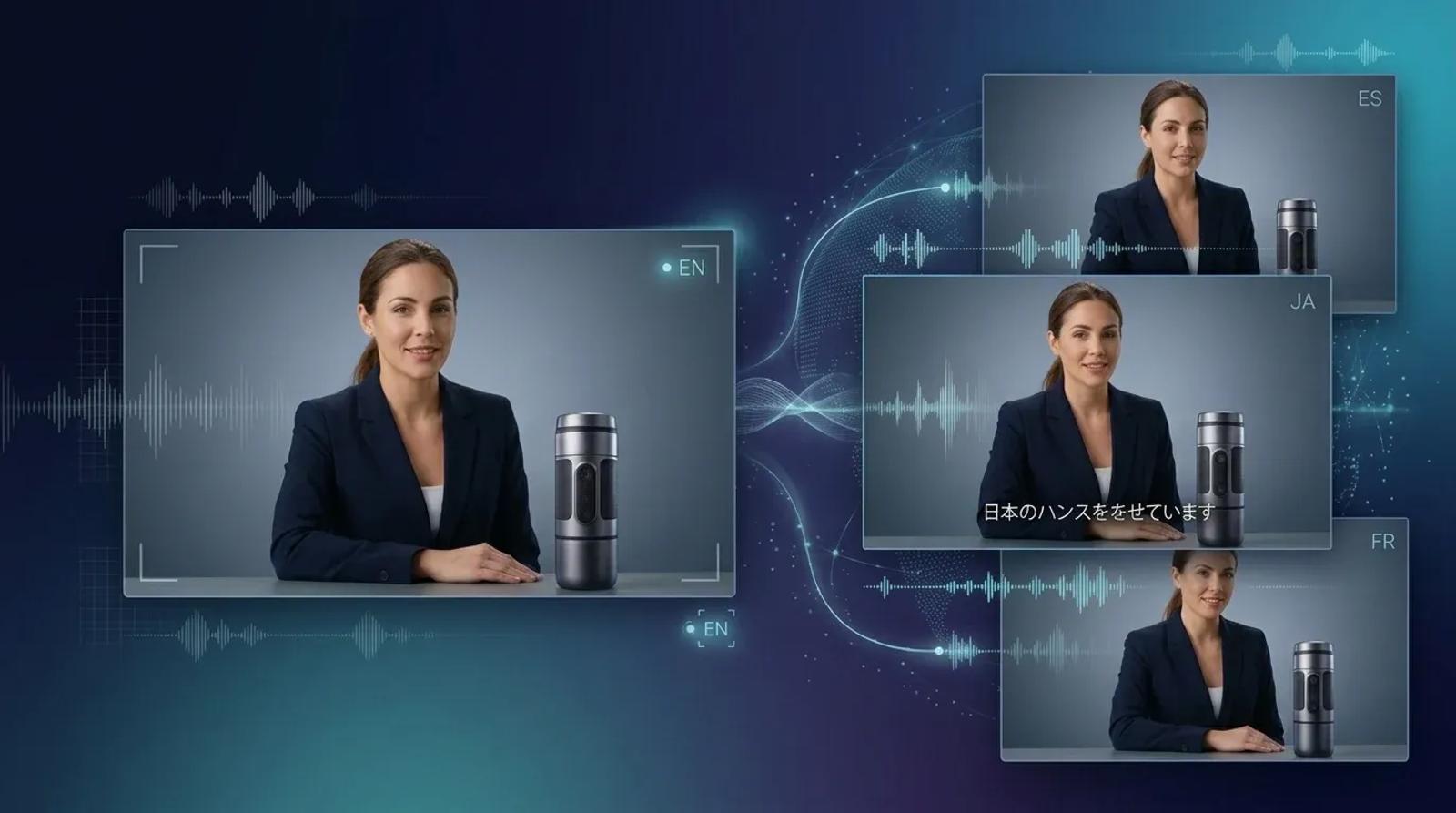
Because the localized cut reuses your approved product visuals and scene sequence, the team can concentrate on translation accuracy and vocal delivery instead of rebuilding the video from scratch.
Even so, localization takes manual review. Japanese phrasing often requires different pacing than English, and product terms, legal qualifiers, subtitles, and on-screen graphics all need checking. Translating the audio track will not automatically edit English text baked into the video frames, so having a native speaker review the final cut remains essential before launch.
Building all three stages from one approved English source also makes future edits much easier to track across markets.
How Much Does It Cost to Produce a Campaign with Wizstar?
| Plan | First-month offer | Monthly renewal | Monthly Credits |
| Starter | $10.99 promotional | $18.05 | 1,310 |
| Plus | $36.27 | $36.27 | 2,690 |
| Pro | $166.32 | $166.32 | 13,040 |
If you spent an entire monthly allowance on a single format, here is how many complete outputs each tier covers:
| Plan | Nano Banana 2 1080P images | MiniMax H3 720P, 10-second clips | Seedance 2.5 720P, 10-second clips |
| Starter | 218 | 21 | 5 |
| Plus | 448 | 44 | 12 |
| Pro | 2,173 | 217 | 59 |
At these settings, the Starter plan covers roughly four times as many 10-second MiniMax H3 clips as Seedance 2.5 clips. Using faster, lower-cost models for early drafts leaves more budget for complex hero shots.
To put this into a mixed campaign scenario: generating 20 Nano Banana 2 images at 1080P costs 120 Credits, and producing three standard 720P, 10-second MiniMax H3 clips takes another 180 Credits. That comes to 300 Credits total, leaving 1,010 Credits on a Starter plan—a visual-production subtotal before factoring in presenter generation, Japanese translation, and retakes.
Also note workflow pricing differences: at 720P, Seedance 2.5 costs 37 Credits per second inside the Agent, compared with 22 Credits per second in standard generation. The Agent’s structured planning needs to save enough time and retries to justify that premium, since it is not automatically the cheaper route.
Plus offers roughly double the Credits of Starter for roughly double the renewal price, making it a straightforward capacity upgrade. Starter works for occasional campaigns, Plus gives teams breathing room for concept testing and revisions, and Pro is built for steady, ongoing production. Pick a tier based on the finished deliverables you need each month rather than chasing the largest Credit pool.
Wizstar Pros and Cons
Wizstar’s biggest strength is connecting early visual exploration with multiple finished delivery formats. You can lock in a look with AI images, test motion across specialized video models, and extend the exact same approved message through Avatar and Translation.
The Agent’s review checkpoints also give teams a practical way to fix weak story beats or unsupported product claims before spending heavier Credits on video generation.
The main drawback is cross-workspace coordination. You still have to actively manage product references, approved copy, model-specific rules, and localized assets. Having a large model catalog also means navigating different input limits, output settings, and Credit rates. Wizstar brings the tools under one roof, but your team still runs the production pipeline.
Who Should Use Wizstar?
Wizstar is a strong fit for ecommerce creators, lean marketing teams, and agencies that regularly turn a single product brief into ads, presenter explainers, and localized market versions—especially when reusing approved visuals across formats saves production time.
It is less compelling if you only need a single standalone clip, granular timeline editing, or an enterprise approval system. In those situations, a broad multi-model suite adds extra decisions without solving your primary bottleneck.
Final Verdict: Is Wizstar Worth It?
For a multi-stage launch like our portable espresso machine campaign, Wizstar proves its value across the full chain: locking down product visuals, building the core ad, adding a presenter walkthrough, and localizing the spoken master.
It makes sense when those connected deliverables are part of your recurring workflow and the per-task Credit math fits your budget. If one narrow deliverable makes up most of your work, a dedicated specialist tool may be the better buy. Ultimately, Wizstar pays off when your team carries approved assets from one stage to the next—not simply because it packs dozens of models into one menu.
FAQ
- Is Wizstar AI free to try without a credit card?
- Yes. New accounts receive free generation Credits, and no credit card is required to start using the AI image generator.Create an account, check your starting balance, and pick a low-cost task first, since free Credits do not guarantee access to every model or resolution setting. Free access is capped by your available balance and feature eligibility rather than offering unlimited image or video generation.
- Can Wizstar generate multiple video variations in one request?
- Yes. Supported models let you generate multiple video options from a single request—for example, Wizstar R1 supports one to four videos per generation.Select your desired output quantity in the generator before submitting the task. This gives you alternative takes to compare motion, composition, and product consistency using the exact same references and prompt. Be sure to check the displayed Credit cost before running your batch.
- Do unused Wizstar subscription Credits expire at the end of the month?
- No. Under Wizstar’s public terms, subscription Credits expire 30 days after they are issued rather than resetting at the end of each calendar month.Purchased top-up Credits carry a separate two-year validity window under those same terms, so keep track of subscription balances versus top-up Credits when scheduling campaigns. Check your expiration dates and account terms before delaying production—especially if localization is scheduled weeks after your initial launch.
- Will Wizstar return my Credits if an AI Avatar video fails to generate?
- Yes. Wizstar’s help center states that Credits are refunded when avatar-video generation fails.Check your task status and review your Credit History under Billing & Subscriptions, then reach out to support with the task details if a failed job still shows a deduction. Note that this policy covers avatar-video generation specifically; voice or avatar cloning carries separate terms, and a completed video that simply doesn’t match your taste does not count as a failed generation.
- Where can I use my cloned voice in Wizstar?
- Cloned voices are supported in AI Avatar and Avatar Turbo, which are built for presenter videos, talking-photo content, and voice-driven lip-sync work.Create your spokesperson segment inside the supported Avatar workspace first, then combine the finished presenter clip with product footage, generated scenes, or localized versions in your broader campaign workflow. This keeps voice customization focused in the tools built for it.